

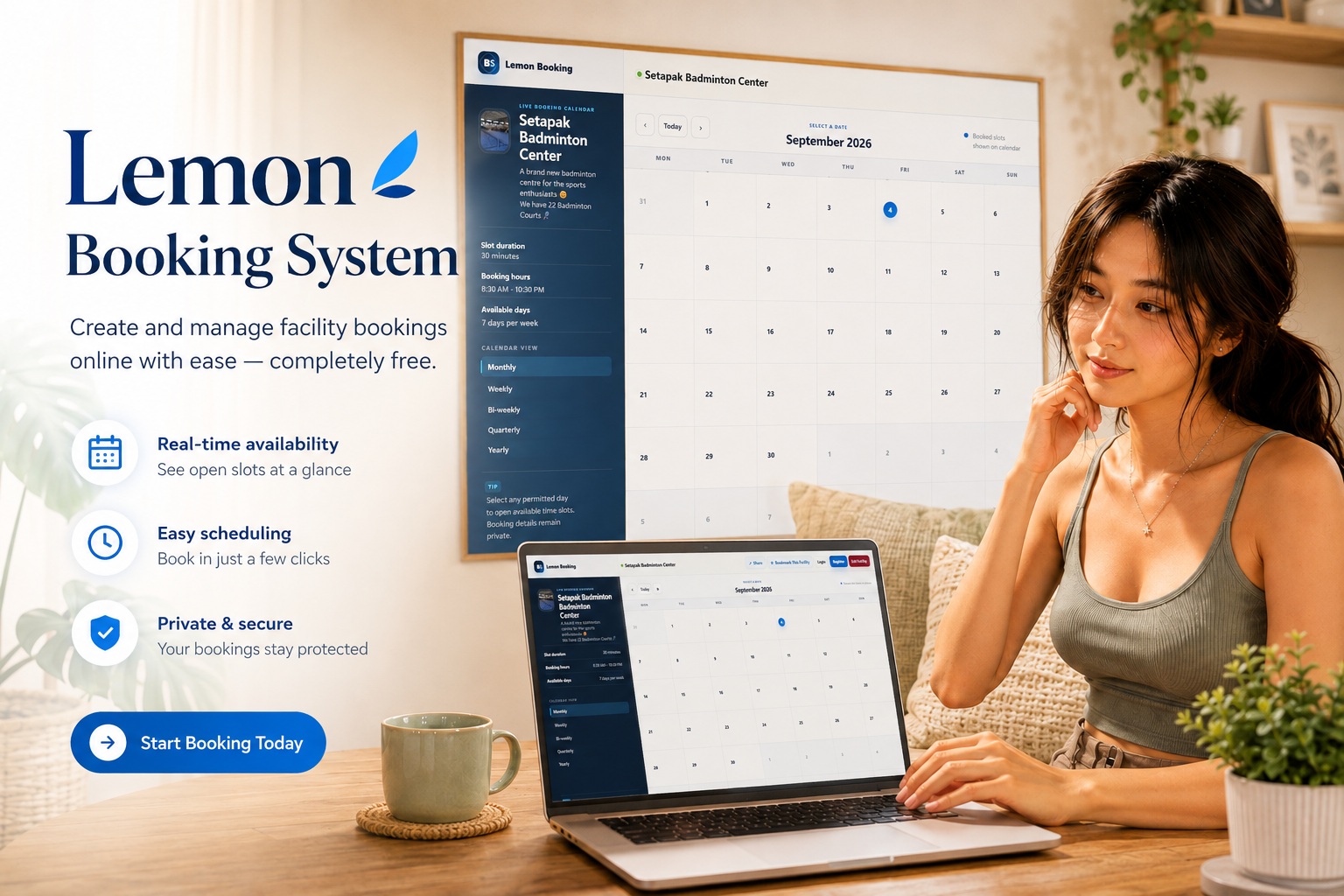
Managing facility reservations should not require complicated software, expensive subscriptions or endless back-and-forth messages just to confirm whether a space is available. That is exactly why we created Lemon Booking System, a simple and modern online booking platform designed for anyone who needs an easier way to manage shared facilities. Whether you are handling meeting rooms, badminton courts, classrooms, studios, community spaces, equipment or virtually any bookable facility, Lemon Booking System gives you the tools to create your own booking calendar and start accepting reservations online.
Best of all, the service is designed to be completely free to use, with no hidden charges and no advertisements getting in the way. The idea is simple: create your facility, configure when it can be booked, share the booking page with your users, and let the system take care of the rest.
Create Your Own Facility Booking Page
Once you register for an account, you become a Facility Manager and can start creating facilities almost immediately. Each facility receives its own dedicated booking page, making it easy to share with colleagues, customers, students, residents, club members or anyone else who needs access to the facility.
When creating a facility, you can provide its name, description and icon, while also defining its booking rules. This means you are not limited to a generic one-size-fits-all schedule. Every facility can have its own availability based on how it is actually used.
You can configure the days on which bookings are accepted, define the available booking hours and select the appropriate time interval for each booking slot. For example, a meeting room may use 30-minute slots, while a sports court might be offered in one-hour sessions.
Manage Up to 10 Facilities from One Account
A single Facility Manager account can create and manage up to 10 different facilities, making Lemon Booking System useful for both individuals and organisations with several spaces to manage.
You might have multiple meeting rooms in an office, several sports courts at a recreation centre or different shared facilities within a residential building. Instead of managing separate spreadsheets or calendars, everything can be maintained from one Facility Manager dashboard.
Each facility remains independent, with its own availability, booking schedule, description and dedicated booking page. If a facility is no longer required, the Facility Manager can remove it and its booking page can be made available for future use again.
A Calendar Designed Around Facility Availability
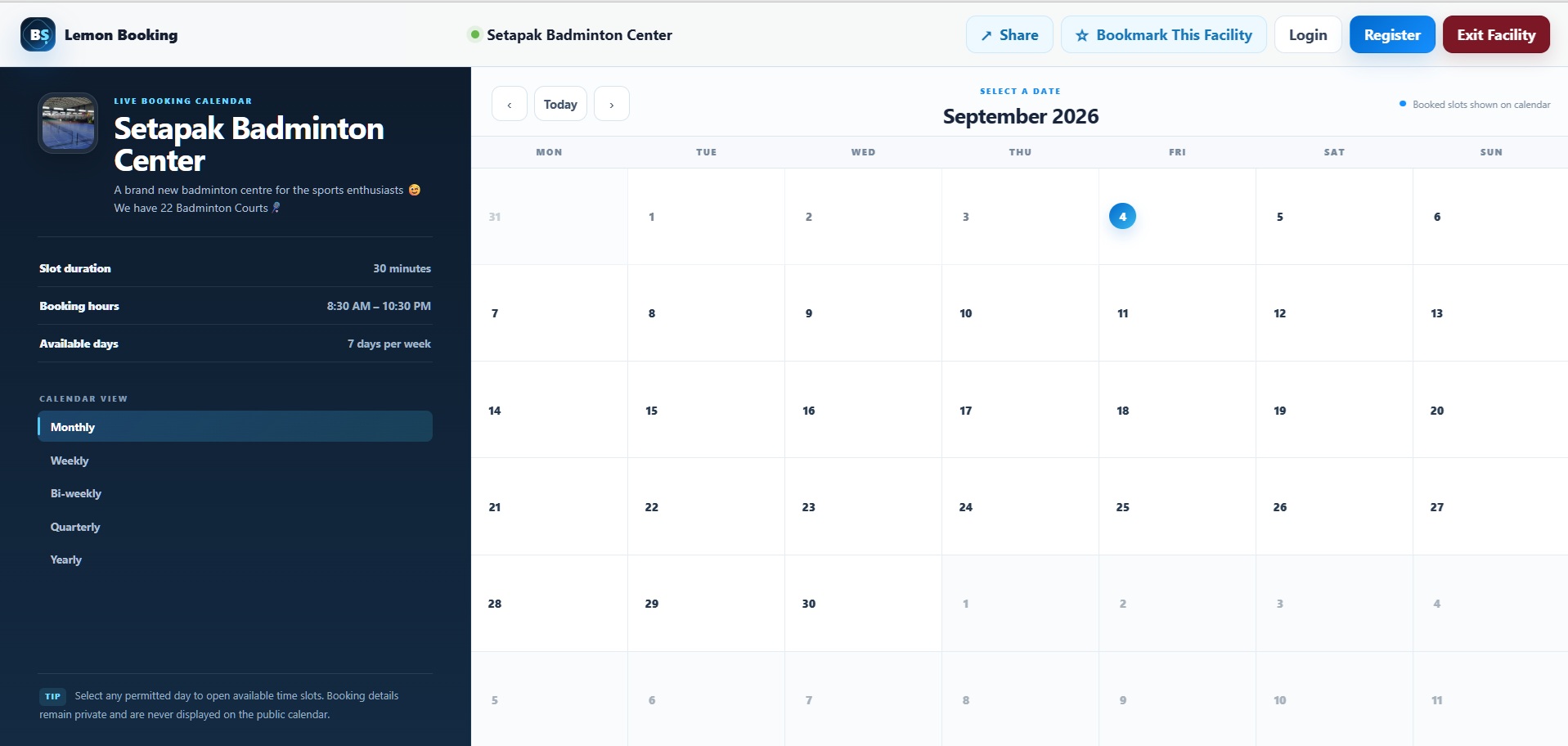
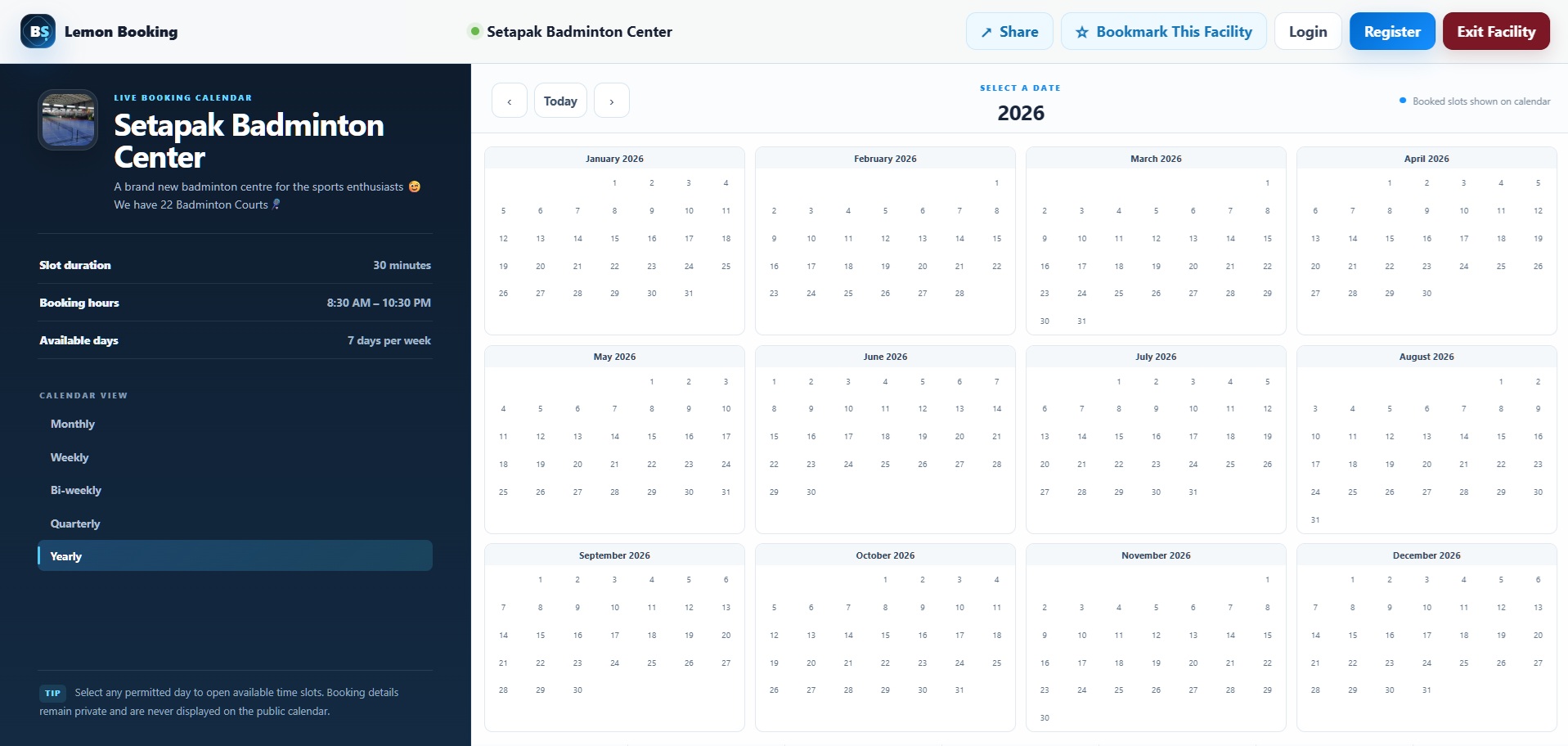
Visitors arriving at a facility booking page can immediately view its availability through an interactive calendar. The calendar supports several ways of looking at upcoming bookings, including monthly, weekly, bi-weekly, quarterly and yearly views, allowing users to choose whichever view is most convenient.
Booking a facility is intentionally straightforward. A visitor selects a date from the calendar, chooses one of the available time slots and then enters the required booking information. Rather than filling the page with additional forms, the process is handled through clean step-by-step popup windows, keeping the booking calendar easy to understand.
Already-booked slots are automatically recognised by the system, helping prevent conflicting reservations from being submitted for the same facility and time.
Share a Facility with Anyone
One of the most useful parts of Lemon Booking System is how easily a facility can be shared. Every facility has its own booking page, so Facility Managers can simply provide the link to anyone who needs to make a reservation.
A built-in Share function makes this even easier, offering convenient sharing options for services such as Facebook, X, WhatsApp and email, together with the ability to copy the booking link. This can be particularly useful for organisations that regularly promote facilities through websites, social media groups or messaging applications.
Each facility page also contains its own facility-specific social sharing information, so when a booking page is shared, the preview can represent that particular facility rather than showing only a generic booking-system description.
Bookmark Frequently Used Facilities
For visitors who regularly book the same facility, Lemon Booking System includes a Bookmark This Facility feature. A facility can be saved directly within the browser, giving users an easier way to return to frequently used booking pages.
Saved facilities can then appear when returning to the main Lemon Booking System page, reducing the need to search for the same location repeatedly. It is a small feature, but one that makes a noticeable difference for recurring users who may book the same meeting room, sports facility or shared space every week.
Quickly Find the Facility You Need
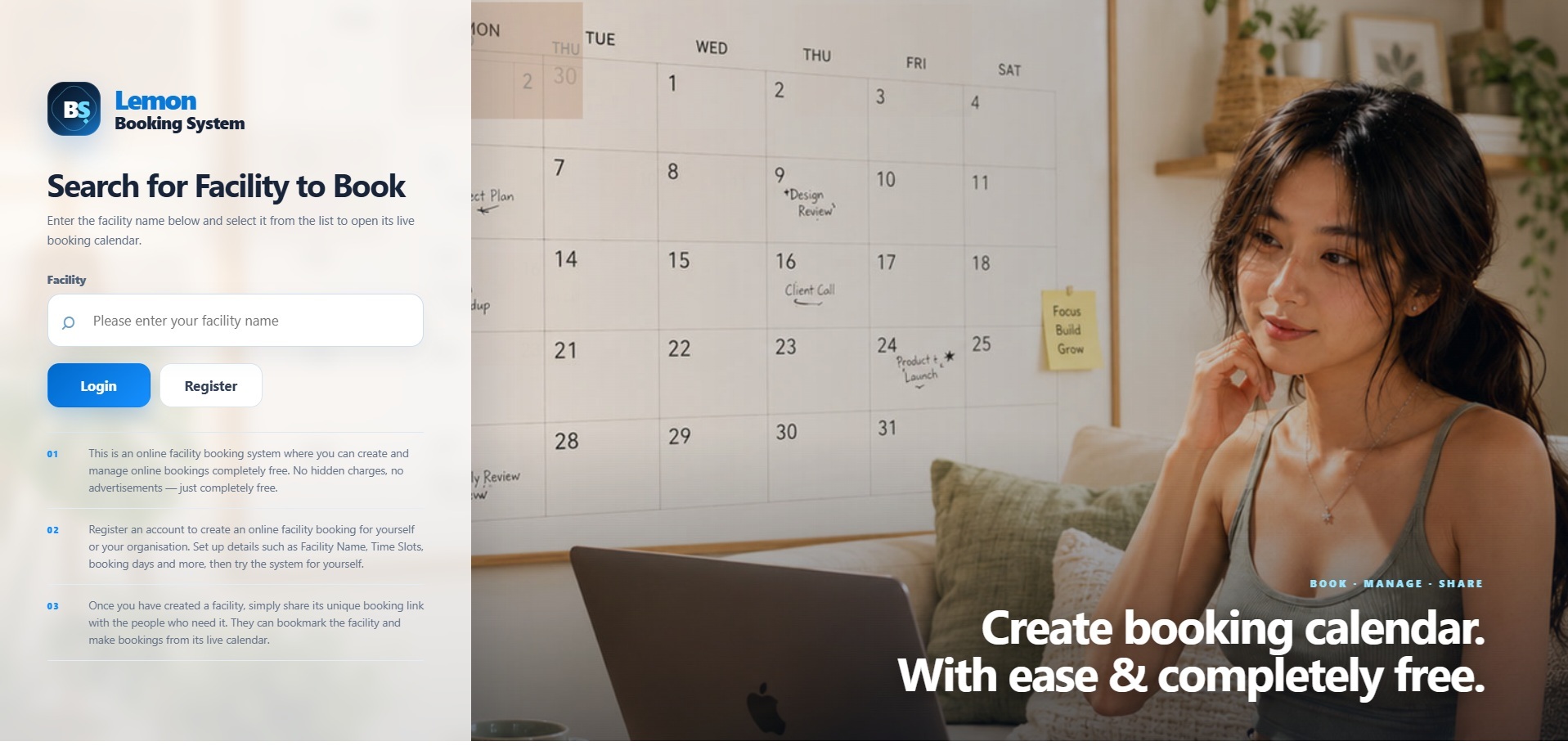
The Lemon Booking System homepage includes a facility search with autocomplete, allowing visitors to begin typing a facility name and immediately see matching results. Facility icons and descriptions help distinguish between similar facilities, while the results remain compact enough to keep the interface easy to navigate.
Once the correct facility is selected, the visitor is taken directly to its live booking calendar. There is no need to browse through complicated menus or categories before reaching the actual booking page.
This also makes the platform practical for organisations with multiple facilities because users can simply search for the space they already know instead of navigating through an administrative directory.
Facility Managers Stay in Control
While visitors receive a simple booking experience, Facility Managers have access to a more comprehensive management area behind the scenes. From the dashboard, managers can review their facilities, adjust operating schedules, manage bookings and make changes whenever their requirements evolve.
Managers can also create bookings themselves, modify existing reservations, cancel them or overwrite a time slot when administrative intervention is required. This is particularly useful when a booking needs to be changed because of maintenance, internal events or other circumstances where the Facility Manager needs final control over availability.
Facility names are locked after creation to help preserve the facility's unique booking address and prevent accidental changes that could cause broken links.
See How Your Facilities Are Being Used
Lemon Booking System goes beyond simply recording reservations. Facility Managers can also access booking performance reports to get a clearer picture of how their facilities are being used.
Reports can help show booking activity, utilisation patterns and overall demand, making it easier to understand whether a facility is frequently used or has significant unused availability. For organisations managing several facilities, this information can be useful when deciding whether operating hours need to be adjusted or whether additional facilities may eventually be required.
Instead of manually counting appointments from a spreadsheet, booking information is already organised by the system.
Built-In Booking Protection
Making a public booking system accessible online also means protecting it against automated abuse. Lemon Booking System includes a lightweight human-verification step for public bookings, together with additional behind-the-scenes checks intended to reduce automated submissions.
The verification process is deliberately kept simple so genuine users are not forced through an unnecessarily frustrating booking experience. At the same time, the system validates booking slots on the server before accepting a reservation, helping prevent duplicate bookings even when multiple visitors are viewing the same availability.
User accounts are protected through secure password handling, email verification and password-reset procedures designed so that merely requesting a password reset does not immediately change the account password.
Email Verification and Booking Notifications
New Facility Manager registrations include an email verification process, helping ensure that accounts are created using genuine email addresses. The system also supports secure password recovery through email if a user later loses access to their account.
Booking-related email notifications can be configured through the system's SMTP settings. This allows booking confirmations and important account messages to be delivered using the administrator's preferred email server.
For Facility Managers, this means the booking system can become part of the organisation's normal communication workflow instead of requiring users to constantly check the dashboard for every update.
Designed for Desktop and Mobile
Facility bookings increasingly happen from phones rather than desktop computers, particularly when someone needs to reserve a space while travelling or already at the location. Lemon Booking System has therefore been designed with responsive layouts so the main search page, facility calendars, booking forms and management interfaces remain usable across different screen sizes.
Desktop users receive a spacious calendar-oriented interface, while mobile layouts adapt the information and controls for smaller screens. The goal is to make booking a facility just as straightforward from a smartphone as it is from a computer.
There is no separate application to install. Users simply open the facility booking page in their web browser.
Useful for More Than Just Meeting Rooms
Although meeting-room reservations are one obvious use for the platform, Lemon Booking System is intentionally flexible enough to support many different booking scenarios.
It can be used for sports courts, tuition rooms, photography studios, event spaces, computer laboratories, music rooms, consultation rooms, training facilities, shared equipment, community halls and other resources where availability needs to be organised around specific dates and time slots.
Because every facility controls its own schedule, different types of resources can coexist under the same Facility Manager account without needing an entirely different booking system for each one.
Completely Free, Without the Usual Distractions
There are many online booking platforms available today, but a large number of them eventually require subscriptions, impose restrictions on useful features or place advertising and branding throughout the booking experience. Lemon Booking System takes a much simpler approach.
You can create and manage your facility booking calendars completely free, without hidden charges or advertisements appearing throughout the system. The objective is to provide a useful online tool that people, small businesses, community groups, clubs and organisations can genuinely use without first deciding whether another monthly subscription is worthwhile.
You create the facility, configure the schedule and share the booking page. That is really all you need to get started.
Final Thoughts
Lemon Booking System was created around a straightforward idea: facility booking should be easy for the person managing the facility and equally easy for the person trying to reserve it. With configurable booking schedules, multiple calendar views, dedicated facility pages, sharing and bookmarking tools, booking management, reporting, email notifications and mobile-friendly access, the platform brings the essential parts of facility reservation together in one place.
Whether you are looking for a simple calendar for a single shared room or want to manage several different facilities under one account, Lemon Booking System gives you a convenient way to put the entire booking process online without unnecessary complexity or cost.
Create your booking calendar, share it with your users and start managing your facilities with ease — completely free with Lemon Booking System.











Comments 0