


Learning a new song should begin with playing—not hunting through complicated menus or waiting for a cluttered website to load. That's why we've given Lemon Guitar-Tab a major update. The new version is faster, cleaner and much easier to use on both computers and mobile devices. Whether you're working through a classic riff, learning a solo or simply looking for something new to play, the updated app helps you get to the music quickly.
A much bigger tab collection
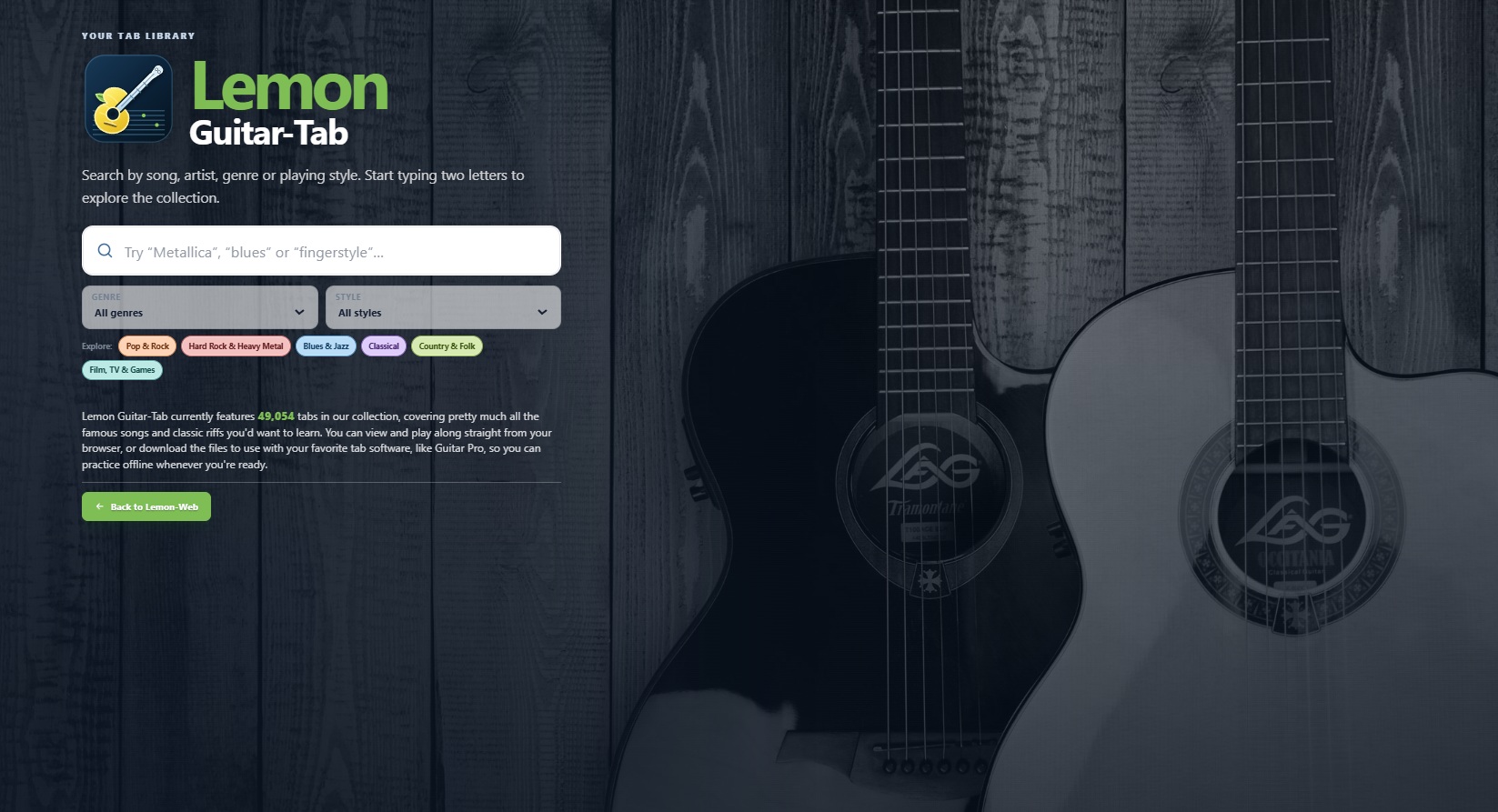
Lemon Guitar-Tab now features 49,054 guitar tabs, covering famous songs, classic riffs and a wide variety of playing styles.
The collection includes rock, metal, blues, jazz, classical, country, folk, film and game music, fingerstyle arrangements and much more. Each genre is displayed with its own colourful label, making the collection easier—and a little more enjoyable—to explore.
Find songs as you type
The old song-selection dropdown has been replaced with a proper search experience.
Simply enter two letters and Lemon Guitar-Tab will begin showing matching songs. You can search using a song title, artist, genre or playing style, with additional genre and style filters available when you want to narrow things down.
Search results are presented alongside the main search area on desktop, while mobile devices receive a layout designed specifically for smaller portrait screens.
Play tabs directly in your browser
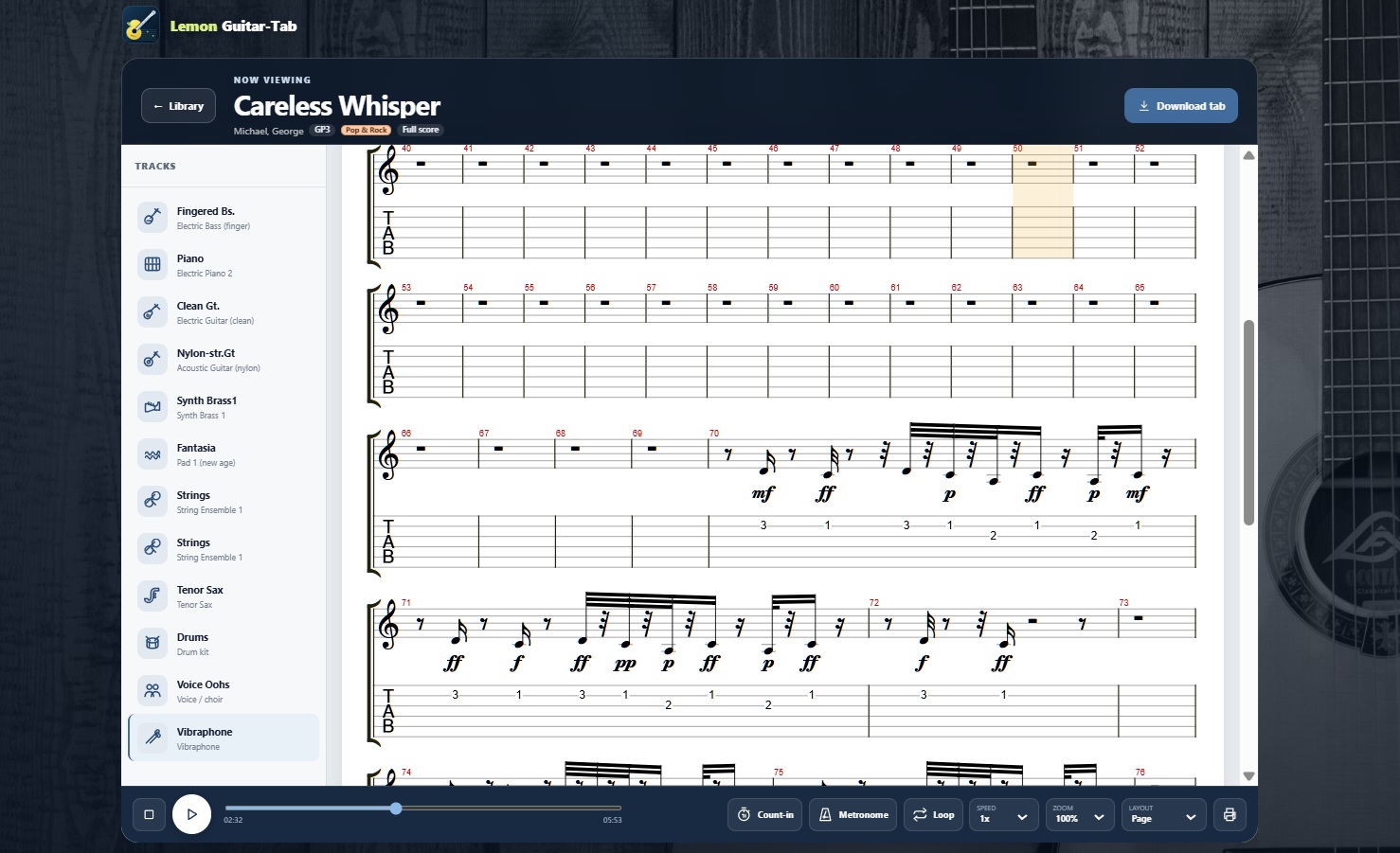
You can open supported Guitar Pro files directly inside Lemon Guitar-Tab and view the complete musical score and tablature without installing additional software.
The built-in player includes:
- Play, pause and stop controls
- Track and instrument selection
- Metronome and count-in controls
- Loop playback
- Page and horizontal layouts
- Adjustable score zoom
- Playback speeds of 0.25x, 0.5x, 0.75x, 1x, 1.5x and 2x
Playback always begins at the normal 1x speed, but you can slow difficult sections down while practising or speed them up once you're feeling confident.
Download tabs for offline practice
Prefer using Guitar Pro or another compatible desktop application? Every tab includes a download option, so you can save the original file and continue practising offline.
Downloads are automatically given friendly filenames based on the artist and song title instead of confusing internal file names.
Better printing
The printing experience has also been improved. Printed tabs now use a cleaner page layout, make better use of the available paper and include Lemon Guitar-Tab branding at the bottom of the page.
It's a simple improvement, but a useful one for anyone who likes keeping printed music beside their instrument.
Designed for desktop and mobile
The entire interface has been rebuilt to work comfortably within the browser window without adding an unnecessary page scrollbar.
On desktop, search results appear in their own panel on the right. On mobile, the layout reorganises itself into a portrait-friendly design with properly sized controls and a dedicated scrolling results area.
The familiar guitar-themed background remains, but the surrounding design is now cleaner, more colourful and easier to navigate.
A more self-contained experience
The player's scripts, fonts, sound files, icons and other essential resources are now hosted as part of Lemon Guitar-Tab itself. This reduces reliance on external services and gives us more control over the app's reliability and performance.
We've also completed the missing instrument icons, so guitar, bass, drums, keyboards, strings, brass and other tracks are now easier to recognise.
Ready to find your next song?
Whether you're picking up the guitar for the first time or returning to a song you haven't played in years, we hope the new Lemon Guitar-Tab makes practising a little easier and a lot more enjoyable.











Comments 0