

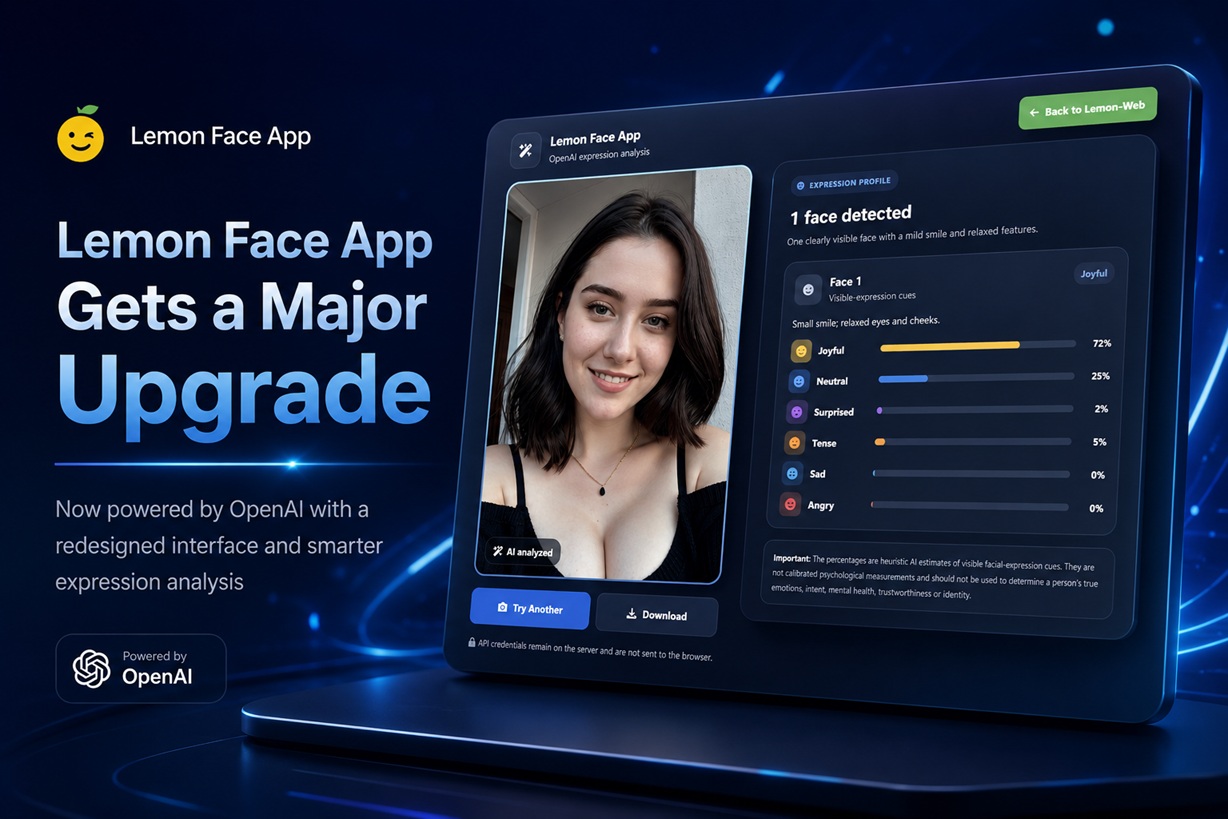
The Face App on Lemon-Web has received one of its biggest updates yet. What started as a relatively simple facial analysis tool has now been rebuilt around a much more modern AI-powered workflow, with OpenAI replacing Google Vision as the main image analysis engine.
The update isn't just an API swap either. The interface has been redesigned, the processing experience has been improved, facial-expression analysis has been reworked, and additional security has been added through Google reCAPTCHA v3.
The result is an app that feels much more polished from the moment an image is uploaded until the final analysis appears.
Moving From Google Vision to OpenAI
The biggest change happens behind the scenes.
Previously, Face App relied on Google Vision to identify faces and return several predefined facial attributes. While that worked, the results were largely restricted to Google's predefined categories and likelihood values.
The updated version instead sends the uploaded image through OpenAI's vision capabilities.
This gives the app considerably more flexibility in how facial expressions can be interpreted and presented. Rather than simply displaying raw API likelihood values, Face App can now generate a more structured expression profile based on visible facial cues in the photograph.
The OpenAI integration is handled entirely on the server, which also means the API key remains protected and is never exposed to visitors through the browser.
A Better Approach to Facial Expressions
The original Face App focused on categories such as Happiness, Anger, Sorrow and Surprise.
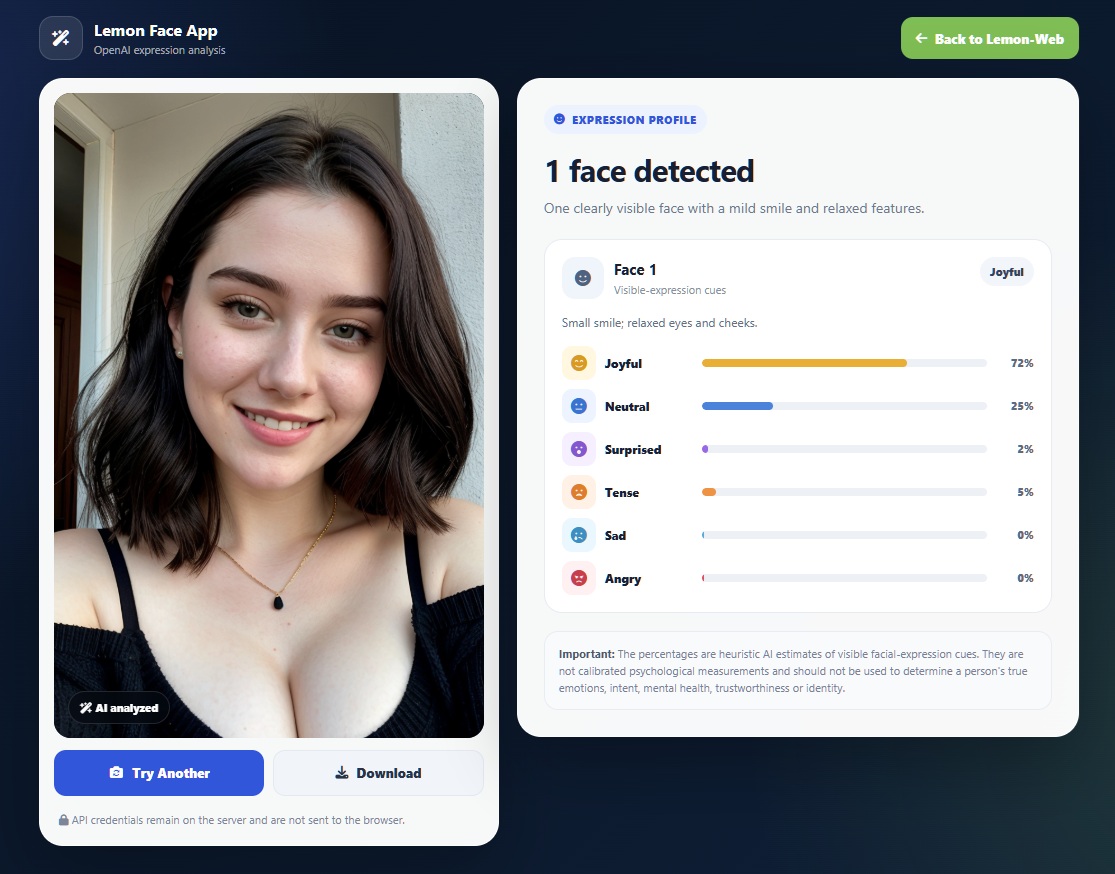
For this update, I've reworked that system into a broader set of visible expression cues:
Each expression is now represented with its own icon, visual indicator and colour treatment, making the results much easier to understand at a glance.
I've also adjusted how the app describes the results. Instead of suggesting that AI somehow knows exactly what somebody is feeling internally, the updated system focuses on visible facial-expression cues detected from the image.
That's an important distinction. A photograph can show characteristics associated with smiling, tension or surprise, but an AI model can't truly know what someone is thinking or feeling.
Multiple Faces Can Be Analysed
Another improvement is better handling of photographs containing more than one person.
Face App can now analyse multiple prominent faces within the uploaded image and produce an expression profile for each detected face.
For example, a group photograph could return something like:
Face 1 — Joyful
Neutral ████ 18%
Surprised ██ 6%
Tense █ 4%
And then continue with the analysis of the next visible face. This makes the tool considerably more useful for group photographs rather than limiting it to single-person portraits.
A Completely Redesigned Interface
The previous interface has also been given a significant visual overhaul. I wanted the updated Face App to feel more like a modern AI application rather than simply an upload form connected to an API. The layout is cleaner, spacing has been improved, results are easier to scan, and the interface works more naturally across desktop and mobile devices.
Users can still upload an existing photograph or capture one directly using a supported device camera.
The AI Processing Screen Is More Interesting Too
One small detail that makes a surprisingly big difference is what happens while the image is being analysed. Instead of leaving visitors staring at a generic spinner, Face App now displays an animated AI analysis sequence. As processing takes place, the interface moves through stages such as:
Preparing image...
Detecting visible faces...
Reading expression cues...
Building expression profile...
A scanning-style facial animation accompanies the process as well.
Of course, these animations don't represent the exact internal operations happening at every millisecond inside the AI model. They're designed to provide useful visual feedback while the image is uploaded, processed and returned by OpenAI.
It makes the waiting period feel much more deliberate and considerably less like the application has frozen.
Google reCAPTCHA v3 Is Now Integrated
Because Face App involves uploading images and making an external AI API request, protecting the endpoint from automated abuse is particularly important.
The updated version therefore incorporates Google reCAPTCHA v3.
Unlike the traditional CAPTCHA system that asks visitors to click traffic lights or identify bicycles, reCAPTCHA v3 generally operates silently in the background.
The browser generates a verification token and the PHP backend validates it before allowing the OpenAI image-analysis request to continue.
This adds another layer of protection against bots repeatedly triggering API requests and potentially consuming unnecessary API usage.
Better Upload Handling
Image handling has also been tightened.
The app now performs additional validation before sending photographs for analysis and supports the common formats needed for the service, including JPEG, PNG and WEBP.
Uploaded images also receive randomised filenames rather than simply retaining whatever filename was supplied by the visitor.
If an OpenAI analysis fails, the application can clean up the associated upload rather than leaving unnecessary files behind on the server.
These aren't particularly visible features, but they're important improvements for an application accepting public uploads.
OpenAI Structured Results
Another major technical improvement is how the AI response is handled.
Rather than asking the model to return ordinary text and then attempting to extract numbers or emotion names from that text, the updated implementation requests a structured JSON response.
That means Face App expects clearly defined fields for detected faces, expression categories, scores and primary expressions.
This makes the PHP side much more predictable and reduces the chances of a slightly differently worded AI response breaking the results screen.
For an AI-powered application, structured output makes a huge difference in reliability.
A Much More Complete Face App
This update essentially rebuilds Face App around a modern AI architecture while keeping the original idea intact: upload a photograph and explore the visible facial expressions detected within it.
The difference is that the experience is now considerably more polished.
OpenAI provides the visual analysis, structured results make the output more reliable, reCAPTCHA helps protect the API endpoint, multiple faces can be analysed, and the redesigned interface gives the application a much more modern feel.
Final Thoughts
Face App has always been more of an experimental and fun AI application than a serious tool for determining someone's emotions, and that remains the case.
What this update demonstrates particularly well is how much more capable browser-based AI applications can become when traditional image-recognition APIs are replaced with multimodal AI models.
Instead of simply receiving a handful of predetermined flags from an image API, I now have much more control over how the analysis works, how the results are structured and how that information is presented to visitors.
For Face App, that's a pretty substantial upgrade—and it also gives me a much stronger foundation for whatever features I decide to experiment with next.











Comments 0