

WordPress makes it easy to build a website, publish content, add new features, and grow an online presence. But when it comes to security, many website owners tend to take a more reactive approach. Everything feels fine until a suspicious login attempt appears, a plugin vulnerability is reported, the website begins redirecting visitors, or an unfamiliar administrator account shows up in the dashboard.
The problem is not that WordPress security is impossible to manage. It is that many people are unsure where to begin. There are endless articles, plugin recommendations, technical guides, and security checklists online. Trying to make sense of all of it can feel overwhelming, especially when you are running a website alongside work, customers, content updates, and everything else.
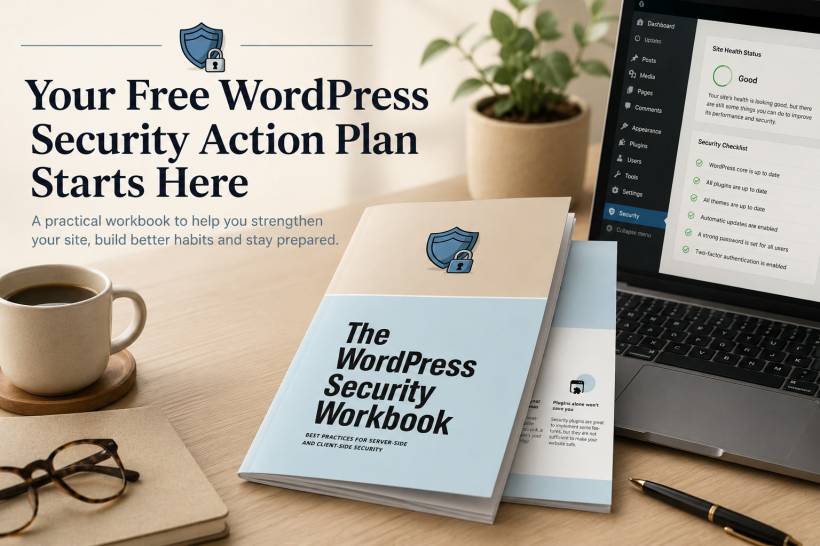
That is exactly why a practical resource such as the WordPress Security Workbook can be useful.
Rather than sending you through a long list of external articles, the workbook is included directly in this article below. It is designed to help you turn security advice into manageable actions that can be completed step by step.
WordPress Security Does Not Need to Be Complicated
Website security is often discussed using technical terms that make it sound like something only developers or cybersecurity specialists can handle.
While some security tasks do require technical support, many of the most important protections are simple habits that website owners can understand and maintain.
For example, keeping WordPress, themes, and plugins updated is one of the easiest ways to reduce exposure to known vulnerabilities. Using strong passwords and two-factor authentication can make it far more difficult for an attacker to access an administrator account. Removing unused plugins and themes reduces the number of potential entry points on a website.
These are not glamorous tasks, but they are the foundation of a safer WordPress site.
The key is knowing what to prioritise and who is responsible for each part of the process.
A Workbook Built for Action, Not Just Reading
The WordPress Security Workbook is different from a typical security article because it is meant to be used as a working guide.
Instead of simply explaining why website security matters, it helps break the process into practical tasks that can be reviewed, planned, and completed over time. This makes it especially useful for small business owners, bloggers, freelancers, website administrators, and anyone managing a WordPress website without a dedicated cybersecurity team.
You do not need to complete every task in one afternoon.
The better approach is to work through the workbook gradually, identify the gaps in your current setup, and make steady improvements. A few well-managed security habits are far more valuable than a long checklist that is never revisited.
Understand What You Are Protecting Your Website From
Before improving security, it helps to understand the common risks facing WordPress websites.
Attackers may try to guess weak passwords through repeated login attempts. Outdated plugins or themes may contain vulnerabilities that allow unauthorised access. Poorly configured websites can also become exposed to malicious code injection, spam, redirects, or data theft attempts.
The workbook explains common threats in a clearer and more approachable way, helping website owners understand the purpose behind each security task.
Knowing the risks does not mean you need to become paranoid about every login or website update. It simply helps you make better decisions about where to focus your time.
Know What Your Hosting Provider Handles
One common source of confusion is responsibility.
Website owners often assume that their hosting provider takes care of all security concerns. Meanwhile, some hosting providers may protect the server environment but leave WordPress updates, plugin security, administrator access, and website backups to the customer.
This is why separating responsibilities is so important.
A good hosting provider may handle infrastructure protection, server monitoring, firewall controls, malware scanning, SSL support, and platform-level backups. However, the website owner still needs to manage WordPress users, passwords, plugin updates, themes, content access, and security settings inside the dashboard.
The workbook helps make this division clearer so that important tasks do not fall through the cracks.
Build Better Habits With Simple Security Actions
Strong security is usually built through consistency rather than complicated tools.
The workbook includes practical action-focused guidance for areas such as enabling two-factor authentication, reviewing administrator access, managing plugins responsibly, and preparing for possible security incidents.
Two-factor authentication is a particularly important example. Even if someone discovers a password, they should not be able to access the WordPress dashboard without an additional verification method.
Plugin management matters just as much. Every active plugin adds functionality, but it can also create another area that needs to be maintained. Unused plugins should be removed, abandoned plugins should be replaced, and active plugins should be kept updated.
These are simple actions, but together they can significantly strengthen a website's overall security posture.
Make Time for a Quick Monthly Security Review
Security should not be treated as a one-time setup task.
A website changes over time. New plugins are installed, users are added, passwords are updated, content is published, and WordPress releases new versions. A quick monthly review can help catch issues before they become more serious.
The WordPress Security Workbook includes a short audit process that can be completed without turning security into an all-day project.
A regular review may include checking for WordPress, theme, and plugin updates; reviewing administrator accounts; confirming that backups are working; looking for unused plugins; and making sure the site is still protected with a valid SSL certificate.
Five or ten minutes of regular attention can be far more effective than trying to fix everything after a problem occurs.
Be Prepared Before an Incident Happens
Nobody wants to imagine their website being hacked, but preparation makes a real difference.
A security incident can feel stressful, especially when a website is important for business enquiries, online sales, customer information, or public communication. Without a clear plan, it is easy to lose time trying to decide what to do first.
The workbook includes a calm, step-by-step response guide for situations where a website may have been compromised.
This can help you focus on the right immediate actions, such as taking the site offline when necessary, changing passwords, contacting your hosting provider, restoring from a clean backup, scanning for malicious files, and checking user accounts.
It is similar to keeping a fire extinguisher nearby. You hope you never need it, but you will be glad to have it ready if something goes wrong.
Read the WordPress Security Workbook Below
The WordPress Security Workbook is included below for you to read, save, or download at your own pace.
Use it as a starting point rather than a one-time checklist. Work through the sections, make notes about your current website setup, and prioritise the areas that need attention first.
A more secure WordPress website does not happen through one plugin or one quick setting. It comes from a series of sensible decisions that are reviewed regularly.
Final Thoughts
WordPress security does not have to rely on hope, guesswork, or last-minute panic.
With the right habits in place, most website owners can reduce common risks, improve their recovery readiness, and manage their websites with greater confidence. The important part is taking the first step and turning broad security advice into actions you can actually follow.
Start with the workbook below, review your current setup, and build stronger WordPress security habits one practical task at a time.











Comments 0