

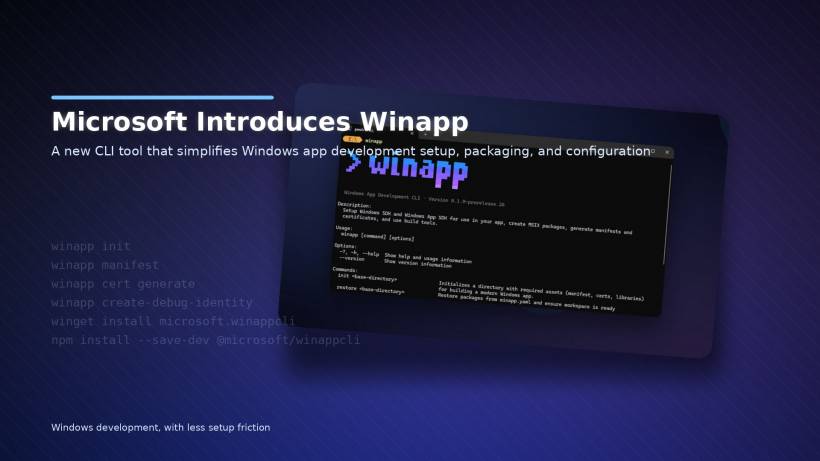
Microsoft is trying to make Windows app development feel less like assembling IKEA furniture without the manual, and more like… well, actually building your app. A new tool called winapp has been introduced to simplify the annoying setup work that usually happens before you even write the fun parts of a Windows application. If you've ever felt like Windows development involves juggling too many moving parts, this tool is basically Microsoft saying, "Yeah… we know."
Windows app development has a lot of setup friction
Building a Windows app isn't just about writing code and shipping it. There's a long list of behind-the-scenes tasks that tend to slow people down:
You often end up dealing with multiple SDKs, tweaking manifest files, generating certificates, and navigating packaging rules that can feel way more complicated than they need to be. None of that is "building your app," but it's all required if you want a proper, installable Windows application that behaves correctly.
Microsoft's goal with winapp is to pull all that scattered setup work into one place, so the process feels more streamlined instead of fragmented.
What winapp actually does
According to Microsoft's own explanation on Windows Blogs, winapp is designed to unify the configuration and packaging tasks that normally require multiple tools and manual edits.
In other words: instead of bouncing between SDK managers, manifest files, packaging steps, and certificate creation tools, you get one command-line tool that handles the workflow for you.
The best way to think of it is: winapp is trying to make Windows app setup more "one tool, one flow," rather than "five tools and a checklist."
The big starter command: winapp init
The most highlighted feature is a command called:
winapp init
This is meant to kickstart your project by automatically pulling in what you need. It can download the relevant SDK packages, set up projections, and prepare your project so you can start developing without doing a bunch of manual steps first.
Microsoft's argument is that this replaces several setup actions that developers typically do by hand, where small mistakes can easily happen and cost time to fix.
Debugging and identity setup without the pain
Another useful command is:
winapp create-debug-identity
This gives your app a debug Package Identity so you can test features without going through the full identity-generation process yourself. That's the kind of thing that sounds minor until you've had to do it repeatedly, then suddenly it becomes one of those "why was this ever manual?" tasks.
Manifests and certificates are still in the mix, but simpler
Even though winapp can generate a manifest automatically during setup, Microsoft isn't locking developers out of manual control.
You can still manage or modify the manifest via:
winapp manifest
And when you need certificates (another common hurdle), there's a built-in path for that too:
winapp cert generate
So the overall vibe is: winapp tries to automate the boring parts, but still lets you tweak things when you need deeper control.
Who is this for?
If you're a Windows developer who wants to spend less time wrestling with packaging and configuration, winapp could be genuinely helpful. It's especially appealing for:
People new to Windows development who find the setup intimidating
Developers who build multiple apps and are tired of repeating the same prep steps
Teams that want a more repeatable, less error-prone setup process
Instead of turning Windows app development into "memorize the rituals," it tries to make it feel more like a consistent workflow.
It's still in testing, and Microsoft wants feedback
This isn't being presented as a fully mature, locked-in tool yet. It's still in a testing phase, and Microsoft is encouraging developers to try it out and share feedback on what works, what doesn't, and what features should be added.
How to install winapp
If you're using WinGet, the general install command is:
winget install microsoft.winappcli
And if you're working in an npm-based workflow, especially common with Electron projects, Microsoft also provides:
npm install --save-dev @microsoft/winappcli The bigger takeaway
winapp looks like Microsoft trying to reduce the "ceremony" around Windows app development. Instead of forcing developers to spend hours configuring SDKs, manifests, identities, and certificates, it aims to bundle these tasks into a cleaner command-line experience.
If it works as advertised, it won't just save time—it could make Windows development more approachable for new developers and less repetitive for experienced ones.











Comments 0