

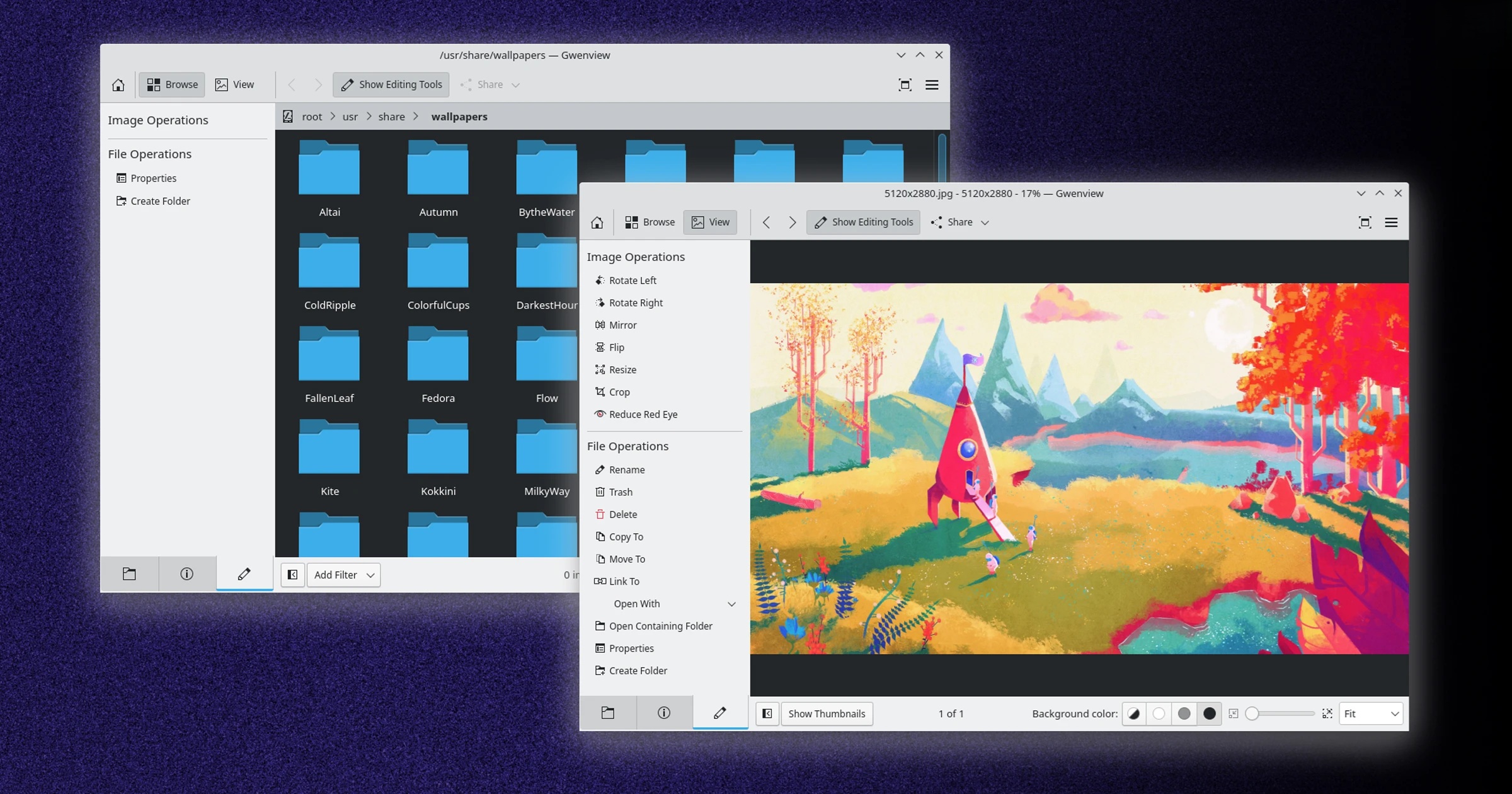
For more than two decades, Gwenview has been one of the default image viewers associated with KDE Plasma. It is fast, familiar, feature-rich and deeply integrated with the Qt-based KDE ecosystem, which is why so many Linux users have relied on it for viewing, organising and making basic edits to images.
But longevity can also become a burden. As software grows older, years of accumulated code, design decisions and compatibility requirements can make even relatively simple improvements harder to implement. KDE developers are now acknowledging that Gwenview may have reached that stage, and a newer application called Photos is being positioned as a cleaner, more modern alternative.
Why KDE Is Looking Beyond Gwenview
Gwenview is still a capable application, but development activity has slowed considerably in recent years. KDE developer Nate Graham has pointed to several reasons, including performance problems with large image collections, quirks involving GPU acceleration and an ageing internal architecture that has become difficult for new contributors to understand.
That last point is particularly important in open-source development. A project can be technically functional yet still become difficult to evolve if the codebase is intimidating enough that contributors are reluctant to work on it.
Graham described the situation bluntly, noting that contributions involving new features, bug fixes and user-interface improvements have largely dried up. His conclusion is that Gwenview's architecture may simply have reached the point where people are no longer willing to invest the effort required to extend it.
Sometimes Starting Fresh Is Easier Than Modernising Old Code
KDE is not alone in facing this problem. GNOME encountered a similar challenge when modernising its long-running Evince document viewer. Rather than endlessly patching an increasingly dated codebase, developers eventually moved toward Papers, a newer application built with more modern foundations.
That approach has wider advantages. Once newer components and design patterns are created, they can often be reused elsewhere. GNOME's work on Papers, for example, has influenced modernisation efforts in other applications such as GNOME Sushi.
The lesson is fairly simple: maintaining old software forever is not always the most efficient path. Sometimes a fresh application gives developers more freedom to rethink performance, interface design and platform integration without carrying decades of architectural baggage.
Koko Becomes Photos on the Desktop
KDE's new Photos app is not entirely new. The project began life in 2017 under the name Koko, initially as a mobile-focused image application.
Over time, desktop support and additional functionality were added, slowly expanding the application beyond its original mobile roots. More recently, Techpaladin Software, where Nate Graham serves as CEO, sponsored development work aimed at bringing the application up to a level where it could realistically compete with Gwenview.
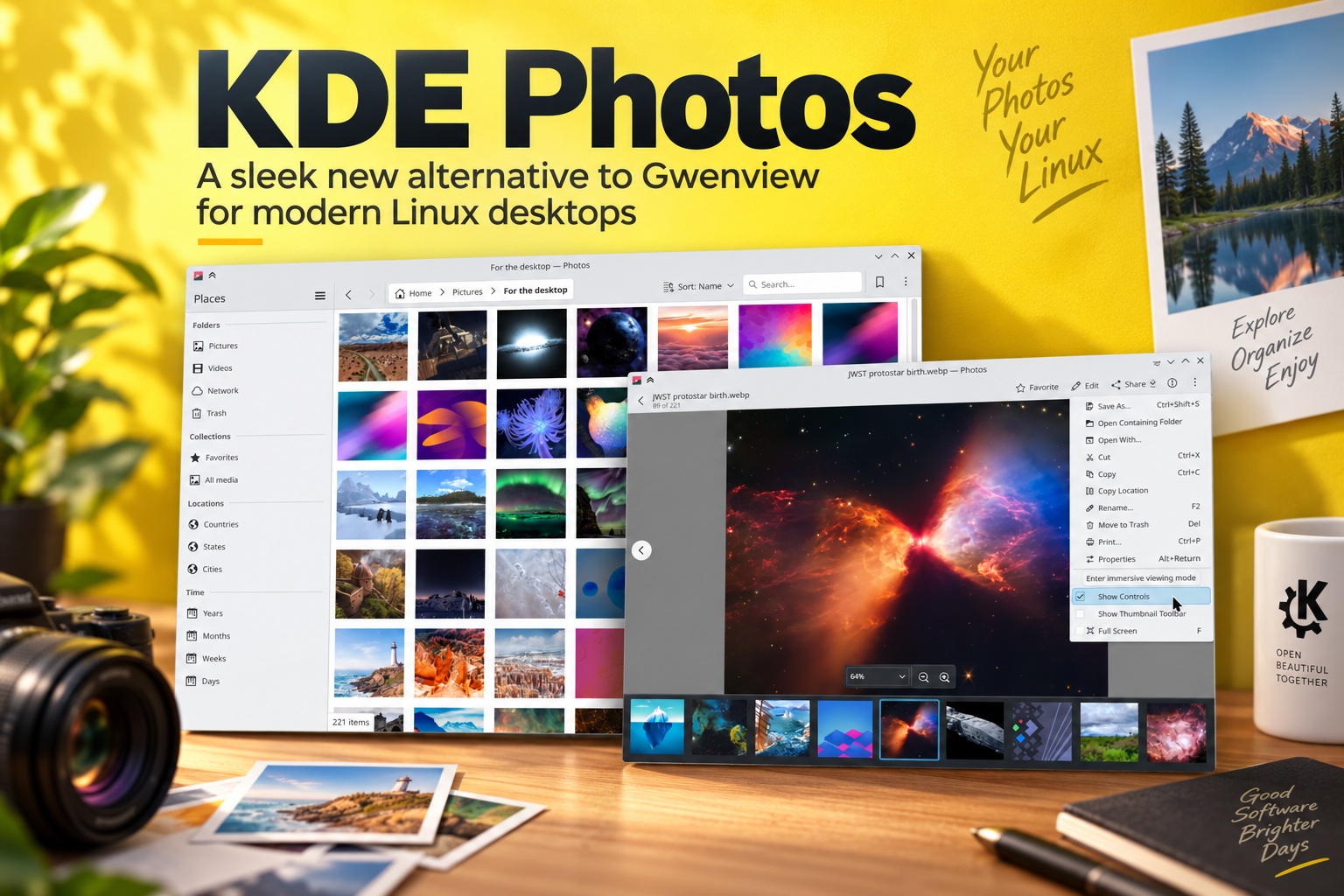
That effort has now reached an important milestone. The app, still technically rooted in Koko, is presented to users simply as Photos.
A Cleaner and More Modern Interface
At first glance, Photos looks noticeably simpler than Gwenview. The interface is designed to feel more straightforward and adaptive, rather than carrying the visual and structural complexity that naturally accumulates in a long-lived desktop application.
That cleaner approach does not mean KDE is stripping away useful functionality. Instead, the goal appears to be presenting common photo tasks in a more focused way while keeping the interface flexible enough to work across both desktop and mobile environments.
This is especially relevant for KDE because Plasma increasingly spans traditional PCs, tablets and other form factors. An image application that can adapt gracefully across screen sizes fits much better with that broader direction.
Performance With Large Photo Libraries Is a Major Focus
One of the biggest improvements highlighted for Photos is better performance with large image collections.
Gwenview works well for ordinary folders and smaller collections, but larger libraries can expose limitations in its older architecture. For users managing thousands of photographs, performance becomes much more important than simply opening individual files quickly.
Photos is being developed with these larger collections in mind, making it more suitable for people who want to browse and organise substantial photo libraries rather than use the application purely as a basic image viewer.
That could make it especially attractive to photographers, designers and users who keep years of personal photos locally.
Better Support for HiDPI Displays
Modern Linux desktops are increasingly used on high-resolution laptops and 4K monitors, which means good HiDPI support has become essential.
Photos is designed to handle these environments more cleanly, helping interface elements, icons and images scale properly without the awkward sizing or visual inconsistencies sometimes seen in older desktop applications.
This may sound like a small improvement, but it contributes significantly to how polished an application feels. On modern hardware, poor scaling can make otherwise capable software feel immediately dated.
One Interface for Desktop and Mobile
Another notable strength is its adaptive user interface. Photos is designed to change its layout depending on the available screen space, allowing the same application to work on both traditional desktops and smaller mobile-style devices.
That heritage comes directly from Koko's origins as a mobile application. Instead of retrofitting mobile support onto a desktop-first program, Photos already has flexibility built into its foundation.
For KDE, this is useful because it reduces the need to maintain completely separate applications for different device categories.
Annotation Tools Borrow From Spectacle
Photos also integrates annotation capabilities using technology associated with Spectacle, KDE's screenshot application.
That gives users access to familiar tools for marking up images without necessarily opening a full image editor. Simple tasks such as adding arrows, text, highlights or other visual notes can therefore be handled directly inside the photo application.
This is a practical feature because many users do not need advanced Photoshop-style editing. They simply want to make quick adjustments or add annotations before sharing an image.
Multiple Ways to Browse Your Photos
The new application includes several organisational views intended to make browsing a photo collection easier.
Users can explore images through:
These options move the application closer to the kind of library-based experience users may already know from smartphone photo apps, rather than limiting navigation to traditional filesystem folders.
That can make a photo collection feel much easier to explore, particularly for people who care more about when and where an image was taken than the exact directory it lives in.
Will Photos Actually Replace Gwenview?
That remains the big question.
Nate Graham is encouraging KDE users to test Photos and has also suggested that Linux distributions built around KDE Plasma consider shipping it instead of Gwenview. However, that does not mean Gwenview disappears overnight.
Gwenview has had more than 25 years to mature and still includes features and workflows that long-time users may depend on. Replacing an established default requires more than building an attractive new interface. The newer application also needs to prove that it can remain stable, receive regular maintenance and continue attracting contributors.
A promising replacement can still fail if development slows down after the initial excitement.
Long-Term Maintenance Will Matter More Than the Launch
This is probably the most important challenge facing Photos. Open-source applications need active contributors over many years, not just enough development to reach the first major milestone.
Gwenview itself demonstrates this reality. It became popular because it was maintained and improved for decades. If Photos wants to become the new default KDE image application, it will need the same kind of sustained attention.
The cleaner codebase may make that easier. A modern architecture can lower the barrier for new contributors and allow developers to add features without wrestling with decades of technical debt.
That may ultimately be the strongest argument for starting fresh.
Existing Gwenview Users Do Not Need to Rush
There is no reason for satisfied Gwenview users to abandon it immediately. If the current application already does everything you need, there is little value in switching purely because something newer exists.
Photos is more interesting for users who experience slowdowns with large collections, prefer a modern adaptive interface or want a more library-oriented way to browse images.
Having both applications available is actually a good thing. KDE users can compare them directly and decide which workflow suits them better.
You Can Already Try Photos
Users interested in testing the new application can install Photos through Flathub. If it is the first KDE or Qt application installed through Flatpak, the appropriate KDE runtime will also be downloaded.
The application is also available through the KDE Store and potentially through other distribution-specific installation methods as packaging catches up.
Testing it now is useful not only for evaluating the software personally but also for helping KDE identify bugs, missing functionality and workflows that still need improvement before more distributions consider making it the default.
Final Thoughts
KDE's move toward Photos reflects a challenge every long-running software project eventually faces: at some point, maintaining the past can become harder than building for the future.
Gwenview remains a respected and capable image viewer, but its ageing architecture, large-library performance issues and declining contributor activity have made further evolution increasingly difficult. Photos offers KDE a chance to start from a cleaner foundation while bringing together faster performance, better HiDPI handling, adaptive design and more modern photo-library features.
Whether it eventually replaces Gwenview will depend less on how polished it looks today and more on whether the project continues receiving active development in the years ahead.
For now, though, Photos looks like a promising attempt to give KDE Plasma a modern image application without carrying 25 years of technical baggage along for the ride.











Comments 0