

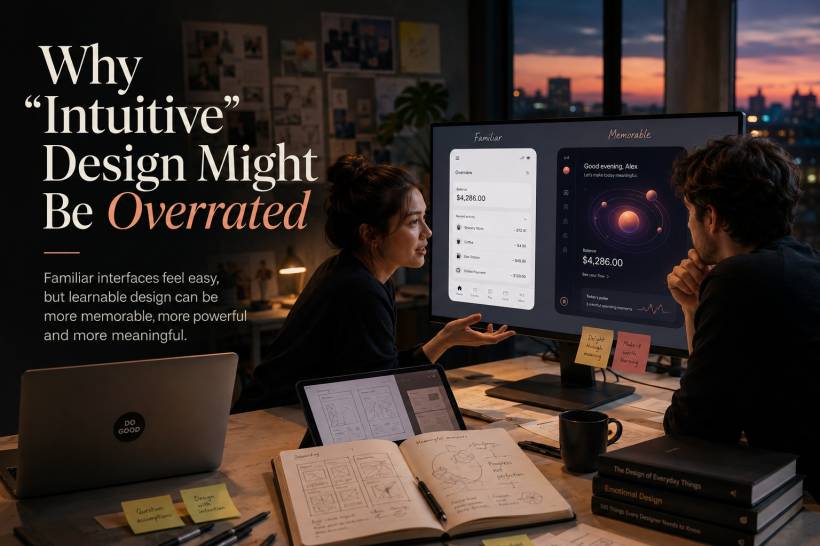
"Make it intuitive." It is one of the most common requests in design meetings, product briefs, usability reviews, and client feedback. Usually, it means the experience should feel easy, familiar, and immediately understandable. That sounds reasonable. Nobody wants an app that confuses users, hides important actions, or makes simple tasks feel difficult.
But there is a difference between a design that is genuinely easy to learn and one that simply copies what users have seen before. Too often, "intuitive" becomes shorthand for "make it look like every other product in the category."
That may reduce friction in the short term, but it can also limit originality, weaken brand identity, and create products that are easy to use once but forgettable forever.
Intuitive Does Not Mean Universal
Most things we call intuitive are not naturally understood. They are learned through repeated exposure.
A magnifying-glass icon is widely understood as search because users have seen it in browsers, apps, websites, and operating systems for years. A floppy-disk icon still represents saving, even though many younger users have never used an actual floppy disk.
The same applies to hamburger menus, swipe gestures, shopping-cart icons, pinching to zoom, and pull-to-refresh interactions. None of these ideas were obvious when they first appeared. Someone had to introduce them, users had to learn them, and eventually they became familiar.
So when designers say an interface should be intuitive, what they often mean is that it should match an existing mental model.
That can be useful, but it should not automatically be the main objective.
Familiarity Can Become a Creative Trap
A product that behaves exactly like every competitor may be easy to understand, but it may also be difficult to remember.
Think about banking apps, food-delivery apps, shopping platforms, or task-management tools. Many of them follow almost identical patterns:
These conventions are useful because they reduce the amount of learning needed. But when every product uses the same layout, the experience starts to feel interchangeable.
Users may complete tasks easily, yet struggle to describe what makes one app different from another. The interface works, but the brand disappears into the background.
That is the hidden cost of relying too heavily on familiarity.
Every Great Interaction Was Once Unfamiliar
Many of the interactions people now consider obvious were initially unusual.
Pinch-to-zoom was not something users immediately expected. Pull-to-refresh had to be discovered. Infinite scrolling, swipe actions, drag-and-drop interfaces, and gesture navigation all required a period of adjustment.
The difference is that these interactions eventually proved useful.
They did not ask users to learn something new for the sake of novelty. They introduced a small learning curve in exchange for a better, faster, or more natural way to interact with a product.
That is the real question designers should ask:
Is this new interaction worth learning?
A fresh interaction can be valuable when it improves speed, gives users more control, reduces repeated effort, or creates a more memorable experience.
The Best Products Reward Learning
Some tools are not immediately easy, yet users still love them because the time spent learning pays off later.
Professional design software, video-editing platforms, music-production tools, development environments, and advanced data applications often have steep learning curves. They can feel overwhelming to first-time users, but they also allow experienced users to work faster and do more.
A beginner may need time to understand keyboard shortcuts, layers, panels, automation tools, workflows, or custom settings. But once those skills become familiar, the tool becomes far more efficient than a simplified alternative.
This is where the idea of "learnable" design becomes more useful than "intuitive" design.
A learnable product does not need to be understood instantly. It needs to make progress feel possible.
It should guide users, give feedback, prevent serious mistakes, and reward them as they become more capable.
First-Time Ease Is Not the Same as Long-Term Efficiency
A product may feel effortless during the first five minutes but become frustrating after several months of daily use.
For example, a simple photo-editing app may be easier for beginners than a professional editor. But once a user needs precise controls, faster workflows, batch editing, shortcuts, layers, or advanced exports, the simpler app may become limiting.
The same applies to business software.
A dashboard that looks clean may hide important functions behind too many clicks. A minimalist interface may feel elegant but force power users to repeat the same action dozens of times. A heavily simplified workflow may help new users but slow down people who use the system every day.
Strong design should consider both moments:
The first experience matters, but it should not come at the expense of long-term usefulness.
There Is No Such Thing as a Truly Intuitive Interface
What feels natural depends heavily on who is using the product.
A gamer may quickly understand controller-style navigation, keyboard shortcuts, and fast gesture controls. A first-time smartphone user may not. A finance professional may recognise charts, data tables, and portfolio metrics immediately, while another person may find them overwhelming.
A younger user may understand app-based conventions that feel unfamiliar to an older user. Someone used to Windows may find certain macOS behaviours strange, while a Mac user may feel the opposite.
This is why designers should be cautious about calling something intuitive for everyone.
There is no universal intuition. There are only shared experiences, learned habits, and familiar patterns within different groups of users.
The broader the audience, the more important it becomes to provide clear guidance rather than assuming people will instantly understand what to do.
What Designers Should Prioritise Instead
Instead of treating intuition as the final goal, designers can focus on a few more practical qualities.
Learnability
Users should be able to understand the basics without feeling lost. The path forward should be visible, and complex features should not appear all at once.
Progressive disclosure works well here. Show the essential actions first, then reveal more powerful features when users are ready.
Consistency
An interface does not need to copy every other app, but it should follow its own rules consistently.
Buttons should behave the same way in similar situations. Labels should mean the same thing throughout the product. Navigation should not suddenly change style from one screen to another.
Users can learn a new system when it is logical. What frustrates them is unpredictability.
Clear Feedback
People are more comfortable trying unfamiliar actions when the product clearly responds.
A button should look pressed. A form should show that it has been submitted. A file upload should show progress. A saved change should be confirmed.
Good feedback replaces uncertainty with confidence. Users do not need every action to be familiar if the system makes the outcome clear.
Forgiveness
The best complex interfaces make mistakes recoverable.
Undo, cancel, edit, restore, autosave, version history, and confirmation prompts all help users experiment without fear. When people know they can go back, they are more willing to explore unfamiliar tools.
This is especially important in software involving money, healthcare, security, publishing, or business data.
When Intuitive Design Still Matters Most
There are situations where familiarity should absolutely be the priority.
A payment terminal should not require creative exploration. A hospital-monitoring interface must be clear under pressure. A car dashboard needs to communicate essential information instantly. Emergency tools, public-service systems, and high-risk workflows should minimise surprise wherever possible.
In these cases, users may be stressed, distracted, inexperienced, or making time-sensitive decisions. Familiarity is not boring. It is a safety feature.
The problem is not intuitive design itself. The problem is treating it as the only measure of good design.
Design Should Make Effort Feel Worthwhile
Not all friction is bad.
Sometimes friction means the user is learning a new capability. Sometimes a short onboarding process unlocks a faster workflow later. Sometimes an unfamiliar interaction creates a stronger sense of ownership once the user understands it.
The goal is not to make products difficult. It is to make the effort worthwhile.
A good product may ask users to invest a little time, but it should return that investment through speed, confidence, creativity, control, or stronger results.
A product that demands learning without giving anything back will fail. But a product that teaches users something useful can build loyalty in a way that a generic, familiar interface never will.
Final Thoughts
"Intuitive" is not a bad design goal. It is simply incomplete.
For simple, high-stakes, or infrequently used products, familiarity can be essential. But for innovative platforms, professional tools, and products that need to stand out, the better question is not whether users will understand everything immediately.
The better question is whether the experience is worth learning.
The strongest designs balance both worlds. They welcome beginners, guide users clearly, and remain forgiving when mistakes happen. At the same time, they give experienced users more speed, control, and depth over time.
Intuitive design may feel comfortable. Learnable design creates confidence. And confidence is what turns a useful product into one that people genuinely want to keep using.











Comments 0