

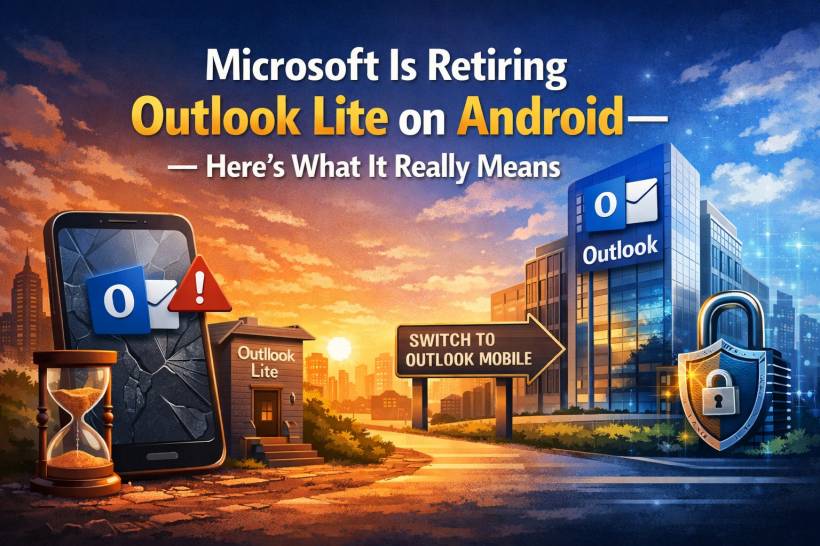
If you're still using Outlook Lite on your Android phone, this is one of those changes you don't want to ignore. Microsoft has officially confirmed that the lightweight email app is reaching the end of its life — and the timeline is surprisingly short. The cutoff date is set for May 25, giving users only about six weeks to make the switch before the app effectively becomes useless.
Let's break down what's happening, why Microsoft is doing this, and what it means for everyday users — especially those on older devices.
The End of Outlook Lite
Microsoft's decision isn't just a quiet retirement — it's a full shutdown of functionality.
According to reports, once the deadline hits:
• But email access will be completely disabled
• Navigation and core features will stop working
In other words, it turns into a shell of an app. No inbox, no syncing, no real usability.
This isn't entirely sudden, though. Microsoft had already stopped allowing new installs months ago and began phasing it out back in late 2025. Existing users were simply given a grace period — and that grace period is now ending.
Why Outlook Lite Existed in the First Place
To understand this move, it helps to know why Outlook Lite was created.
The app was designed specifically for:
• Phones with limited RAM or storage
• Users in regions with slower internet connectivity
It stripped down features to deliver a faster, lighter experience compared to the full Outlook app. For many users, especially those using entry-level devices, it was a practical and reliable email solution.
But that simplicity came with trade-offs — fewer features, slower updates, and potentially weaker long-term security support.
Microsoft's Bigger Strategy: One Outlook to Rule Them All
Microsoft is now consolidating everything into a single app: Microsoft Outlook Mobile.
Instead of maintaining multiple versions, the company is focusing on one unified platform across both Android and iOS.
From a business and technical perspective, this makes sense:
• Faster rollout of new features
• More consistent user experience
• Stronger and more centralized security
For Microsoft, supporting a separate lightweight app likely became inefficient — especially as modern devices become more capable over time.
The Security Angle Most People Overlook
Here's the part that matters more than it seems.
Email apps are one of the most sensitive applications on any device. They contain:
• Password reset links
• Attachments with sensitive data
• Access to multiple connected services
Running an outdated or unsupported email app is a real risk. Without ongoing updates, vulnerabilities can remain unpatched — making it easier for attackers to exploit.
By pushing users toward a single, actively maintained app, Microsoft is effectively tightening its security ecosystem. It reduces fragmentation and ensures that more users stay on a version that receives regular fixes and protections.
What Happens to Your Emails and Data?
The good news is — nothing is being deleted.
Your emails, calendars, and attachments are all tied to your account, not the app itself. Once you log into the main Outlook app, everything should sync back as usual.
There's no migration process needed beyond signing in again.
The Catch: Not Everyone Wins
While this move improves consistency and security, it does come with a downside.
Users who relied on Outlook Lite — especially those with older or lower-end Android devices — may feel the impact.
The full Outlook app:
• Requires better hardware for smooth performance
• May not run as efficiently on older phones
So while Microsoft simplifies its ecosystem, some users may experience slower performance or reduced usability on their existing devices.
What You Should Do Now
If Outlook Lite is still installed on your phone, don't wait until it stops working.
Take a few minutes to:
• Sign in with your existing account
• Make sure your emails and calendars sync correctly
This way, you avoid any disruption when the cutoff date arrives.
Final Thoughts
Microsoft's decision to retire Outlook Lite isn't just about cleaning up old apps — it reflects a broader shift toward consolidation, security, and long-term maintainability.
For most users, switching to the main Outlook app will be straightforward. But for those on older devices, it's a reminder of how quickly software ecosystems evolve — sometimes faster than the hardware we're using.
Either way, one thing is clear: after May 25, Outlook Lite is no longer part of Microsoft's future — and it's time to move on.











Comments 0