

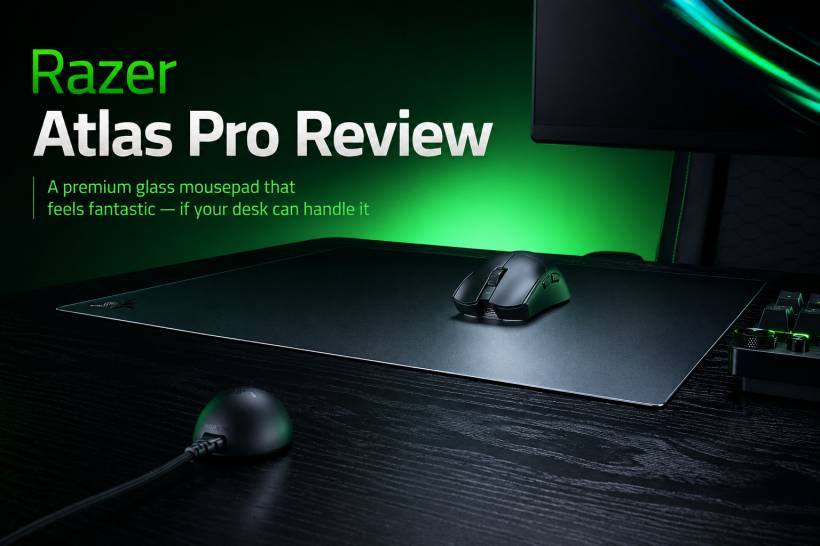
Razer has been steadily refreshing more of its gaming peripherals under the "Pro" branding, and the Atlas Pro is one of the latest products to receive that treatment. It is also an interesting one, because this is not a keyboard, headset, or mouse. It is a large glass mousepad designed for gamers and enthusiasts who want an ultra-smooth, durable surface.
A glass mousepad may sound unusual at first. Most of us are familiar with cloth pads, desk mats, or even hard plastic surfaces, but placing a sheet of tempered glass beneath a gaming mouse feels like a very different experience. After spending time with the Razer Atlas Pro, though, it becomes clear why glass pads have developed a following. It offers a smooth glide, excellent sensor tracking, and a premium feel that conventional mousepads struggle to match.
However, the Atlas Pro also comes with one important limitation: it needs the right desk and setup to truly make sense.
A Large Glass Surface in a Surprisingly Slim Design
The Razer Atlas Pro measures 500 x 400mm, making it substantially larger than the original Atlas. It gives you plenty of room for wide mouse movements, especially for first-person shooters, fast-paced games, and productivity work that involves frequent cursor movement across multiple screens.
Despite its size, the pad is impressively thin. Including its rubber base, it measures only 1.9mm thick. That slim profile makes a noticeable difference during daily use because your wrist and forearm do not feel like they are constantly resting against a raised edge. The pad sits close to the desk, almost blending into the surface rather than feeling like an additional layer on top of it.
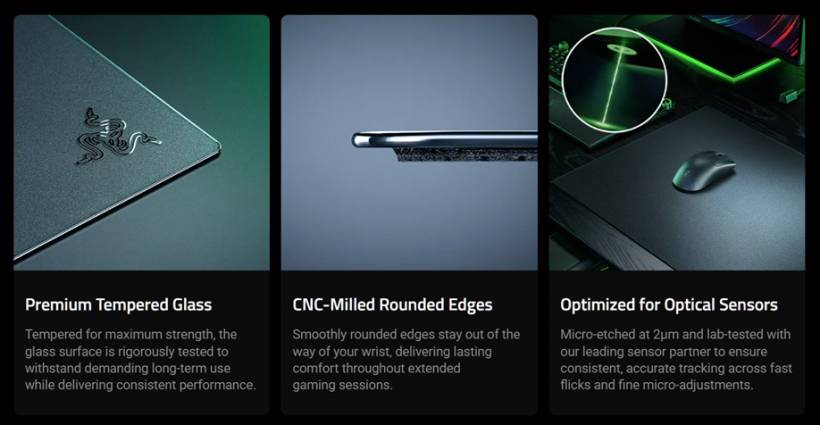
Razer has also added rounded corners, which may sound like a small detail but does help during longer sessions. Sharp edges can become uncomfortable when your forearm repeatedly brushes against a mousepad, especially when gaming for hours or working at a desk all day. The Atlas Pro avoids that problem nicely.
The glass itself has a textured, micro-etched finish rather than a completely smooth glossy surface. Razer says it is optimised for optical mouse sensors and rated at 9H hardness, giving it better resistance against everyday wear, scratches, and surface damage.
The Glass Surface Feels Smooth Without Being Completely Uncontrolled
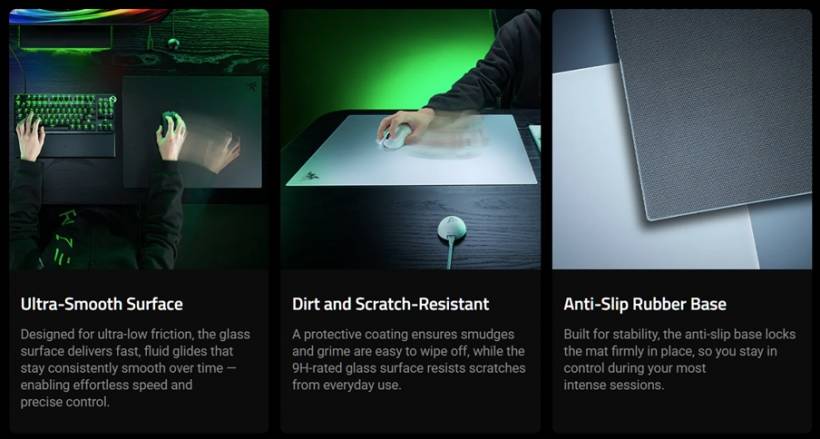
The biggest reason to consider the Atlas Pro is, naturally, the glass surface. It gives the mouse a fast and effortless glide, but it does not feel wildly slippery or difficult to manage. The micro-etched texture introduces a small amount of resistance, helping movements remain controlled rather than making the cursor feel like it is sliding on ice.
The sensation is closer to moving a mouse over a finely brushed metal surface than using a traditional cloth mousepad. It feels smooth, precise, and consistent. This is especially noticeable in games where quick flicks and rapid directional changes matter, but it is also enjoyable for regular desktop use.
Mouse tracking was reliable throughout testing. Optical sensors handled the surface well, even during fast movements, and there were no obvious tracking skips or strange behaviour. That is important because glass mousepads can be more demanding than cloth pads, especially if the surface is too reflective or lacks the proper texture for modern sensors.
Another advantage is maintenance. Cloth mousepads gradually absorb sweat, dust, oils, and accidental drink spills. Over time, they may need washing or replacement. The Atlas Pro does not have that issue. Since the glass surface does not absorb dirt or liquid, cleaning it is as simple as wiping it down with a soft cloth.
For users who prefer a clean desk setup and dislike maintaining fabric mousepads, this alone could be a major selling point.
Comfortable, Stable, and More Durable Than It Looks
A glass mousepad naturally raises questions about durability. It looks like something that could feel fragile, especially when compared with flexible cloth pads that can be rolled up, folded, or casually thrown into a backpack.
The Atlas Pro does not feel delicate in normal use. It has a slight amount of flex, which actually makes it feel more reassuring. Rather than behaving like a thin, brittle sheet of glass, it feels sturdier and more resilient than expected.
The rubber base is also excellent. Once placed on the desk, the mousepad stays firmly in position. It does not shift during sudden flicks, tense gaming moments, or aggressive mouse movement. Repositioning it usually requires lifting it entirely, but that is not difficult because it is not particularly heavy.
This stability is a genuine strength. A premium mousepad should not move around while you are using it, and the Atlas Pro delivers that confidence very well.
Its Size Is Both a Strength and Its Biggest Problem
The 500 x 400mm size gives the Atlas Pro a generous mousing area, but it also places the pad in an awkward middle ground. It is larger than a typical mousepad, yet it is not large enough to function as a full desk mat that can comfortably sit beneath both a keyboard and mouse.
For users with wide desks and plenty of free space, this may not matter. The Atlas Pro can sit comfortably beside a keyboard and monitor without causing issues. On a smaller desk, though, it can quickly become difficult to place.
Unlike a cloth mousepad, it is not something you would casually tuck under a monitor stand or bend slightly around another accessory. Even though the surface is scratch-resistant, there is still understandable hesitation about placing a heavy monitor base directly on top of a glass pad without knowing exactly how much pressure it can handle.
This means you may need to rearrange your desk before using it. That is not ideal for a mousepad that costs RM599, especially when many conventional pads can simply be shifted, folded, or adapted to different desk layouts without much thought.
Not the Best Choice for Travelling or Flexible Setups
Portability is another area where the Atlas Pro is naturally limited. This is not a problem unique to Razer, because most glass mousepads face the same challenge, but it is still worth considering before buying one.
A cloth mousepad can be rolled up and placed into a bag. A glass mousepad needs more protection, more space, and more care. Once the Atlas Pro is set up on your desk, it is likely to remain there permanently.
That makes it better suited for a fixed gaming station, office setup, or home workspace. It is far less suitable for users who regularly travel, move between workspaces, attend LAN events, or prefer peripherals that can be packed away easily.
Speed or Control? Razer Could Be Clearer
One area where the Atlas Pro could benefit from better positioning is its performance category. Premium mousepads are often described as speed-focused, control-focused, or balanced somewhere in between. Razer does not make that distinction especially clear with the Atlas Pro.
Based on real-world use, it leans more towards speed, but the experience can vary depending on the mouse and its skates. With a Razer Viper V4, for example, the glide feels exceptionally smooth and fast. With the DeathAdder V4, there is noticeably more resistance, and the mouse movement can become more audible across the surface.
That does not necessarily mean there is a problem with the pad. Different mice, skates, weights, and shapes will naturally affect the feel. Still, clearer guidance from Razer would help buyers understand what type of experience to expect before spending RM599.
A future Atlas lineup could benefit from having separate speed, balanced, and control variants. That would make it easier for competitive gamers and peripheral enthusiasts to choose the version that best suits their preferred games and sensitivity settings.
Is the Razer Atlas Pro Worth Buying?
The Razer Atlas Pro is a niche product, but it is a very well-executed one. It is slim, comfortable, easy to clean, highly stable, and capable of delivering consistently accurate mouse tracking. Its glass surface feels premium and offers a unique glide that can be difficult to return from once you get used to it.
The RM599 price is certainly high for a mousepad, but the build quality, durability, and polished user experience help explain the premium. This is not simply a larger hard pad. It is designed for users who specifically want the smoothness, consistency, and low-maintenance benefits of glass.
That said, it is not for everyone. The size requires careful desk planning, the glass construction makes it unsuitable for travel, and its positioning between a standard mousepad and a full desk mat may not fit every setup.
For users with a dedicated desk, enough space, and an interest in trying a high-quality glass surface, the Razer Atlas Pro is easy to recommend. It may have one sizeable practical drawback, but when it is placed in the right setup, it delivers a genuinely enjoyable and premium mousing experience.
Final Thoughts
The Razer Atlas Pro proves that a glass mousepad can be much more practical and comfortable than it initially sounds. It stays firmly in place, handles modern mouse sensors well, cleans easily, and feels fantastic during both gaming and everyday work.
Its biggest weakness is not the glass itself, but the space it demands. Make sure your desk can accommodate it before buying. Once that is sorted, the Atlas Pro stands out as one of the more refined glass mousepad options for users who want a fast, durable, and premium surface.











Comments 0