

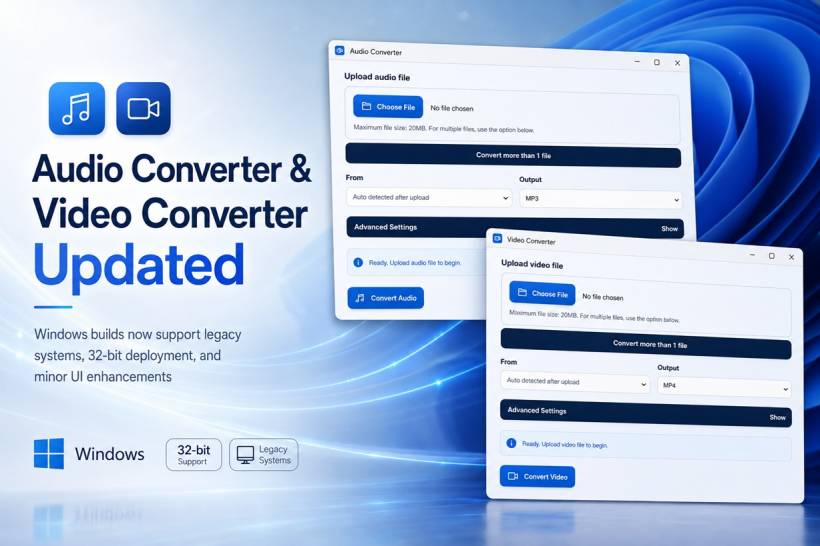
I have released a new update for both the Audio Converter and Video Converter, focusing mainly on compatibility, accessibility and a few small interface improvements. This release is especially useful for anyone still running older Windows systems or using computers that do not support 64-bit applications.
It is important to note that these changes apply only to the downloadable Windows versions of the applications. The web-based versions remain unchanged and will continue to work directly through a browser as before.
Improved Compatibility With Windows XP and Windows 7
One of the main improvements in this release addresses compatibility issues affecting older Windows operating systems, particularly Windows XP and Windows 7.
On some legacy Windows installations, the converters could fail to start because certain runtime libraries or required DLL files were not available on the computer. This was more common on fresh Windows installations or systems that had not received newer runtime packages.
To make the applications more self-contained, the required DLL files are now packaged together with the Windows builds. This reduces the need for users to manually search for missing libraries, install additional runtime packages or troubleshoot application startup errors.
The goal is to make both converters easier to launch on older systems without requiring unnecessary technical preparation.
New 32-Bit Versions Now Available
Previously, the Windows releases of Audio Converter and Video Converter were deployed only as 64-bit applications. While this works well on most modern computers, it prevents the applications from running on older systems that use a 32-bit version of Windows.
This update introduces dedicated 32-bit builds for both applications.
Users can now choose the version that matches their operating system:
The conversion features remain largely the same across both versions. The main difference is the system architecture they are designed to support.
This addition should make the converters accessible to a wider range of computers, including older office PCs, legacy workstations and lightweight Windows installations that are still being used for basic media-processing tasks.
The Web-Based Converters Remain Unchanged
The browser-based versions of Audio Converter and Video Converter have not been modified as part of this release.
Users who prefer to convert audio or video directly through the website can continue using the existing web versions without downloading or installing anything. The new compatibility fixes, bundled DLLs and 32-bit editions are specifically intended for the standalone Windows applications.
Keeping the web and Windows versions separate also allows users to choose the option that best suits their needs. The web version is convenient for quick conversions, while the Windows build can be more suitable for users who prefer a standalone desktop application.
Minor User Interface Enhancements
Alongside the compatibility work, I have also made several minor improvements to the user interface of both converters.
The overall layout and familiar conversion workflow remain unchanged. Users can still upload a file, select the desired output format, open the advanced settings when needed and begin the conversion from the main screen.
The interface enhancements are mainly intended to make the applications look slightly cleaner and more consistent. Buttons, file-selection areas, status messages and conversion controls have been refined while keeping everything straightforward and easy to understand.
Both applications now maintain a more consistent visual style, with clearly separated upload, format-selection, advanced-settings and conversion sections.
A More Accessible Release for Older Computers
Modern software increasingly focuses on current versions of Windows, but many people still use older computers for specific applications, media work, testing environments or everyday tasks.
By bundling the required libraries and introducing 32-bit versions, this update gives users more flexibility without changing the core purpose of the applications. Audio Converter and Video Converter remain simple tools designed to convert media files without overwhelming users with unnecessary complexity.
Final Thoughts
This update is primarily about making the Windows versions of Audio Converter and Video Converter more reliable across a broader range of computers.
With improved Windows XP and Windows 7 compatibility, bundled DLL files, new 32-bit builds and several minor interface refinements, both applications should now be easier to run on legacy and modern Windows systems alike.
The web-based versions remain available as before, giving users the freedom to choose between converting files through a browser or using the standalone Windows applications.











Comments 0