

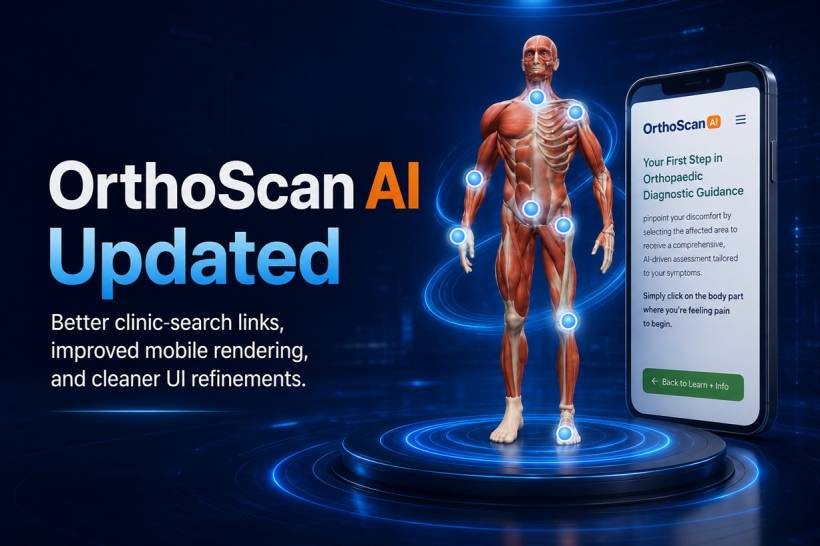
OrthoScan AI has received a new round of improvements focused on making the application more reliable, readable and easier to use across different devices. While this is not a major redesign, the update addresses several practical issues that could affect the overall user experience—especially for people accessing the tool through a mobile phone.
Corrected Links for Nearby Orthopaedic Clinics
One of the key improvements involves the feature that helps users search for nearby orthopaedic clinics.
Several links used by this function have now been corrected and updated to ensure users are directed to the appropriate search results. This makes it easier for someone who has completed the OrthoScan AI guidance process to continue with the next practical step: locating an orthopaedic clinic near their area.
The feature is intended to provide a convenient starting point, particularly for users who may not know where to begin looking for professional orthopaedic care.
A Reworked Mobile Experience
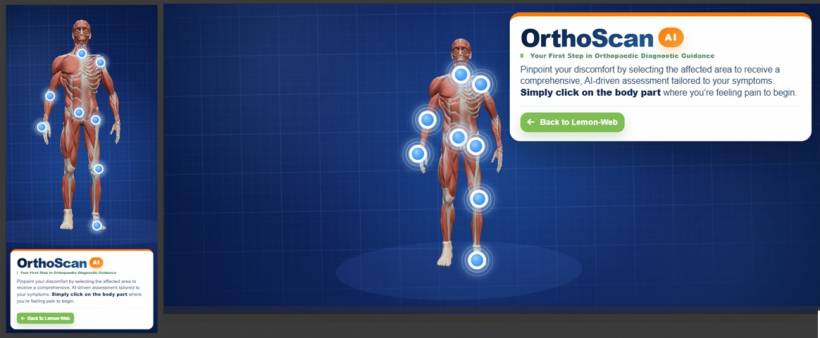
The mobile version of OrthoScan AI has also been reworked after discovering that certain smartphones were not rendering the application correctly.
On some devices, the layout, text sizing or screen proportions could cause parts of the content to become difficult to read. This was especially noticeable on phones with smaller displays or unusual screen resolutions.
The mobile interface has now been adjusted to provide:
These changes should make OrthoScan AI more comfortable to use without requiring users to zoom in, rotate their phones or struggle with overlapping content.
Minor UI Fixes and Refinements
Alongside the more noticeable mobile improvements, several smaller user-interface fixes have also been introduced.
These include refinements to the positioning of interface elements, spacing, visual consistency and general presentation. Although these changes may appear minor individually, together they help the application feel cleaner and more polished.
The aim is to keep the experience simple and approachable, allowing users to focus on identifying the area of discomfort and reviewing the guidance presented by the application.
Making the First Step Easier
OrthoScan AI is designed as a simple first step for people who want to better understand their orthopaedic pain before deciding what to do next. Users can select the affected part of the body and receive general AI-assisted guidance based on the information they provide.
The latest update strengthens that experience by making the application more accessible on mobile devices and ensuring that supporting features, such as finding nearby clinics, work more reliably.
Final Thoughts
This update is mainly about improving usability rather than introducing major new functions. Corrected clinic-search links, a more dependable mobile layout and several small interface enhancements should make OrthoScan AI easier to access and navigate across a wider range of devices.
Further improvements will continue to be made as the application develops, with the goal of keeping the experience straightforward, informative and helpful for users taking their first step towards understanding their orthopaedic discomfort.











Comments 0