

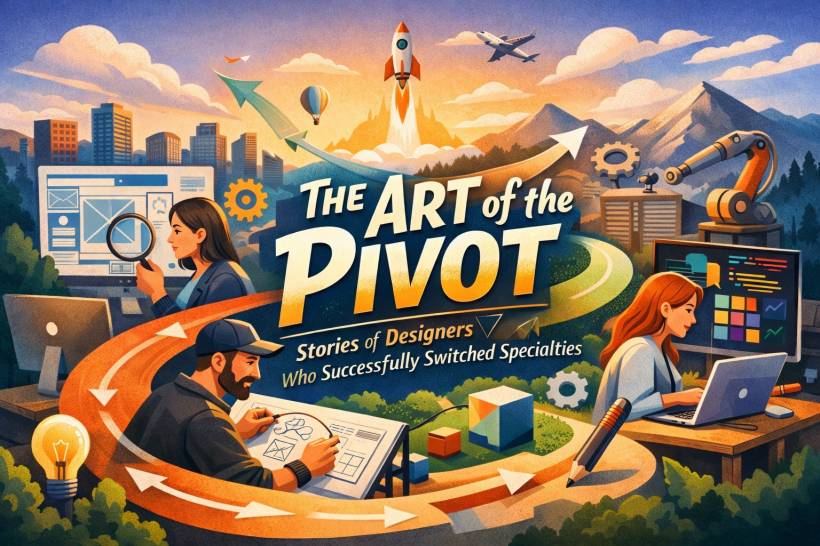
Design is one of those careers where "staying the same" is almost a myth. Tools change. Platforms shift. Entire industries pop up overnight. So when a designer switches lanes, it's rarely a crisis of identity. Most of the time, it's a smart upgrade.
A pivot (print to product, web to hardware, illustration to design systems) isn't about starting from zero. It's about carrying your strongest skills into a new environment where they suddenly become unfair advantages. The trick is learning how to translate what you already know into a story that makes sense to the new world you're walking into.
Below are three real-world-style pivot stories (with the tactics behind them), followed by a practical framework you can borrow for your own career shift.
Why pivots work in design
Design skills are more portable than people think. The surface changes (InDesign vs Figma, CSS vs CAD, illustration layers vs component tokens), but the underlying work stays familiar:
• You're still reducing confusion.
• You're still making decisions under constraints.
• You're still balancing "what users need" with "what the business can ship."
That's why pivots are so common in design. The medium changes, but the thinking travels.
Case Study 1: Print veteran to Product Design Lead From magazine art direction to shipping a digital product
Lena Chen spent 15 years in print as an art director for fashion and culture magazines. That world runs on deadlines, taste, hierarchy, and visual storytelling. Then she made a move that looks big from the outside: she joined a direct-to-consumer fashion tech startup as their first Product Design Lead.
If you're imagining she "started over," she didn't. She repurposed her strongest habits.
The skills that transferred almost perfectly
In print, every spread is a fight for attention. You use size, weight, spacing, and rhythm to guide the reader's eye. In product design, it's the same goal, just with scrolling, tapping, and states.
Magazine readers don't just want information. They want a feeling: clarity, excitement, curiosity, belonging. App users are the same. The motivation shifts (utility instead of inspiration, maybe), but the need for a satisfying flow stays constant.
Print people are quietly excellent at systems. If you've ever managed photo style, color direction, grids, recurring layouts, and design rules across issues, you've already practiced the mindset behind digital design systems.
The mindset shift she had to survive
Print has a finish line. Product does not. In magazines, you ship the issue and it's locked forever. In product, you ship… and then immediately watch what happens, learn what broke, and iterate again. Lena's biggest adjustment wasn't learning a tool, it was accepting that "done" is temporary.
How she upskilled without disappearing for a year
Lena ran a six-month learning sprint alongside her job:
• Learned Figma and prototyping basics
• Built a portfolio case study that bridged her past and future (she redesigned a magazine's digital subscription flow)
How she sold the pivot in interviews
She didn't lead with "I want to switch to UX."
She led with "I've spent 15 years designing for this exact demographic. I know how they think, what catches their attention, and how to create an experience that feels premium and effortless. Now I want to apply that to your product."
That's a subtle difference, but it changes how people see you: not as a beginner, but as someone bringing rare audience empathy and system-level thinking.
Case Study 2: Web designer to Industrial designer From pixels to physical products
Marcus Thorne worked for eight years as a front-end developer and UI designer at digital agencies. Then he did what many digital designers daydream about but rarely commit to: he joined a smart home hardware company as a junior industrial designer.
Yes, junior. Title drop and pay cut included.
Why would someone do that? Because Marcus treated the pivot like an apprenticeship, not a "transfer."
The skills that carried over better than expected
If you've lived in agile sprints and shipped interactive prototypes, you already understand quick feedback loops. Hardware prototyping is the same muscle: build, test, break, refine. The materials change (foam, 3D prints, solder), but the logic stays.
Usability testing a website teaches you to watch behavior, not opinions. Hardware testing is the same: where do hands hesitate, what do people assume, what feels intuitive versus annoying?
Web work trains you to think in connected parts: UI, database, CMS, performance, constraints. Hardware forces the same thinking: enclosure, PCB, battery, firmware, heat, manufacturing limits. Marcus wasn't new to "everything affects everything," he just had a new set of components.
The mindset shift that humbled him
A button on a screen can be any size.
A physical button has to fit real fingers, survive wear, meet safety rules, and still feel satisfying after thousands of presses.
Marcus had to learn materials, ergonomics, physics, and manufacturing realities (design for manufacturability). That's the kind of knowledge you can't fake. You earn it through repetition and mistakes.
The way he made the pivot believable
Marcus built one portfolio project that did all the explaining for him: a programmable physical smart home controller.
It included:
• 3D-printed prototypes (his new territory)
• Research into how people use existing devices (his bridge skill)
He positioned himself as a digital-native designer expanding into the physical interface layer, not "a web designer pretending to be an industrial designer."
That framing matters. It tells the hiring team you understand what you're learning and why your background is relevant.
Case Study 3: Illustrator to Design Systems Engineer From "making visuals" to building infrastructure
Sofia Rivera was a successful freelance illustrator known for a distinctive style with tech clients. Then she joined a large SaaS company as a Design Systems Engineer: a hybrid role that connects design and engineering through components, tokens, and tooling.
On paper, illustration to design systems sounds like a left turn. In practice, it's surprisingly logical.
The skills that translated directly
Illustrators obsess over consistency: curves, spacing, color harmony, repetition, style integrity. Design systems require the same obsession, just applied to components and patterns across an entire product.
Freelancers live on communication. You learn to justify choices, negotiate, handle feedback, and defend the integrity of a design. In design systems work, adoption is half the job. Sofia's ability to explain and advocate became a superpower.
Illustrators often build reusable asset libraries (hands, expressions, poses, variations). That's basically the conceptual cousin of building a React component library: repeatable pieces, consistent rules, endless combinations.
The mindset shift she had to embrace
She stopped thinking of her work as "the final thing."
Instead, she started thinking of her work as "the thing that enables other people to build." Design systems are infrastructure. If you do it well, everyone moves faster and the product feels coherent.
The technical bridge that made her credible
Sofia already knew some CSS from her portfolio. She expanded that into:
• design tokens
• basics of React/JSX
• Storybook workflows for documenting components
She didn't aim to become a full-time engineer overnight. She aimed to become fluent enough to collaborate deeply and ship real system work.
How she framed her story
She didn't hide illustration. She used it.
"My eye for nuance means our system isn't just functional, it's refined. I know how to build consistency without killing creativity."
That line signals maturity: systems should empower creativity, not flatten it.
The Pivot Playbook
Here's a five-step framework you can apply without needing a dramatic "career reset" narrative.
1) Audit your transportable skills
List what you do well, then rewrite it in universal terms.
Examples:
• "Client presentations" becomes "storytelling and stakeholder influence"
• "Branding" becomes "system consistency and decision-making rules"
• "Front-end dev" becomes "prototyping and constraint-based building"
This matters because pivoting is mostly translation. If you can't explain your skills in a way the new field respects, they won't see your value.
2) Find the adjacent possible
Big leaps are hard to sell and hard to survive. Bridges are easier.
Instead of: print to robotics
Try: print to marketing design to product marketing to product UX
Instead of: web design to industrial design lead
Try: UI to product design in hardware companies to junior industrial role
Your goal is to choose a path where each step looks reasonable to the outside world while you quietly level up.
3) Build a translator portfolio
Make 1–2 projects that live in the new world, but are powered by your old strengths.
The key move: annotate your thinking.
Don't just show the final screen or render. Explain the translation:
"Here I used usability testing methods from web to evaluate a physical interaction flow."
"Here I used illustration modularity thinking to structure component variants."
4) Chase mentorship, not just a job title
A pivot is faster when you're surrounded by people who are good at the thing you're learning.
Sometimes that means taking a step down in title to step up in trajectory. Marcus did this on purpose. It's not glamorous, but it's effective.
5) Reframe your narrative
You're not "switching careers." You're integrating a new discipline.
Your past isn't a detour. It's the differentiator. Pure specialists often see only one way to solve a problem. Pivot designers bring multiple mental models, which is how you get fresh solutions and better judgment under pressure.
Final thoughts
The most resilient designers aren't the ones who cling to one specialty forever. They're the ones who learn the deeper language underneath tools and job titles: attention, systems, empathy, clarity, and constraint-driven problem solving. If you're considering a pivot, don't treat it like an escape plan. Treat it like the next chapter in a career that's evolving on purpose.











Comments 0