

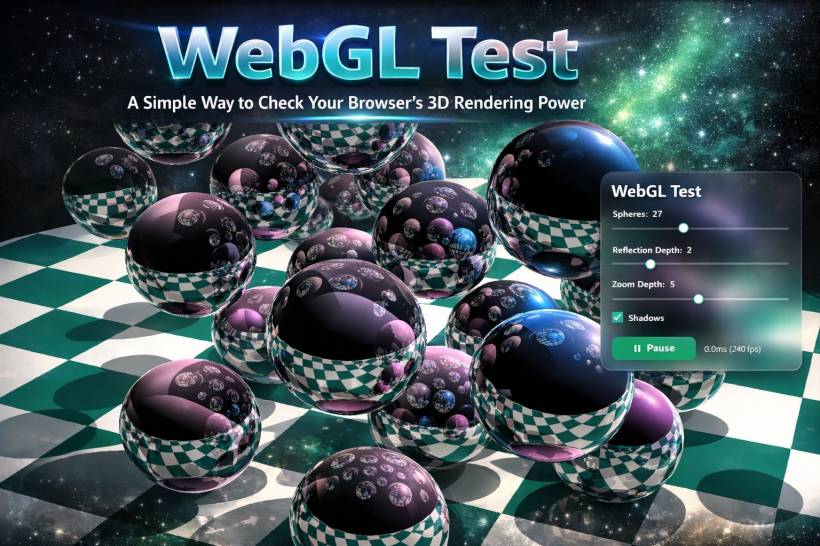
Modern web browsers are far more powerful than many people realize. What once required heavy desktop software or dedicated graphics applications can now run directly inside a web page. One of the technologies that makes this possible is WebGL, which allows browsers to render complex 3D graphics using your computer's graphics processor.
To make it easier for users to see how well their browser handles 3D graphics, I created a small web application called WebGL Test. It is designed to quickly demonstrate your browser's real-time rendering capabilities and give you a simple way to experiment with different rendering parameters.
If you have ever wondered whether your browser or computer is capable of handling 3D graphics efficiently, this tool provides a fast and visual answer.
What Is WebGL and Why It Matters
WebGL (Web Graphics Library) is a browser technology that allows websites to display hardware-accelerated 3D graphics without requiring plugins. It works by communicating directly with the system's GPU through the browser.
Because of WebGL, many advanced web experiences have become possible, including:
• Interactive product visualizations
• Online CAD and design tools
• Virtual reality and augmented reality applications
• Scientific data visualization
• Web-based simulators and training tools
The goal is not to create a complex game or demo. Instead, the purpose is to provide a quick visual benchmark that reveals how well your browser handles real-time 3D rendering.
When the scene renders successfully and runs smoothly, it confirms that your browser and graphics system are capable of handling WebGL applications.
Key Controls You Can Experiment With
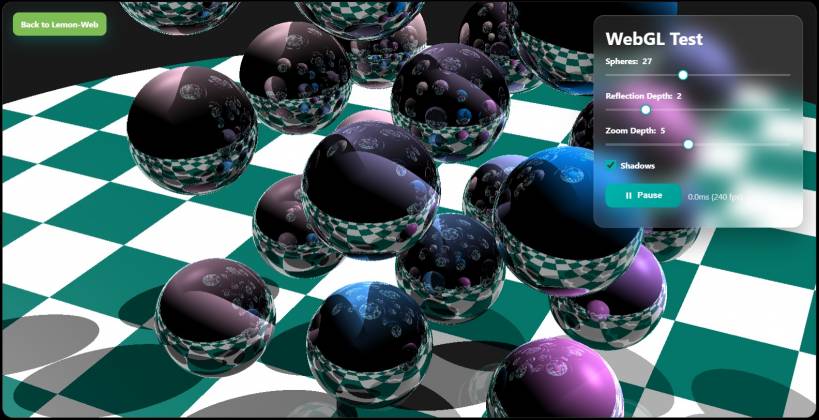
The WebGL Test application includes several adjustable parameters that allow you to change the rendering workload. By modifying these settings, you can observe how your browser and GPU respond.
Number of Spheres
This slider controls how many reflective spheres appear in the scene.
Increasing the number of spheres increases the complexity of the rendering calculation. More objects mean more reflections and more ray interactions, which requires additional GPU processing.
On weaker systems, increasing this value may cause rendering time to increase noticeably.
Reflection Depth
Reflection depth determines how many layers of reflections are calculated.
For example, when a sphere reflects another sphere that also reflects another object, each additional reflection layer adds more computation.
Higher reflection depth produces more visually interesting results but also requires more processing power.
Zoom Depth
Zoom depth controls how far the camera can see into the scene. Increasing the zoom depth expands the rendering range and changes the visual perspective.
While this does not stress the GPU as heavily as reflections, it still contributes to the total rendering workload.
Shadows
The shadows option enables shadow rendering within the scene.
Shadows add realism but also increase rendering complexity because the system must calculate light interactions with objects.
Enabling shadows is a good way to see how your browser handles additional graphical calculations.
Render Button
Once you adjust the settings, pressing the Render button will generate the 3D scene using the selected parameters.
The rendering time is displayed so you can see how long the browser takes to complete the operation.
This provides a simple way to compare performance across different systems, browsers, or devices.
Why This Tool Is Useful
Although the WebGL Test application is small, it can be surprisingly helpful in several situations.
Checking Browser Compatibility
If a browser cannot render the scene, it usually means WebGL is disabled or unsupported.
This helps identify compatibility issues quickly.
Testing GPU Acceleration
Modern browsers use the system GPU for WebGL rendering. If the scene renders slowly or fails, it may indicate that hardware acceleration is disabled or the GPU driver needs updating.
Comparing Browser Performance
Different browsers may perform differently when handling WebGL content.
You can try the test in:
• Edge
• Firefox
• Safari
and see which browser delivers the best performance on your system.
Evaluating Device Capability
The test can also be used to compare performance between devices such as:
• Laptops
• Tablets
• Mobile phones
Some mobile devices handle WebGL extremely well, while others may struggle with more complex scenes.
A Small Tool With Practical Value
While the WebGL Test application is intentionally simple, it demonstrates an important concept: modern browsers are capable of running surprisingly advanced graphical applications.
Tools like this help users understand the capabilities of their hardware and browser environment without installing any additional software.
It also highlights how far web technology has progressed. Tasks that once required specialized graphics software can now run directly inside a web page.
Try the WebGL Test Yourself
If you are curious about how your browser performs, try the WebGL Test application and experiment with the settings.
Increase the number of spheres, enable shadows, and raise the reflection depth to see how your system handles the workload.
It is a quick, visual, and interesting way to explore the power of WebGL and the capabilities of your browser.
Final Thoughts
Web technologies continue to evolve rapidly, and WebGL has become one of the most exciting capabilities available in modern browsers. From games to scientific visualization, the ability to render 3D graphics on the web has opened the door to many new possibilities.
The WebGL Test application provides a simple yet effective way to explore that capability. Whether you are a developer, a technology enthusiast, or simply curious about your system's graphics performance, it offers a quick and engaging way to see what your browser can do.
Sometimes the best way to understand technology is simply to watch it in action—and WebGL Test makes that possible with just a single click.











Comments 0