

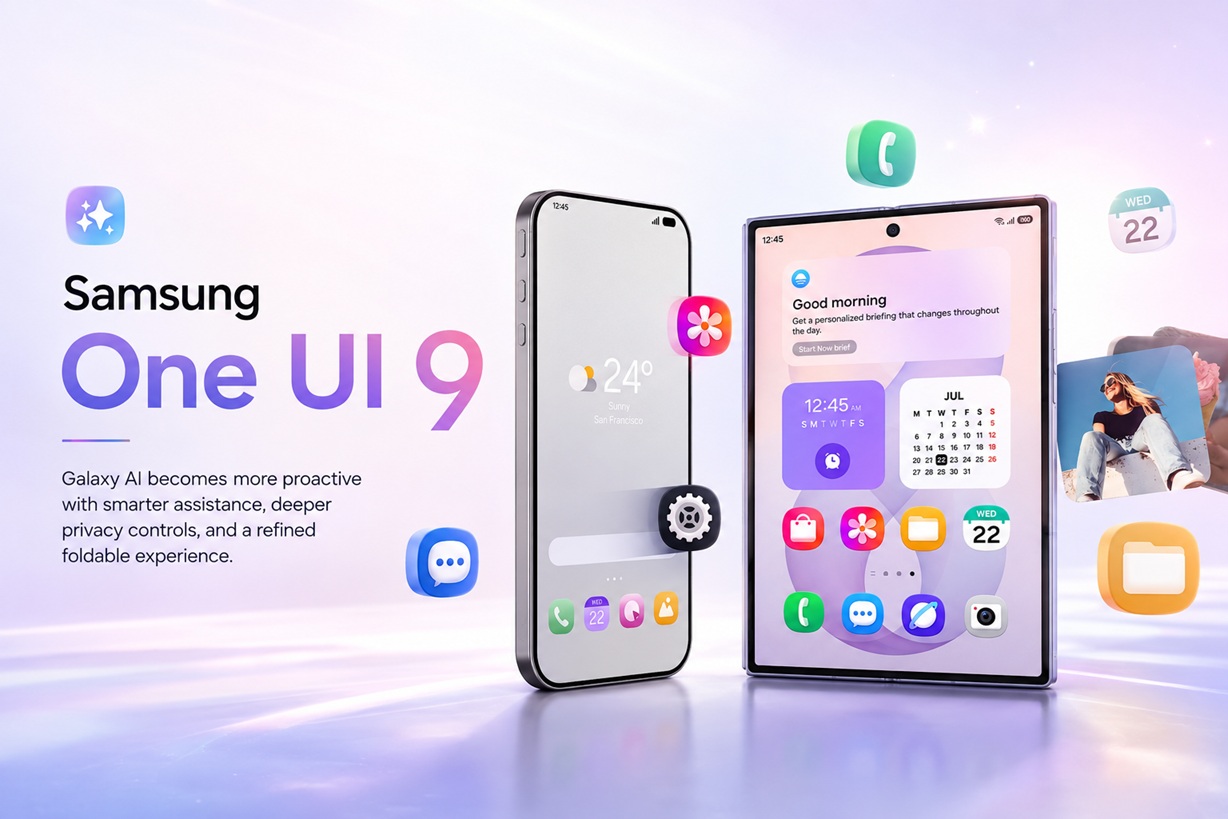
Artificial intelligence is once again at the centre of Samsung's latest mobile software update. Introduced alongside the Galaxy Z Fold8 Ultra, Galaxy Z Fold8 and Galaxy Z Flip8 at Galaxy Unpacked, One UI 9 builds on Android 17 with more proactive AI assistance, deeper app integration and additional controls designed to show users what their digital assistants are doing.
Samsung is no longer presenting Galaxy AI as a collection of separate editing and translation tools. With One UI 9, the company wants AI to understand context, anticipate the next step and perform connected actions across several applications.
That greater level of automation naturally creates questions about privacy. Samsung is therefore pairing the new capabilities with activity records, privacy warnings and stronger protection for the personal information used to create customised recommendations.
One UI 9 Arrives With Samsung's New Foldables
The complete One UI 9 experience comes pre-installed on Samsung's eighth-generation foldable lineup. The Galaxy Z Fold8 Ultra is positioned as the productivity-focused flagship, the redesigned Galaxy Z Fold8 offers a different screen format for entertainment and reading, while the Galaxy Z Flip8 concentrates on quick interactions through its expanded FlexWindow. All three run Android 17 with One UI 9.
Samsung had already introduced the One UI 9 beta for the Galaxy S26 series in selected countries during May 2026. That earlier version added improvements to Samsung Notes, Contacts, the Quick Panel, accessibility tools and protection against applications classified as high risk.
The foldables now reveal the larger direction Samsung has planned for the software: an operating system where AI does not simply wait for a question but tries to recognise when help may be useful.
Galaxy AI Wants to Act Before You Ask
One of the biggest changes is the move towards more proactive assistance.
Now Brief continues to provide personalised information based on routines, schedules and interests, but it can now include security and privacy observations. The feature may highlight a potential risk and suggest a protective action alongside the usual reminders and daily recommendations.
This represents an important shift. Instead of treating security as something buried inside the Settings application, Samsung is attempting to include it within the information users already review throughout the day.
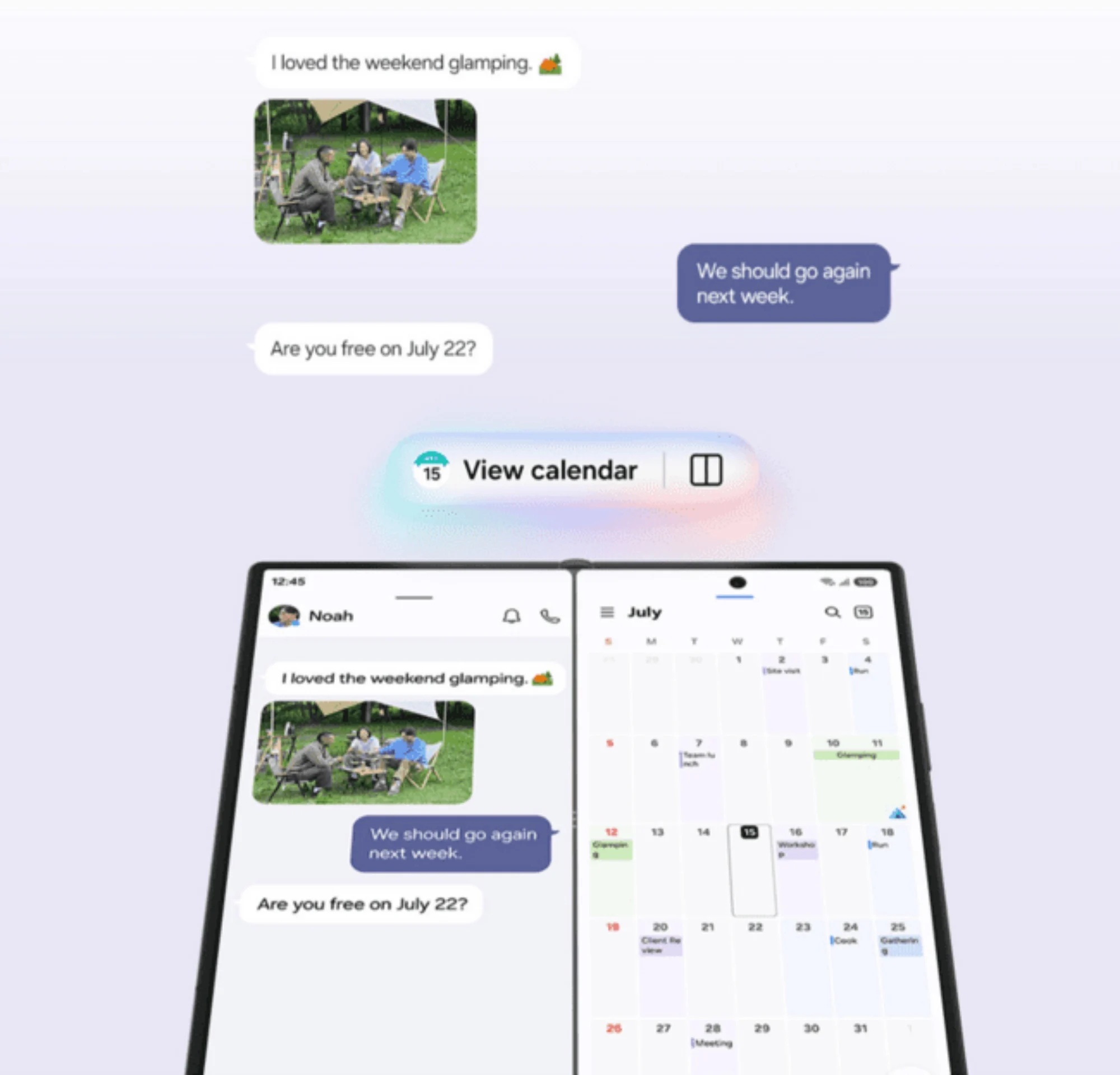
Samsung has also introduced Now Nudge, which looks for possible next steps while the user is having a conversation. When people discuss meeting somewhere, attending an event or planning a trip, the system may suggest checking the calendar, locating the venue or saving the destination.
On the Galaxy Z Fold8 and Fold8 Ultra, the suggestion can open beside the current conversation through Multi Window. This allows the user to continue reading the message while viewing the relevant application on the other side of the display.
The idea is convenient, although its usefulness will depend heavily on timing. A suggestion that appears at the right moment could remove several manual steps. Too many unnecessary prompts, however, could make the system feel intrusive.
Gemini Can Work Across More Applications
Google Gemini is more deeply connected to One UI 9 and can now perform actions across more than 40 supported applications and services.
Instead of searching for information in one application, copying it into another and then opening a third service to complete the task, users can describe the result they want. Gemini may then search for tickets, locate a nearby restaurant and assist with making a reservation through connected applications.
Users can also provide information from the screen or an image to give the assistant more context. On Samsung's foldables, the larger display makes it easier to keep the original content visible while reviewing Gemini's response or completing another action.
This cross-application automation is one of the most meaningful parts of One UI 9. Modern smartphones already contain capable applications, but users still spend a considerable amount of time moving information between them.
The more difficult challenge is ensuring that the AI understands exactly what the user intended before it performs an action. Searching for a restaurant is low risk. Confirming a reservation, sending a message or changing an appointment requires a much clearer approval process.
Gemini Notebook Becomes a Persistent AI Workspace
One UI 9 also introduces Gemini Notebook, a persistent workspace that can collect several types of content in one place.
Users can add notes, documents, photographs, files and voice recordings, then ask Gemini to organise or transform the material. Samsung says the content can be converted into meeting recaps, reports, visual summaries, documents, audio overviews and other formats.
The feature is particularly suited to the Galaxy Z Fold8 series. While using Split View, users can drag files and images directly into the notebook without repeatedly opening file-selection menus.
For students, professionals and content creators, the notebook could become useful for collecting research or preparing a summary from several sources. However, generated documents still need to be reviewed carefully.
An AI-generated meeting recap, for example, may omit context, misinterpret a speaker or give too much importance to a minor discussion. The feature may reduce the time needed to organise information, but it does not remove the need for human verification.
Foldable Screens Are Becoming Part of the AI Experience
Some One UI 9 features are not simply software functions that happen to run on a foldable phone. They are designed around the additional screen space.
Now Nudge can keep a conversation visible beside a suggested action. Gemini Notebook can receive content through drag-and-drop from another window. AI results can appear without completely covering the original application.
The Galaxy Z Flip8 takes a different approach. Now Brief and selected Gemini automations are available from its FlexWindow, allowing users to view recommendations or trigger actions without fully opening the device.
These differences mean that not every One UI 9 capability will necessarily reach every Galaxy device in the same form. A feature that depends on a large foldable screen or the Flip's cover display may remain specific to those designs.
Samsung may bring the underlying AI service to conventional smartphones and tablets, but the interface could vary by device.
The AI Experience Extends to Galaxy Watch
Samsung has also launched One UI 9 Watch with the Galaxy Watch Ultra2 and Galaxy Watch9.
The new wearables concentrate heavily on health and wellness, using continuously collected biometric data to produce more personalised guidance. Features include Vitals monitoring, Heart Health Score, Daily Cardio Load, Fitness Index and updated sleep-related insights, although availability and regulatory approval may vary by market.
When paired with the new foldables, the watch data can contribute to the wider Galaxy AI experience. Samsung's goal is to make information move more naturally between the phone and wrist, allowing daily recommendations to consider both device activity and wellness patterns.
Health information is particularly sensitive, so users should remember that smartwatch insights are intended to support personal awareness rather than replace professional medical assessment. Samsung itself notes that several of these functions are not designed to diagnose or treat medical conditions.
A New Dashboard Shows What AI Has Done
As AI assistants gain permission to act across more services, transparency becomes increasingly important.
One UI 9 introduces an AI Assistant Activity dashboard, which provides a central record of automations performed on the user's behalf.
Instead of checking several applications separately, users can review completed AI actions from one location. The dashboard identifies which assistant was involved and can take the user directly to the relevant settings for more information or adjustments.
This may become one of the most valuable additions in the update.
When AI only answers a question, the interaction is easy to follow. When it can operate across calendars, messages, maps and third-party services, users need a clear record of what happened.
An activity dashboard can help answer basic but important questions:
The dashboard does not eliminate every risk, but it makes background automation less invisible.
Privacy Alerts Become More Proactive
Samsung is also expanding its privacy notifications.
The new Privacy Alerts can warn users when an application makes unnecessary attempts to access permissions in the background. Instead of expecting people to regularly inspect every permission manually, the phone may bring potentially concerning behaviour to their attention.
This could be useful for applications that continue requesting access to location, contacts, microphones or other sensitive resources when the permission does not appear necessary.
The effectiveness of the system will depend on how accurately Samsung distinguishes a legitimate background request from suspicious or excessive activity. Too many warnings could result in alert fatigue, while warnings that are too limited may fail to provide meaningful protection.
Even so, the approach reflects an important principle: privacy controls are most valuable when they appear at the moment a decision needs to be made, rather than remaining hidden deep inside a settings menu.
Samsung Knox Remains the Security Foundation
Samsung says its broader Knox security architecture continues to protect One UI 9 from the hardware level upwards.
The Personal Data Engine, or PDE, processes information used to create personalised on-device AI experiences. Samsung's Knox Enhanced Encrypted Protection, known as KEEP, creates separate encrypted storage environments for individual applications.
Knox Vault provides an additional tamper-resistant hardware layer for particularly sensitive information. Users can also control how AI features handle personal data through Advanced Intelligence settings and Personal Data Intelligence controls.
These technologies sit alongside existing Samsung protections such as Auto Blocker, Theft Protection, Private Sharing and Secure Wi-Fi.
The technical protections are important, but privacy also depends on the choices presented to the user. People should be able to understand which features require cloud processing, which information remains on the device and what functionality may be reduced when a permission is disabled.
The One UI 9 Beta Also Improves Everyday Features
AI may dominate Samsung's presentation, but the earlier One UI 9 beta introduced several smaller improvements unrelated to automated assistants.
Samsung Notes gained more creative pen styles and decorative tools, while Contacts received faster access to Creative Studio for designing profile cards.
The Quick Panel can be rearranged more freely, with brightness, audio and media controls offering additional sizing and layout options.
Accessibility improvements include adjustable Mouse Key speed, a combined TalkBack package and Text Spotlight, which can display selected text more clearly in a floating window.
One UI 9 can also respond more aggressively to newly identified high-risk applications by warning the user, preventing installation or execution and recommending removal.
These features may not attract the same attention as Galaxy AI, but they could have a greater everyday impact for users who do not rely heavily on AI tools.
What One UI 9 Means for Malaysian Users
Malaysians can already obtain One UI 9 through the new Galaxy foldables, which are available for local pre-order from 22 July to 13 August 2026.
The Galaxy Z Flip8 starts at RM5,399 for the 256GB model, while the Galaxy Z Fold8 begins at RM7,299. The Galaxy Z Fold8 Ultra starts at RM8,099, with the 1TB version priced at RM10,499. Samsung Malaysia is also accepting pre-orders for the Galaxy Watch9 and Galaxy Watch Ultra2.
Existing Galaxy S26 owners in Malaysia have not been included in the official One UI 9 beta programme. Samsung states that the beta is available in selected countries including South Korea, Germany, India, Poland, the United Kingdom and the United States, but not Malaysia.
Samsung has not yet published a complete Malaysian rollout schedule for existing Galaxy smartphones and tablets.
This means owners of the Galaxy S26, S25, S24 and previous Galaxy Z models will need to wait for Samsung Malaysia to confirm eligible devices and release dates. Feature availability may also differ by hardware, country, language and connected service.
More AI Does Not Automatically Mean a Better Experience
One UI 9 shows where Samsung believes smartphones are heading.
The operating system is becoming less like a collection of applications and more like an intelligent layer connecting them. The phone can examine context, recommend a next step and potentially complete an action through another service.
That can save time, but it can also make the device feel as though it is constantly interpreting conversations and behaviour.
The real measure of success will not be the number of AI features Samsung can add. It will be whether those features remain useful, predictable and easy to control.
Users should be able to disable assistance they do not want without breaking unrelated functions. They should also be shown clearly when information is sent to an online service or used to personalise future recommendations.
Final Thoughts
One UI 9 represents Samsung's clearest move yet towards proactive and agent-like mobile AI.
Now Brief attempts to deliver useful information before it is requested. Now Nudge turns conversations into suggested actions. Gemini works across more applications, while Gemini Notebook creates a workspace for organising and transforming mixed content.
At the same time, the AI Assistant Activity dashboard, expanded Privacy Alerts and Samsung Knox protections acknowledge that more automation requires more transparency.
For Malaysian users, the complete experience currently arrives with the new Galaxy Z Fold8 Ultra, Fold8 and Flip8. Owners of existing Galaxy devices will have to wait for an official local rollout plan, as Malaysia was excluded from the One UI 9 beta.
Ultimately, the most important One UI 9 improvement may not be an AI feature at all. It may be Samsung's recognition that when a phone begins acting on behalf of its owner, the owner needs to remain informed—and firmly in control.











Comments 0