

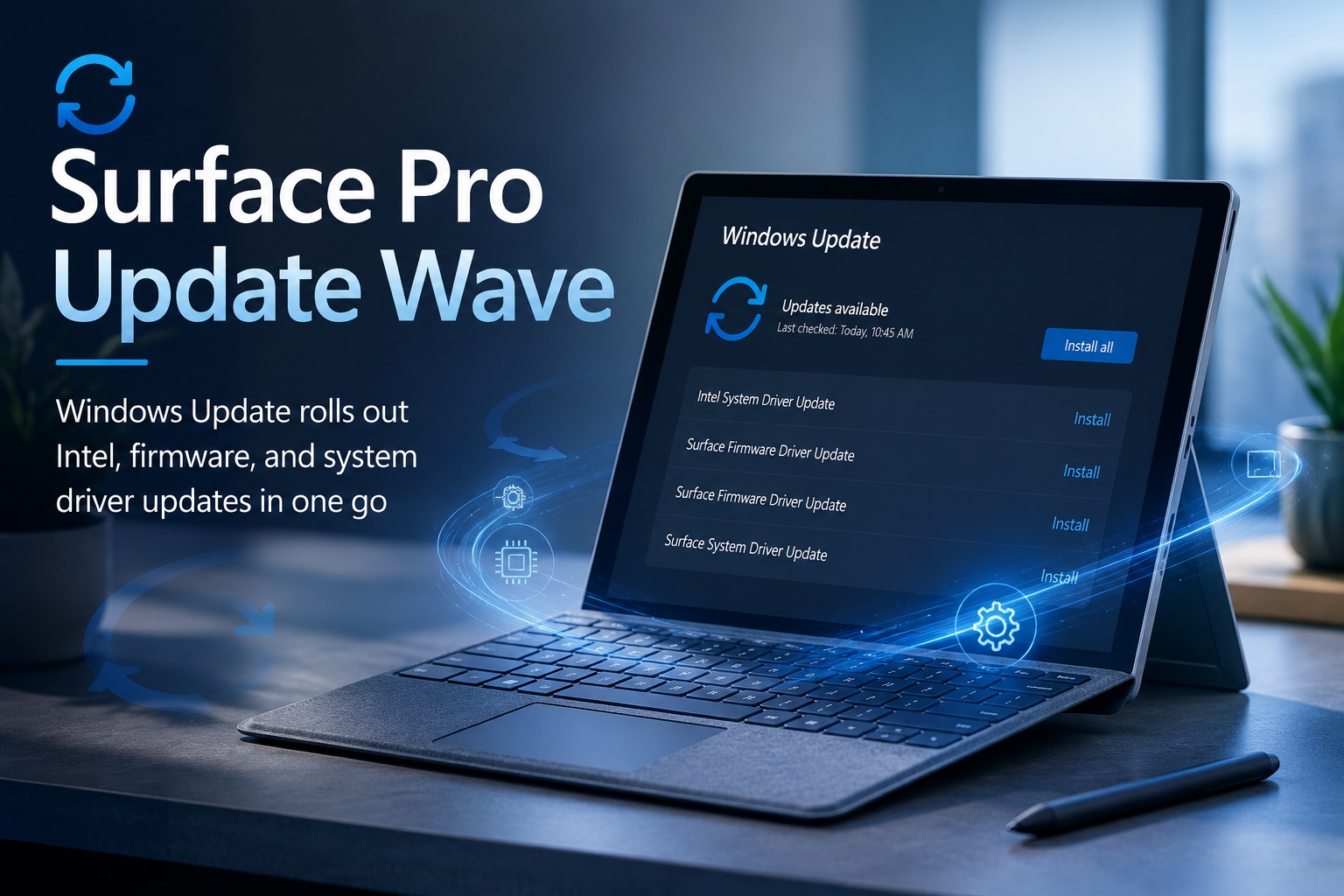
Checking Windows Update today brought something considerably more interesting than the usual Windows cumulative update. My Surface Pro suddenly received a batch of four low-level hardware updates covering Microsoft's Surface firmware, the Intel Management Engine and the Surface hardware integration layer.
The updates offered through Windows Update are:
At first glance these names are frustratingly vague. Windows Update simply calls most of them "Surface Firmware" or "Surface System" without explaining what is actually being changed.
Digging deeper, however, reveals that this is a much more substantial low-level platform update than those names suggest.
This Appears to Be a New Surface Pro 8 Firmware Release
The version sequence strongly points to this being a new Surface Pro 8 firmware package.
Microsoft's previous Surface Pro 8 firmware releases identify the 15.x firmware branch as Surface ME Firmware, the 30–32.x.x.143 branch as Surface UEFI, and the 66.47.x.x branch as the Surface Integration system driver.
For example, Microsoft previously shipped:
Surface UEFI
32.101.143.0
Surface ME
15.0.2751.1
Intel Management Engine Interface
2540.8.7.0
and an earlier Surface Integration driver:
Surface Integration
66.47.4.0.
The versions arriving today therefore fit naturally into those same component families:
| Windows Update package | Hardware component |
| Intel System Driver 2603.9.4.0 | Intel Management Engine Interface |
| Surface Firmware 33.106.143.0 | Surface UEFI firmware |
| Surface Firmware 15.0.2834.2 | Surface Management Engine firmware |
| Surface System 66.47.10.0 | Surface Integration driver |
That means Windows Update is not merely replacing four ordinary Windows drivers. It is updating several layers of the Surface Pro's underlying platform firmware at once.
There Is One Strange Thing: Microsoft's Changelog Has Not Caught Up Yet
This update is also interesting because Windows Update appears to be slightly ahead of Microsoft's own documentation.
At the time of writing, Microsoft's official Surface Pro 8 Update History page still lists June 11, 2026 as the newest Surface Pro 8 release and does not yet contain an August 2026 section.
Yet Windows Update is already offering firmware versions substantially newer than those shown on that page.
Microsoft specifically notes that Surface firmware is rolled out in stages, so not every Surface receives an update simultaneously.
This therefore appears to be a newly staged firmware rollout whose detailed Surface Pro 8 release notes have not yet been added to Microsoft's public documentation.
That also means it would be misleading to claim that Microsoft has published a detailed Surface Pro 8 changelog for these exact four versions. It hasn't — at least not publicly yet.
We can, however, learn quite a lot about what is happening from Microsoft's August updates for other Intel Surface devices and Intel's newly released security advisories.
Intel System Driver 2603.9.4.0 – Management Engine Interface
The most identifiable package is:
This is the Intel Management Engine Interface, commonly abbreviated as MEI.
Microsoft confirms the same mapping on other current Surface update releases:
The Management Engine Interface is the Windows-side communication driver for Intel's embedded Management Engine firmware.
That distinction is important.
The driver itself does not contain the entire Intel Management Engine. Instead, Windows communicates through MEI with a dedicated embedded subsystem inside the Intel platform.
Among other things, this infrastructure participates in hardware initialization, system management, power-state transitions, platform security and communication with Intel firmware.
The Microsoft Update Catalog lists version 2603.9.4.0 as an Intel System driver distributed for modern Windows releases.
Interestingly, this exact Management Engine Interface version is appearing across multiple hardware manufacturers in 2026, which means this is not a cosmetic Surface-only driver change.
Panasonic, for example, also released Intel CSME driver 2603.9.4.0 as part of its 2026 Intel Converged Security and Management Engine update program.
In other words, Microsoft is bringing the Surface's Windows-side Intel Management Engine software onto Intel's newer 2603 driver branch.
Surface Firmware 15.0.2834.2 – Intel Management Engine Firmware
The second particularly important package is:
This isn't an ordinary Surface peripheral driver.
It is the actual Surface ME firmware, meaning Microsoft's packaged Intel Management Engine firmware for the Surface hardware.
Microsoft is already distributing exactly 15.0.2834.2 as Surface ME firmware on other Intel-based Surface devices during August 2026. For example, the August Surface Laptop 4 release maps the version directly as:
This is therefore a lower-level change than updating the Intel MEI Windows driver.
Think of the two Intel-related updates as two sides of the same architecture:
2603.9.4.0 updates the Windows driver used to communicate with Intel Management Engine.
15.0.2834.2 updates firmware executing within the Intel management subsystem itself.
Having both appear together makes sense because firmware and the operating-system interface that communicates with it are often serviced as a coordinated package.
Why the Intel Management Engine Is Getting Attention in August 2026
The timing is particularly interesting.
Intel published several new chipset and Management Engine security advisories on August 11, 2026, only shortly before these Surface updates began appearing.
One of them, INTEL-SA-01372, addresses CVE-2026-6726, an elevation-of-privilege vulnerability affecting Intel Converged Security and Management Engine firmware.
Intel specifically lists Tiger Lake / Intel 500 Series Chipset systems among the affected platforms. That is particularly relevant to Intel-based Surface Pro 8 hardware.
Intel rates the vulnerability Medium, with a CVSS 4.0 score of 6.8, and explains that an attacker with elevated local privileges could potentially manipulate data through an incorrect type-conversion condition inside the firmware.
There is also a related CVE-2026-6727 disclosure involving a timing-discrepancy vulnerability in security firmware. Intel rates its advisory High, with a CVSS 4.0 score of 8.5.
This is significant because Microsoft's newly published August firmware releases for several other Surface models explicitly say they address vulnerabilities including CVE-2026-6726 and CVE-2026-6727.
For example, Microsoft's August 13 Surface Pro 9 firmware release specifically lists these two CVEs among the security fixes.
The August Surface Laptop Go 2 release carries the same security description while also installing Intel Management Engine Interface 2603.9.4.0 and Surface ME 15.0.2834.2.
That provides a strong technical clue as to why Microsoft is updating the same Management Engine components across older Intel Surface hardware now.
Until Microsoft publishes the corresponding Surface Pro 8 August changelog, however, I would describe this as strong supporting evidence rather than claim that Microsoft has explicitly confirmed those CVEs for this exact Surface Pro 8 package.
There Is Another Major Intel Security Update in the Same Release Window
Intel's August 2026 security release also contains INTEL-SA-01427, covering vulnerabilities in Intel Active Management Technology and Intel Standard Manageability.
The advisory includes several vulnerabilities.
CVE-2026-20715 concerns improper input validation that can potentially allow a network-based denial-of-service attack.
CVE-2026-20708 concerns sensitive information potentially being written into log files.
CVE-2026-20734 concerns improper firmware initialization that could potentially expose information.
Intel rates the advisory overall as High and specifically lists Tiger Lake/Intel 500 Series platforms among affected products.
This further explains why Intel Management Engine and chipset firmware updates are suddenly appearing across many computers during August rather than this being an isolated Surface update.
Surface Firmware 33.106.143.0 – The Surface UEFI
The largest architectural change from Microsoft's side is:
This version belongs to the Surface UEFI firmware family.
UEFI is effectively the modern replacement for the traditional PC BIOS, although Microsoft's Surface implementation does considerably more than simply boot Windows.
Surface UEFI participates in hardware initialization before Windows loads and controls important platform-level features including boot configuration, Secure Boot, TPM integration and access to various integrated Surface hardware.
Microsoft builds its own Surface UEFI implementation and uses it as an important part of the Surface security architecture.
The version jump is worth noting.
The Surface Pro 8 previously moved through versions such as:
23.101.143.0
25.100.143.0
26.106.143.0
30.101.143.0
31.103.143.0
32.101.143.0.
Today's 33.106.143.0 therefore represents another generation of the Surface Pro 8 UEFI firmware rather than an ordinary Windows device driver revision.
This firmware executes before Windows itself starts.
Consequently, changes here can potentially affect boot security, Secure Boot behaviour, hardware initialization, interaction with the Intel Management Engine, TPM communication and other pre-OS operations.
It also explains why these updates normally require a reboot and why firmware installation should never be interrupted once it has started.
Secure Boot Is Particularly Relevant in 2026
There is another reason UEFI updates deserve attention this year.
Microsoft is currently transitioning the Secure Boot certificate infrastructure because certificates originally issued in 2011 begin expiring from June 2026 onward.
Microsoft specifically notes this change in its current Surface UEFI documentation.
Surface UEFI is responsible for enforcing Secure Boot before Windows starts, so maintaining current UEFI firmware becomes increasingly important as Microsoft transitions devices to the newer Secure Boot trust chain.
That does not prove version 33.106.143.0 exists specifically to update Secure Boot certificates, but it demonstrates why Microsoft is still actively servicing the UEFI of devices such as the Surface Pro 8 several years after their original release.
Surface System Driver 66.47.10.0 – Surface Integration
The fourth update is:
This belongs to Microsoft's Surface Integration driver family.
We can identify that because Microsoft previously shipped version 66.47.4.0 on Surface Pro 8 and explicitly identified it as:
Today's 66.47.10.0 therefore appears to be a newer revision of the same Surface Integration stack.
Surface Integration is essentially part of the bridge between Windows and Microsoft's Surface-specific hardware.
It participates in exposing Surface-specific hardware functions to Windows and coordinates behaviour between the operating system, firmware and integrated Surface components.
That can include areas such as power and sleep behaviour, hardware state changes, detachable accessories and other functions where a generic Windows driver alone would not understand the particular Surface hardware design.
This is why seemingly unrelated Surface problems can occasionally be corrected through a Surface Integration update rather than through the graphics, keyboard or battery driver itself.
Microsoft previously updated this branch when adding improved support for the Surface Pro Flex Keyboard and Slim Pen ecosystem, for example.
Moving from 66.47.4.0 to 66.47.10.0 suggests Microsoft has continued developing this integration layer.
Exactly what changed in 66.47.10.0 has not yet been documented publicly by Microsoft.
Why Four Updates Arrived Together
Viewed individually, the four updates seem unrelated.
Viewed as a platform stack, however, the release makes much more sense:
Surface UEFI
↓
Initializes and secures the hardware platform before Windows starts.
Intel Management Engine Firmware
↓
Operates the embedded Intel management and security subsystem.
Intel Management Engine Interface
↓
Allows Windows and system software to communicate with that subsystem.
Surface Integration Driver
↓
Connects Windows with Microsoft's Surface-specific hardware functionality.
Updating all four layers together allows Microsoft to maintain compatibility between firmware running below Windows and the drivers communicating with that firmware from inside Windows.
It is therefore quite different from receiving something such as an updated audio or graphics driver.
This is effectively a refresh of part of the Surface Pro's core hardware-management stack.
Why Windows Says These Updates Can Wait
Interestingly, Windows Update labels these packages as updates that will install automatically alongside the next cumulative Windows update.
That doesn't mean they are unimportant.
Microsoft increasingly stages firmware updates through Windows Update so that hardware servicing can take place alongside normal Windows servicing rather than forcing users to install separate Surface firmware packages manually.
If you choose Install all, Windows can apply them immediately.
Otherwise, Windows will eventually install the applicable packages automatically.
A Restart Is More Important Than Usual
With an ordinary driver update, restarting Windows is sometimes optional.
Firmware updates are different.
Microsoft explicitly states that a restart should be performed after installing Surface firmware, and firmware updates cannot simply be uninstalled or rolled back like ordinary Windows drivers.
During reboot the Surface may spend longer than usual displaying the Surface logo while firmware components are initialized or flashed.
The machine should remain connected to power during this process, and it is not a good idea to force a shutdown while firmware installation is underway.
I would also manually restart the Surface once after Windows Update reports that everything has completed, even if Windows does not immediately demand another restart.
You Can Check the Firmware Versions Yourself
After installation, these components can be examined from Device Manager.
For the Intel driver, look under:
For Surface components, firmware versions can normally be found under:
Firmware → Surface UEFI
Firmware → Surface ME
System devices → Surface Integration
Surface UEFI itself also contains a firmware information screen showing versions for several internal components including System UEFI, Intel Management Engine, controllers and other Surface firmware. Microsoft documents these firmware fields in its Surface UEFI management documentation.
This Is Much More Than a Routine Driver Update
What makes today's Surface Pro update interesting is not necessarily a new visible feature.
It is what Microsoft is updating underneath Windows.
The combination of a new Surface UEFI, new Intel Management Engine firmware, a new Intel Management Engine Interface driver, and an updated Surface Integration driver indicates substantial maintenance of the system's firmware and hardware-management stack.
The timing also coincides closely with Intel's August 2026 security disclosures and Microsoft's rollout of Management Engine-related security updates across several other Surface models.
Microsoft's Surface Pro 8 public update history has simply not caught up with the Windows Update rollout yet.
Final Thoughts
Seeing four Surface updates suddenly appear in Windows Update might initially look like Microsoft has simply dumped a collection of drivers onto the machine.
Technically, though, this is a much more interesting release.
The Intel System Driver 2603.9.4.0 updates the operating system's interface to the Intel Management Engine.
The Surface ME 15.0.2834.2 firmware updates the embedded management subsystem itself.
The Surface UEFI 33.106.143.0 firmware updates one of the most fundamental pieces of software on the Surface, operating before Windows even starts.
And Surface Integration 66.47.10.0 updates the software layer responsible for connecting Windows with Microsoft's Surface-specific hardware.
With Intel publishing a new collection of Management Engine and chipset security advisories during August 2026, there is also considerably more security relevance behind this update than Windows Update's generic "Surface Firmware Driver Update" description would suggest.
For now, the only missing piece is Microsoft's own Surface Pro 8 August release note. Windows Update appears to have delivered the firmware first.
Once Microsoft publishes that entry, we should finally be able to match 33.106.143.0, 15.0.2834.2, 2603.9.4.0 and 66.47.10.0 against Microsoft's official line-by-line description of the fixes — and see exactly how much of this release is security hardening versus reliability and hardware compatibility work.











Comments 0