


QUESTION 1
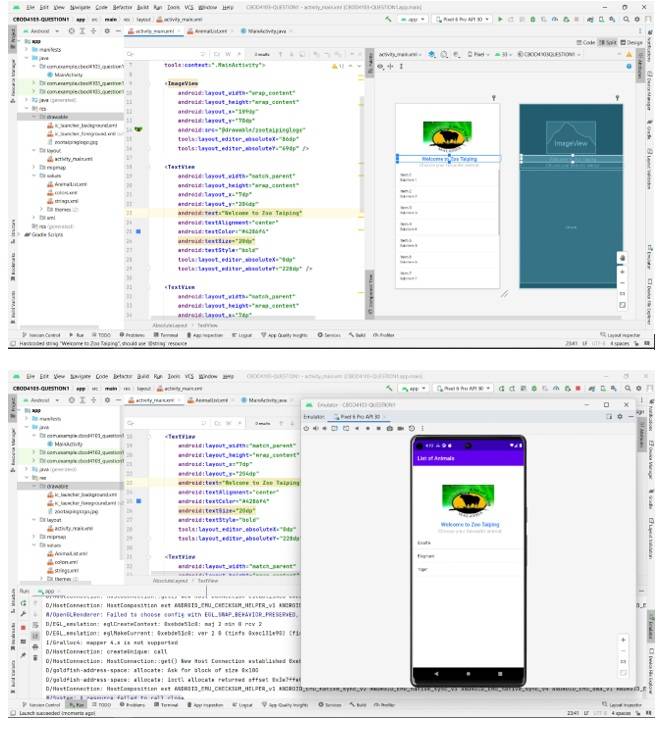
1.1 – Extract from Assignment QuestionProduce an interface as shown below. Choose an appropriate image as the main image on the interface. Make some space between the image and the toolbar. The sentence, "Welcome to Zoo Taiping" has the following attributes:
• font size: 20dp
• font color: #4286f4
• font style: bold
The animal's list should be made using a ListView element. When the name of the animal is clicked, a toast that displays the name of the animal will be displayed for a few seconds.
1.2 – Main UI Element
<?xml version="1.0" encoding="utf-8"?>
<AbsoluteLayout xmlns:android="http://schemas.android.com/apk/res/android"
xmlns:app="http://schemas.android.com/apk/res-auto"
xmlns:tools="http://schemas.android.com/tools"
android:layout_width="match_parent"
android:layout_height="match_parent"
tools:context=".MainActivity">
<ImageView
android:layout_width="wrap_content"
android:layout_height="wrap_content"
android:layout_x="109dp"
android:layout_y="70dp"
android:src="@drawable/zootaipinglogo"
tools:layout_editor_absoluteX="86dp"
tools:layout_editor_absoluteY="69dp" />
<TextView
android:layout_width="match_parent"
android:layout_height="wrap_content"
android:layout_x="7dp"
android:layout_y="204dp"
android:text="Welcome to Zoo Taiping"
android:textAlignment="center"
android:textColor="#4286f4"
android:textSize="20dp"
android:textStyle="bold"
tools:layout_editor_absoluteX="0dp"
tools:layout_editor_absoluteY="228dp" />
<TextView
android:layout_width="match_parent"
android:layout_height="wrap_content"
android:layout_x="7dp"
android:layout_y="230dp"
android:text="Choose your favourite animal:"
android:textAlignment="center"
android:textColor="#b2b2b2"
android:textSize="18dp"
tools:layout_editor_absoluteX="0dp"
tools:layout_editor_absoluteY="255dp" />
<ListView
android:id="@+id/listView"
android:layout_width="wrap_content"
android:layout_height="449dp"
android:layout_x="1dp"
android:layout_y="262dp"
tools:layout_editor_absoluteX="-16dp"
tools:layout_editor_absoluteY="305dp" />
</AbsoluteLayout>
1.3 – Main JAVA class(es)
| JAVA File (mainActivity.java) |
| package com.example.cbod4103_question1; |
1.4 – Additional Included File(s)
| String for ListView XML (AnimalList.xml) |
| <?xml version="1.0" encoding="utf-8"?> |

1.5 – Testing the Application
Build and run the application as per screenshots below.
1.6 – Additional Requirement from Assignment
a. Create a snapshot video by showing the programming created in the Android Studio
b. he video also must show the all the screen, components, and list view.
c. Your answer must also state the links to get the video.
QUESTION 2
2.1 – Extract from Assignment Question
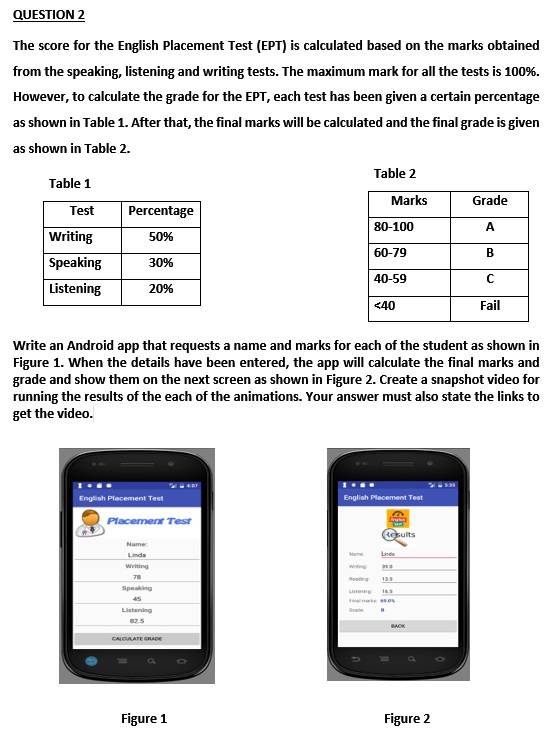
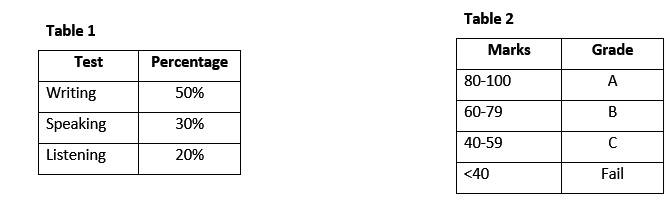
The score for the English Placement Test (EPT) is calculated based on the marks obtained from the speaking, listening, and writing tests. The maximum mark for all the tests is 100%. However, to calculate the grade for the EPT, each test has been given a certain percentage as shown in Table 1. After that, the final marks will be calculated, and the final grade is given as shown in Table 2.
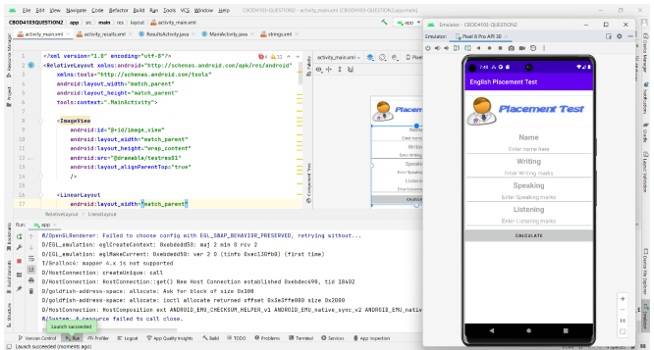
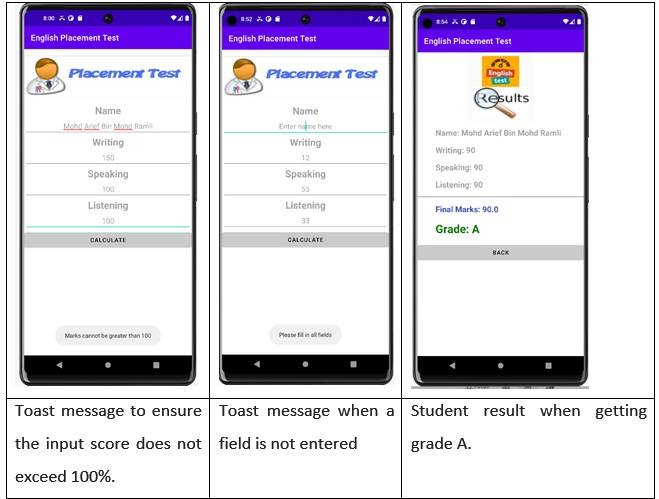
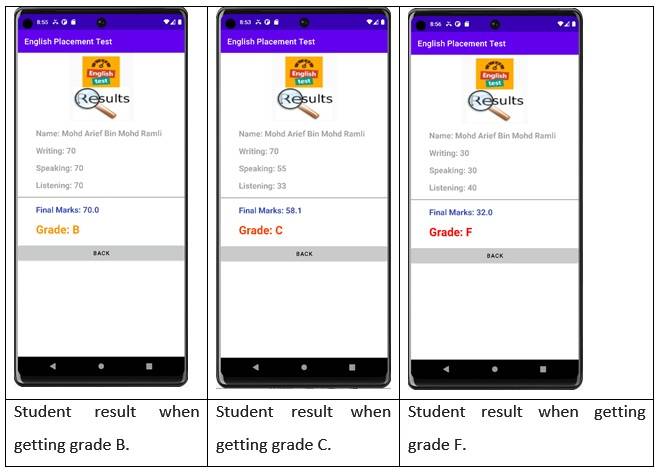
Write an Android app that requests a name and marks for each of the student as shown in Figure 1. When the details have been entered, the app will calculate the final marks and grade and show them on the next screen as shown in Figure 2. Create a snapshot video for running the results of the each of the animations. Your answer must also state the links to get the video.
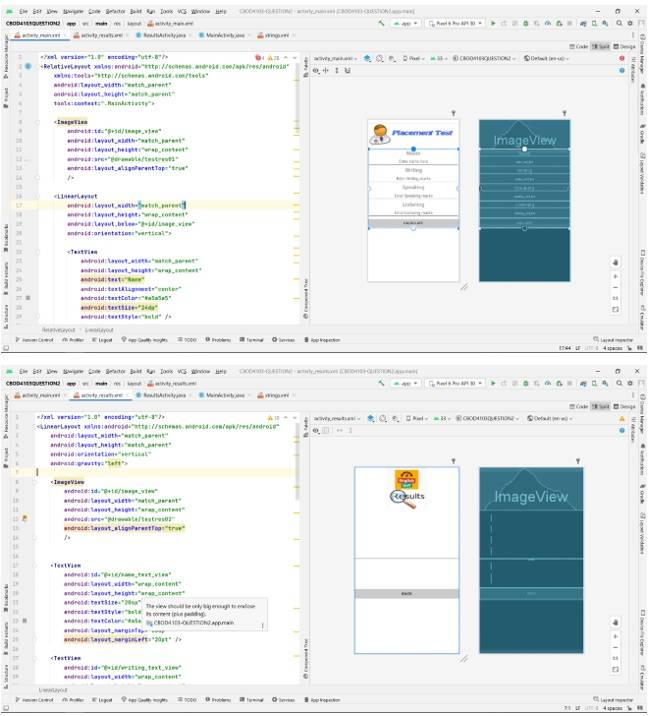
2.2 – Main & Result UI Element
| Main Page (activity_main.xml) |
| <?xml version="1.0" encoding="utf-8"?> |
| Result Page (activity_result.xml) |
| <?xml version="1.0" encoding="utf-8"?> |
2.3 – Main & Result JAVA class(es)
| Main Activity (MainActivity.java) |
| package com.example.cbod4103_question2; |
| Result Activity (ResultActivity.java) |
| package com.example.cbod4103_question2; |
2.4 – Additional Included File(s)
| String XML (strings.xml) |
| <resources> |
2.5 – Testing the Application
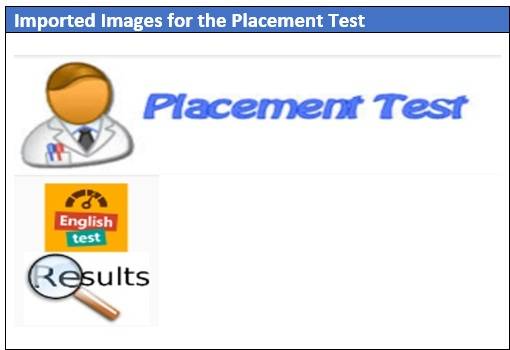
Build and run the application as per screenshots below.
2.6 – Additional Requirement from Assignment
a. Create a snapshot video by showing the programming created in the Android Studio
b. The video also must show the all the screen, components, and list view.
c. Your answer must also state the links to get the video.
List of References:
1. Budi Kurniawan. (2015). Android Application Development. First Edition. Open Brainy Sofftware Corp.
2. W3Schools (Ed.). (n.d.). Java Tutorial. Java tutorial. Retrieved March 10, 2023, from https://www.w3schools.com/java/











Comments 0