

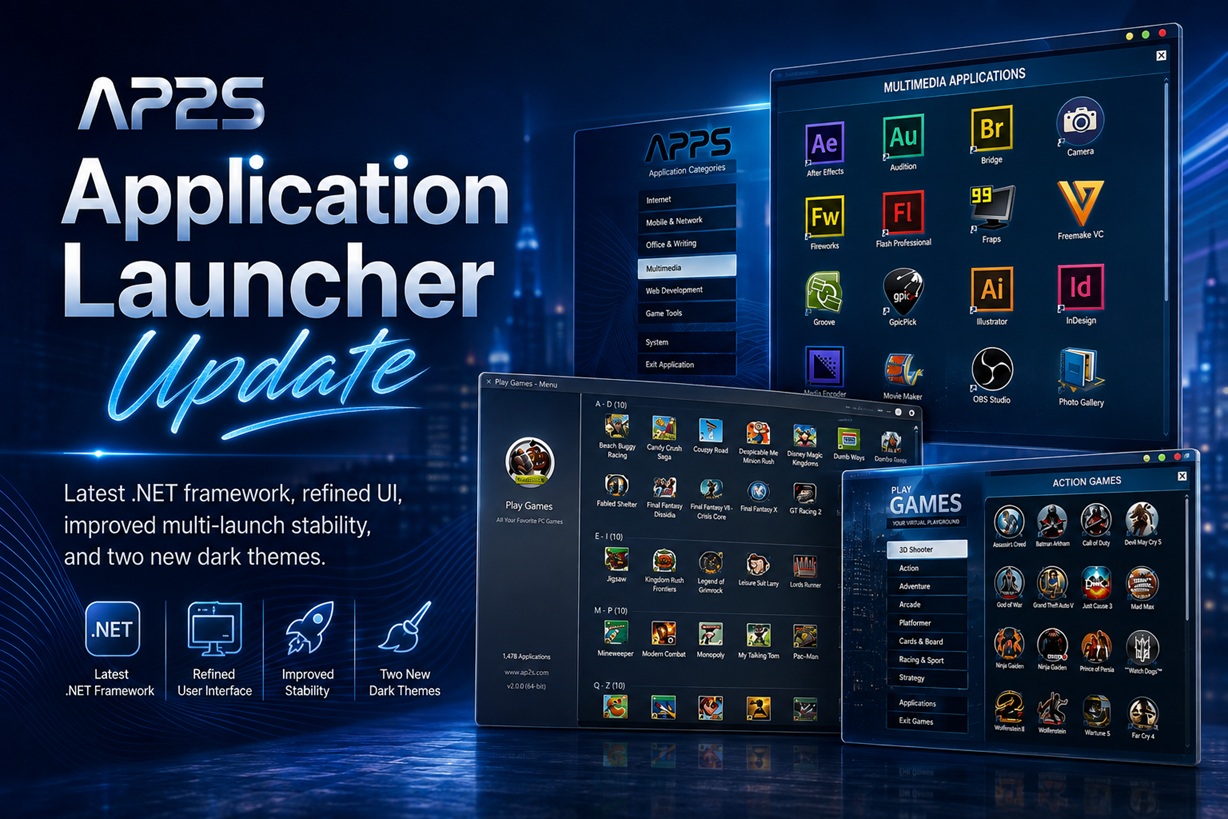
I've rolled out another update to Application Launcher, and while this release isn't a massive redesign, it brings several useful improvements under the hood along with a little visual polish. The main focus this time around has been modernising the application's foundation, fixing a rather annoying multi-instance problem, and making the launcher look a little nicer on modern Windows desktops.
For those unfamiliar with it, Application Launcher is essentially my central hub for organising and launching applications, utilities and games from a single interface. Instead of hunting through folders or filling the desktop with shortcuts, applications can be grouped into categories and accessed through one organised launcher.
Here's what has changed in the latest update.
Updated to the Latest .NET Framework
Probably the biggest change isn't something you'll immediately notice when opening Application Launcher.
I've updated the source code to use the latest .NET Framework environment supported by the project, replacing the older framework configuration previously used by the launcher.
Application Launcher has been around for quite some time, so periodically updating its underlying framework is important. It helps keep the application compatible with newer Windows environments while allowing me to continue maintaining and improving the source without relying unnecessarily on older components.
From a user perspective, Application Launcher should behave pretty much the same way as before — which is exactly what I wanted. This is more of a modernisation of the foundation rather than a rewrite of the application.
A Small UI Refresh
I've also made a few minor improvements to the interface.
This isn't a complete redesign, as I still want Application Launcher to retain its familiar layout and straightforward approach. However, several visual elements have been tidied up, including icons, fonts and some interface styling.
The changes are relatively subtle, but collectively they make the launcher feel a little cleaner when running on modern Windows systems.
I've always preferred Application Launcher to remain functional rather than becoming overloaded with animations, oversized controls or unnecessary interface elements. The goal is still simple: open the launcher, find the application you want and launch it.
Fixed the Multiple Application Launcher Instance Error
This was probably the most important bug fix in this update.
Previously, opening more than three Application Launcher windows simultaneously could sometimes result in errors. This was particularly noticeable when using separate launcher windows for different application categories or when accidentally launching multiple instances.
I've made changes to how multiple instances are handled, and Application Launcher should now be able to run several launcher windows at the same time without encountering the previous error.
It might sound like an unusual scenario, but it is actually useful when Application Launcher is being used as a larger application library. You might have one window displaying multimedia applications, another showing games and another containing system utilities.
That workflow should now be considerably more reliable.
Two New Dark Windows Themes
Dark mode has become increasingly common across Windows applications, so I've added two additional dark-based Windows themes to Application Launcher.
These are particularly useful if you already use Windows with a dark desktop or dark application theme, where the traditional bright launcher interface can otherwise look a little out of place.
Rather than replacing the existing themes, the new designs are additional choices. Users who prefer the existing Application Launcher appearance can continue using it, while those running darker Windows setups now have a couple more options available.
The darker themes also work quite nicely when Application Launcher is being used as a fullscreen-style application or game library.
The Same Application Launcher, Just Better
Despite the changes, I deliberately haven't changed how Application Launcher fundamentally works.
You can still organise applications into different categories, create collections for things such as Internet, Office, Multimedia, Web Development, System Tools and Games, and use the launcher as a central location for software installed across the computer.
The update is really about improving what is already there rather than turning Application Launcher into something completely different.
That means cleaner visuals, a newer underlying framework, additional themes and fewer problems when running multiple instances.
What's Next?
There are still plenty of things I'd like to experiment with in future versions of Application Launcher.
Some improvements may continue to focus on compatibility and performance, while others could involve additional interface customisation and better handling of shortcuts and application libraries.
For now, though, this update addresses several smaller issues that had been sitting on my list for a while.
Final Thoughts
Application Launcher has always been one of those applications where simplicity is part of the appeal. It doesn't need to replace the Windows desktop, Start menu or taskbar. Instead, it provides another convenient way to organise a large collection of applications and games into something that is considerably easier to browse.
This latest update keeps that philosophy intact.
With the updated .NET Framework foundation, small UI improvements, the multi-instance bug fix and two new dark Windows themes, Application Launcher should now feel a little more modern and, more importantly, a little more reliable.
It's not a huge release, but sometimes these smaller updates are exactly what an application needs.











Comments 0