

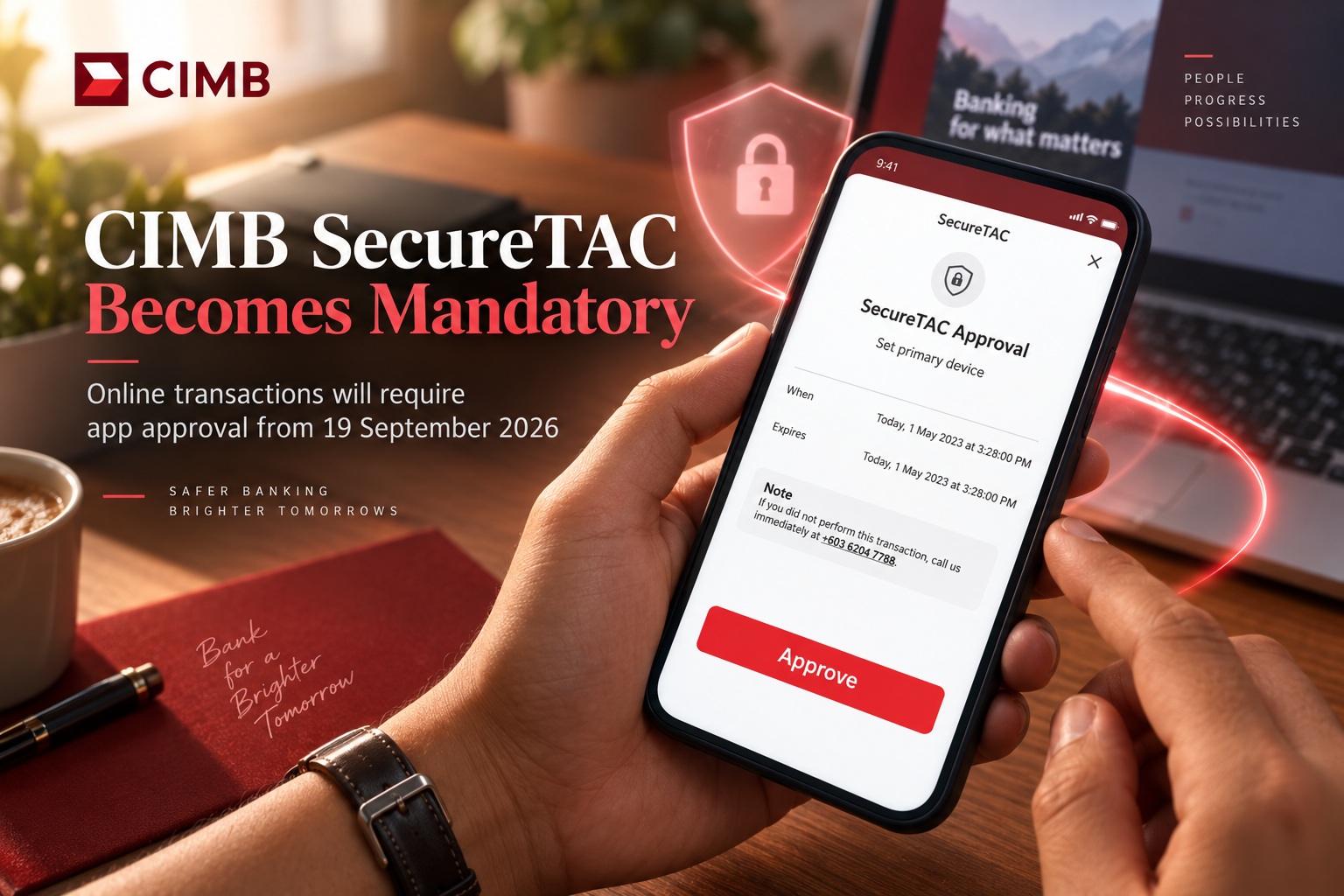
CIMB customers will soon need to approve online transactions through SecureTAC, with the requirement taking effect from 19 September 2026. The change means customers using CIMB Clicks Web or making payments through participating merchant websites will need to confirm those transactions through the CIMB OCTO App on their registered primary device. Rather than relying only on information entered during the transaction, customers will have to actively review and authorise the request before it can proceed.
SecureTAC adds another confirmation step by linking transaction approval directly to the customer's trusted mobile device. Approval can be completed using Face ID, fingerprint authentication, or the device passcode, depending on what the customer has enabled on their smartphone. The additional verification is intended to make it harder for someone who has obtained banking credentials to complete an online transaction without also having access to the registered device.
How SecureTAC Approval Will Work
When a customer initiates an online transaction through CIMB Clicks Web or a supported merchant website, the transaction itself will continue to begin in much the same way as before. Once the details have been submitted, however, the customer will receive a push notification through the CIMB OCTO App on their primary registered device. Opening that notification will allow the customer to review the transaction information before deciding whether to approve or reject it.
That review step is important because customers can confirm whether the amount, merchant, account and other transaction details match what they actually intended to authorise. If something looks unfamiliar or incorrect, the request can simply be rejected rather than allowed to proceed. This makes the approval process more deliberate and gives customers another opportunity to detect suspicious activity before money leaves the account.
The process also moves more of the transaction confirmation into CIMB's own banking application rather than relying entirely on the browser session. That creates a clearer separation between initiating a transaction and approving it, which can be useful when dealing with fraudulent websites or compromised credentials.
Biometrics or a Device Passcode Will Be Necessary
Customers will need to make sure their phones are properly secured before the new requirement comes into force. SecureTAC depends on the authentication methods already configured on the device, including Face ID, fingerprint recognition or the phone's own passcode. If none of these security methods are enabled, the OCTO App will not be able to complete the approval process.
CIMB says customers without biometric authentication or a device passcode will instead see an error message when trying to approve a transaction. That means anyone who regularly uses CIMB Clicks Web or shops online using their CIMB account should check their smartphone security settings ahead of 19 September rather than discovering the problem during an urgent payment.
Enabling a device passcode is particularly important even for users who prefer not to use biometrics. Face ID and fingerprint authentication offer convenience, but the passcode acts as the underlying device security mechanism and provides an alternative way of authenticating when biometrics are unavailable.
Why Banks Are Moving Transaction Approval to Trusted Devices
The change reflects a broader shift across digital banking toward stronger transaction authentication. Passwords alone are increasingly insufficient because credentials can be exposed through phishing, credential reuse, malware or data breaches. Even when criminals obtain a username and password, requiring approval from a previously registered mobile device creates another obstacle before a transaction can be completed.
This type of authentication also gives customers more context than a simple password prompt. Rather than entering another code without necessarily knowing what it relates to, users can see the transaction request inside their banking app and consciously decide whether it is genuine. That makes the security process more closely tied to the actual action being authorised.
The approach is not completely immune to social engineering, of course. Scammers may still try to persuade victims to approve a transaction themselves by pretending to be a bank officer, merchant or other trusted party. Customers therefore still need to read every SecureTAC request carefully instead of treating the notification as something that should automatically be approved.
The Approval Request Should Match What You Just Did
One of the simplest ways to use SecureTAC safely is to treat every notification as a confirmation of an action you personally initiated. If you have just completed a purchase or submitted a transaction through CIMB Clicks Web, receiving a corresponding OCTO notification makes sense. If a SecureTAC request appears unexpectedly, that should immediately raise concern.
Customers should check the information shown before approving anything, particularly the transaction amount and recipient or merchant details. Fraud attempts sometimes depend on users becoming accustomed to tapping "approve" without reading the request, so the extra security step only works properly when people actually review what is being authorised.
An unexpected approval request should never be accepted simply because someone on the phone or in a message claims it is required to "verify" the account. Genuine transaction authorisation should correspond to something the customer knowingly initiated.
CIMB Clicks Web Users Will Need Their Phone Nearby
The change also means customers using CIMB Clicks from a desktop or laptop will need access to their registered smartphone when completing transactions. The browser can still be used to initiate the activity, but final approval will take place through the OCTO App on the primary device.
For most users this should be relatively straightforward, but it does introduce a dependency on the phone being available and functional. A customer whose smartphone is switched off, has no connectivity or is no longer registered correctly may be unable to approve the transaction until the device issue is resolved.
This is worth keeping in mind for people who traditionally use online banking mainly from a computer. SecureTAC effectively makes the mobile device part of the authentication process even when the transaction begins somewhere else.
Merchant Website Payments Are Included Too
The SecureTAC requirement is not limited to transactions initiated directly through CIMB's banking website. It will also apply to online transactions made through merchant websites, meaning customers may encounter the OCTO approval process while paying for purchases or services online.
This brings the same trusted-device verification into e-commerce transactions and helps create a consistent approval experience across different types of online payments. Customers should therefore expect a short pause between submitting a transaction at a merchant and completing approval through the banking app.
The additional step may initially feel slightly less convenient than a completely automatic payment, but the trade-off is greater visibility and control. Customers receive another chance to see exactly what they are approving before the transaction is finalised.
Primary Device Registration Becomes More Important
Because SecureTAC requests are sent to the customer's primary registered device, keeping that device information current becomes increasingly important. Anyone who has recently changed phones, reinstalled the OCTO App or switched devices should make sure their banking setup has been completed properly before relying on SecureTAC.
A lost or replaced phone can also affect the approval process, so customers should follow CIMB's official device-registration procedures rather than attempting to work around the system. The trusted-device model only improves security when the bank has confidence that transaction approvals are coming from the customer's legitimate device.
Users should also maintain strong security on the smartphone itself. A banking app protected by biometrics is considerably less useful if the underlying device has no passcode, is regularly left unlocked or is shared with other people.
A Small Change That Could Prevent Bigger Problems
For legitimate customers, SecureTAC will usually add only a few seconds to an online transaction. A notification arrives, the customer reviews the information, authenticates with their face, fingerprint or passcode, and approves the request. From a security perspective, however, those few seconds provide an important additional checkpoint.
A criminal who manages to obtain someone's CIMB Clicks credentials would still face the challenge of completing approval on the registered device. That does not eliminate every form of fraud, but it reduces reliance on credentials alone and makes account compromise more difficult to convert directly into a successful transaction.
The feature also gives customers a clearer warning when something unusual is happening. An unexpected SecureTAC prompt can become an early indication that somebody may be attempting to use the account, allowing the customer to reject the request and investigate further.
What CIMB Customers Should Do Before 19 September
Customers who already use the CIMB OCTO App and have biometrics or a device passcode enabled may find that very little preparation is required. The most important thing is ensuring the app remains installed and functioning on the primary registered device. It is also worth checking that notifications are enabled so approval requests are not missed.
Anyone who does not currently secure their phone with Face ID, fingerprint recognition or a passcode should set up at least one supported authentication method before attempting online transactions after the change takes effect. Otherwise, SecureTAC approval will fail and the customer may be unable to complete the transaction until the device is properly secured.
Users should also become accustomed to reading approval details carefully. SecureTAC is most effective when the customer treats it as a security decision rather than simply another button that must be pressed to finish a payment.
Final Thoughts
CIMB's move to require SecureTAC from 19 September 2026 represents another step toward stronger device-based authentication for online banking. Customers using CIMB Clicks Web or making purchases through merchant websites will increasingly rely on the OCTO App as the final approval point, with Face ID, fingerprint authentication or a device passcode confirming that the person completing the transaction has access to the registered phone.
The change should not dramatically alter how most customers bank online, but it does make preparation important. Without biometric security or a device passcode, SecureTAC approval will not work, while customers who have changed phones should ensure their primary device registration is correct.
Most importantly, the new system gives customers another opportunity to stop a suspicious transaction before it is completed. That protection depends on users taking a moment to review what they are approving rather than automatically accepting every notification.
From 19 September onward, the safest habit is simple: if you did not initiate the transaction, do not approve the SecureTAC request.











Comments 0