

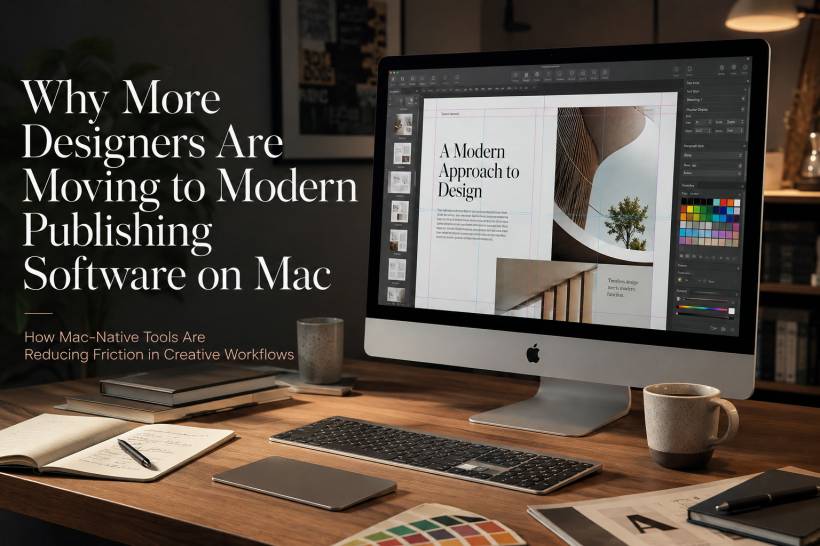
Mac has always had a strong connection with creative work. From graphic design and illustration to video editing, layout work, and branding, the platform has long been seen as a natural home for designers. Many creative professionals have already built reliable workflows around macOS, using tools that feel fast, polished, and visually consistent.
However, one part of the process still tends to create friction: publishing.
Designing the artwork is usually not the problem. The real challenge often appears at the final stage, when the design needs to be exported, prepared, checked, shared, printed, or delivered in the correct format. That final step can be surprisingly frustrating, especially when the publishing software does not fit naturally into the Mac workflow.
The Publishing Problem Many Designers Know Too Well
Most creative tools focus heavily on the design process itself. Designers have excellent options for creating layouts, editing images, building illustrations, preparing prototypes, and managing visual assets. But once the creative work is done, the publishing stage can feel like a separate obstacle.
This is where details such as export settings, bleed marks, print specifications, PDF compatibility, colour profiles, font handling, and vendor requirements become important. These things may sound technical, but they are part of everyday design work. A beautiful design can still become a problem if the final file is not prepared correctly.
For many designers, this is where older publishing tools start to feel outdated. Instead of supporting the creative flow, they add extra steps. Files may need to be adjusted, converted, checked, fixed, or rebuilt before they are ready to leave the studio. Over time, those small interruptions can slow down an entire workflow.
Why Legacy Publishing Tools Feel Out of Place on Mac
A major reason designers are switching is that many older publishing tools were not built around the way macOS works. They may have the features on paper, but the experience does not always feel native.
This can show up in different ways. Fonts may not behave as expected. Colour profiles may require additional checking. File handling may feel clunky. Templates may render differently. Export settings may need repeated manual adjustment. The software may technically work, but it does not always feel like it belongs in a Mac-based creative environment.
That is why some designers are moving away from older or Windows-first publishing tools and looking for alternatives that are designed with macOS in mind. The issue is not always that the old tools are incapable. In many cases, they are still powerful. The problem is that they often require too many workarounds.
For designers who work under tight deadlines, those workarounds matter. A few extra steps on one project may not seem like much, but across multiple clients, campaigns, revisions, and print jobs, they quickly become a real productivity cost.
Modern Publishing Is About Workflow, Not Just Features
When people talk about modern software, they often think only about new features. But in publishing, modern does not simply mean a newer version number. It means the software understands the workflow properly.
A good publishing tool on Mac should work smoothly with the way macOS handles fonts, colour, files, previews, and exports. It should reduce the need for manual correction. It should make it easier to move from design to delivery without forcing the designer to translate the file into another system's logic.
This is especially important because designers rarely work inside one application only. A typical project may involve image editing, vector artwork, brand assets, layout tools, cloud storage, client feedback, PDF output, and print vendor requirements. If the publishing tool does not integrate well with that wider workflow, it becomes the weak point in the process.
The best modern tools are not just adding features for the sake of it. They are trying to remove friction from the handoff stage.
Why Mac Designers Prefer Tools That Feel Native
One of the reasons many designers prefer Mac is that the ecosystem often feels more consistent. Hardware, software, display quality, colour management, typography, and interface behaviour tend to work together in a way that supports creative work.
Publishing software that respects this ecosystem can feel much smoother to use. It can handle fonts more predictably, manage colour more cleanly, and produce final files with fewer surprises. That makes a real difference when the final output has to be accurate, especially for print.
Designers do not want to spend their time fighting the software. They want to focus on the work, make changes quickly, and deliver files confidently. When a publishing tool feels native to Mac, the process becomes less about troubleshooting and more about finishing the job properly.
The Growing Role of Accessibility and New Interfaces
Modern publishing software is also beginning to reflect newer ways of working. Accessibility is becoming more important, not just for finished designs but also for the tools used to create them.
Some creative and publishing tools are beginning to experiment with voice-driven navigation, improved keyboard access, and interface options that support more inclusive workflows. For studios working on accessible design projects, these features are no longer just nice extras. They can become part of how teams work, review, and deliver content.
This does not mean every designer needs voice controls or advanced accessibility features today. But it does show how modern publishing tools are being built with broader working styles in mind. That is very different from older software that was designed mainly around traditional desktop publishing assumptions.
What Designers Should Look for Before Switching
Switching software is not something designers should do casually. A new tool may look modern, but it still needs to fit the real demands of professional publishing.
A good Mac publishing tool should be able to export print-ready PDFs properly. It should support bleed marks, trim marks, preflight checks, and common print requirements without depending too heavily on extra plugins. It should also handle fonts and colour profiles reliably.
Format support is another major factor. Designers often work with clients, printers, vendors, and collaborators who use different systems. If a tool cannot open, import, or export the file formats people already rely on, it may create more problems than it solves.
Another thing to consider is file ownership. Designers should be careful with tools that lock work into proprietary formats without flexible export options. A publishing tool should make the workflow easier, not trap the user inside a closed system.
Why Variable Data and Template Handling Matter
For many design teams, publishing is no longer limited to static brochures or one-off documents. Businesses often need personalised documents, event materials, certificates, catalogues, name cards, product sheets, and campaign assets with changing information.
This is where variable data support becomes useful. A good publishing tool should be able to handle changing names, numbers, product details, addresses, or other data without breaking the layout. This is especially important for agencies, marketing teams, education providers, and businesses that produce repeated design materials at scale.
Template handling is equally important. If templates render inconsistently or require too much manual adjustment, the time savings disappear. Modern publishing software should make templates reliable, reusable, and easy to update.
The Shift Is Not About Chasing Trends
Designers are not switching to modern publishing software just because it is new. Most professionals are cautious about changing tools, especially when deadlines, client files, and production requirements are involved.
The shift is happening because many designers are correcting a long-standing mismatch. Mac-based design workflows have become faster, cleaner, and more integrated, but some publishing tools have not kept up. When the final delivery stage feels older than the rest of the workflow, it becomes an obvious place to improve.
Modern Mac publishing tools are now mature enough to compete seriously. In some areas, they may even offer a smoother experience than older desktop publishing solutions that were never truly built around macOS in the first place.
Final Thoughts
The move toward modern publishing software on Mac is really about reducing friction. Designers already have strong tools for creating beautiful work. What they need is a publishing layer that helps them finish, export, prepare, and deliver that work without unnecessary technical headaches.
A good publishing tool should feel like part of the creative process, not a separate obstacle at the end of it. It should understand Mac's strengths, support professional output, handle common formats, and make final delivery more reliable.
That is why more designers are making the switch. The question is no longer simply what publishing tools are available on Mac. The better question is which tools were truly built for the way Mac designers work today.











Comments 0