

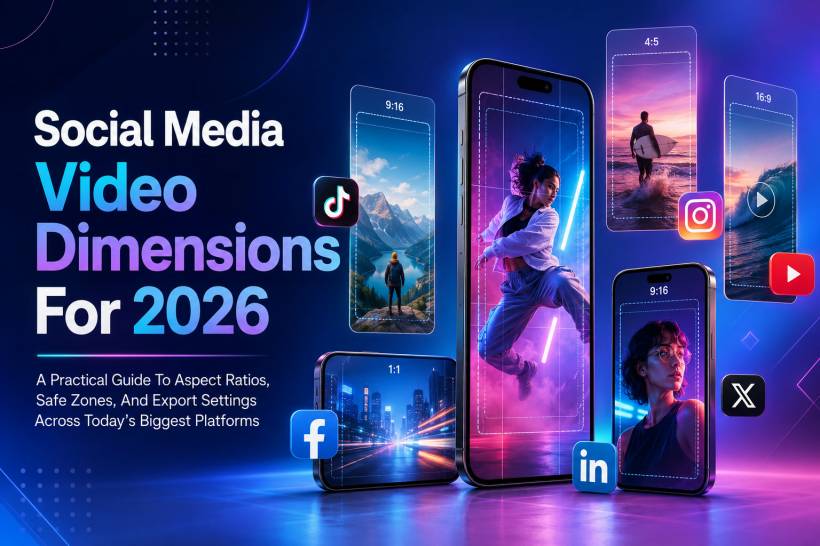
Vertical video is no longer just a trend. It has become the default viewing format across most major social media platforms, especially on mobile. TikTok, Instagram Reels, YouTube Shorts, Facebook Reels, and even LinkedIn have all pushed creators and brands toward mobile-first video experiences.
Getting the right video size is not just about making your content look nicer. It can affect how your video appears, how much of the frame is visible, whether important text gets blocked, and how likely users are to keep watching. A video uploaded in the wrong format may appear with black bars, get awkwardly cropped, or lose impact because the key message sits behind platform buttons and captions.
For creators, marketers, businesses, and anyone publishing video online, knowing the correct dimensions is now part of the production process. This guide breaks down the key social media video dimensions for 2026 and explains how to format your content properly before uploading.
Why Video Dimensions Matter More Than Ever
Most people watch social media videos on their phones. That means platforms are designed around vertical scrolling, full-screen viewing, and quick attention capture. When a video fills the screen naturally, it feels native to the platform. When it does not, users can immediately sense that the content was not made for that space.
This affects more than appearance. Platforms are built to reward videos that perform well with viewers. If the wrong aspect ratio causes awkward cropping, unreadable text, or a less immersive viewing experience, people are more likely to swipe away. Lower watch time and weaker engagement can then reduce the video's overall reach.
In simple terms, correct formatting helps your content look intentional. It gives your video a better chance of being watched, understood, and shared.
TikTok: The Vertical Video Standard
TikTok helped define the modern vertical video format, and its 9:16 layout remains the baseline for short-form content. If you are creating video for TikTok, portrait orientation should be your default.
Recommended TikTok specifications:
Resolution: 1080 x 1920 pixels
Aspect ratio: 9:16
File formats: MP4 or MOV
Frame rate: 30 FPS or higher
Maximum video length: Up to 60 minutes for uploaded videos, or 10 minutes for in-app recording
File size limit: Around 72 MB through the app, with higher limits for ads and auto-publishing
Best-performing length: Around 11 to 18 seconds for fast viral content, and 21 to 34 seconds for more developed storytelling
TikTok places interface elements on the right side and bottom area of the screen, including buttons for likes, comments, sharing, and following. Because of this, faces, subtitles, product names, and important visual elements should stay closer to the centre of the frame.
For TikTok Live, shorter sessions are often easier to manage and promote, although longer live streams are still possible. If you are going live, plan your layout so your face, product, or presentation area is not blocked by comments and engagement tools.
Instagram Reels: The Main Short-Form Format For Instagram
Instagram has fully leaned into short-form video, and Reels now play a major role in discovery. While Instagram technically supports several aspect ratios, 9:16 remains the best option if you want the video to fill the screen.
Recommended Instagram Reels specifications:
Resolution: 1080 x 1920 pixels
Aspect ratio: 9:16
Cover photo: 9:16 aspect ratio
Maximum length: Up to 20 minutes
Recommended length for discovery: Around 3 minutes or less
File size limit: Up to 4 GB
Frame rate: Minimum 30 FPS
The important thing to remember with Reels is that the screen is not fully "safe." Captions, profile information, buttons, and other UI elements can cover a large portion of the video. If your headline, logo, or call-to-action sits too close to the bottom or right side, viewers may not see it clearly.
For best results, keep the subject and key text inside the central portion of the frame.
Instagram Stories: Quick, Temporary, And Full-Screen
Instagram Stories are designed for quick updates, behind-the-scenes clips, announcements, and casual content. They disappear after 24 hours unless saved as Highlights.
Recommended Instagram Stories specifications:
Resolution: 1080 x 1920 pixels
Aspect ratio: 9:16
Maximum length: 60 seconds per story slide
File size limit: Up to 4 GB
Because Stories include reply boxes, stickers, profile information, and action buttons, avoid placing important text near the top and bottom edges. The centre area is always the safest place for your message.
Stories are especially useful for updates that do not need to live permanently on your profile, but good formatting still matters. A messy Story can make even a strong announcement feel rushed or unprofessional.
Instagram Feed Videos: Portrait Works Better Than Square
Instagram feed videos still matter, especially for content that should remain visible on your profile grid. While square videos were once the standard, portrait videos now often perform better because they take up more screen space while users scroll.
Recommended Instagram Feed video specifications:
Resolution: 1080 x 1350 pixels for portrait
Preferred aspect ratio: 4:5
Other supported ratios: 1:1 square and 16:9 landscape
Maximum length: Up to 60 minutes
File size limit: Up to 4 GB
The 4:5 portrait format is a good choice for feed posts because it gives your content more vertical space without becoming a full-screen Reel. It is especially useful for tutorials, product videos, talking-head clips, and educational posts.
YouTube Shorts: Vertical Video For Fast Discovery
YouTube Shorts has become a separate discovery channel inside YouTube. It is designed for short, vertical videos and competes directly with TikTok and Instagram Reels.
Recommended YouTube Shorts specifications:
Resolution: 1080 x 1920 pixels
Aspect ratio: 9:16
Maximum length: 180 seconds
Thumbnail size: 1280 x 720 pixels
File size limit: Varies depending on account verification and upload method
Shorts should be created in 9:16 if you want them to feel native to the format. Videos that are square or horizontal may appear with black bars or less effective framing, which can reduce their impact.
Even though Shorts are short-form, the first few seconds still matter. Start with a clear hook, keep captions readable, and make sure the subject is centred.
Standard YouTube Videos: Still Built Around 16:9
While Shorts dominate short-form discovery, standard YouTube videos remain the best format for long-form content, tutorials, reviews, podcasts, explainers, and gameplay videos.
Recommended standard YouTube specifications:
Resolution: 1920 x 1080 pixels or higher
Aspect ratio: 16:9
Maximum length: Up to 12 hours for verified accounts
File size limit: Up to 256 GB
YouTube does support vertical and square uploads, but horizontal 16:9 remains the cleanest format for desktop viewing, TV viewing, and traditional long-form videos.
If you plan to publish both Shorts and long-form videos, it is usually better to export separate versions instead of trying to force one format to work everywhere.
Facebook Feed Videos: Captions Are Essential
Facebook supports several video placements, including feed videos, Stories, Reels, and video feeds. For feed content, square and portrait formats usually work best because many users watch on mobile.
Recommended Facebook Feed specifications:
Aspect ratio: 1:1 for desktop and mobile, or 4:5 for mobile-first content
Minimum resolution: 1080 x 1080 pixels
Maximum length: Up to 241 minutes
Maximum file size: Up to 4 GB
One important detail about Facebook is that many videos are watched without sound. This makes captions extremely important. If your message depends on spoken audio and there are no captions, many viewers may miss the point entirely.
For business pages, product promos, and announcements, always assume the viewer may be scrolling silently.
Facebook Reels: Vertical And Mobile-First
Facebook Reels follow the same general idea as Instagram Reels and TikTok. They are vertical, quick to consume, and designed for full-screen mobile viewing.
Recommended Facebook Reels specifications:
Aspect ratio: 9:16
Minimum resolution: 1440 x 2560 pixels
Maximum file size: Up to 4 GB
Facebook Reels may not always provide the same automated captioning support creators expect elsewhere, so it is safer to burn captions directly into the video during editing. This ensures the message remains visible regardless of platform behaviour.
As with other vertical formats, keep important text and subjects away from the extreme edges.
Facebook Stories: Watch The Top And Bottom Areas
Facebook Stories are similar to Instagram Stories. They are full-screen vertical posts designed for quick updates and short-lived content.
Recommended Facebook Stories specifications:
Aspect ratio: 9:16
Minimum resolution: 1080 x 1080 pixels
Maximum length: Up to 2 minutes, often split into shorter cards
Maximum file size: Up to 4 GB
Do not place logos, headlines, or important call-to-action text too close to the top or bottom of the frame. Profile icons, reply fields, and action buttons can cover these areas.
For a safer layout, treat the centre of the video as your main creative area.
LinkedIn Video: Professional Content Needs Clear Formatting
LinkedIn has become much more video-friendly in recent years. While it is still a professional network, video is now widely used for company updates, thought leadership, product explainers, hiring content, event highlights, and educational clips.
Recommended LinkedIn video specifications:
Supported aspect ratios: 9:16, 1:1, and 16:9
Recommended resolution: 1080p
Minimum resolution: 360p
Maximum length: Up to 30 minutes
File size limit: Around 200 MB for ads and up to 5 GB for organic uploads
LinkedIn users often browse with sound off, especially during working hours. Captions are therefore very important. A good LinkedIn video should be understandable even without audio.
The content style should also match the platform. Clear value, professional context, and direct messaging usually work better than overly casual or entertainment-first editing.
X: Short, Fast, And Built For Quick Consumption
X, formerly Twitter, supports feed videos in landscape, portrait, and square formats. The platform is built around fast scrolling, so videos need to communicate quickly.
Recommended X video specifications:
Landscape resolution: 1280 x 720 pixels
Portrait resolution: 720 x 1280 pixels
Square resolution: 720 x 720 pixels
Supported aspect ratios: 16:9, 1:1, and 3:4
Maximum length: 140 seconds
File size limit: Up to 512 MB
Because users scroll quickly on X, the first few seconds are critical. Use clear visuals, strong captions, and avoid slow openings. If the video needs sound to make sense, add captions or on-screen text.
The Safe Zone Rule Every Creator Should Follow
Every platform places interface elements on top of your video. These can include profile icons, captions, usernames, like buttons, comment buttons, share buttons, progress bars, and reply fields.
The safest approach is to keep important content inside the middle 70% of the screen. This includes faces, product names, titles, subtitles, logos, and call-to-action text.
For Reels, Shorts, TikTok, and Stories, avoid placing anything important in the bottom 250 pixels. Also avoid pushing text too far to the right side because engagement buttons often appear there.
This one habit can prevent a lot of frustrating mistakes. A beautifully edited video can still fail if the main message is hidden behind a comment box or like button.
A Simple Export Checklist Before Uploading
Before publishing any social media video, check these three things:
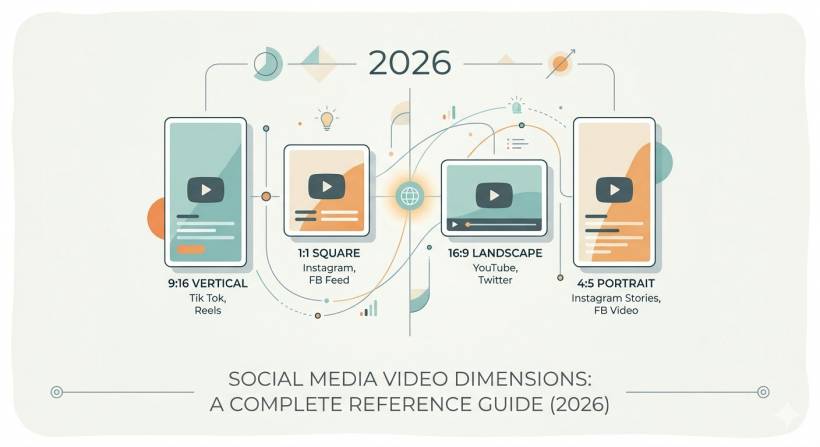
• Aspect ratio: Make sure the video size matches the platform placement. A 9:16 Reel and a 16:9 YouTube video should usually be exported separately.
• Safe zone: Keep important text, faces, and logos away from the edges, especially the bottom and right side.
• Captions: Add captions whenever the video includes speech or sound-dependent information.
These checks only take a short time, but they can save you from having to delete, re-edit, and re-upload your content later.
Final Thoughts
Social media video formatting in 2026 is not just a technical detail. It is part of the content strategy. The right dimensions help your video feel native to the platform, protect your message from being cropped or covered, and improve the viewer experience.
For most short-form content, 1080 x 1920 in 9:16 remains the safest and most widely supported format. For feed content, portrait formats such as 4:5 often perform better than square or landscape. For standard YouTube, 16:9 is still the best choice.
The best approach is simple: create for the placement, not just the platform. A video made for TikTok may not work perfectly as a YouTube upload, and a horizontal YouTube video will not automatically become a strong Reel. Exporting the right format for each destination gives your content a better chance to look professional and perform well.
In a crowded social feed, presentation matters. Clean formatting will not guarantee success, but poor formatting can definitely reduce your chances. A few seconds spent checking dimensions, safe zones, and captions can make the difference between a video that looks polished and one that gets ignored.











Comments 0