

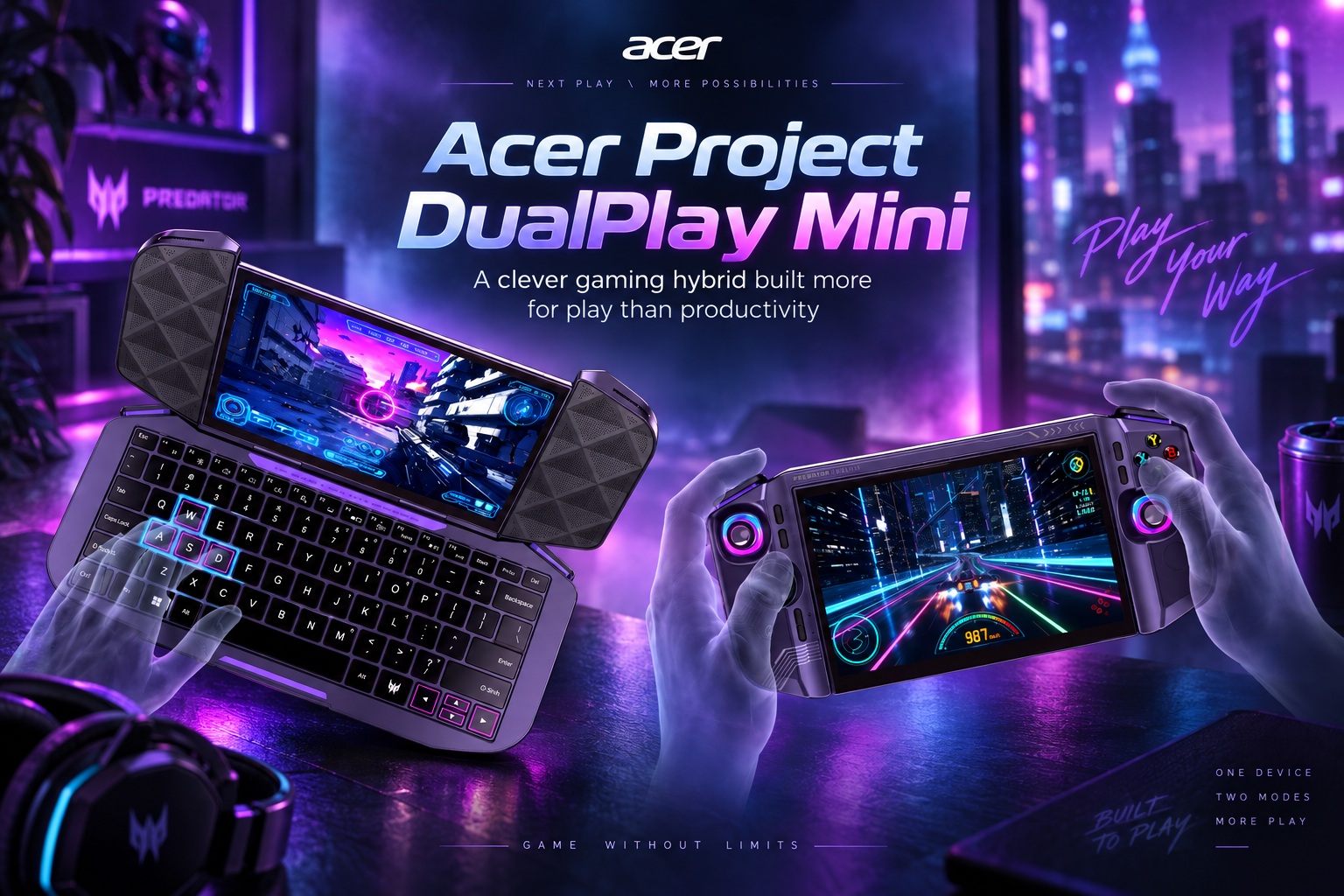
Acer's IFA 2026 showcase introduced several interesting ideas, but Project DualPlay Mini is easily one of the more unusual concepts on display. Rather than being presented as a finished consumer device, it exists as a proof of concept designed to explore what happens when a Windows-style gaming handheld and a miniature laptop are combined into a single portable machine. It is an ambitious idea because those two device categories normally prioritise very different things: handhelds are built around ergonomics and controller input, while laptops depend heavily on keyboards, larger displays and conventional desktop interaction.
The result is a device that is intriguing precisely because it refuses to sit comfortably in either category. Project DualPlay Mini can function like a conventional handheld when closed, then transform into a compact clamshell-style computer when the screen is flipped open and rotated. Acer appears to be asking whether one machine can satisfy both portable gaming and lightweight productivity without becoming too compromised in either direction. After spending some time with the prototype, the answer seems to be that the concept works surprisingly well for gaming flexibility, while the productivity side feels much more limited.
A Handheld That Does Not Immediately Look Like a Laptop
One of Acer's smarter design decisions is that Project DualPlay Mini does not look like a miniature notebook when it is being used as a handheld. From a distance, it resembles a fairly conventional 8-inch portable gaming device, complete with the kind of gaming-focused styling, RGB lighting and physical controls expected from the category. Unless you already know that a keyboard is hidden beneath the screen, there is little about the overall shape that immediately gives the transformation away.
The seam between the upper and lower halves naturally reveals that something is different, but Acer has kept the mechanism relatively discreet. There is also a slight indentation around the centre of the lower section, which provides somewhere for the fingers to grip when opening the device into its secondary configuration. It is a small detail, but it helps make the transformation feel intentional rather than something awkwardly added onto an existing handheld chassis.
That subtlety is somewhat amusing given the device's otherwise very gamer-oriented personality. Project DualPlay Mini is not exactly shy about RGB lighting and performance-inspired styling, yet the laptop functionality itself is surprisingly understated. Acer seems to have understood that the handheld form should remain visually dominant rather than making the device look like a laptop that happens to have controllers attached.
Portability Is Better Than the Hybrid Design Might Suggest
A convertible device with a rotating display and hidden keyboard sounds as though it should be heavy, but Project DualPlay Mini is reasonably manageable for its size. It is heavier than Acer's smaller Predator Atlas 7 handheld but sits closer to the Atlas 8 in overall weight, which is fairly respectable considering the additional mechanical components built into the chassis.
That does not mean it is effortless to hold indefinitely. Like most larger handheld gaming systems, long gaming sessions will eventually put some strain on the wrists, and the slightly boxier shape does not nestle into the hands quite as naturally as more ergonomically sculpted devices. Still, it avoids feeling excessively bulky or cumbersome, which is important because the entire idea would fall apart if users constantly felt as though they were carrying a small laptop rather than a gaming handheld.
Acer also appears to have thought carefully about where the two halves meet. There is no obvious pinching or uncomfortable pressure around the hinge area while gripping the device, and the shoulder buttons have been positioned slightly outward so they remain accessible in handheld mode without becoming an obstacle when the machine is opened up.
The Transformation Is Surprisingly Straightforward
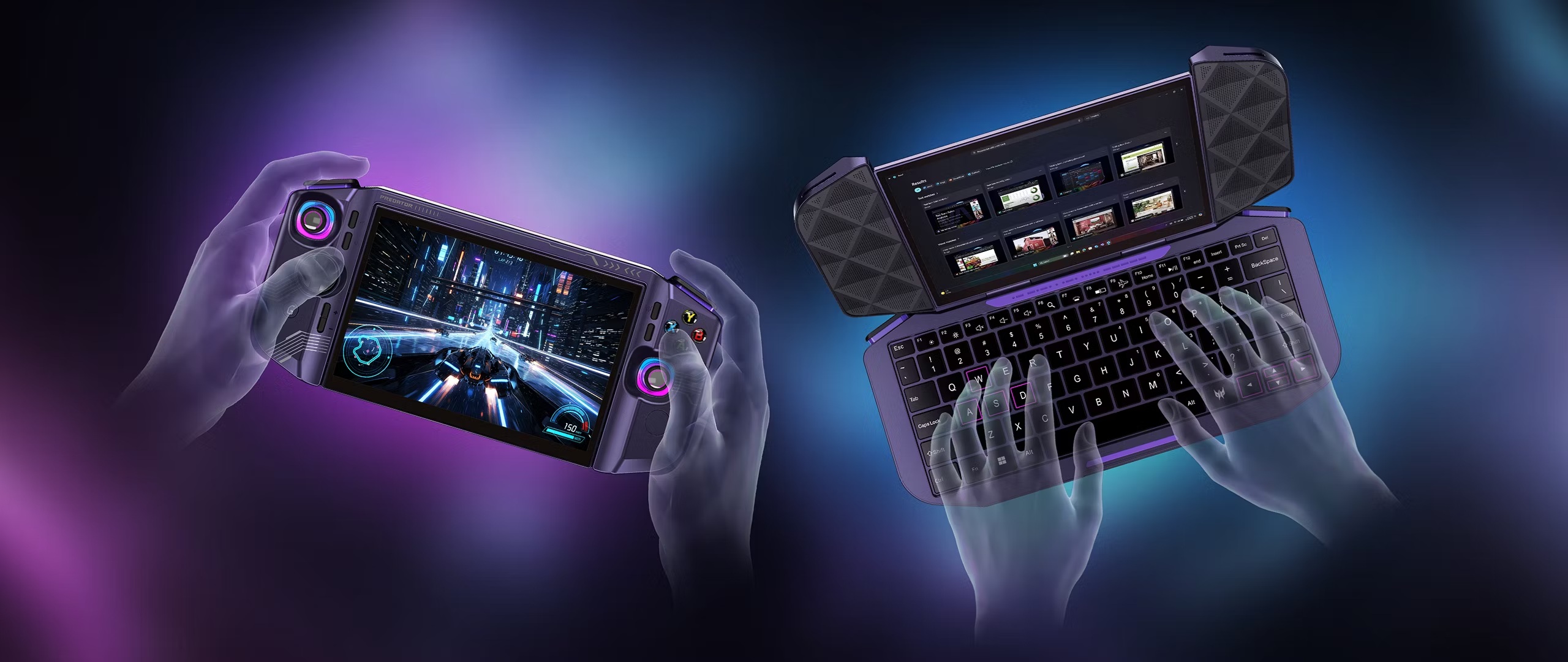
Switching Project DualPlay Mini into its laptop-style configuration is one of the most satisfying parts of the concept. The process begins by opening the device, after which the display can be rotated around so that it faces the user. The hinge offers some resistance initially, but the movement itself feels reasonably smooth and does not require an awkward sequence of locks or buttons.
Once the screen has been rotated into position, the system switches into a more conventional desktop interface and exposes the compact keyboard underneath. Reverting to handheld mode is essentially the same process in reverse: rotate the display back, fold the two halves together and continue using the physical gaming controls.
That simplicity matters. Hybrid products often become frustrating when switching between modes requires too much effort, especially if users are expected to do it several times throughout the day. Acer's approach feels intuitive enough that the transformation itself would probably not discourage people from using both configurations.
The Keyboard Is Functional, but Space Is the Enemy
The obvious challenge becomes apparent the moment you try to type. An 8-inch device simply does not provide much room for a comfortable keyboard, and there is only so much Acer can do within those physical limits. The keys are necessarily small and closely packed, which makes extended typing feel cramped even for someone with relatively small hands.
There is no numeric keypad, which is hardly surprising at this size, but users who rely heavily on number entry or keyboard shortcuts may notice its absence more than expected. More significantly, there is no touchpad, so pointer interaction needs to be handled through the touchscreen or an external mouse. That is understandable from a packaging perspective, but it immediately makes the laptop experience feel less self-contained.
For quickly replying to an email, entering a command, editing a few lines of text or typing a short message, the keyboard can probably do the job. Writing long documents or spending several hours coding directly on the device is another matter entirely. Project DualPlay Mini technically gives you a keyboard, but it does not magically change the ergonomics of an 8-inch computer.
The Small Display Limits Serious Productivity Even More
The screen presents an even larger limitation for traditional work. An 8-inch display is perfectly reasonable when a game is designed to occupy the entire screen and important interface elements are optimised for controller input. Desktop applications are far less forgiving.
Working with large spreadsheets, complex documents, development environments or applications filled with panels and toolbars would quickly become uncomfortable. Text can be scaled, of course, but increasing interface scaling reduces the already limited amount of usable workspace. Leave everything small enough to maximise screen area and readability becomes the problem instead.
This is why Acer's productivity claim is best interpreted as light productivity rather than laptop replacement. The machine could handle occasional work in situations where carrying another device would be inconvenient, but it would be difficult to imagine choosing it over a normal notebook for a full day of office work.
The Laptop Mode Makes Much More Sense When You Think About Gaming
Interestingly, the keyboard becomes much more convincing once productivity stops being the main focus. The strongest argument for Project DualPlay Mini's unusual design is actually gaming itself, particularly games that are significantly better with keyboard and mouse controls.
First-person shooters are an obvious example. Traditional handheld controls work well for many genres, but players accustomed to mouse aiming often find thumbsticks less precise. By opening Project DualPlay Mini into its laptop-style configuration, pairing a mouse and placing the device on a desk, the machine effectively becomes a tiny gaming PC with a built-in keyboard.
The same principle applies to strategy games, simulation titles and other PC-oriented experiences that rely heavily on keyboard commands or precise cursor input. Instead of forcing every game into a controller-centric interface, Acer is giving players a second input configuration without requiring a separate keyboard.
That may ultimately be the strongest justification for the entire concept.
A Handheld That Can Adapt to Different Types of Games
Portable gaming PCs have become far more capable, but their built-in controls naturally favour games designed around controllers. Many PC titles technically support controller input but still feel more natural with a keyboard and mouse. Others rely so heavily on hotkeys, cursor interaction or menus that playing them on a standard handheld becomes unnecessarily cumbersome.
Project DualPlay Mini attempts to solve this without asking the player to choose between two devices. In handheld mode, it behaves like the portable gaming systems people are already familiar with. When a desk becomes available, opening the machine provides access to a physical keyboard, while a Bluetooth or wired mouse can supply precise pointer control.
That duality feels much more compelling than the idea of writing reports on an 8-inch laptop. The concept becomes less about turning a gaming handheld into an office machine and more about letting a handheld support a broader range of PC gaming experiences.
It Could Be Particularly Useful for Travel
The hybrid design could also make sense for people who frequently travel. Carrying a handheld gaming PC and a separate compact keyboard adds another accessory, another item to charge and another object to pack. Project DualPlay Mini incorporates the keyboard directly into the machine while keeping everything in one chassis.
Imagine playing a controller-friendly action game during a flight, then arriving at a hotel and placing the same device on a desk to play a strategy title with a mouse. Later, if a quick email or document edit is necessary, the keyboard is already available. That versatility could be useful even if the productivity experience never becomes the device's main purpose.
The advantage is therefore less about replacing a laptop entirely and more about reducing the number of accessories needed to make a handheld behave like a compact desktop gaming system.
One Strange Limitation Is How the Device Closes
There is one mechanical decision that feels particularly odd. When Project DualPlay Mini is in its laptop configuration with the display facing inward, you cannot simply close the machine like a normal notebook. A physical bump prevents the display from folding further, and forcing it would obviously risk damaging the mechanism.
To close the machine, users must first rotate the display back into its handheld orientation before folding everything together. Functionally, that works, but it feels like a missed opportunity. Being able to close the display inward would provide natural screen protection when transporting the machine in laptop mode.
Why Acer chose this arrangement is unclear from the prototype. It may be related to hinge geometry, internal component placement or simply the limitations of an early concept. If the project ever evolves into a commercial device, this is one area that would be worth revisiting.
Some Compromises Are Difficult to Engineer Away
Many of Project DualPlay Mini's weaknesses are not necessarily poor design decisions. They are consequences of attempting to combine two products that fundamentally want different proportions.
A comfortable laptop keyboard wants width. A productive desktop interface wants screen area. A handheld gaming device wants compact dimensions, low weight and controls positioned close enough together for comfortable use. Increasing the dimensions to solve the keyboard problem could easily make the device too large and heavy to function properly as a handheld.
That is the central challenge Acer faces. Solving every limitation could turn a clever hybrid into something overengineered and awkward. The more closely the machine approaches laptop comfort, the further it moves away from handheld convenience.
Project DualPlay Mini is therefore interesting partly because its imperfections reveal just how difficult this category is to design.
The Prototype Feels More Natural as a Gaming Experiment
If Acer presented Project DualPlay Mini primarily as a productivity-focused laptop replacement, the concept would be difficult to defend. The keyboard is too cramped, the screen is too small and the absence of a touchpad makes conventional laptop interaction unnecessarily dependent on touch or additional peripherals.
Viewed as a gaming handheld with an integrated secondary input mode, however, the idea becomes significantly more appealing. The keyboard does not need to support eight hours of document editing to be useful; it only needs to make keyboard-heavy games more practical. A mouse can then complete the desktop-style setup whenever greater precision is required.
That framing makes the compromises feel much more reasonable. The productivity features become a useful bonus rather than the main reason for buying the device.
A Proof of Concept Is Exactly Where an Idea Like This Belongs
It is important to remember that Project DualPlay Mini is not currently a finished retail product. Acer is using it to demonstrate ideas, explore hardware engineering possibilities and gauge how people respond to the form factor. Specifications have therefore not been disclosed, and there is no final pricing, performance target or commercial release date to evaluate.
That gives Acer room to experiment without pretending that every aspect of the design has already been solved. The company can observe which parts people find genuinely useful and which elements create unnecessary complexity. Perhaps the rotating mechanism evolves, the keyboard becomes more comfortable or the entire idea eventually influences another product rather than reaching stores in its current form.
Proof-of-concept hardware is valuable precisely because it allows manufacturers to ask those questions before committing to mass production.
The Real Question Is Whether Enough Gamers Want This
The engineering is interesting, but commercial viability depends on whether enough people actually need the combination. Many handheld users are perfectly satisfied with controller input, while those who want keyboard and mouse support can already connect external peripherals. Others may simply carry a lightweight laptop alongside their gaming handheld.
Project DualPlay Mini needs to provide enough convenience to justify the additional complexity of integrating everything into one chassis. For some users, particularly frequent travellers or people who play a mixture of controller-heavy and keyboard-heavy PC games, that convenience could be meaningful.
For others, the rotating display and compact keyboard may feel like clever engineering solving a problem they never had. That is exactly the kind of question Acer is likely trying to answer by showing the prototype publicly.
Final Thoughts
Acer's Project DualPlay Mini is one of those concepts that becomes more convincing once you stop expecting it to replace a conventional laptop. As a productivity machine, the limitations of its 8-inch form factor are difficult to ignore. The keyboard is cramped, there is no touchpad and the small display makes serious multitasking or spreadsheet work impractical for anything beyond short sessions.
As a gaming device, however, the hybrid design makes considerably more sense. Being able to move from handheld controls to a built-in keyboard and external mouse gives players more flexibility across different genres without requiring a completely separate computer. The transformation is straightforward, the device remains reasonably portable and Acer has managed to hide the keyboard without making the closed machine look excessively bulky.
There are still details that would need refinement, particularly the inability to close the device with the display facing inward, and the inherent ergonomic compromises may be impossible to eliminate entirely. But as an experiment, Project DualPlay Mini succeeds in demonstrating an interesting possibility for the future of handheld gaming PCs.
Whether Acer eventually decides to manufacture it remains uncertain. If it does, the most compelling pitch may not be "a handheld that can replace your laptop", but something much simpler: a handheld that can become a tiny keyboard-and-mouse gaming PC whenever the game demands it.











Comments 0