

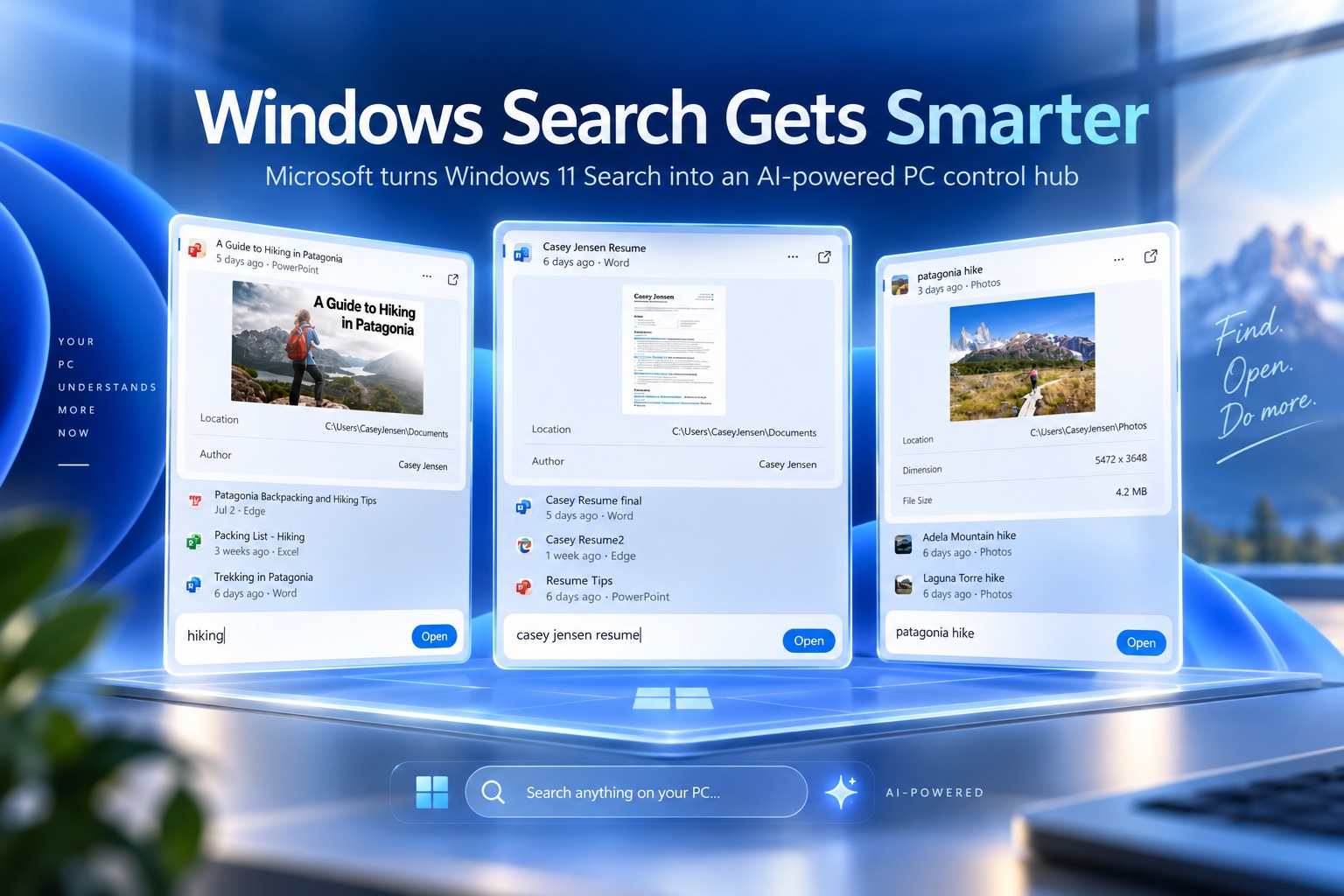
Microsoft is giving Windows 11 Search one of its biggest upgrades yet, transforming the familiar Taskbar tool into something much closer to an AI-powered control centre. Announced during the company's latest Windows and Surface event, the redesigned Search experience can understand natural-language commands and carry out thousands of quick actions across the operating system. Instead of simply finding apps, files and settings, users will be able to type what they want Windows to do and let Search handle the rest.
The upgrade is also intended to improve conventional search. Microsoft says the new experience will return results more quickly, better understand imperfect queries and tolerate spelling mistakes more effectively. It has been rebuilt using WinUI 3, which the company says should also make Search more efficient in terms of system resources.
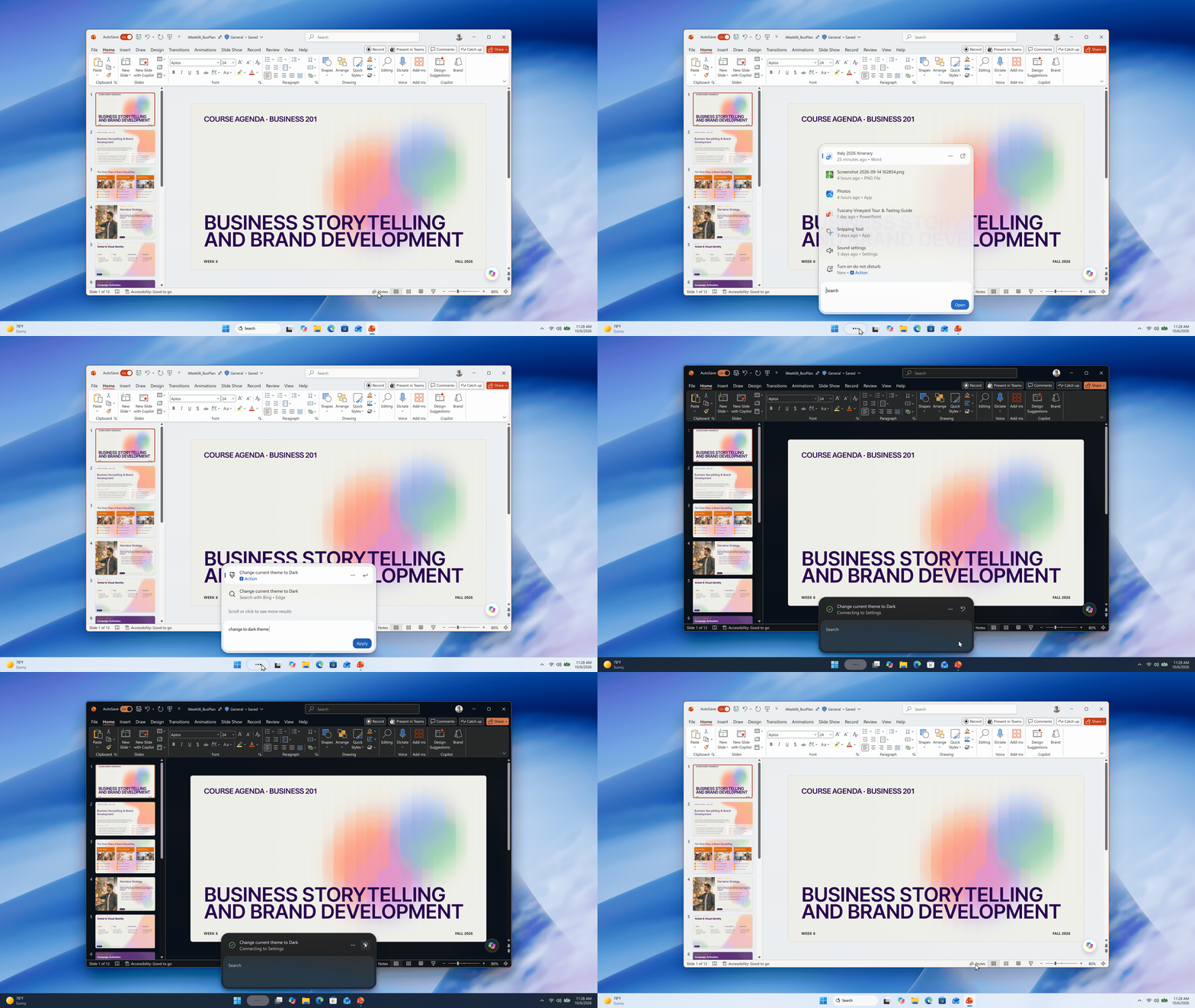
Search Can Now Change Windows Settings
One of the most noticeable changes is the ability to control Windows directly through natural-language commands. Users can type requests such as "switch to dark mode", "turn on night light" or "turn on Bluetooth" without navigating through several layers of the Settings app. Other quick actions include dimming the display or muting the computer.
For supported options, Windows can also present the relevant controls directly inside the Search interface. Typing something such as "increase mic volume", for example, can bring up a microphone volume slider immediately. This makes Search behave more like a command layer over Windows rather than simply a place to locate settings.
Workspace Management Is Built In
The new Search can also help users organise their desktop and manage open windows. Commands such as "minimize all my windows" or "arrange windows on screen" can be carried out directly from the Search bar. This could make common multitasking actions faster for users who prefer typing instructions rather than reaching for keyboard shortcuts or menus.
The broader idea is to reduce the number of steps required to perform simple system tasks. Instead of remembering where a particular setting lives, users can describe what they want in ordinary language. That gives Search a more conversational role while still remaining tightly connected to Windows itself.
Phone Link Integration Makes Messaging Easier
Microsoft is also extending the new Search experience into Phone Link. If a smartphone is already connected to Windows through Phone Link, users will be able to send text messages directly from Search. There is no need to open the Phone Link application first or pick up the phone.
This makes Search a more central part of the Windows experience, linking PC controls with connected devices. Rather than acting as an isolated Taskbar function, it increasingly becomes a universal entry point for actions across the operating system. That could make the interface much more useful for users who rely heavily on Phone Link for daily communication.
Copilot Is Integrated Directly Into Search
Copilot is also being built into the redesigned Search interface. Users can summon Microsoft's AI assistant directly from Search and receive responses without leaving the panel. If they prefer the full Copilot experience, a shortcut is available to open the dedicated application.
The integration makes Windows Search even more chatbot-like because it can both execute local system commands and provide AI-generated responses. In practical terms, Search may become the place where users ask questions, change settings, open apps, find files and interact with Copilot from the same interface.
Hybrid Intelligence Brings More AI Processing On-Device
Microsoft also introduced Hybrid Intelligence, a new collection of orchestration tools designed to help Windows PCs run AI models locally. With Hybrid Intelligence enabled, Copilot can access local files and interact with apps and system settings while using on-device models for suitable tasks. More demanding requests can still be sent to cloud-based AI systems when additional processing power is required.
This hybrid approach is intended to balance capability, privacy and cost. Instead of sending every piece of data to Microsoft's servers, certain requests can be processed directly on the PC. That could be particularly useful when dealing with sensitive information or when users want to reduce reliance on cloud inference.
Local AI Could Improve Privacy And Reduce Cloud Dependence
Running more AI workloads locally has several potential advantages. Data can remain on the device for certain tasks, reducing the amount of information that needs to leave the PC. It can also lower cloud-processing costs and potentially improve response times when the required model can run efficiently on local hardware.
Microsoft's approach does not eliminate cloud AI entirely. Instead, Hybrid Intelligence chooses between local and cloud resources depending on what the task requires. Simpler or privacy-sensitive actions may stay on the machine, while larger models and more demanding reasoning can continue using remote infrastructure.

Execution Containers Add A Safer Environment For AI Agents
Hybrid Intelligence also introduces improvements aimed at AI-assisted coding and software development. Microsoft is adding support for Microsoft Execution Containers, or MXC, which provide a sandboxed environment where local AI agents can work without receiving unrestricted access to the entire operating system. This is especially important as Copilot becomes capable of performing more autonomous actions.
The sandbox can help limit what an AI agent is allowed to read, modify or execute while working on native Windows applications. By isolating these actions inside a controlled environment, Microsoft is attempting to make local AI automation more practical without giving agents unnecessary access to the rest of the PC. This could become increasingly important as AI tools begin performing more complex development tasks.
Windows Search Is Becoming A Command Interface
The direction of the redesign suggests that Microsoft no longer sees Search as simply a launcher or file-finding tool. It is gradually becoming a natural-language command interface that sits between the user and the operating system. Instead of memorising menus and settings locations, users can increasingly describe the outcome they want.
This approach could be particularly useful for less technical users who may know what they want to achieve but not where the relevant Windows setting is located. At the same time, power users could use it as a faster alternative to manually navigating the interface. The success of the feature will ultimately depend on how reliably Search understands commands and whether it can perform actions without creating confusion.
Rollout Begins Through Windows Insider Testing
Microsoft began testing the redesigned Search experience on 7 October 2026 through the Windows Insider Experimental channel. A wider rollout to Windows 11 PCs is planned for later this fall. This staged deployment gives Microsoft time to gather feedback and refine the system before it reaches more users.
Copilot features powered by Hybrid Intelligence are expected to arrive gradually over the coming months. This means the full experience will not appear all at once, with different AI capabilities likely to be introduced in stages. Windows Insiders will therefore be the first to see how the redesigned Search behaves in everyday use.
Final Thoughts
Microsoft's Windows 11 Search overhaul represents a significant shift in how users may interact with the operating system. By combining traditional search, natural-language PC controls, Phone Link actions and Copilot responses inside a single interface, Microsoft is turning Search into something much closer to an intelligent command hub.
Hybrid Intelligence adds another important layer by allowing more AI processing to happen locally while still using the cloud when necessary. If Microsoft can make the experience fast, accurate and predictable, Search could become one of the most useful entry points in Windows 11. The bigger challenge will be ensuring that AI-driven control remains reliable enough that users trust it to manage settings, files and applications directly.











Comments 0