

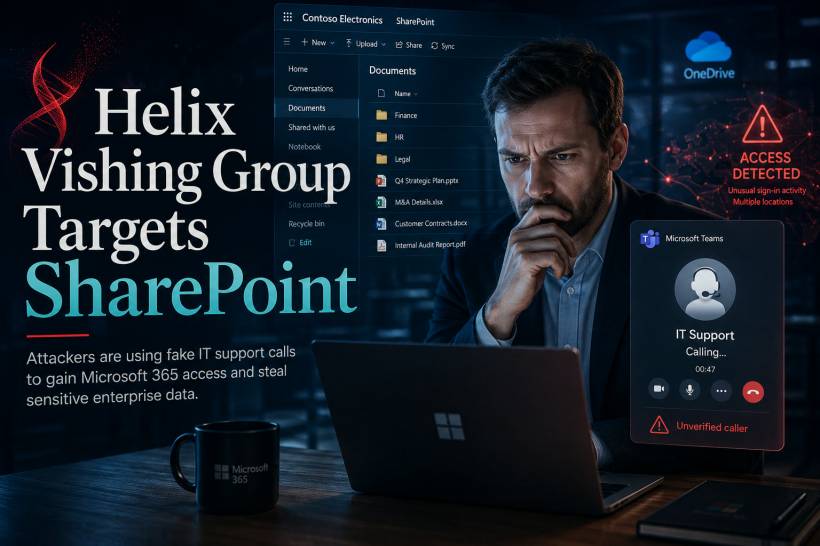
A newly identified threat group known as Helix is using convincing phone calls and Microsoft Teams conversations to trick employees into granting access to corporate Microsoft 365 accounts. Rather than exploiting an unpatched software vulnerability, the attackers rely on social engineering, impersonation and legitimate Microsoft authentication processes. Once inside an account, they search SharePoint, OneDrive and Exchange Online for sensitive information that can be stolen and later used to pressure or extort the organisation.
The Attack Begins With a Convincing Support Call
The campaign commonly starts with an unexpected telephone or Microsoft Teams call from someone claiming to be part of the organisation's IT department or helpdesk.
The caller may sound professional, know basic information about the employee or refer to a believable technical issue. They could claim that the user's password is about to expire, suspicious activity has been detected or a security update needs to be completed immediately.
The objective is to create enough trust and urgency that the employee follows instructions without independently confirming who is calling.
The attacker may then ask the victim to approve a sign-in request, complete an authentication step, share information displayed on the screen or make an account-related change.
Once the request is approved, the attacker may gain access without ever needing to discover a software flaw.
Why Vishing Can Be More Convincing Than Email Phishing
Voice phishing, commonly known as vishing, uses phone calls or voice communication to manipulate victims.
Many employees have become more cautious about suspicious emails, unfamiliar attachments and unexpected login links. A live conversation, however, can feel more personal and legitimate.
The attacker can immediately respond to questions, adjust the story and pressure the employee to act quickly. A caller pretending to be IT support may also use familiar technical language to appear credible.
When the call arrives through Microsoft Teams, it can feel even more trustworthy because employees already use the platform for legitimate workplace communication.
The attacker may exploit that familiarity by using a convincing display name, profile image or organisation-related information.
Legitimate Microsoft Processes Become Part of the Deception
A major challenge in this campaign is that the attackers may not need to send obvious malware or direct victims to visibly suspicious websites.
Instead, they abuse genuine Microsoft sign-in and account-management workflows.
For example, the victim may receive a real authentication request generated through Microsoft's infrastructure. The notification itself is legitimate, but the person who initiated it is not.
This can confuse users because they have often been taught that familiar branding, official applications and encrypted websites are signs of safety.
In this situation, the platform is genuine, but the request is still malicious.
The important question is not only whether the notification came from Microsoft. Users must also ask whether they personally initiated the login or account change.
How the Helix Attack Typically Unfolds
The campaign generally follows a sequence built around trust rather than technical exploitation:
Because the attacker uses the victim's valid account, much of the activity may initially resemble ordinary employee behaviour.
SharePoint Is an Attractive Target for Data Theft
Microsoft SharePoint is widely used to store policies, internal procedures, financial records, project information, contracts, operational documents and other business-critical files.
In many organisations, a single user may have access to multiple SharePoint sites and document libraries. If an attacker compromises that account, they may inherit access to far more information than the employee actively uses each day.
The risk increases when permissions have accumulated over time or when users retain access to old projects and departments.
An attacker does not necessarily need global administrator privileges to cause serious damage. A standard account with broad document access may already expose commercially sensitive or confidential information.
OneDrive Can Reveal Both Personal and Corporate Files
OneDrive is another valuable source of information.
Employees may use it to store working documents, meeting notes, spreadsheets, reports, exported data and files shared with colleagues.
Some users also synchronise their desktop or document folders with OneDrive, which can place a wide range of business material within reach of a compromised cloud account.
Attackers may search for filenames containing terms such as passwords, payroll, finance, confidential, contract, legal or management.
They may also examine recently accessed files and shared folders to identify which documents are most important to the organisation.
Exchange Online Provides More Than Email Messages
Access to Exchange Online can expose years of email conversations, attachments, contact information and business relationships.
Attackers can use mailbox content to understand internal structures, identify senior staff, locate invoices and discover ongoing projects.
Email access may also support further social-engineering attacks.
After reading genuine conversations, the attacker can send highly convincing messages from the compromised account or impersonate existing communication patterns.
They may also create hidden forwarding rules so that copies of future messages are sent elsewhere, allowing surveillance to continue even after the initial activity has ended.
The Goal Is Data Theft and Extortion
The campaign appears to focus primarily on stealing information rather than encrypting systems with ransomware.
Once documents and emails have been collected, the attackers may threaten to publish or sell the material unless the organisation makes a payment.
This form of extortion can still create severe consequences even when no files are encrypted.
The organisation may face:
A data-theft incident can therefore be just as damaging as a traditional ransomware attack.
Minimal Malware Makes Detection More Difficult
Conventional security tools are often designed to identify malicious files, suspicious executables and known malware behaviour.
Helix-style attacks may generate fewer of those obvious indicators because the threat actor relies heavily on legitimate Microsoft services.
The attacker may use a normal browser, valid authentication tokens and ordinary cloud interfaces. There may be no suspicious program installed on the employee's device.
This means organisations cannot rely only on antivirus or endpoint detection.
Identity logs, cloud audit records and user behaviour become much more important.
Security teams need to recognise unusual account activity even when every individual action uses an approved service.
External Microsoft Teams Access Can Increase Exposure
Organisations that allow employees to communicate freely with external Teams users may face additional risk.
External collaboration is useful for customers, vendors and business partners, but it also gives attackers another channel through which they can approach employees.
A malicious user may create a profile with a convincing display name and image, then claim to be a senior executive, IT administrator or colleague.
Employees may not notice the external-user label, particularly when working quickly or using Teams on a mobile device.
Restricting external communication does not remove every vishing risk, since attackers can still use telephone calls. However, it reduces one pathway through which impersonation can begin.
Multi-Factor Authentication Alone May Not Be Enough
Multi-factor authentication remains essential, but traditional approval-based MFA can still be manipulated.
If a user receives repeated login notifications, an attacker may claim that approving one of them is necessary to resolve an account issue.
This is sometimes described as MFA fatigue or push-notification bombing.
The victim may approve the request simply to stop the notifications or because the supposed IT representative tells them to do so.
Phishing-resistant authentication methods provide stronger protection because they are more difficult to approve for the wrong website or attacker-controlled session.
Examples include FIDO2 security keys and passkeys.
These methods are designed to verify the legitimate service more securely rather than relying only on a user pressing an approval button.
Identity Verification Procedures Are Essential
Employees should never be expected to decide whether an unexpected IT call is genuine based only on the caller's confidence or technical knowledge.
Organisations need a simple verification process.
For example, employees could be instructed to end the call and contact the helpdesk using a number listed on the company intranet or another trusted internal directory.
IT staff should also have a defined way to prove their identity when requesting sensitive account actions.
A legitimate support representative should not object when an employee asks to verify the request through an approved channel.
Security awareness should make this behaviour normal rather than treating it as distrustful or inconvenient.
Warning Signs Employees Should Recognise
Several behaviours should immediately raise concern:
Any of these signs should be reported to the organisation's IT or security team.
What Security Teams Should Monitor
Microsoft 365 audit data can reveal activity that may indicate an account has been compromised.
Security teams should look for:
No single event always proves compromise. The risk becomes more serious when several unusual behaviours appear together.
Mass File Access Should Trigger Immediate Investigation
An employee may normally open a small number of documents throughout the day.
An attacker preparing for extortion may attempt to download hundreds or thousands of files within a short period.
This difference in behaviour can provide an important detection opportunity.
Organisations should establish thresholds and alerts for unusually large downloads, repeated document enumeration and access across multiple sites.
Monitoring should also consider the user's normal role. A finance employee accessing a finance document library may be expected, while the same user suddenly downloading technical, legal and human resources files could be suspicious.
Responding to a Suspected Microsoft 365 Compromise
When suspicious access is detected, organisations should act quickly.
Important response steps include:
Simply changing the password may not be enough if active sessions, tokens or malicious application permissions remain valid.
Reduce Excessive Access Before an Incident Happens
The impact of an account compromise often depends on how much information the user can reach.
Organisations should regularly review SharePoint, OneDrive and Teams permissions to ensure employees have access only to what they need.
Old project memberships, temporary sharing permissions and access inherited from previous roles should be removed.
Sensitive document libraries should have stronger controls, additional monitoring and limited membership.
The principle of least privilege cannot prevent an employee from being deceived, but it can reduce the volume of data exposed after an account is compromised.
Awareness Training Must Include Voice and Teams Impersonation
Many cybersecurity programmes focus heavily on phishing emails while giving less attention to phone calls and collaboration platforms.
Employees should practise responding to realistic scenarios involving:
Training should emphasise that legitimate IT staff will follow the organisation's verification procedures.
Employees should also be encouraged to report suspicious calls without fear of embarrassment. Fast reporting can prevent the same attacker from deceiving additional staff.
Final Thoughts
The Helix campaign shows that attackers do not always need malware or an unpatched vulnerability to compromise an organisation.
A convincing voice, a familiar Microsoft interface and one incorrectly approved authentication request may be enough to expose SharePoint documents, OneDrive files and Exchange Online mailboxes.
The use of legitimate cloud services makes these attacks especially difficult to identify because malicious activity can initially resemble normal employee behaviour.
Organisations should combine phishing-resistant authentication, restricted external Teams access, clear helpdesk verification procedures and detailed cloud monitoring.
Employees must also understand that an official-looking Teams call or Microsoft notification does not automatically make a request safe.
When an unexpected caller asks for access, authentication approval or account changes, the safest response is to stop, verify the request through an approved internal channel and report anything suspicious immediately.











Comments 0