

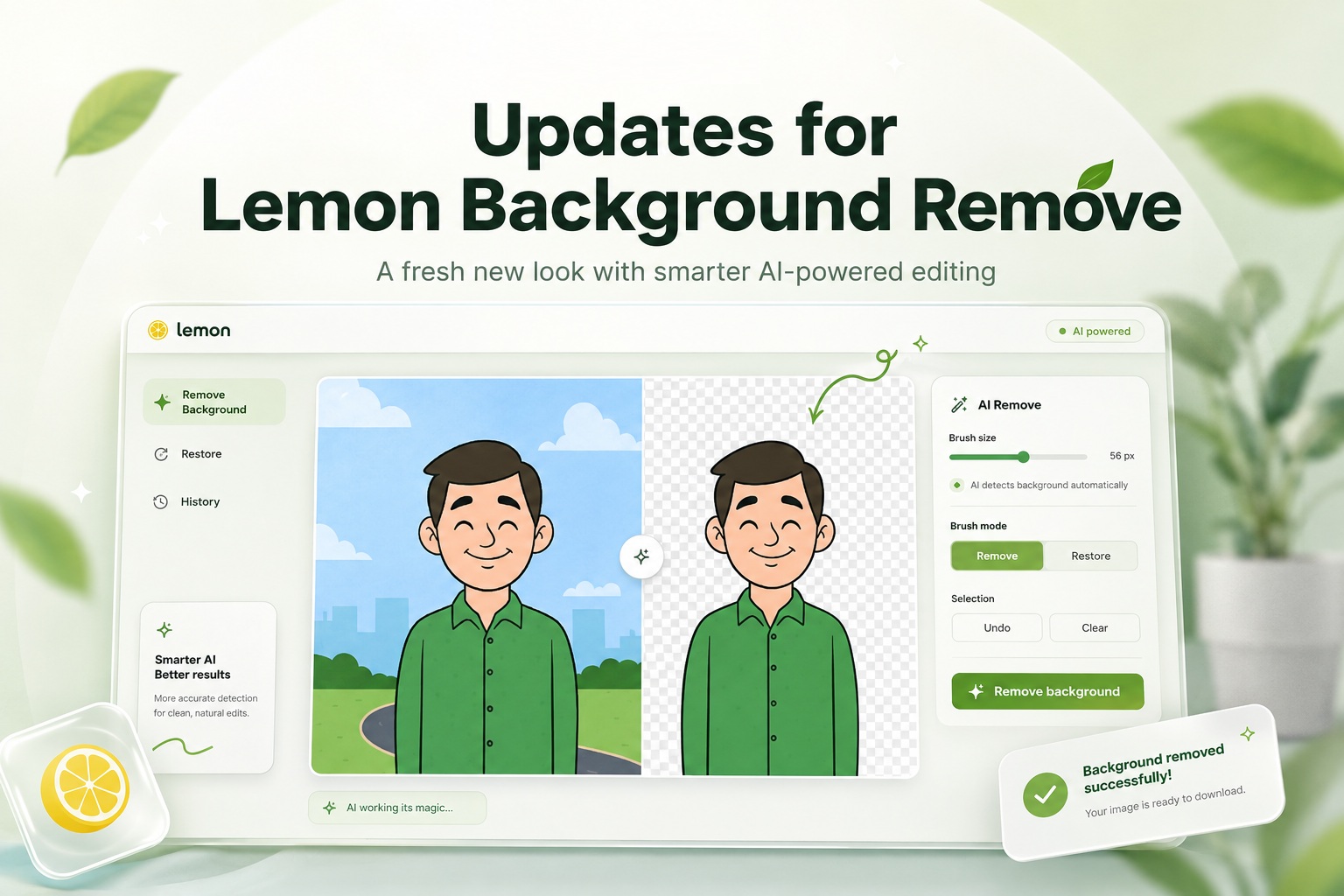
Removing backgrounds from images has always been one of those simple tasks that can quickly become frustrating when the results are not quite right. With the latest update to Lemon Background Remove, the goal was to make the whole process feel easier, cleaner, and much more flexible while giving users more control over what actually gets removed.
The web app has now received a complete redesign, a new AI-powered processing system, and a much more useful editing workflow that lets users fine-tune the areas they want removed before the image is processed.
A Completely Redesigned Interface
One of the biggest changes is the overall visual design.
The previous version was functional, but this update gives Lemon Background Remove a much more modern appearance with a redesigned interface that works naturally across desktop computers, tablets, and smartphones.
The page now uses a full-screen background image together with translucent interface panels, improved spacing, clearer controls, and more consistent button styling. Since the background artwork itself is fairly bright, the interface has also been carefully adjusted with overlays, contrast, shadows, and semi-transparent panels so that text and controls remain easy to see.
The result is a cleaner application that feels more like a dedicated image-editing tool rather than a simple upload form.
Better Mobile Support
Mobile usability was also an important part of the redesign.
The entire layout now adapts based on the available screen size, allowing the upload area, image editor, tool controls, and result preview to rearrange themselves properly on smaller screens.
Buttons are larger and easier to tap, controls wrap naturally instead of overflowing, and the editing canvas supports touch input as well.
This means users can now remove backgrounds directly from photos stored on their phone without needing to switch to a desktop computer.
Powered by OpenAI Image Processing
Another major change is the move away from the previous background-removal service.
Lemon Background Remove is now integrated with the OpenAI Responses API, allowing the application to use modern AI image-editing capabilities for background removal.
Rather than relying purely on traditional automatic subject detection, the new system gives the AI additional context about the image and, when required, information about the exact areas the user wants removed.
The processing itself happens securely on the server, meaning the OpenAI API key is never exposed to the browser or visible to visitors using the application.
Automatic Background Removal Is Still Simple
For anyone who simply wants a quick result, the workflow remains very easy.
Upload an image, preview it, and click the button to remove the background.
If no manual selection has been made, Lemon Background Remove will automatically ask the AI to identify the main subject and remove the surrounding background while preserving the important foreground elements.
For many normal product photos, portraits, objects, logos, or similar images, this means users can still complete the entire process with only a few clicks.
New Manual Remove and Restore Tools
The more interesting improvement is what happens when automatic background removal needs a little assistance.
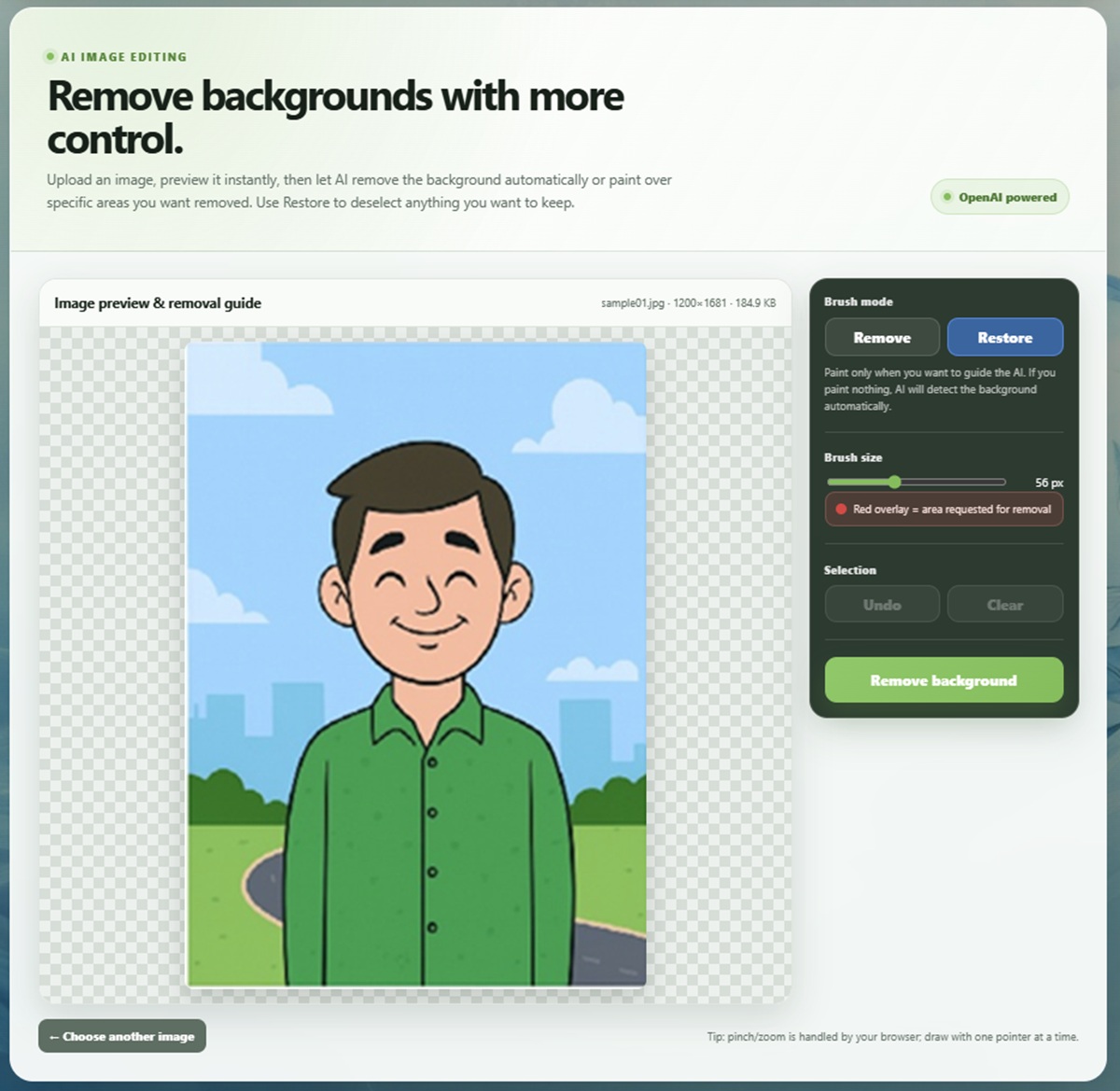
Users can now manually paint over areas of the uploaded image before processing it.
The Remove tool lets you highlight parts of the image that should disappear. These selections are displayed directly over the image, making it easy to see exactly what has been marked.
There is also a Restore option that works like an eraser. If too much of the image has been selected, users can simply brush over that area again to deselect it.
This gives users much more control over difficult images where the foreground and background may have similar colours, complicated edges, objects close together, or unusual lighting.
Adjustable Brush Size
Different images require different levels of precision, so the selection brush can also be resized.
A larger brush is useful for quickly marking large background areas, while a smaller brush allows for more careful work around objects, people, hair, product edges, or other detailed areas.
This helps make the editor useful both for quick selections and more precise adjustments.
Undo and Clear Selection
Mistakes are easy to make when manually marking an image, especially when working on a touchscreen.
The updated editor therefore includes an Undo function so users can quickly reverse their most recent editing action.
There is also a Clear Selection option that removes the entire manual mask and lets the user start again without needing to re-upload the original image.
These may sound like small additions, but they make the editing experience much less frustrating.
Mouse, Touch and Pen Support
The editing canvas is not limited to traditional mouse input.
The updated implementation uses modern pointer controls, which means the same editor can work with a mouse, touchscreen, stylus, or pen-enabled device.
On a desktop PC, users can paint normally with the mouse.
On a smartphone or tablet, the same selection process can be performed directly with a finger.
And on supported devices such as tablets or touchscreen laptops with stylus input, users can make much more precise selections using a pen.
Drag-and-Drop Image Uploads
Uploading images is also more convenient now.
Users can either click the upload area and select an image normally or simply drag an image directly onto the page.
Once selected, the image is immediately loaded into the editor so that it can be reviewed before any AI processing begins.
The application currently supports common image formats including PNG, JPG, JPEG, and WebP.
Transparent PNG Results
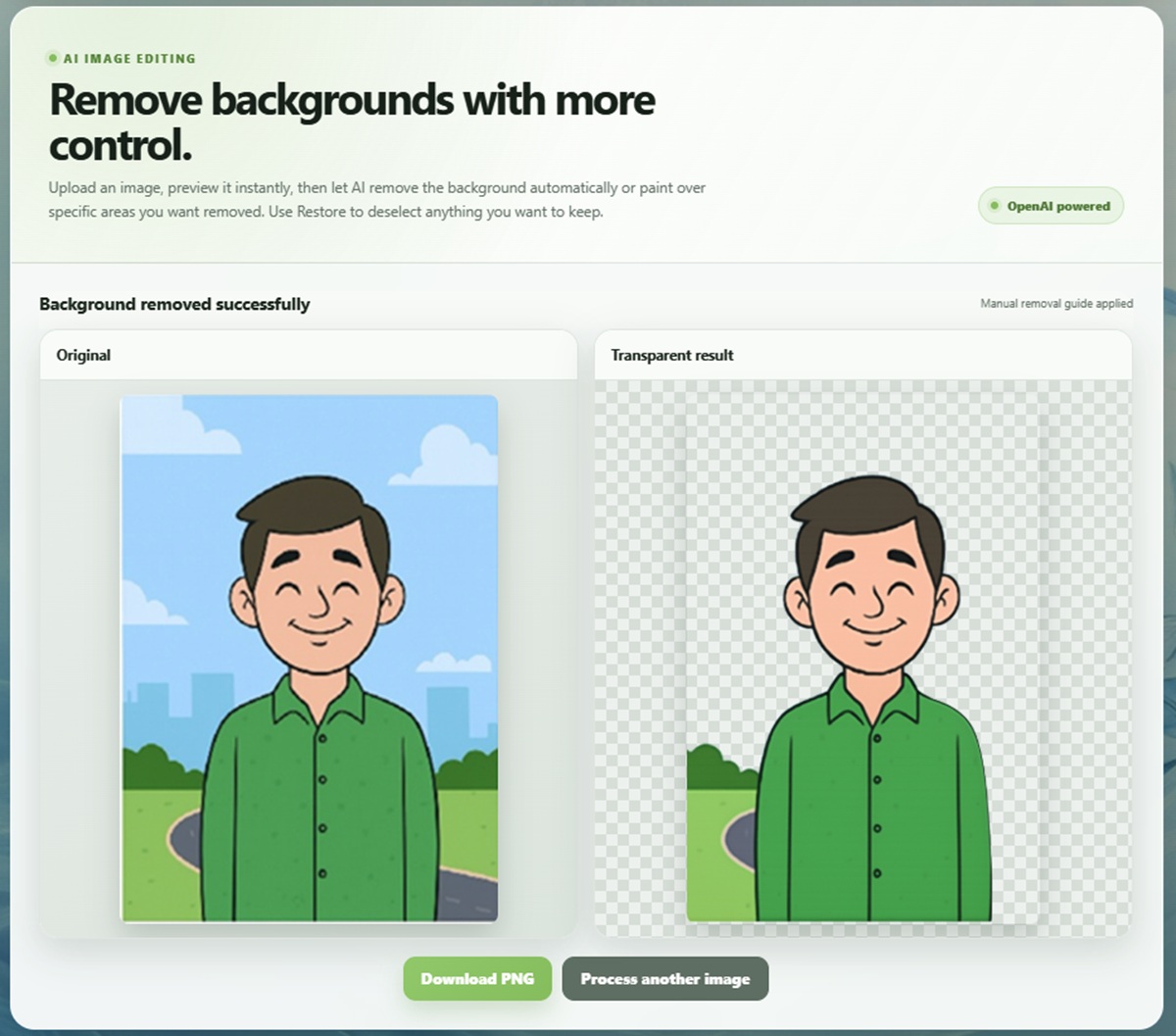
Once processing is complete, the result is displayed on a checkerboard-style background so transparency is immediately visible.
Users can compare the processed image with the original and then download the finished result as a transparent PNG.
This makes the output useful for a wide range of purposes such as product photography, website graphics, presentations, profile images, posters, thumbnails, advertisements, social media graphics, and general design work.
Improved Error Handling Behind the Scenes
Not every improvement in this update is visible.
The backend has also been revised to provide much better handling of upload errors, API failures, invalid images, and processing problems.
Instead of simply failing with a blank page or unexplained server error, the application can now return more meaningful messages that help identify what went wrong.
This also made it much easier to maintain compatibility with the PHP environment used by Lemon Web.
A More Useful Background Removal Tool
The biggest difference with this update is that Lemon Background Remove is no longer simply an upload-and-download utility.
Users now have a lightweight image editor sitting between those two steps.
Most people can still rely on automatic AI background removal, but whenever an image needs additional guidance, the Remove and Restore tools provide an easy way to tell the AI exactly what needs to disappear.
That combination of automation and manual control makes the application much more practical for real-world images where completely automatic background removal does not always produce the desired result.
Final Thoughts
This update represents one of the largest improvements to Lemon Background Remove since the web app was originally created.
The completely redesigned responsive interface makes it much more pleasant to use, while the move to OpenAI-powered image processing provides a more flexible foundation for future improvements.
More importantly, the addition of manual Remove and Restore selections gives users something that was missing before: control.
Instead of simply uploading an image and hoping the automatic result is correct, users can now guide the process, correct difficult areas, preview what they are selecting, and download a clean transparent PNG when they are satisfied.
It keeps the application simple enough for quick everyday background removal while adding the extra tools needed when an image requires a little more attention.











Comments 0