

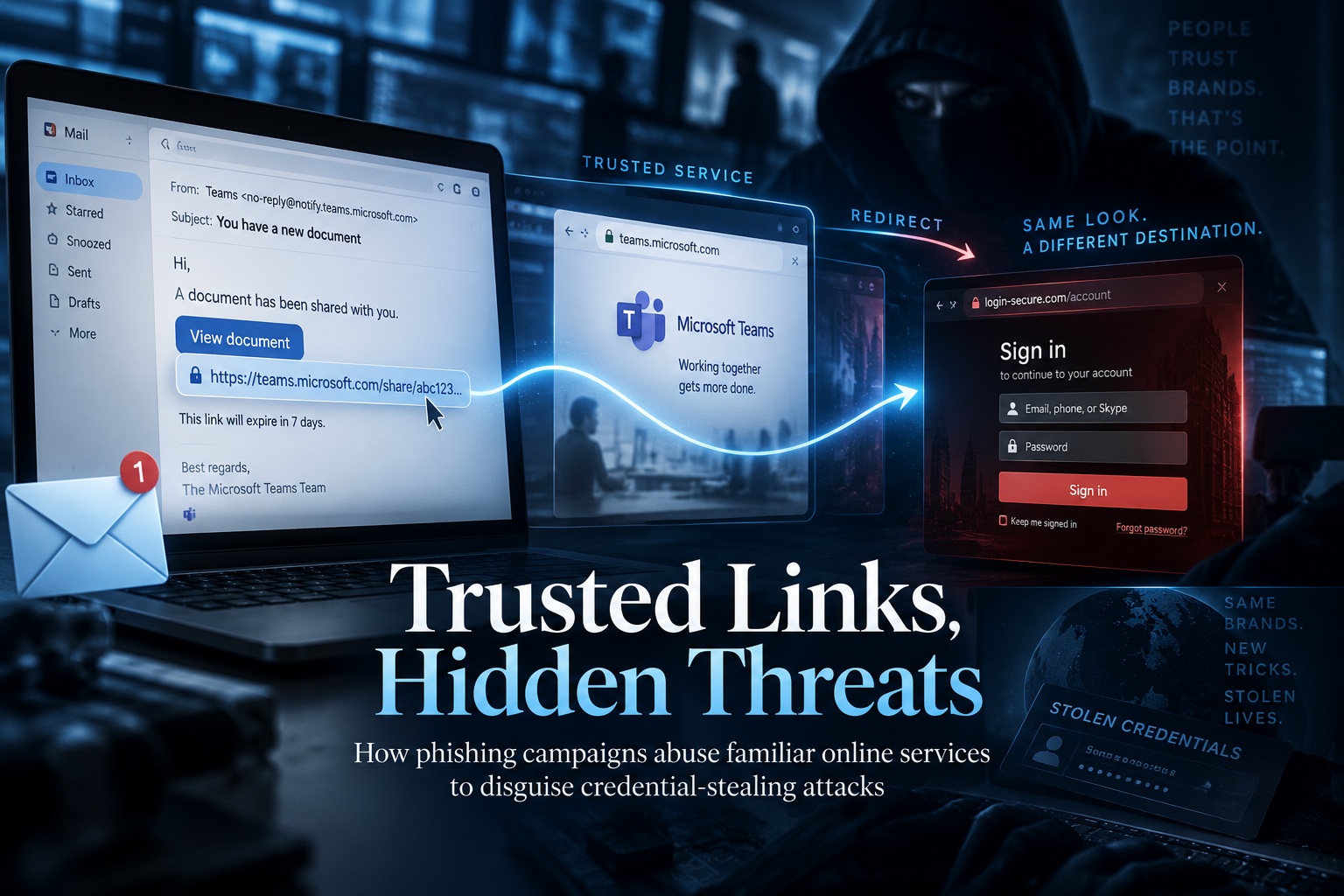
A sophisticated phishing campaign is demonstrating why a familiar domain name is no longer enough to tell users whether a link is safe. Cybersecurity researchers have uncovered a global operation that deliberately routes victims through legitimate Google-owned services before sending them to credential-stealing websites or attempting to install remote-access software. By keeping much of the early traffic inside trusted Google infrastructure, the attackers make their links considerably harder for both users and automated security tools to recognise as malicious.
The campaign is not simply disguising one bad URL behind a shortened link. Researchers found that the operators abuse multiple Google services to construct different redirect paths, while the final phishing page dynamically adapts itself to resemble the victim's own organisation. The result is a carefully engineered attack where the sender, embedded URL and intermediate destinations can all appear legitimate until the victim reaches the final stage.
The Attack Begins With Very Ordinary Workplace Emails
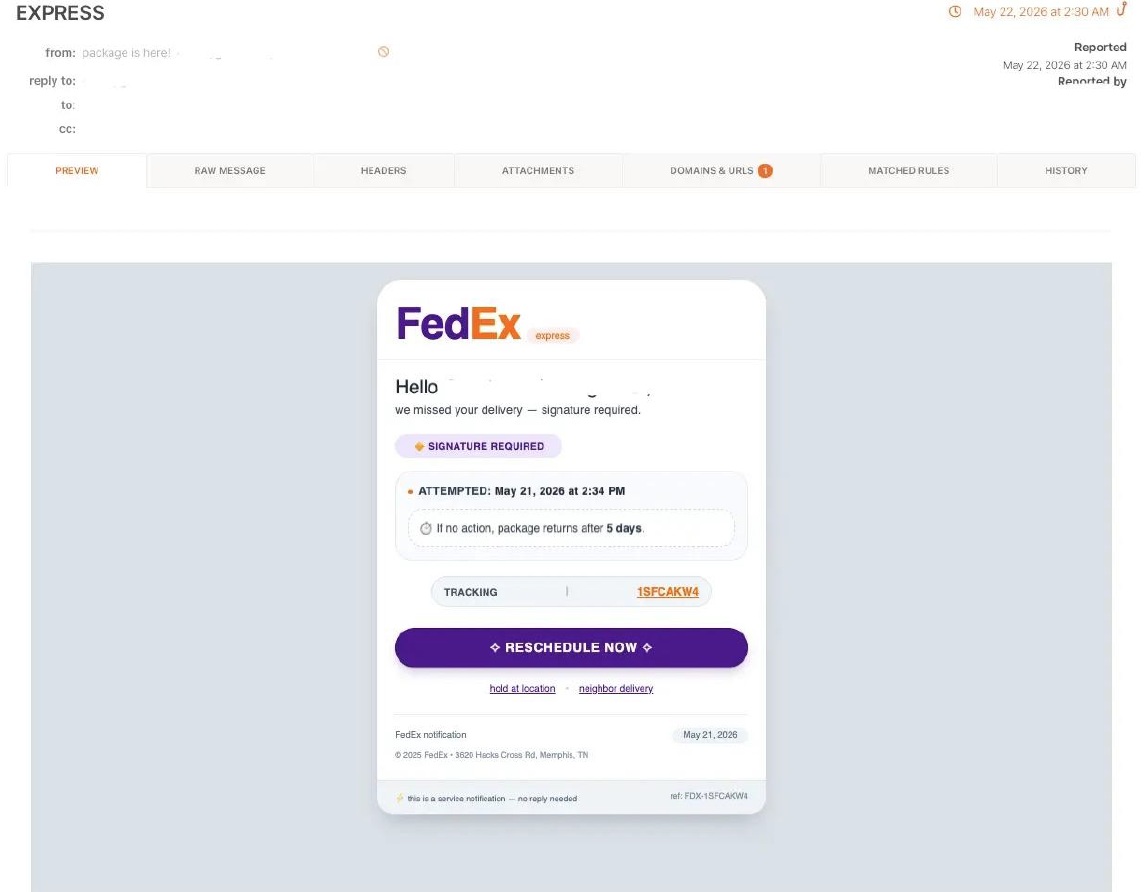
The first stage relies on familiar social-engineering themes rather than exotic technical tricks. Victims may receive emails involving document reviews, expiring mailboxes, package deliveries, payment notifications, voicemail alerts or government benefits, all designed to create a believable reason to click. The campaign has targeted employees in manufacturing, government, finance and non-profit organisations.
That familiarity is important because these are exactly the kinds of notifications employees encounter during normal work. A package rescheduling notice or document-review request may not immediately trigger suspicion, particularly when the visible URL appears to belong to Google rather than an unfamiliar domain.
The example shown in the advisory uses a convincing package-delivery theme, illustrating how attackers combine a normal business scenario with trusted infrastructure to lower the victim's guard.
The Malicious Link Does Not Immediately Lead to the Phishing Site
One of the campaign's cleverest features is its redirect architecture. When the victim clicks the link, they are not immediately taken to an attacker-controlled credential page. Instead, traffic can pass through a series of legitimate Google services, with each hop helping the operation survive another layer of URL inspection.
Researchers observed the campaign abusing infrastructure associated with Google Meet, Google Search, DoubleClick, Google Custom Search, Google Image Search, Google Tag Manager and Google Analytics. Depending on the particular lure, those services may be used independently or chained together before the victim finally leaves Google's network.
The important distinction is that this does not necessarily mean those Google platforms themselves have been compromised. Attackers are abusing legitimate redirect and tracking functionality to make malicious traffic appear more trustworthy.
Why Trusted Domains Create Problems for Security Filters
Email gateways and web-security systems often use reputation as one of many signals when deciding whether to block a URL. A newly registered or previously malicious domain naturally deserves greater scrutiny than a domain owned by a major technology company.
This campaign exploits that assumption. A security product examining the first link may simply see Google infrastructure with a long-established reputation. Even when the traffic passes through several intermediate destinations, the chain continues to look relatively normal until the final phishing page is reached.
The advisory describes this as a campaign that effectively gives security systems exactly what they expect to see: legitimate Google domains throughout much of the path. By the time the truly malicious destination appears, several earlier inspection points may already have treated the link as trustworthy.
Victims Are Pre-Targeted Before They Even Reach the Page
The attackers are also hiding the victim's email address inside the URL. The address is Base64-encoded and placed in the URL's hash fragment, the portion that appears after a # symbol.
That is technically useful to the attackers because browsers generally do not send the URL fragment to the web server as part of the normal HTTP request. As a result, the targeting information may be missing from server-side logs and some URL-scanning systems even though client-side scripts can still access it.
The phishing infrastructure can therefore know exactly who the intended victim is while making that targeting harder for some security tools to identify during automated inspection.
The Phishing Page Builds Itself Around the Victim's Company
Once the victim reaches the credential-harvesting page, the campaign becomes even more personalised. Using only the person's email address, the site can identify the organisation and retrieve its branding.
Researchers found that the page uses Clearbit to obtain the company logo and a third-party screenshot service to capture a real-time image of the organisation's actual website. The attacker then combines those elements into a phishing page that appears specifically designed for that employee's company.
This removes one of the traditional clues that helps users identify phishing. Instead of seeing a generic Microsoft 365 or corporate login page, the employee may see their employer's actual logo and website imagery.
The experience feels personalised because it genuinely is—but the personalisation is being generated automatically by the phishing infrastructure.
The Campaign Even Checks Whether the Target Looks Real
Before displaying the credential form, the phishing page reportedly queries the Google Public DNS API to verify whether the victim's email domain has valid MX records.
This is essentially a filtering mechanism for the attackers. Real corporate email domains should normally have valid mail infrastructure, whereas security sandboxes, automated researchers and analysis environments may use fabricated domains.
By checking the domain before showing the phishing content, the operators can reduce the likelihood that their credential harvester will expose itself to automated security systems.
This reflects a wider trend in modern phishing: attackers increasingly perform their own reconnaissance on visitors before deciding what content to show them.
Stolen Credentials Are Sent to Telegram Immediately
If the victim enters credentials and clicks Submit, the information is exfiltrated in real time to a Telegram bot controlled by the attackers. The page then deliberately asks the user to submit the information a second time.
That second request is likely intended to increase confidence that the captured username and password are genuine. A user who enters the same credentials twice gives the attacker much stronger confirmation than a single entry that might contain a typing error.
The technique also exploits a behaviour many users have already encountered on legitimate websites. Login pages occasionally reject credentials or experience errors, so being asked to enter a password again does not necessarily feel unusual.
The Phishing Page Automatically Speaks the Victim's Language
The credential harvester is also capable of localising itself into 16 different languages based on the browser's locale. Supported languages include English, Chinese, Japanese, Portuguese, Korean, Spanish, Italian, German, French, Lithuanian, Swedish, Estonian, Turkish, Arabic, Russian and Vietnamese.
That makes the operation suitable for a much wider international audience without requiring attackers to manually prepare separate campaigns for every region.
Automated localisation also improves credibility. A phishing page appearing in the user's normal language immediately feels more natural than an English-only login form sent to an employee who normally works in another language.
Not Every Victim Is Sent to a Credential Harvester
The campaign contains a second attack path that does something potentially even more serious. Instead of asking for credentials, some victims are shown a fake identity-verification process that installs ScreenConnect, a legitimate remote-access tool.
Remote administration software is frequently abused by attackers because the applications themselves are legitimate. Once installed, the attacker may obtain persistent interactive access to the victim's computer without needing to deploy malware that traditional antivirus products immediately recognise.
That creates two distinct outcomes from the same broader infrastructure: steal the user's account credentials or gain direct remote access to the workstation.
The Damage Can Extend Far Beyond One Password
Compromising a corporate account can expose considerably more than email. Depending on the organisation's identity architecture and permissions, stolen credentials may provide access to cloud storage, internal applications and other enterprise services.
A malicious ScreenConnect installation raises the risk further because it could provide an attacker with persistent control over the endpoint itself. From there, the attacker may observe activity, access locally available information or attempt to move deeper into the organisation.
This combination makes the campaign particularly dangerous. It brings together highly trusted redirects, personalised phishing content, scanner evasion and remote-access tooling in one operation.
Security Teams Need to Look Beyond Reputation
One of the biggest lessons from this campaign is that trusted infrastructure does not guarantee trusted intent. Legitimate cloud services are attractive to attackers precisely because organisations cannot simply block them without affecting normal business.
Security monitoring therefore needs more context. A Google URL may be legitimate, but an unusual chain moving from one Google service to another before leaving for an unknown destination deserves closer inspection.
Security teams should also monitor for suspicious Telegram Bot API traffic and investigate ScreenConnect installations that do not belong to approved administrative deployments. The advisory recommends treating unexpected ScreenConnect processes as possible indicators of compromise.
The # Symbol in a URL Can Provide an Important Clue
The advisory specifically recommends educating employees about the URL-fragment technique used in the campaign. If a suspicious link contains an email address or encoded information after the # symbol, it may indicate that the URL was prepared specifically for that recipient.
That does not mean every URL containing a fragment is malicious—fragments are widely used legitimately on the web—but it becomes a useful warning sign when combined with an unexpected login request or suspicious workplace email.
The larger lesson is that users should not automatically trust a link merely because the beginning of the address contains a recognised brand.
Suggested Security Block: Known Indicators of Compromise
The attached IOC spreadsheet provides 27 indicators associated with the campaign, including credential-harvesting domains, redirect infrastructure, Cloudflare Workers and a Telegram Chat ID. The indicators below remain defanged so they can be safely copied into documentation or detection rules.
KNOWN CAMPAIGN INDICATORS — SECURITY TEAMS SHOULD REVIEW
Credential-Harvesting / Attacker Infrastructure
• vazquezfleytas[.]com
• zh-l-haixing[.]com
• odahlzr5lm[.]reliabilityinoperations[.]de
• cloudbemismanufacturingcompanygroup[.]rydezyhrsysteminc[.]vu
• servicetriumphgroupsimplyappraisals[.]spectrhwqumbrands[.]vu
• unitedtechnofzmlogies[.]vu
• velvorra[.]com
• cloudgillettebrandberkshirehathaway[.]rtzcoekdrporation[.]vu
• furqanmustafa[.]com
• staiwooje[.]app
• edificiocristal[.]pt
• goldenearth[.]ma
• document24acces[.]com
• anglictina-doucovani[.]cz
• camara-verde[.]org
• demo[.]mybluekart[.]com
• sefvraa[.]com
• guzeldagenerji[.]com[.]tr
• monntgro[.]com
• cindymagee[.]net
• itunes321[.]rovitan[.]vu
• servicesmallplanetdigitalsystems[.]gdipbrinfotech[.]vu
• pittni[.]com
Redirect Infrastructure
• amzn-redirecturl-dc73bfyf29-campaign[.]sharepoint[.]com
Cloudflare Worker Infrastructure
• Link-form-unj9[.]p-sm7rw6ru[.]workers[.]dev
• data-cloud-ofe8[.]p-8yejy42o[.]workers[.]dev
Telegram C2 / Credential Exfiltration
• Chat ID: 7861974506
These indicators should be correlated with organisational telemetry rather than treated as proof of compromise on their own. Domains can be abandoned, compromised or reassigned, so IOC blocking works best alongside behavioural detection and investigation.
What Organisations Should Do
The advisory recommends blocking identified campaign indicators through DNS filters and web proxies while monitoring for suspicious Telegram Bot API activity. Users who may have interacted with the phishing lures should have their credentials reset, and any unapproved ScreenConnect installation should be investigated immediately.
Defenders should also expand monitoring around the Google infrastructure being abused rather than focusing only on Google Meet or Search. The campaign has demonstrated how Tag Manager, Analytics and other redirect-capable services can become part of an attack chain, meaning detection needs to consider the entire sequence rather than judging each individual hop independently.
Malicious redirect URLs should also be reported to Google Safe Browsing to help accelerate takedown efforts.
Final Thoughts
This campaign demonstrates how phishing is becoming increasingly difficult to identify using simple rules such as "check whether the domain looks legitimate." The attackers are deliberately using trusted Google infrastructure as camouflage, allowing much of the attack chain to look completely normal until the victim reaches the final credential-stealing or remote-access stage.
The operation becomes even more convincing through automatic company branding, real website screenshots, language localisation and pre-targeted URLs. Meanwhile, DNS validation helps hide the phishing page from some research environments, and stolen credentials can be delivered to the attackers through Telegram almost immediately.
For users, the lesson is to judge the context and destination of a request, not simply the reputation of the first domain in the link. For security teams, the challenge is broader: trusted services increasingly need behavioural monitoring because attackers know those same trusted platforms can help them hide in plain sight.
A Google link may genuinely belong to Google. What happens after you follow it is now just as important as where the link begins.











Comments 0