

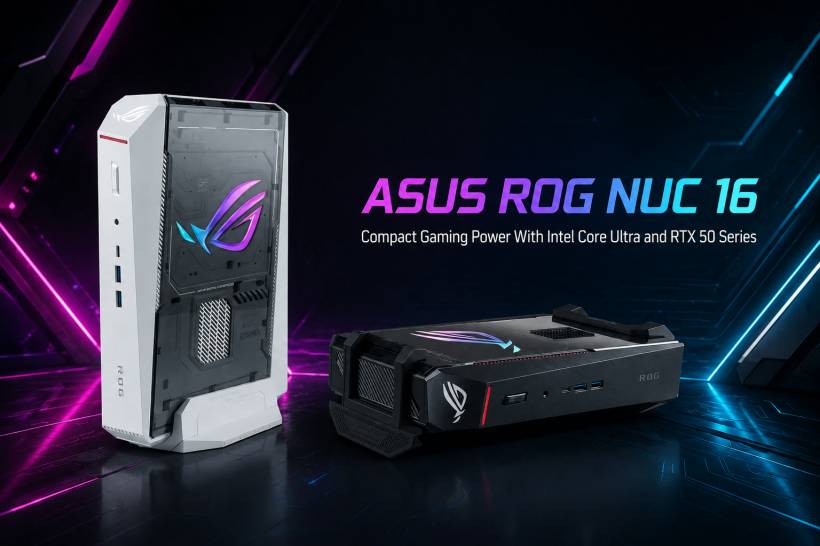
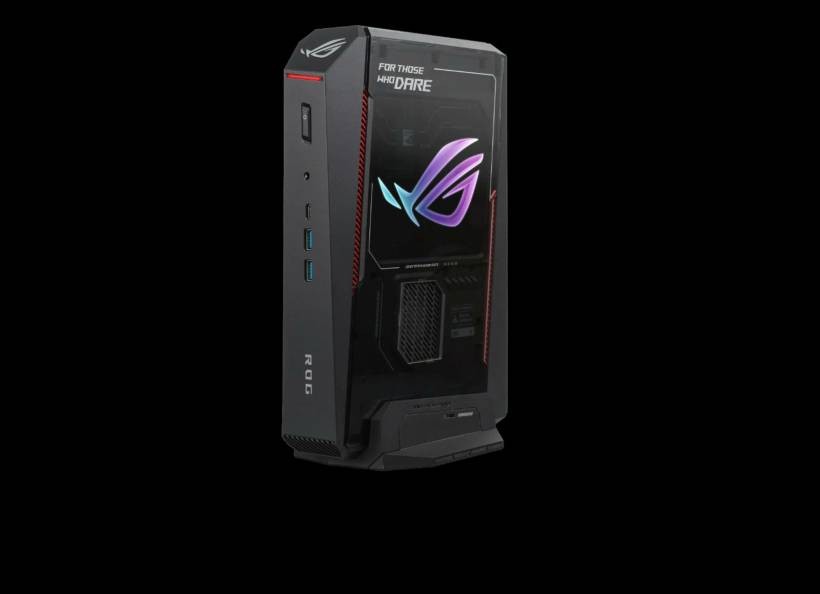
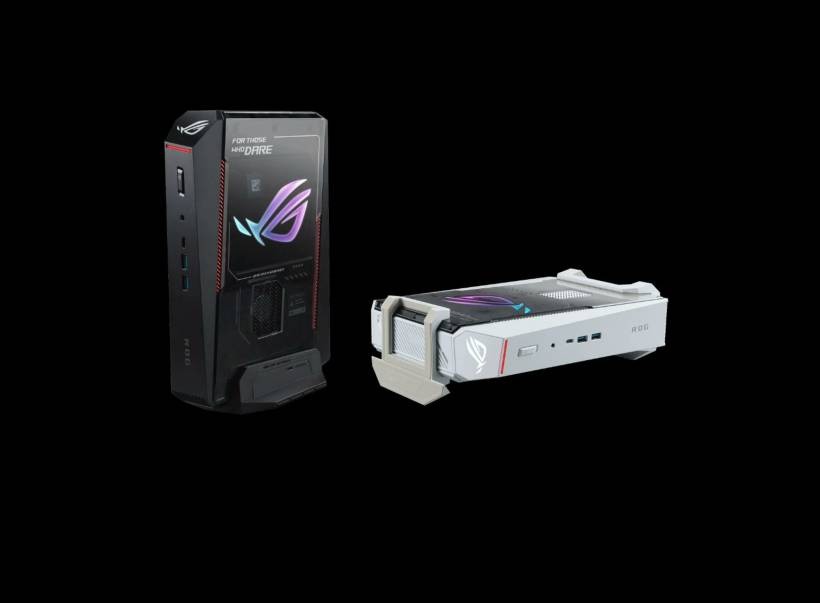
ASUS has introduced the ROG NUC 16, a refreshed compact gaming PC that pushes the idea of a small-form-factor desktop much further than before. While mini PCs are often associated with basic office work, media playback, or lightweight gaming, the ROG NUC line has always aimed at something more ambitious. The new ROG NUC 16 continues that direction by packing high-end mobile-class gaming hardware into a chassis that is still much smaller than a traditional gaming desktop.
This latest model is built around Intel's newer Arrow Lake-HX platform and NVIDIA's GeForce RTX 50 Series laptop graphics, making it a machine clearly designed for users who want strong gaming performance without dealing with a large desktop tower. It also fits nicely into modern setups where desk space, portability, and clean cable management matter just as much as raw performance.
A Mini PC Designed For Serious Performance
At the heart of the ROG NUC 16 is the Intel Core Ultra 9 290HX Plus, a powerful 24-core processor made up of eight performance cores and 16 efficiency cores. This kind of CPU configuration is meant to handle demanding workloads more intelligently, allowing the system to balance high-speed performance with better efficiency when lighter tasks are running.
The processor can boost up to 5.5GHz on its performance cores and up to 4.7GHz on its efficiency cores. It also includes an NPU rated at 13 TOPS, which gives the system some dedicated AI processing capability. While gaming is still the main focus here, the addition of an NPU reflects where modern PCs are heading, especially as more creative, productivity, and background features begin using AI acceleration.
For gamers, the more important point is that this new processor should deliver better responsiveness and smoother performance compared with the previous-generation ROG NUC. ASUS is clearly positioning this machine as a compact alternative to a full gaming desktop, not just a small media box with gaming branding attached.
RTX 50 Series Graphics In A Compact Chassis
The graphics side is where the ROG NUC 16 becomes even more interesting. ASUS is offering support for NVIDIA GeForce RTX 50 Series laptop GPUs, with configurations going up to an RTX 5080 Laptop GPU. That is a serious amount of graphics power for a machine of this size.
With RTX 50 Series hardware, the ROG NUC 16 is also built to take advantage of newer NVIDIA technologies such as DLSS 4.5, AI-assisted super resolution, and multi-frame generation. In simple terms, these technologies are designed to improve frame rates, reduce latency, and make games look smoother by using machine learning to generate additional frames and improve image quality.
This matters especially for modern AAA games, where high visual settings can be extremely demanding. Instead of relying only on brute-force rendering, DLSS helps the system achieve better performance while still maintaining strong image quality. For players using high-refresh monitors or aiming for smoother gameplay at higher resolutions, this could make the ROG NUC 16 feel much more capable than its small size suggests.
Not Just For Gaming
Although the ROG branding makes the gaming focus obvious, the hardware inside the NUC 16 also makes it suitable for creative work. Video editing, 3D rendering, image generation, and other GPU-accelerated workflows can benefit from the RTX 50 Series GPU and NVIDIA Studio support.
ASUS also highlights support for up to 8K creative workloads, which shows that this device is not only aimed at gamers. It could also appeal to content creators who want a powerful system that does not take up much space. A compact PC like this can be useful for smaller workstations, studio desks, or even users who move between different setups but still want desktop-class performance.
This is one of the main strengths of the ROG NUC concept. It sits somewhere between a gaming laptop and a traditional desktop PC. You get more flexibility than a laptop in terms of setup and display choices, but without the size and bulk of a normal tower.
Memory And Storage Options
The ROG NUC 16 supports up to 128GB of DDR5 memory, although the standard configuration starts with 16GB. There appears to be some variation in listed memory speed support, with ASUS mentioning DDR5-6400 in its performance statement while the broader specification refers to DDR5-5600 support. Either way, the system is designed to handle much more memory than the average mini PC.
Storage support is also generous. The ROG NUC 16 can support up to 4TB PCIe 4.0 SSD storage or up to 4TB PCIe 5.0 SSD storage, depending on configuration. ASUS provides up to 2TB PCIe 4.0 storage as a standard option.
For gaming, this is important because modern game installs are getting larger every year. A powerful GPU is only one part of the experience. Fast storage also helps with loading times, game responsiveness, and general system performance. For creative users, the ability to use high-capacity and high-speed SSDs is equally useful, especially when working with large video files or project assets.
Connectivity And Ports
Despite its compact size, the ROG NUC 16 comes with a fairly complete selection of connectivity options. It supports Wi-Fi 7 and Bluetooth 5.4, giving it access to newer wireless standards for faster networking and better device connectivity.
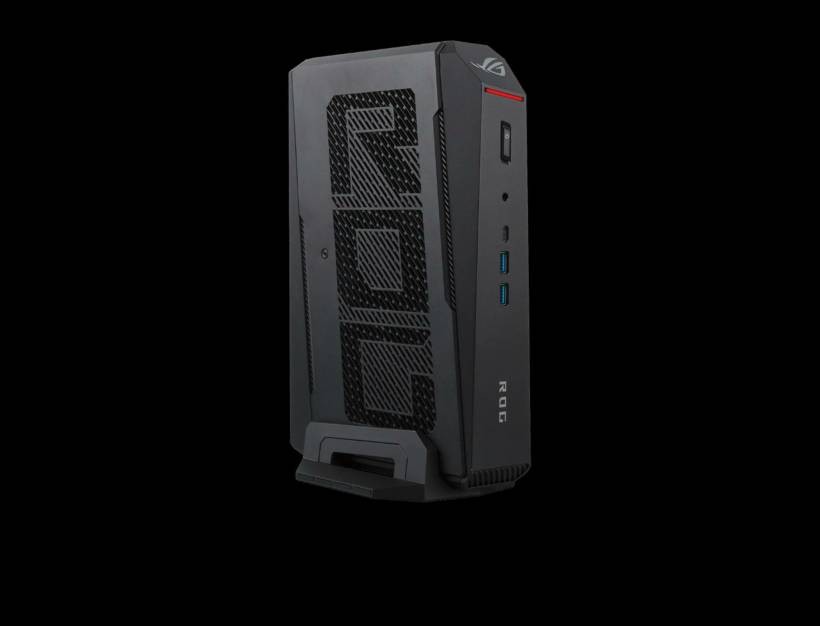
For physical ports, the mini PC includes one Thunderbolt 4 port, four USB-A 3.2 Gen 2 ports, two HDMI 2.1 FRL ports, two DisplayPort 2.1 ports, and one LAN port. That is a strong selection for a small gaming machine, especially for users who may want to connect multiple monitors, external storage, capture devices, peripherals, or wired networking.
The inclusion of both HDMI and DisplayPort outputs also gives users more flexibility when pairing the system with gaming monitors, TVs, or professional displays. This makes the ROG NUC 16 easier to fit into different environments, whether it is being used in a gaming room, living room, creative studio, or compact workstation setup.
A Small PC With A Large Power Requirement
Powering the ROG NUC 16 is a 380W power adapter. That may sound large for a mini PC, but it makes sense considering the class of hardware inside. A high-end Intel HX-series processor and an RTX 50 Series laptop GPU are not low-power components, especially when pushed during gaming or creative workloads.
This also reminds us that while the ROG NUC 16 is compact, it is not trying to be an ultra-low-power office PC. It is a performance-focused machine that happens to come in a much smaller package. Users interested in this system should see it more as a compact gaming desktop replacement rather than a simple mini PC.
Local Pricing And Availability
At the time of writing, ASUS Malaysia has not yet announced local pricing or availability for the ROG NUC 16. That means Malaysian buyers will still need to wait for official confirmation before knowing how much the system will cost and which configurations will be offered locally.
Pricing will be an important factor because compact high-performance PCs usually sit in a premium category. The combination of Intel Core Ultra 9 hardware, RTX 50 Series graphics, high-speed storage support, and a small chassis suggests that the ROG NUC 16 will not be positioned as a budget machine. Instead, it is more likely aimed at enthusiasts, gamers, and creators who want powerful hardware in a cleaner and more space-saving form factor.
Final Thoughts
The ASUS ROG NUC 16 looks like a strong step forward for compact gaming PCs. It brings together a high-end Intel Core Ultra processor, NVIDIA RTX 50 Series graphics, modern AI-assisted performance features, strong memory and storage support, and a wide range of connectivity options in a much smaller footprint than a normal desktop tower.
What makes it interesting is not just the raw specifications, but the overall direction of the product. ASUS is clearly trying to show that a mini PC can still be a serious gaming and creative workstation when it is built with the right hardware. For users who want high performance without a bulky desktop setup, the ROG NUC 16 could be one of the more interesting compact PCs to watch, especially once ASUS confirms its Malaysian pricing and availability.











Comments 0