

If you've ever added background videos to a website, you'll know the feeling. They look great, they set the mood, and they make a page feel alive. But the moment you check loading speed or open DevTools, reality hits. Large video files can quietly become one of the biggest performance killers on a site.
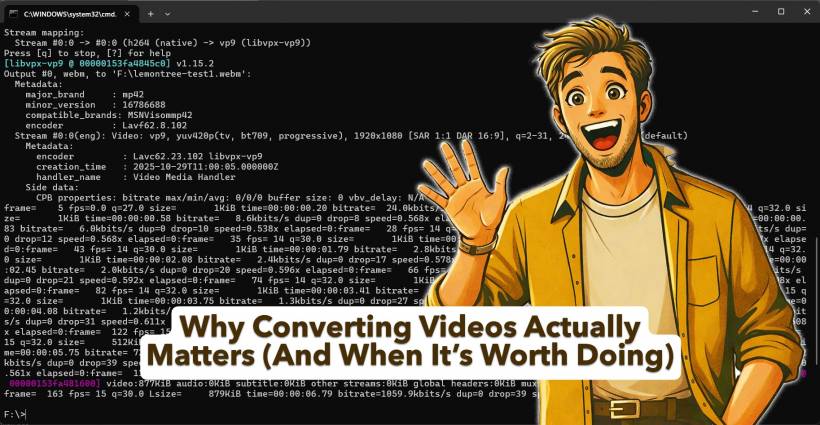
Recently, while optimising several videos across different pages, one thing became very clear: video conversion isn't about blindly changing formats, it's about choosing the right tool for the right video. When done properly, the results can be dramatic.
The biggest win: massive size reduction without visible quality loss
The most obvious benefit of converting videos is file size. In one case, a short 6–7 second 1080p clip was reduced from around 6.6MB down to under 1MB. Visually, it still looked the same. Motion was smooth, clarity was intact, and as a background element, it did its job perfectly.
That kind of reduction matters more than people realise. Smaller files mean faster initial loads, quicker playback start, and less data being pulled down the wire. On real-world connections, that difference is noticeable immediately.
Faster load times improve how the site feels, not just how it scores
Performance tools are useful, but perceived speed is what users actually experience. After conversion, videos started playing almost instantly thanks to range requests and lightweight payloads. Pages felt snappier. There was less waiting, fewer black frames, and no awkward pauses while the browser fetched large chunks of data.
This is especially important for background and hero videos. These aren't content users are choosing to play. They're part of the page atmosphere. If they delay the page or compete with main content loading, they stop being an enhancement and start becoming a liability.
Comparison
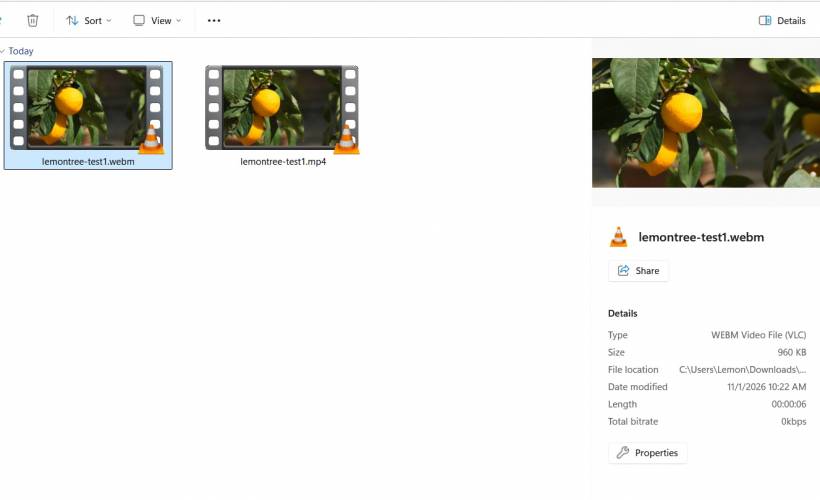
Below is one sample video lemontree-test1.mp4.
6.60mb
After convert to webm, the filesize becomes 960kb. That is a huge win.
Reduced bandwidth helps everyone, not just mobile users
It's easy to think of optimisation as something only mobile users benefit from, but desktop users are just as affected. Smaller video files mean less bandwidth usage overall, which matters when pages are revisited, cached, or accessed repeatedly.
On shared hosting or high-traffic pages, this also reduces server strain. Less data served per request adds up quickly, especially when videos sit on landing pages or backgrounds that load for every visitor.
Dropping audio is an easy, often overlooked gain
Many background videos still carry audio tracks, even when they're muted by default. That audio data is completely wasted. Removing it during conversion instantly trims file size and reduces decoding work, with zero downside.
If a video is decorative and never intended to be heard, audio should not be there in the first place.
Conversion is not always the right answer, and that's important
One of the most valuable lessons from this process is that conversion is not automatically an improvement. In one case, an MP4 was already extremely well optimised, sitting under 1MB. Converting it to WebM actually made it bigger.
That's not failure. That's good engineering. The correct decision there was to keep the original file and move on.
The real benefit comes from knowing when to convert:
Optimisation isn't about forcing everything into one format. It's about measuring, comparing, and choosing the better result.
Cleaner delivery with fewer hacks
When videos are smaller and more efficient, you don't need JavaScript tricks, delayed playback logic, or aggressive lazy loading just to keep pages usable. The browser can do its job properly.
This leads to cleaner HTML, simpler CSS, and fewer edge cases to maintain. In the long run, that's just as valuable as the performance gain itself.
Final takeaway
Converting videos isn't about chasing trends or ticking a "modern format" checkbox. It's about being intentional. When conversion makes sense, the payoff is huge: faster pages, lighter bandwidth usage, smoother playback, and a better overall experience. When it doesn't, the smartest move is to leave the file exactly as it is.
That balance is where real optimisation lives.











Comments 0