


If you've ever wanted to build a mobile or desktop app without rewriting the same thing over and over again for different platforms, .NET MAUI was basically made for you. Short for .NET Multi-platform App UI, it's Microsoft's modern answer to cross-platform app development, letting you create apps for Android, iOS, Windows, and macOS using a single codebase.
At its core, .NET MAUI is about simplifying life for developers. Instead of juggling separate projects for each platform, you work with one shared project and one set of UI and logic. Less duplication, fewer headaches.
From Xamarin to .NET MAUI: What Changed?
If you've heard of Xamarin before, think of .NET MAUI as its evolution. Xamarin laid the groundwork, but .NET MAUI cleans things up and brings everything under the unified .NET umbrella.
What this means in practice is:
It feels less like stitching platforms together and more like building one app that just happens to run everywhere.
One UI, Native Results
One of the nicest things about .NET MAUI is that your app still looks and behaves like a native app on each platform. You're not building a "web app in disguise." Under the hood, .NET MAUI maps your UI to native controls on Android, iOS, Windows, and macOS.
You typically build the UI using XAML, which is clean, readable, and well-suited for designing layouts. If XAML isn't your thing, you can also build everything in C#. Either way, you're still sharing the same UI logic across platforms.
C# Everywhere (and That's a Big Win)
If you already work with C#, .NET MAUI feels immediately familiar. Your business logic, data handling, and even UI interactions are all written in the same language. That consistency alone makes debugging and maintenance much easier.
You also get access to the wider .NET ecosystem, including libraries, tools, and patterns like MVVM. For teams already invested in .NET, this is a natural extension rather than a brand-new world to learn.
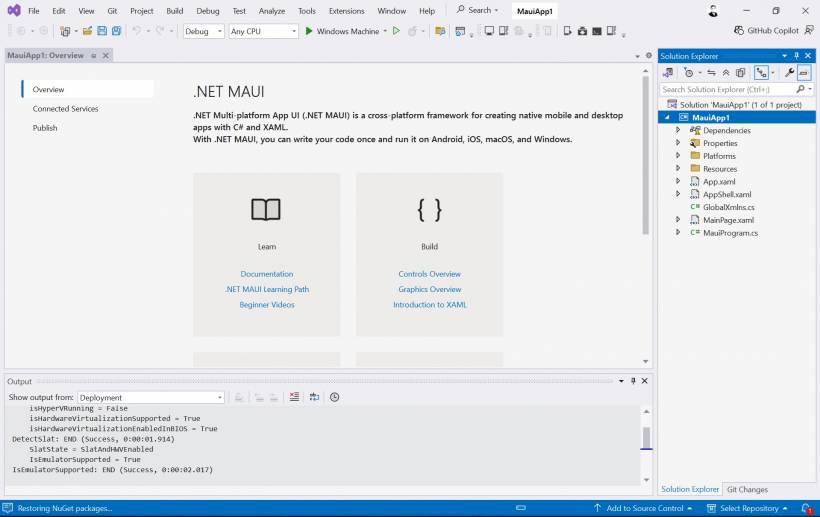
Development Experience: Practical and Productive
.NET MAUI works hand-in-hand with Visual Studio, offering features like hot reload, strong debugging tools, and device emulators. You can tweak UI or logic and see changes almost instantly, which makes experimenting and fine-tuning far less painful.
For developers on Windows machines, this is especially appealing. You can develop and test Android and Windows apps directly, and with the right setup, also target iOS and macOS without rewriting your app from scratch.
When Does .NET MAUI Make Sense?
.NET MAUI shines when:
It might not be the best fit for every scenario, but for business apps, internal tools, utilities, and even consumer apps, it's a very solid option.
Final Thoughts
.NET MAUI isn't just about saving time, it's about reducing complexity. One codebase, one language, one way of thinking about your app, while still delivering native experiences across platforms. For developers who want to move fast without sacrificing quality, it's a framework well worth exploring.
If you're already in the .NET world, .NET MAUI feels less like learning something new and more like unlocking a new capability you didn't have before.











Comments 0