

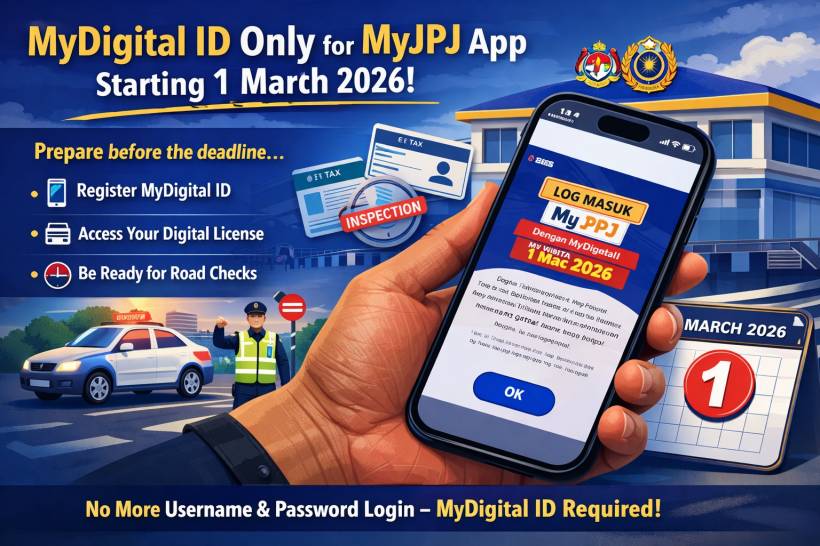
If you're the type who only opens MyJPJ when there's a roadblock or when road tax renewal is due (totally normal), here's the one update you don't want to discover at the worst possible moment. JPJ has confirmed that starting 1 March 2026, MyDigital ID will become the only login method for the MyJPJ app. That means the usual "username/password" style login will be removed, and anyone who hasn't set up MyDigital ID may find themselves locked out until they do.
Why JPJ is pushing this now (and why it keeps getting postponed)
This move didn't come out of nowhere. JPJ has been signalling a "single login" approach for MyJPJ since 2024, but adoption has been slow, so the enforcement timeline has shifted more than once.
One big reason for the delays is simple reality: lots of people have MyJPJ installed, but far fewer were actually using MyDigital ID for login at the time JPJ shared earlier adoption figures. So the extra time is basically a grace period for the "I'll do it later" crowd (again: totally normal).
What MyJPJ is for (and why this matters in daily life)
MyJPJ has quietly become one of those "it's fine until it isn't" apps. It's where many drivers keep and manage key JPJ-related items digitally, including:
• Renewals and related services
• Summons checks and payments
• JPJ number plate bidding features (where applicable)
So if you rely on it as your quick "proof" during checks, the login change matters because it affects how fast you can access the app when you actually need it.
The "no more printing" shift is happening at the same time
This login change is landing right as JPJ is also tightening up the broader "go digital" direction. For private vehicles, printed road tax slip printing is being discontinued starting 1 February 2026, with confirmations shared publicly through multiple channels.
In other words: more of your "car paperwork moments" are now expected to be handled digitally, and MyJPJ is one of the main places you'll feel that.
Who's affected (and an important exception to know)
The enforcement is aimed at users aged 18 and above, while users under 18 and MyPR cardholders have been mentioned as continuing with an alternative login route using the existing method via a specific link/process. If you manage accounts for family members, this detail matters.
What you should do before 1 March 2026
Here's the practical approach that avoids last-minute stress:
• If you haven't set up MyDigital ID yet, do it ahead of time so you're not stuck doing eKYC when you're in a rush
• If you're helping parents/relatives, do a quick "can you open MyJPJ right now?" check — it's the fastest way to confirm they're ready
JPJ messaging around this has also included the common-sense reminder to stay ready for inspections by keeping access to MyJPJ smooth.
A simple MyDigital ID registration walkthrough
If you're starting from zero, the flow generally looks like this:
• Choose online registration
• Verify your email via OTP
• Enter your identification details (such as MyKad-related details as required)
• Complete eKYC (ID image capture + selfie verification)
• Create a password (minimum length requirement applies)
• Confirm and store the digital ID on your device
The official MyDigital ID site outlines the registration and related account actions (including password rules and revocation guidance).
Things that catch people off guard (read this before you start)
This is the part that saves headaches later, because MyDigital ID behaves a bit differently from "normal" apps:
• No typical password recovery: if you forget the password, guidance indicates you may need to revoke and re-register rather than doing a standard "reset password" flow
• One phone at a time: it's designed to be active on a single smartphone, which matters if you frequently swap devices
• Lost or damaged phone: you're expected to revoke the certificate using another device or a kiosk before registering again on a new phone, and the app won't be accessible without the password
• Biometrics: Face ID/fingerprint can be used if enabled (helpful, but still keep your password somewhere safe)
Final thoughts
This is one of those changes that sounds "administrative" until the day you're standing somewhere trying to open MyJPJ and the login method you've always used is suddenly gone. With 1 March 2026 now being the enforced date, the best move is to treat February as your setup buffer — get MyDigital ID done once, test that you can log in smoothly, and then you're basically future-proofed for the next wave of JPJ digitisation.











Comments 0