

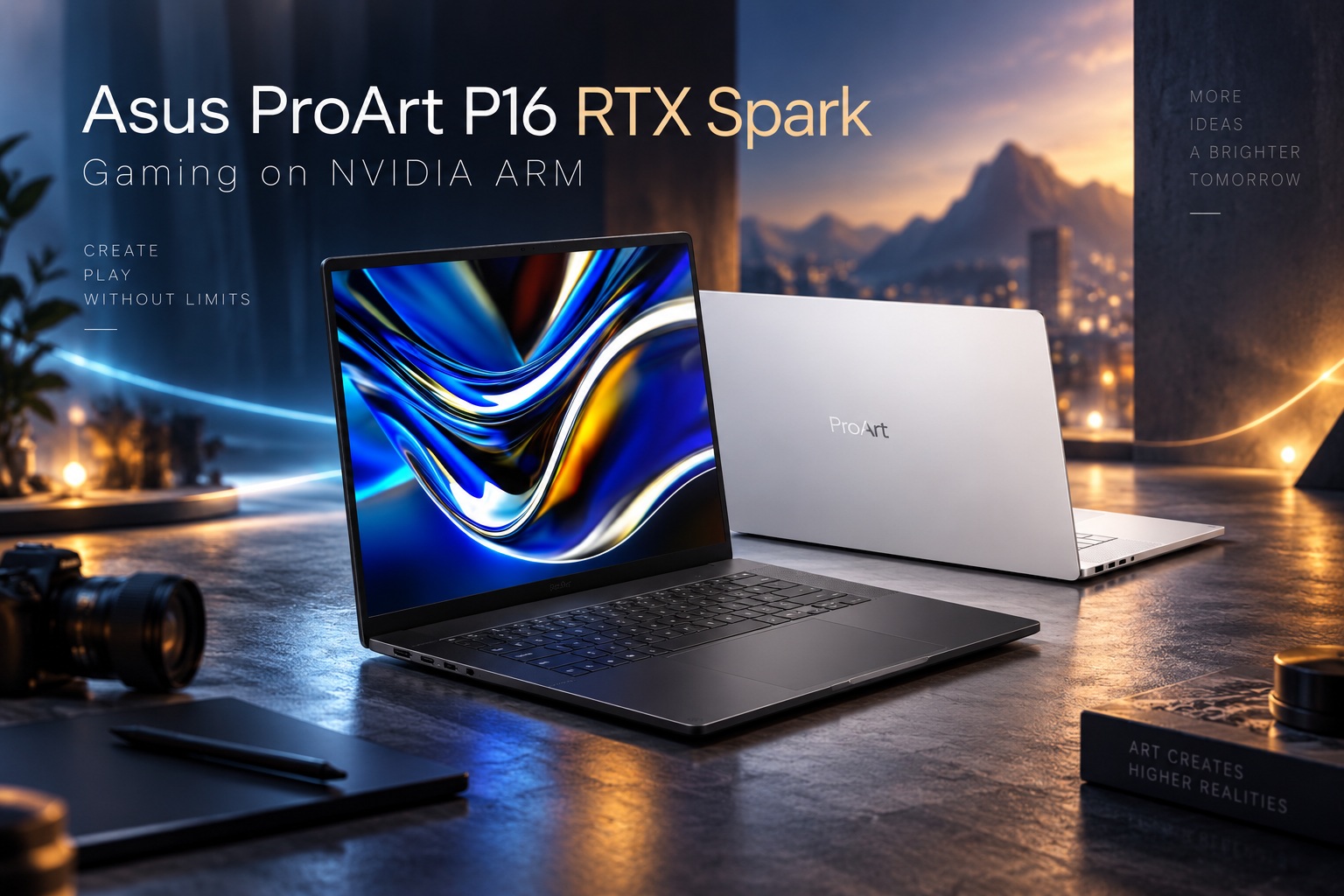
With NVIDIA's RTX Spark embargo finally lifted, we can now take a much closer look at what this new ARM-based platform can actually do inside a real laptop. The machine in question is the Asus ProArt P16 RTX Spark, a creator-focused notebook powered by NVIDIA's new MediaTek co-designed processor and Blackwell graphics architecture.
Because RTX Spark represents completely new territory, this review needs to be approached a little differently from a conventional laptop review. There is a lot to explore, including AI workloads, battery endurance, creator applications and general system performance. For this first part, however, I wanted to focus on something that will probably interest many people immediately: gaming on NVIDIA ARM.
And surprisingly, gaming is already one of the more impressive things about this platform.
Meet The Asus ProArt P16 RTX Spark
The machine I have been testing is the 16-inch ProArt P16 RTX Spark, although Asus also offers a smaller 14-inch model within the same family. Both variants reportedly share essentially the same core specifications, giving buyers the choice between a larger display or something slightly more portable.
As with several other premium Asus laptops, the chassis is constructed from the magnesium alloy that the company has used extensively across its higher-end products.
There is a good reason Asus keeps returning to this material. Magnesium alloy allows the laptop to remain reasonably lightweight without making the chassis feel cheap or overly flexible.
The overall design is also rather familiar.
It Looks Surprisingly Similar To A Zephyrus
Visually, the ProArt P16 RTX Spark has quite a lot in common with Asus' ROG Zephyrus machines. The overall chassis design, proportions and premium finish feel closely related.
The obvious difference is branding and positioning.
Rather than focusing heavily on gaming, the ProArt series is aimed at creators, meaning the software environment and bundled utilities are much more oriented towards photography, video, design and creative workflows.
Still, underneath all of that creator branding sits an NVIDIA platform with Blackwell CUDA hardware.
And for me, that immediately raises the obvious question: how well can it game?
If it performs well enough, the P16 could easily become a very interesting travel machine that handles serious work during the day and AAA gaming afterwards.
A 3K OLED Display Running At 120Hz
The RTX Spark version of the ProArt P16 uses the same type of display found on its non-RTX Spark counterpart.
It is a 3K ROG Nebula OLED panel with a 16:10 aspect ratio and a maximum refresh rate of 120Hz.
The native resolution is 2,880 x 1,800, giving the screen plenty of detail for creative work while still providing enough refresh rate headroom for gaming.
OLED naturally brings excellent contrast and deep blacks, while the 16:10 aspect ratio provides slightly more vertical workspace than a conventional 16:9 panel.
During my time with the machine, however, I did notice one odd behaviour.
The display occasionally dims suddenly or briefly goes dark. I am not yet sure whether this is a software setting, power-management behaviour or something specific to the review unit, so it is something I will continue investigating.
Connectivity Is Surprisingly Generous
Despite its relatively slim design, Asus has equipped the ProArt P16 RTX Spark with a solid collection of ports.
You get:
• Three USB4 ports rated at 40Gbps
• One USB-A 3.2 Gen 2 port
• Full-size HDMI 2.1 FRL
• SD Card Express 7.0 reader
• 3.5mm headphone and microphone combo jack
That is a good selection for a creator laptop.
The SD card reader is particularly useful for photographers and videographers, while having three USB4 connections provides plenty of flexibility for external drives, docks and high-speed peripherals.
Importantly, Asus has not gone completely USB-C-only either.
Having at least one conventional USB-A port remains useful when travelling with older peripherals.
Storage Has Plenty Of Expansion Potential
My review configuration comes with 1TB of PCIe 4.0 storage.
Interestingly, the laptop itself includes two full-size PCIe 5.0 M.2 slots, although the supplied SSD uses the older PCIe 4.0 interface.
That means there is considerable room for upgrading storage later.
Users working with large video projects, AI models or game libraries could potentially install much faster and larger PCIe 5.0 drives as prices become more attractive.
It is also good to see Asus keeping two full-size M.2 slots rather than sacrificing expandability for a thinner design.
A Huge 99.9Wh Battery
Powering everything is a 99.9Wh four-cell lithium-ion battery, effectively right at the upper end of what you would expect from a portable notebook.
NVIDIA says the combination of this large battery and the RTX Spark platform can provide around a full day of average usage.
That is something I will explore properly in another part of the review.
Battery testing on a machine like this deserves more attention than simply running a conventional video loop, especially because ARM efficiency is one of the biggest reasons this architecture is interesting in the first place.
For now, though, the hardware is certainly there to support strong endurance.
RTX Spark Is The Real Star Of The Laptop
The chassis is nice and the OLED display is excellent, but the real reason this laptop exists is the NVIDIA RTX Spark chipset.
This is completely new territory for NVIDIA laptops.
RTX Spark was co-developed with MediaTek and combines an ARM-based CPU with NVIDIA Blackwell GPU hardware and Unified Memory in a single platform.
NVIDIA currently describes two major CPU configurations: an 18-core model and a 20-core model.
The differences between them extend beyond CPU core count.
The 18-Core RTX Spark Configuration
The 18-core version is the lower-tier configuration.
It offers up to:
• 18 CPU cores
• 5,120 Blackwell CUDA cores
• 24GB or 32GB Unified Memory
Calling it the "lower-end" model may sound slightly misleading considering how substantial those specifications already are.
Even the base configuration effectively combines a large ARM CPU, thousands of CUDA cores and shared high-speed memory in one package.
For mainstream creator workloads, that could already be more than enough.
The 20-Core Version Goes Much Further
The full 20-core RTX Spark variant increases GPU resources to 6,144 Blackwell CUDA cores.
It also supports a much wider range of Unified Memory configurations starting at 24GB and extending all the way to 128GB.
My ProArt P16 review unit sits somewhere in the middle.
It uses the 20-core RTX Spark configuration with 64GB of LPDDR5X Unified Memory.
It is not the maximum 128GB version, but 64GB is still a huge amount of shared memory for a laptop, particularly one where the CPU and GPU can access the same pool.
That architecture becomes especially interesting once AI workloads enter the discussion.
AI Is A Huge Part Of RTX Spark
RTX Spark is clearly designed with AI at the centre of NVIDIA's strategy.
That means evaluating it properly requires a different set of benchmarks from what we normally use for laptops.
Traditional CPU tests, gaming benchmarks and content-creation workloads remain relevant, but they only tell part of the story.
NVIDIA has also provided AI agents and workloads specifically designed to test RTX Spark's capabilities.
I will be exploring those in another part of this review.
For now, I wanted to answer the question that many PC enthusiasts are probably already asking:
Can this ARM laptop actually game?
The answer is very much yes.
Gaming On ARM Is No Longer The Impossible Idea It Once Was
ARM gaming on Windows used to sound like a compromise before the game even launched.
That perception has gradually changed.
Qualcomm demonstrated that Snapdragon-powered Windows systems could run a growing number of conventional PC games through compatibility and translation layers. Valve has also demonstrated similar concepts with its Steam Frame platform.
NVIDIA has clearly watched those developments carefully.
With RTX Spark, the company appears to have taken many of the lessons learned by other ARM platforms, added its own graphics ecosystem and worked heavily on compatibility between ARM and the enormous library of x86 PC software.
The result is something I genuinely did not expect to see this soon: modern AAA games running properly on an ARM SoC with full NVIDIA graphics features available.
And Yes, DLSS Works
This is perhaps the part that makes RTX Spark feel most like a conventional GeForce gaming machine.
The supported games I tested had access to the familiar NVIDIA technologies you would expect, including DLSS and Frame Generation.
More importantly, this includes Multi Frame Generation.
That changes the gaming experience significantly because RTX Spark does not need to brute-force every frame traditionally.
Instead, NVIDIA can combine ARM CPU performance, Blackwell GPU hardware, DLSS reconstruction and generated frames to reach surprisingly high displayed frame rates.
And the results can be remarkable.
Control Resonant Runs At Around 120 FPS At Native Resolution
One of the most impressive examples during testing was Control Resonant.
Running at the ProArt P16's full native 2,880 x 1,800 resolution, I was able to achieve approximately 120fps on average.
That was with:
• Graphics preset set to High
• Ray tracing set to Medium
• Multi Frame Generation at 6X
• Native 3K resolution
Seeing an ARM-based laptop run a modern AAA game at those settings and frame rates still feels somewhat surreal.
Drop the resolution to 1,920 x 1,200, and things become even more extreme.
Average frame rates move comfortably into the 200fps range.
Cyberpunk 2077 Also Runs Beyond 100 FPS
Naturally, Cyberpunk 2077 had to be part of the test.
It remains one of the better games for pushing modern graphics hardware, particularly once advanced visual settings and ray tracing become involved.
The ProArt P16 RTX Spark was able to push the game beyond the 100fps mark with Multi Frame Generation set to 6X.
That does not mean the underlying traditionally rendered frame rate is above 100fps, of course. Multi Frame Generation is doing a significant amount of work.
But the final experience is still impressively smooth.
For an ARM-based SoC inside a creator laptop, that is an encouraging result.
007 First Light Performs Just As Impressively
007 First Light produced similarly strong results.
Using the second-highest graphics preset and 6X Multi Frame Generation, the game remained comfortably above 100fps during testing.
Again, this is not a lightweight indie title designed around low-end hardware.
We are talking about a modern, graphically intensive game running on an architecture that most Windows users still associate with compatibility compromises.
RTX Spark makes that distinction increasingly difficult to maintain.
Doom: The Dark Ages Clears 100 FPS Too
Doom: The Dark Ages also performed consistently well.
With graphics settings pushed to the second-highest preset and Multi Frame Generation enabled at 6X, frame rates again stayed comfortably beyond the 100fps mark.
Doom games are traditionally well optimised, but that does not diminish what RTX Spark is accomplishing here.
The important part is consistency.
Across several modern titles, I did not feel as though I was fighting against ARM compatibility.
The games behaved much more like they would on a conventional GeForce laptop.
Multi Frame Generation Is Doing A Lot Of Heavy Lifting
It is important to keep expectations realistic.
The very high frame rates I am seeing are heavily assisted by 6X Multi Frame Generation.
That means the GPU is not traditionally rendering every displayed frame.
For some purists, that distinction will matter.
However, NVIDIA has increasingly designed its entire gaming ecosystem around combining conventional rendering with AI reconstruction and frame generation.
The experience therefore needs to be judged by more than a simple native-rendering benchmark.
If the game looks good, feels responsive and runs smoothly, the technology is doing what it was designed to do.
The Native Performance Question Still Matters
There is another side to this that I intend to explore in greater detail.
We still need to understand how RTX Spark performs when Frame Generation is disabled or reduced.
That will provide a better picture of the raw GPU capabilities and how much of the final frame rate comes from traditional rendering versus AI-generated frames.
Latency will also need closer examination.
A game displaying 200fps is not necessarily behaving like a conventionally rendered 200fps experience if the underlying base frame rate is significantly lower.
Those are tests for another part of this review.
Compatibility May Be The Bigger Achievement
In some ways, raw performance is not even the most impressive part.
The bigger surprise is simply how little effort it took to get these games running.
ARM Windows gaming has historically suffered from compatibility problems, translation overhead and anti-cheat limitations.
NVIDIA appears to have spent considerable effort addressing the x86-to-ARM compatibility layer before bringing RTX Spark to market.
Based on the games tested so far, it feels much closer to a conventional gaming laptop than I expected.
That could be enormously important for adoption.
This Is Still Primarily A Creator Laptop
Despite the surprisingly capable gaming performance, it is worth remembering that the ProArt P16 RTX Spark is not marketed as a gaming notebook.
Its software, design and positioning remain firmly creator-focused.
That means professionals working with video, design, photography and AI are clearly the primary audience.
Gaming is almost a bonus.
But it is a very substantial bonus.
For creators who frequently travel and want one machine capable of professional work and high-end gaming, the RTX Spark version suddenly becomes much more interesting.
The Unified Memory Could Become A Major Advantage
Gaming is only one side of Unified Memory.
The 64GB available on my review unit can be accessed across the system rather than being divided into completely separate CPU RAM and GPU VRAM pools in the conventional PC architecture.
That has enormous implications for AI.
Large models that would normally be constrained by GPU VRAM could potentially take advantage of a much larger shared pool.
The 128GB variant becomes even more interesting in that context.
This could be where RTX Spark ultimately differentiates itself most strongly from conventional gaming laptops.
The 128GB Version Could Be An AI Monster
Imagine a laptop with 128GB of Unified Memory combined with more than 6,000 Blackwell CUDA cores.
That is not simply a gaming specification.
It starts looking like a genuinely portable AI development workstation.
Models that normally require large desktop GPUs or more specialised systems may become practical on a notebook.
That is precisely the type of workload I will be exploring next.
Gaming demonstrates that RTX Spark can handle traditional consumer workloads.
AI testing will show us what the platform was really built for.
ARM Efficiency Could Be The Other Big Story
The other unknown is efficiency.
A 99.9Wh battery combined with ARM CPU architecture and tightly integrated memory should theoretically provide impressive battery behaviour compared with conventional high-performance x86 gaming laptops.
If NVIDIA and MediaTek have managed to deliver strong gaming and AI performance without the usual battery penalty, RTX Spark could represent a significant shift in laptop design.
However, that needs proper testing.
For now, NVIDIA's whole-day battery claim remains something I want to verify rather than simply repeat.
Cooling And Sustained Performance Will Also Matter
High benchmark numbers are one thing.
Maintaining those numbers over long gaming or AI workloads is another.
The ProArt chassis is relatively thin, and the RTX Spark platform combines substantial CPU and GPU resources in one device.
Thermal behaviour will therefore be another important area to explore.
I want to see how clock speeds behave after extended gaming, whether fan noise becomes intrusive and whether sustained AI workloads cause performance to decline over time.
Those results could determine whether RTX Spark works merely as an impressive demonstration or as a genuinely practical workstation platform.
This Could Be NVIDIA's Most Interesting Laptop Platform In Years
NVIDIA has obviously dominated laptop graphics for a long time.
But RTX Spark is different.
Instead of simply providing the discrete GPU inside someone else's CPU platform, NVIDIA is now much closer to controlling the entire computing experience.
CPU, GPU, AI acceleration and memory architecture are all tightly integrated.
That gives NVIDIA considerably more freedom to optimise the system around its software technologies.
It also gives the company a much more direct competitor to integrated ARM platforms from companies such as Qualcomm and Apple.
Final Thoughts
My first impression of the Asus ProArt P16 RTX Spark is that gaming on NVIDIA ARM is far more convincing than I expected.
Running Control Resonant around 120fps at the laptop's native 2,880 x 1,800 resolution with ray tracing enabled is impressive enough. Dropping to FHD+ and watching frame rates climb into the 200fps territory makes the platform even more interesting. Cyberpunk 2077, 007 First Light and Doom: The Dark Ages also remained comfortably above 100fps with Multi Frame Generation at 6X.
Yes, AI-generated frames are doing substantial work, and there is much more testing required before we fully understand RTX Spark's raw gaming capabilities. But the fact that these games run this smoothly on an ARM-based NVIDIA SoC is already significant.
And gaming is probably not even the most interesting thing about RTX Spark.
The next stage is where things could become genuinely fascinating: AI performance, Unified Memory behaviour, sustained workloads, battery endurance and what happens when we start throwing AI agents at those 6,144 Blackwell CUDA cores.
For now, though, RTX Spark has already answered one important question.
Yes, NVIDIA ARM can game. And it can game surprisingly well.











Comments 0