

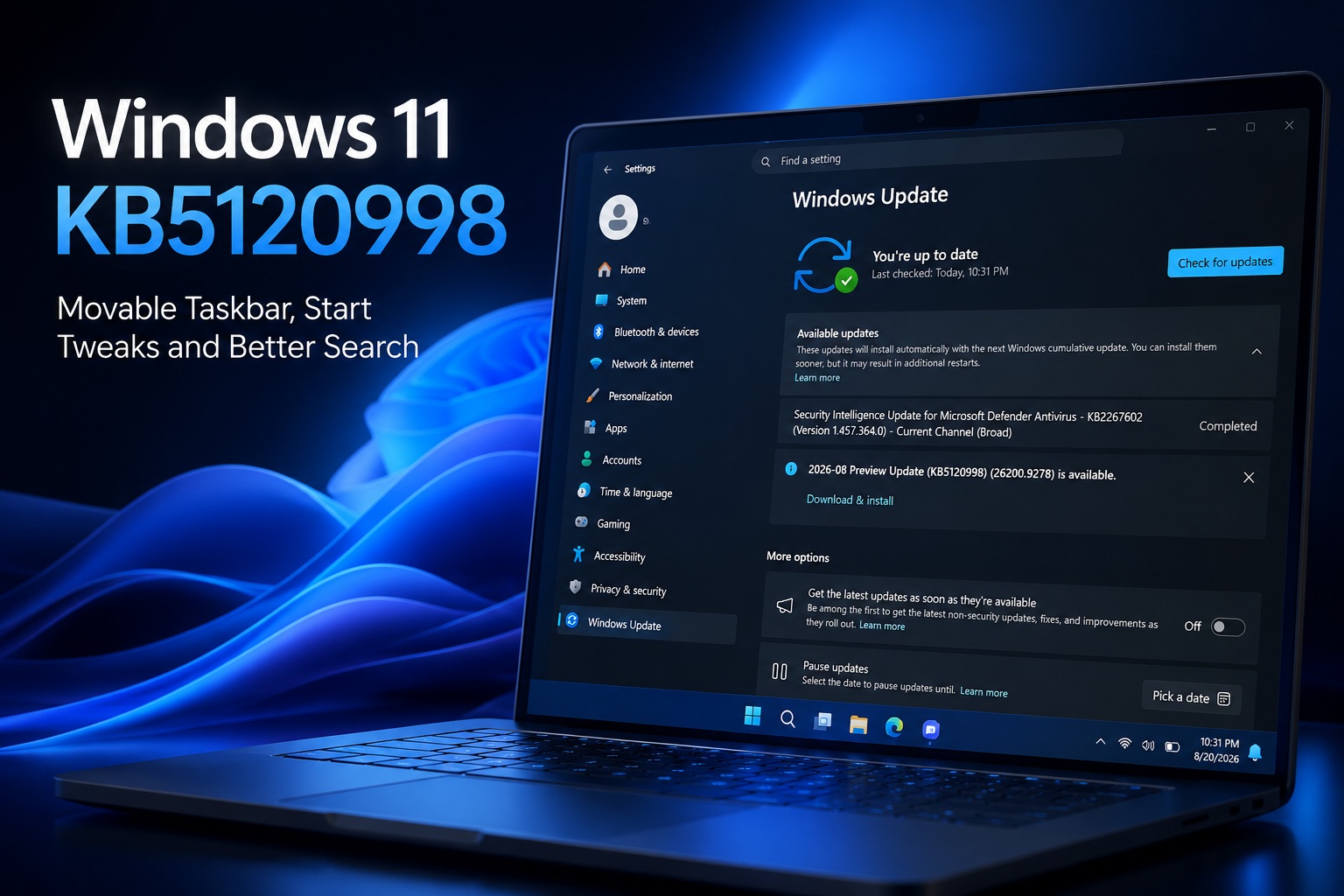
Microsoft has released Windows 11 KB5120998, and this optional preview update is shaping up to be one of the more substantial Windows 11 releases of the year. Rather than focusing on another collection of background changes, KB5120998 finally addresses several long-standing complaints involving the Taskbar, Start menu, Windows Search and File Explorer performance.
Among the biggest additions are the return of the movable taskbar, a genuinely smaller taskbar option, a resizable Start menu and — perhaps most importantly for some users — the ability to remove Bing and Microsoft Store results from Windows Search.
KB5120998 is currently optional, meaning Windows will not normally install it automatically unless users manually select Download & install or have the "Get the latest updates as soon as they're available" option enabled.
The update moves Windows 11 25H2 to Build 26200.9278, while Windows 11 24H2 advances to Build 26100.9278.
Users who prefer to wait will receive the same improvements through the mandatory September 2026 Patch Tuesday update scheduled for 8 September.
The Movable Taskbar Is Finally Back
One of the most requested Windows 11 features is finally returning.
KB5120998 allows users to position the Taskbar at the:
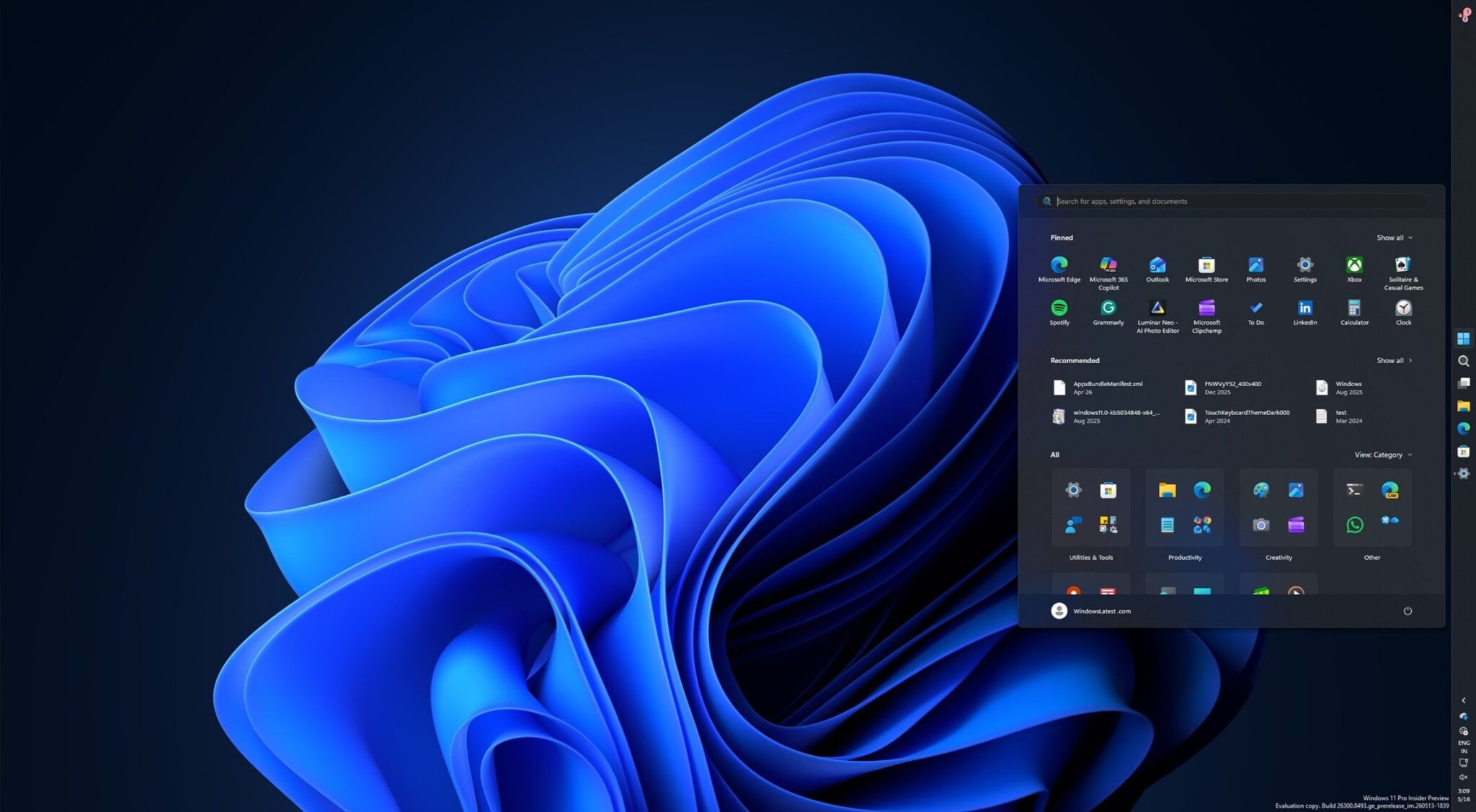
This functionality existed for years in Windows 10 but disappeared when Microsoft rebuilt the Taskbar for Windows 11.
At launch, Windows 11's Taskbar lacked several familiar features, including drag-and-drop support and the ability to move it away from the bottom of the screen.
Microsoft previously argued that supporting alternative Taskbar positions required significant interface reflow work across applications.
Five years later, that limitation is finally disappearing.
For now, changing the Taskbar position requires going to:
Users can immediately select their preferred position without restarting Windows.
The classic Windows 10 behaviour where users could simply unlock and drag the Taskbar around the screen is not yet available, although Microsoft is reportedly working on bringing that interaction back as well.
For users who traditionally preferred their Taskbar at the top or along one side of an ultrawide display, this is a very welcome return.
Windows 11 Finally Gets a Proper Smaller Taskbar
Microsoft is also restoring another useful Windows 10 feature: the ability to make the entire Taskbar smaller.
Windows 11 previously introduced smaller Taskbar buttons, but there was an awkward limitation.
The icons became smaller while the Taskbar itself remained almost the same height.
That meant users could fit more applications onto it, but they did not actually recover much screen space.
KB5120998 improves this by allowing the Taskbar itself to shrink, creating something much closer to the compact mode offered by Windows 10.
The setting can be found under:
This could be particularly useful on smaller laptops where every bit of vertical screen space matters.
A 13-inch or 14-inch display can feel significantly more spacious when Windows interface elements are not unnecessarily large.
The Start Menu Can Finally Be Resized
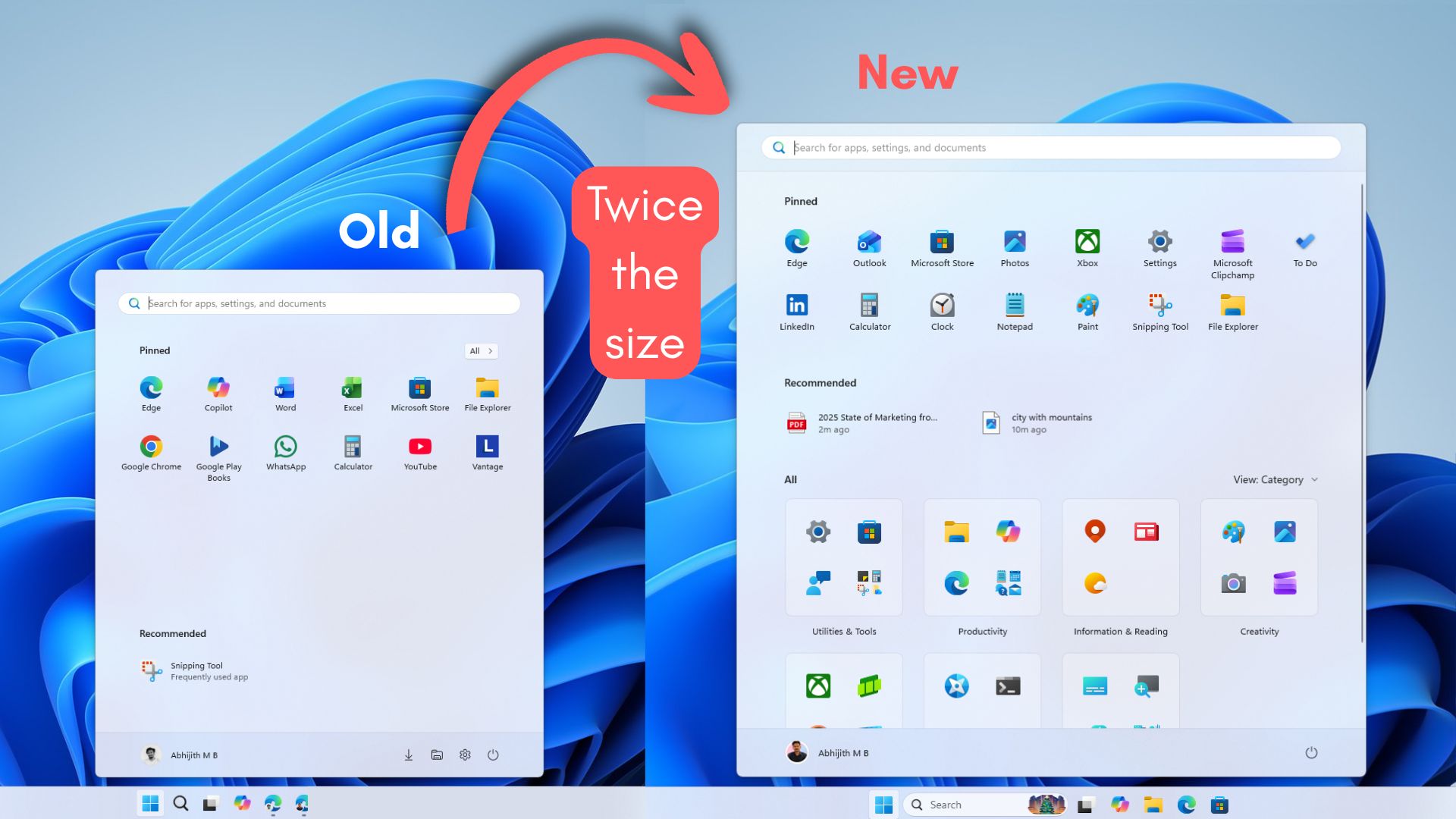
Microsoft is also giving users more control over the Windows 11 Start menu.
One of the recurring complaints about the redesigned Start menu has been its size.
On smaller laptops, the current layout can occupy an enormous portion of the display, particularly when Windows is using higher scaling settings.
KB5120998 introduces three Start menu sizing options:
The default Automatic mode adjusts according to the display size and resolution.
Users who prefer something less intrusive can instead choose Small.
The setting is available through:
This is considerably better than changing Windows display scaling just to make the Start menu less overwhelming.
Start Menu Sections Can Be Removed Individually
Microsoft is also allowing users to customise what actually appears inside Start.
The major sections — Pinned, Recent and All Apps — can now be independently enabled or disabled.
That opens up several different layouts.
Someone who prefers a simple application launcher can disable Pinned and Recent and keep only the All Apps list.
Another user can keep only Pinned apps and remove everything else.
If Recent is useful, it can remain visible without forcing the other sections to appear.
The important improvement is that Microsoft is finally giving users more control instead of assuming one Start menu layout works for everyone.
Turning Off Recent No Longer Breaks Other Windows Features
There is also a small but important correction to an earlier Windows 11 behaviour.
Microsoft previously allowed users to disable the Recommended or Recent section in Start, but doing so could also affect recent-file integration elsewhere.
That included areas such as File Explorer and Taskbar jump lists.
KB5120998 separates those behaviours.
Users can now disable the Recent section inside Start without removing recent-item functionality from unrelated parts of Windows.
It is a subtle improvement, but exactly the kind of refinement Windows 11 has needed for years.
Your Name and Profile Picture Can Be Hidden From Start
Another new customisation option allows users to remove their profile name and picture from the Start menu.
For most people, this will probably be a minor feature.
However, it could be useful for anyone frequently sharing their screen during livestreams, presentations or gameplay recordings.
Removing personal account information from Start reduces the chance of accidentally exposing unnecessary details while demonstrating something on screen.
Windows Search Can Finally Be Local-Only
Perhaps the most significant quality-of-life improvement in KB5120998 is the ability to disable Bing and Microsoft Store results from Windows Search.
Once those integrations are turned off, Windows Search focuses purely on local content.
That includes:
The new controls are located under:
For users who simply want Windows Search to find something on their computer, this is arguably how the feature should have worked from the beginning.
Searching for a locally installed application only to receive web suggestions can make Windows Search feel slower and less predictable.
Removing Bing results should make the interface cleaner while reducing irrelevant suggestions.
Microsoft also says search results have been improved so useful content is easier to identify and scan.
File Explorer and the System Tray Should Feel Faster
KB5120998 is not limited to interface customisation.
Microsoft has also made several performance improvements.
One noticeable change involves the system tray, where icons should now appear and respond more quickly.
File Explorer also receives several optimisations.
The Home page should launch faster, reducing one of the reasons some users previously changed File Explorer's default opening location to This PC.
Scrolling should also feel smoother, while menus and icons are expected to respond more quickly.
These improvements may not sound as exciting as moving the Taskbar, but small latency reductions across areas used dozens of times every day can make Windows feel noticeably more polished.
The Offline Installer Is Surprisingly Large
Microsoft has also published .msu standalone installers through the Windows Update Catalog.
However, the files are enormous compared with traditional Windows updates.
The x64 and ARM64 packages for Windows 11 25H2 reportedly come in at around 4.96GB, while the Windows 11 24H2 packages are approximately 4.80GB.
One reason is that Microsoft's cumulative updates increasingly contain AI model packages.
Those models may only be installed on supported hardware, but they are still included within the overall update package.
This means users downloading the standalone .msu installer may consume several gigabytes even if their PC does not ultimately use those AI components.
For most people, Windows Update remains the better method because Windows can manage the download and applicability automatically.
The standalone package is mainly useful when Windows Update fails or when administrators need to deploy updates manually across several systems.
Not Every Feature Will Appear Immediately
There is one important caveat.
Microsoft is using a gradual rollout for many of the new features.
That means installing KB5120998 does not guarantee that every new option will immediately appear on your PC.
Two computers running exactly the same build may temporarily have different feature availability.
Microsoft gradually enables functionality through controlled feature rollouts, meaning some users could receive the movable Taskbar or new Start menu options earlier than others.
Eventually, the features should become broadly available.
Unless you specifically enjoy experimenting with hidden Windows feature flags, there is little reason to force-enable them.
Should You Install KB5120998 Now?
Because KB5120998 is an optional preview update, users have a choice.
If the movable Taskbar, smaller interface or local-only Windows Search sound useful, installing it early may be worthwhile.
On the other hand, users prioritising stability can simply wait.
The changes are expected to become part of the 8 September Patch Tuesday release, which will be mandatory and include the same improvements alongside security fixes.
That makes waiting only a matter of a couple of weeks.
Preview updates are useful for people who want new features early, but they are not essential for everyone.
Windows 11 Is Slowly Restoring What Windows 10 Already Had
There is something slightly amusing about several headline features in KB5120998.
The movable Taskbar existed in Windows 10.
The smaller Taskbar existed in Windows 10.
Greater Start menu flexibility existed in Windows 10.
Many users complained when these capabilities disappeared from Windows 11, only for Microsoft to gradually rebuild them years later.
Still, the important part is that they are returning.
Windows 11 has become substantially more complete than it was when the operating system originally launched in 2021.
Restoring familiar functionality while improving newer parts of the interface is ultimately better than stubbornly refusing to reconsider earlier design decisions.
Final Thoughts
Windows 11 KB5120998 is one of those updates where the changes are immediately relevant to everyday users.
The return of a movable Taskbar alone will make plenty of long-time Windows users happy.
Add a properly compact Taskbar, resizable and customisable Start menu, local-only Windows Search and faster File Explorer behaviour, and this becomes a surprisingly substantial update.
The most welcome change may simply be Microsoft's renewed willingness to give users choices.
Windows works across everything from small laptops to ultrawide gaming monitors and multi-display workstations.
There is rarely one interface layout that suits everyone.
With KB5120998, Microsoft is finally restoring some of that flexibility.
If you do not want to install an optional preview update, there is no rush — these features are expected to arrive with September's mandatory Patch Tuesday release.
But for anyone who has spent the last five years asking Microsoft to give back some of the Windows 10 customisation that Windows 11 removed, this update feels like a long-overdue step in the right direction.











Comments 0