

Gaming mice are usually associated with fast reactions, custom keybinds, and competitive play. But outside of games, those same features can be surprisingly useful for people whose work involves repeating the same actions hundreds of times a day.
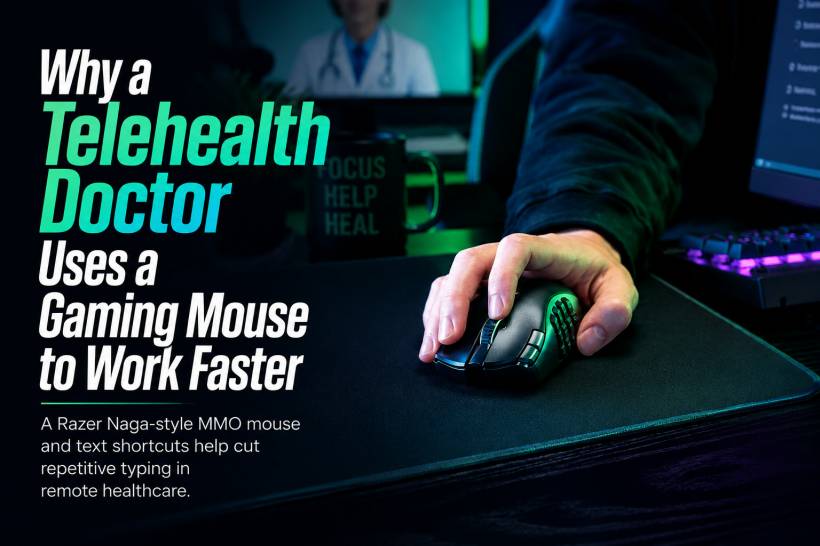
That is exactly how one telehealth doctor is using a Razer Naga-style MMO mouse: not to gain an advantage in a game, but to reduce repetitive typing and make remote consultations easier to manage.
In a video shared by productivity software company TextExpander, Dr James Ries explained how he combines shortcut software with a programmable mouse to speed up common writing tasks in his day-to-day telehealth work.
It is a small example, but it highlights a much bigger idea: the right tools do not have to be designed for healthcare to make healthcare work more efficiently.
A Gaming Mouse in a Remote Healthcare Setup
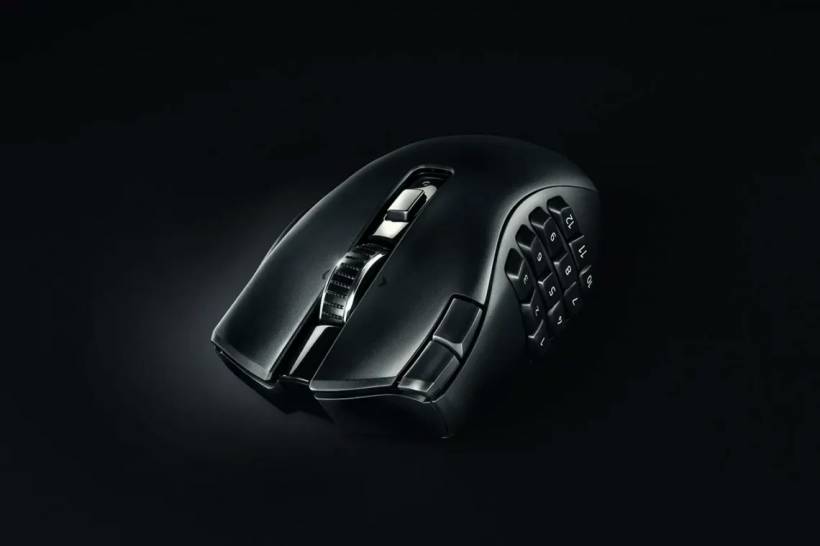
The mouse shown in the video appears to be a Razer Naga V2 HyperSpeed, although Dr Ries did not specifically confirm the exact model. The clue is the overall shape and the small extra buttons near the left-click area, which are distinctive features of that design.
Razer's Naga range is best known as an MMO gaming mouse. Its main feature is a bank of programmable buttons positioned where the user's thumb naturally rests. In a game, those buttons might activate abilities, switch equipment, or trigger commands.
In a telehealth environment, however, they can be assigned to something far more practical.
Instead of reaching for the keyboard and repeatedly typing the same phrases, a doctor could use those buttons to insert common introductions, email endings, signatures, appointment notes, medication instructions, symptom descriptions, or frequently used explanations.
That may sound simple, but repeated typing can add up quickly during a busy day of remote consultations.
Text Shortcuts Can Save More Than Just Time
The mouse itself is only one part of the setup. The larger productivity tool in this case is TextExpander, software that turns short typed commands into longer pieces of text.
For example, typing a short code could instantly generate a standard greeting for an email. Another shortcut could insert a sign-off and signature. More advanced snippets could produce structured wording for common symptoms, prescription-related notes, medication doses, or patient follow-up instructions.
When paired with a programmable mouse, those shortcuts become even more accessible. Instead of remembering multiple keyboard combinations, the user can assign their most common snippets to buttons that are always within reach.
The real benefit is not only speed. It is also consistency.
For professionals who regularly write similar information, shortcuts can help ensure that commonly used wording remains clear and standardised. This can be particularly useful when documenting consultations, preparing follow-up messages, or sending routine instructions.
Reducing Repetitive Work and Mental Fatigue
One of the most interesting points behind this setup is the reduction in mental load.
Doctors, nurses, support staff, and many other professionals spend a large part of their day switching between conversations, records, emails, forms, and follow-up tasks. Even small repetitive actions can become tiring when they happen constantly.
A shortcut system removes some of that friction.
Rather than pausing to think about how to phrase the same introduction again, the doctor can focus more attention on the person they are communicating with. Instead of manually typing a commonly used explanation from scratch, they can call up a well-prepared template and adjust it where needed.
That does not replace professional judgement. It simply helps remove repetitive administrative work from the process.
Of course, healthcare professionals still need to review every message and note before sending it. A shortcut should support accuracy, not encourage copy-and-paste communication without checking whether the wording fits the individual patient.
Gaming Hardware Has a Place Beyond Gaming
The Razer Naga is not the first gaming accessory to find a second life in professional work.
Many people use programmable gaming mice for video editing, graphic design, coding, spreadsheets, music production, and general office tasks. A button that might normally be used for an in-game action can instead become a shortcut for copy, paste, undo, save, switch tabs, open software, or trigger a frequently used command.
Devices such as Elgato's Stream Deck, as well as similar keypad-style tools from Razer and other brands, have become popular for the same reason. They give users physical buttons that can launch applications, trigger shortcuts, open folders, insert text, control meetings, or run automated actions.
For people who perform the same digital tasks every day, having those commands available at the press of a button can feel far more natural than memorising long keyboard shortcuts.
The Best Productivity Tools Are Often Unexpected
There is no single perfect setup for everyone. Some people may prefer keyboard shortcuts, while others may work better with a programmable mouse, macro pad, Stream Deck, or voice commands.
What matters is finding ways to reduce unnecessary repetition.
Dr Ries' setup is a good reminder that productivity does not always come from buying software built specifically for your job. Sometimes, it comes from looking at familiar tools in a different way.
A gaming mouse may be designed for virtual battles and fast-paced action, but its extra buttons can also make a real-world workday a little smoother.
Final Thoughts
Using a programmable gaming mouse with text expansion software may seem unusual in a telehealth setting, but the logic is straightforward. Faster access to common phrases, less repetitive typing, and fewer small interruptions can make a busy workflow easier to manage.
For healthcare professionals and anyone else who spends hours writing similar messages, the biggest lesson is not necessarily to buy a Razer Naga. It is to identify the repetitive parts of the workday and find simple tools that make them easier.











Comments 0