

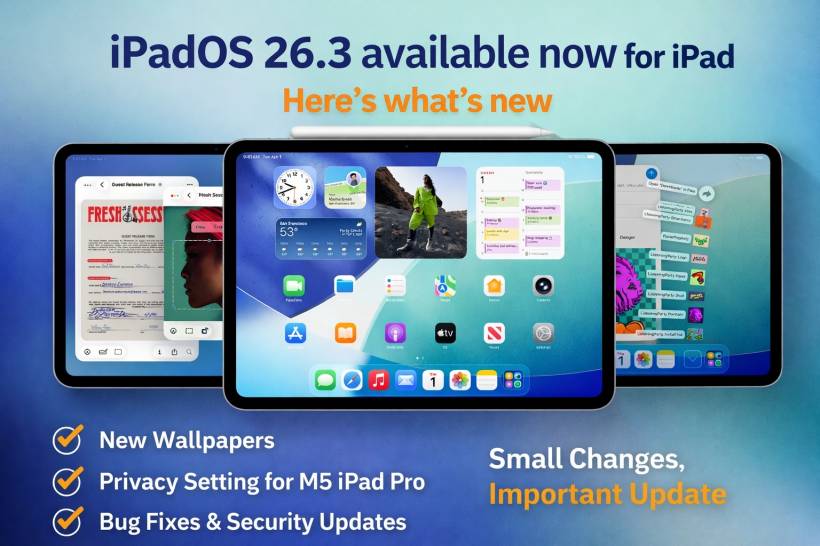
Apple has released iPadOS 26.3, and it follows a familiar pattern: early-year updates usually don't bring huge headline features. Instead, they focus on tightening things up behind the scenes with security patches, performance improvements, and bug fixes.
That said, iPadOS 26.3 isn't completely featureless. There are two user-facing changes worth knowing about, especially if you like customizing your iPad or you're using the latest hardware.
What's New in iPadOS 26.3
Apple's main additions in this update are:
• A new privacy option for certain M5 iPad Pro models
Everything else is mostly the less glamorous (but arguably more important) work: stability improvements, bug fixes, and security updates.
1) Wallpaper Gallery Gets a Small Cleanup (With New Options)
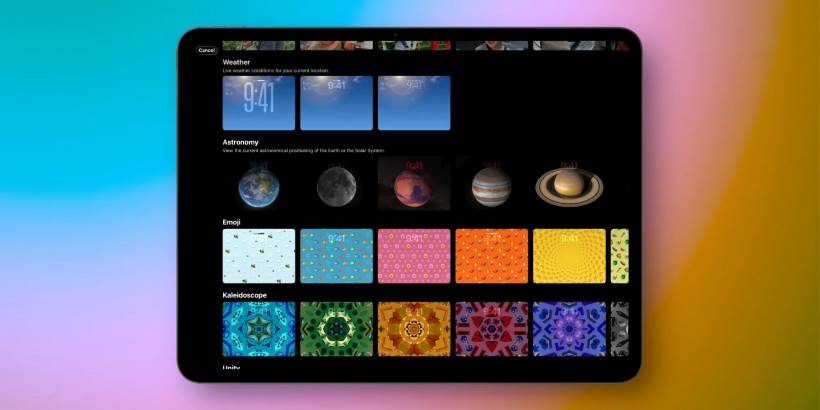
If you've used Apple's built-in wallpaper gallery, you might have seen the "Weather & Astronomy" section. In iPadOS 26.3, Apple has reorganized that area by splitting it into two separate rows:
• Astronomy
The Weather section now also includes a couple of new wallpaper variations. They still show live weather conditions like before, but Apple is giving you more presentation styles using different widgets and fonts. In other words, the same idea, just more ways to display it.
It's not a massive change, but it's the kind of small tweak that makes the wallpaper picker feel a bit less messy.
2) New Privacy Feature for M5 iPad Pro With Cellular: "Limit Precise Location"
The more interesting update is a new privacy setting called "Limit Precise Location," and right now it's limited to a very specific group:
• Cellular versions only
• Devices using an Apple-designed modem (like the iPad Pro's C1X)
So yes, it's currently "M5-only," but the bigger idea here is what it enables: limiting how precisely cellular networks can pinpoint where your device is.
With this setting enabled, the network gets less detailed location information. Instead of being able to narrow you down to something like a street-level location, it may only be able to determine a broader area such as your neighborhood. The key point is that Apple says it doesn't affect signal quality or day-to-day usage, so it's meant to be a privacy win without a trade-off you can feel.
Even if you don't have an M5 iPad Pro today, this is the kind of feature that could matter more later if Apple expands it to more models as Apple-designed modems become more common.
The Rest of the Update: Fixes, Security, and Performance Work
Beyond those two changes, iPadOS 26.3 is largely about maintenance. Apple's official notes for updates like this are usually short and direct, and this one is no exception: it includes important bug fixes and security updates.
This is also why it's generally a good idea to update even when an iPadOS release doesn't come with flashy new features. Security patches are the quiet upgrades that keep your device safer over time.
What's Likely Coming Next: iPadOS 26.4 Beta
If you're the type who watches Apple's update cycle, the more exciting stuff may be closer than it looks. The first iPadOS 26.4 beta is expected to arrive soon, and it's widely anticipated to include more feature-heavy changes. Siri's AI upgrades are one of the big items people are watching for.
Final Thoughts
iPadOS 26.3 is a practical update: two small but real features on the surface, and a lot of "keep the engine healthy" work underneath. If you're on an M5 iPad Pro with cellular, the new privacy control is the standout. For everyone else, the main reason to install is still the same: bug fixes and security updates that make your iPad safer and smoother, even if you can't immediately point to one big new feature after the restart.











Comments 0