

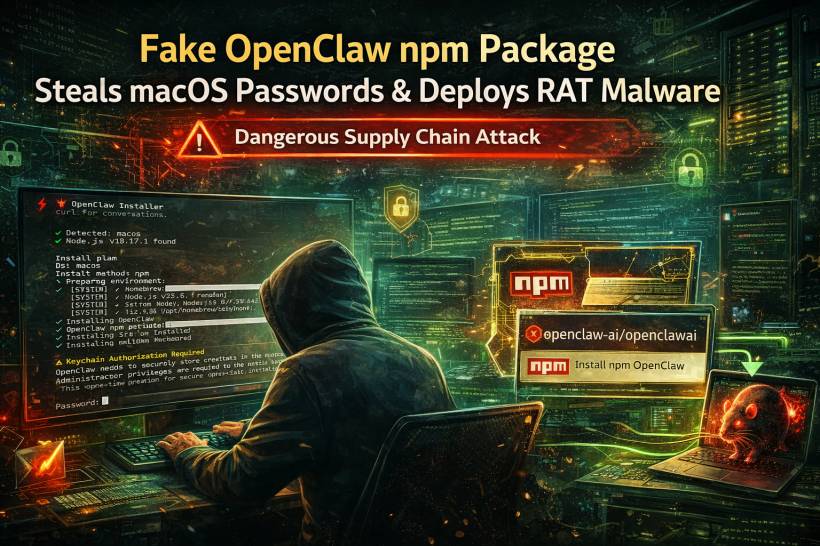
A newly uncovered npm threat is a sharp reminder that not every package pretending to be a helpful developer tool is what it claims to be. Security researchers at JFrog say a malicious package named @openclaw-ai/openclawai was uploaded to npm on 3 March 2026, disguised as an OpenClaw installer for macOS developers. Instead of installing anything legitimate, the package reportedly deployed a multi-stage malware chain designed to steal sensitive data and establish long-term remote access on infected machines. JFrog calls the campaign GhostClaw.
What makes this incident stand out is not just the package disguise. It is the sheer breadth of what the malware was built to do. According to JFrog, the package targeted system credentials, browser data, crypto wallets, SSH keys, Apple Keychain databases, and even iMessage-related data, while also installing a persistent remote access trojan with features such as SOCKS5 proxying and browser session cloning.
Why This Attack Is More Serious Than A Typical Fake Package
Malicious npm packages are not new, but many of them rely on relatively simple tricks such as clipboard theft, token scraping, or backdoor installation. This one appears to have gone much further. JFrog says the malware combined social engineering, staged payload delivery, persistence mechanisms, and wide-ranging data collection into one package, making it look much more like a full intrusion toolkit than a one-off credential stealer.
That matters because developers often install packages quickly, especially when they appear related to trending AI or automation tools. In this case, the attackers seem to have taken advantage of OpenClaw's visibility and turned that recognition into bait. The result is a supply chain-style attack that did not need a complex exploit to get in. It simply needed someone to trust the wrong package name.
How The Infection Reportedly Worked
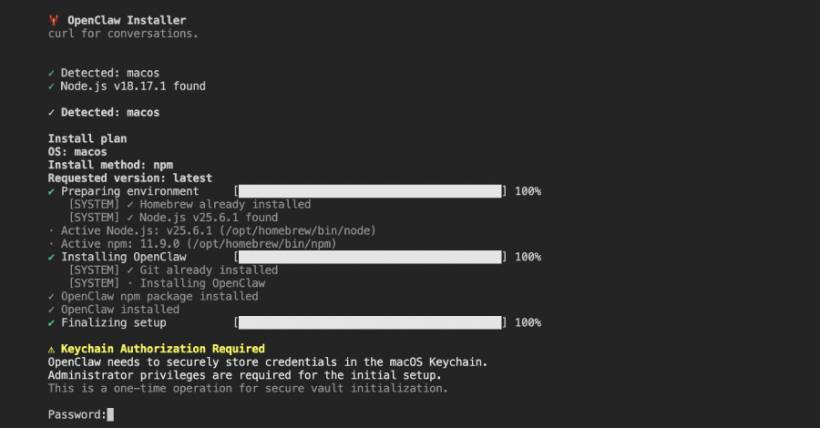
According to JFrog's analysis, the attack chain started with a postinstall hook that reinstalled the malicious package globally. From there, the package used the bin field in package.json to point execution to a setup script, which then presented the victim with a convincing fake command-line installer complete with animated progress bars. The goal was to make the installation look normal while the real malware activity unfolded behind the scenes.
After that fake installation stage, the script reportedly displayed a bogus iCloud Keychain authorization prompt and attempted to trick the victim into entering their macOS system password. At the same time, it fetched an encrypted second-stage JavaScript payload from attacker-controlled infrastructure, decoded it, wrote it to a temporary file, and launched it as a detached background process. JFrog says the temp file was then deleted after about a minute to reduce visible traces.
This is where the attack becomes especially nasty. It did not rely purely on technical stealth. It also leaned on psychology. A fake installer is one thing. A believable password prompt during setup is something many users could still fall for, especially if they already think they are installing a legitimate developer tool.
What The Malware Was Designed To Steal
JFrog says the second-stage payload was a large JavaScript-based framework that handled persistence, data collection, decryption, command-and-control communication, and remote access features. The reported target list was extensive: Apple Keychain data, saved browser credentials and cookies, credit card and autofill entries from Chromium-based browsers, crypto wallet data, SSH keys, developer and cloud credentials, AI agent configurations, and macOS data guarded by Full Disk Access.
The report also says the malware could try to collect protected data from Apple Notes, Safari history, Mail configuration, iMessage history, and Apple account-related information if it managed to get the user to grant Terminal Full Disk Access. To push that further, JFrog says the malware displayed AppleScript-based instructions telling victims how to enable that access manually.
That is a key detail because it shows the attack was designed to work around macOS security boundaries by persuading the user to lower them voluntarily. In other words, the malware was not just stealing what it could easily reach. It was actively trying to widen its own access.
The Remote Access And Session Hijacking Risk
One of the most dangerous parts of the reported toolset is the remote access functionality. JFrog says the malware supported persistent access, command execution, SOCKS5 proxying, file upload and download, self-update, self-destruction, and browser profile cloning. It also reportedly monitored the clipboard every few seconds and looked for patterns resembling private keys, crypto addresses, AWS keys, and even OpenAI keys.
The browser-cloning feature is especially worrying. JFrog says the malware could launch a headless Chromium instance using the victim's existing profile, allowing attackers to inherit authenticated sessions with cookies, logins, and browsing history already in place. That means an attacker may not need to crack passwords at all if they can simply hijack an active logged-in browser environment.
For developers, that raises the stakes considerably. A compromised browser session can expose source control accounts, cloud consoles, AI tools, dashboards, and internal web apps, all without a conventional password reset warning appearing immediately.
How The Stolen Data Was Supposed To Leave The Machine
JFrog says the collected data was bundled into a compressed archive and exfiltrated through several channels, including a command-and-control server, Telegram Bot API, and GoFile. That kind of multi-channel exfiltration design suggests the operators were prepared for interruptions and wanted several ways to get the stolen data out.
This also points to a more deliberate operation than a rushed smash-and-grab package. Even if one route failed, the malware still had alternatives. That level of redundancy usually means the attackers expected defenders to notice something eventually.
What Happened To The Package
At the time early reports appeared, the package was still said to be downloadable and had been downloaded 178 times. JFrog and follow-up coverage identified it as live during analysis. Later reporting stated that the package was removed from the npm registry on 10 March 2026.
That removal is good news, but it does not erase the main lesson. Once a malicious package has been live long enough to be downloaded, the real cleanup challenge begins on developer machines that may already be compromised.
Why Developers Should Pay Attention
This incident is another example of why package trust can no longer be treated casually, especially in fast-moving ecosystems around JavaScript, AI tooling, and developer automation. The package name looked plausible. The installer behavior looked polished. The prompts were designed to feel familiar. That combination is exactly what makes these attacks effective.
The broader takeaway is not just "be careful with npm." It is that modern developer-targeted malware is getting better at acting like normal software. It is not always noisy, broken, or obviously fake anymore. Sometimes it looks polished enough to blend in until the damage is already done.
Final Thoughts
The fake OpenClaw package story is unsettling because it combined several things that work frighteningly well together: believable branding, social engineering, staged malware delivery, broad credential theft, and persistent remote access. According to JFrog's findings, this was not a lightweight nuisance package. It was a serious attempt to turn developer machines into long-term footholds.
For anyone working with npm packages, especially those tied to newer AI-related tools, this is a strong reminder to verify package names, publishers, and install sources carefully. One rushed install can turn into something much bigger than a bad dependency.











Comments 0