

Visual Basic 6.0 holds a special place in the history of Windows software development. For many programmers, it was the environment where they created their first desktop application, designed their first graphical interface, or discovered the satisfaction of turning a few lines of code into something useful. Its approachable visual tools and rapid development workflow made programming accessible to an entire generation.
Now, that familiar experience is available in a new and convenient form. Visual Basic 6.0 Web brings a ready-to-use VB6 development workspace directly to your browser, allowing you to revisit classic Windows programming without installing a virtual machine or configuring an older computer.
Whether you are maintaining a legacy project, learning about classic software development, recovering old source code, or simply returning for the nostalgia, Visual Basic 6.0 Web offers an easy way to get started.
A Complete VB6 Workspace in Your Browser
Visual Basic 6.0 Web runs a prepared Windows environment through modern browser technology. Visit the application and the workspace begins loading automatically—there is no introductory prompt, installation wizard, or complicated configuration process.
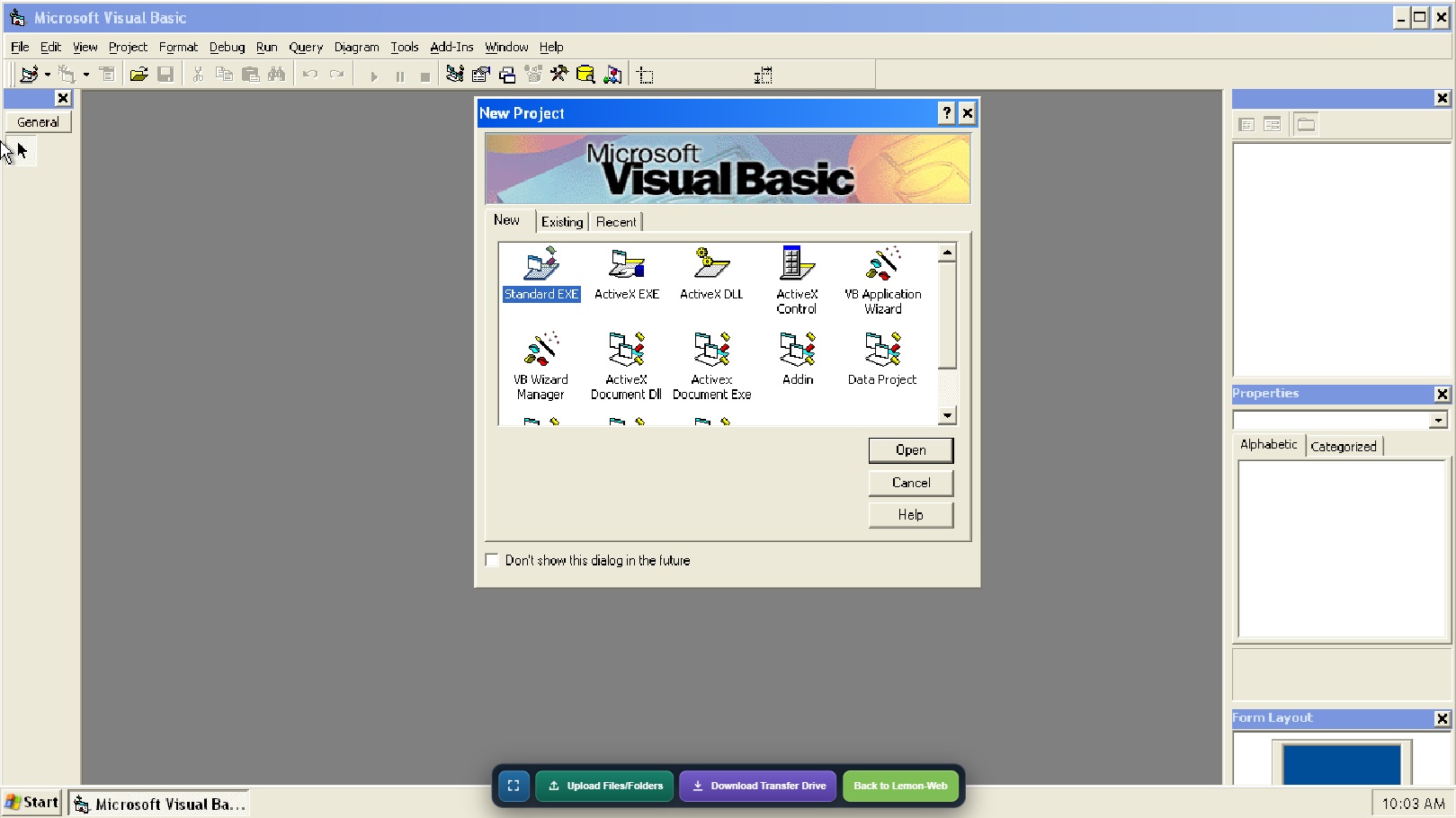
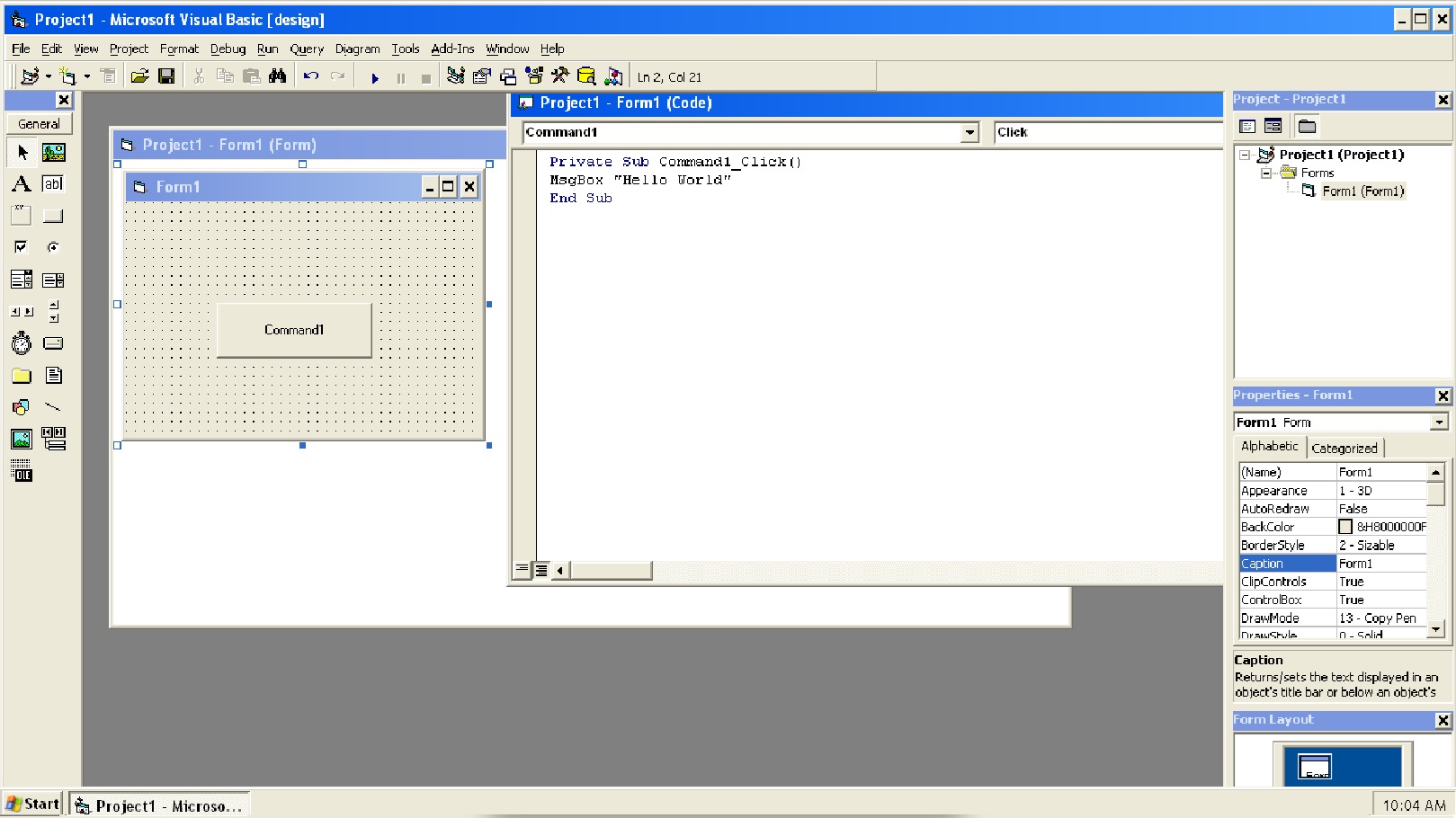
Once the workspace is ready, you can interact with Visual Basic 6.0 much as you would on a traditional Windows computer. Create forms, edit source code, explore existing projects, work with classic controls, and run your applications from within the development environment.
The display automatically uses the full available height while preserving the correct screen proportions. This keeps the Windows desktop clear and comfortable to use without stretching or distorting the image. A fullscreen option is also available when you want a more immersive, desktop-like experience.
Why Visual Basic 6.0 Still Matters
Although software development has moved through many generations of tools and frameworks, VB6 applications remain in use around the world. Businesses may still depend on internal utilities, reporting systems, database front ends, industrial applications, and custom administrative tools created with Visual Basic 6.0.
For developers responsible for these systems, having convenient access to the original development environment can be extremely valuable. Visual Basic 6.0 Web can provide a practical workspace for reviewing source code, inspecting project structures, testing small changes, and understanding how an older application was designed.
VB6 is also an important part of programming history. Its combination of visual interface design and event-driven code helped make Windows development approachable. Students and enthusiasts can use the web version to explore how desktop applications were built before today's web frameworks, mobile platforms, and cloud development tools became widespread.
Start Without Installing Anything
Setting up Visual Basic 6.0 on a modern computer can be challenging. Compatibility issues, older installers, system components, and operating-system differences can turn a simple experiment into a lengthy configuration exercise.
Visual Basic 6.0 Web removes much of that friction. The operating environment, development tools, and starting workspace are prepared in advance. A compatible modern desktop browser is all you need to begin.
This makes the application especially useful when you want to inspect a VB6 project quickly, demonstrate the classic development environment, or work from a computer where installing older software is inconvenient.
Because the environment runs inside the browser, it can also be accessed across different modern desktop operating systems without requiring Visual Basic 6.0 to be installed directly on the host computer.
Upload Your Own Files and Folders
A development environment becomes much more useful when you can bring your own projects into it. Visual Basic 6.0 Web includes an Upload Files/Folders feature that lets you select individual files, multiple files, or an entire folder from your computer.
Your selection is converted into a temporary Windows-readable disc and mounted inside the emulated workspace. Folder organization and long filenames are preserved, making it possible to transfer complete VB6 project structures instead of uploading every file individually.
The temporary disc is read-only, so files you want to modify should first be copied into Windows or onto the dedicated Transfer (Z:) drive. Upload selections should remain below 256 MB for reliable processing.
This workflow supports many useful scenarios, including:
- Opening an existing VB6 project for inspection
- Importing forms, modules, classes, and resource files
- Reviewing archived source code
- Testing older sample applications
- Moving supporting documents or data files into Windows
- Exploring projects recovered from older computers or backups
Download Your Work with the Transfer Drive
Getting files out of the browser workspace is just as important as getting them in. Visual Basic 6.0 Web includes a dedicated Download Transfer Drive function for this purpose.
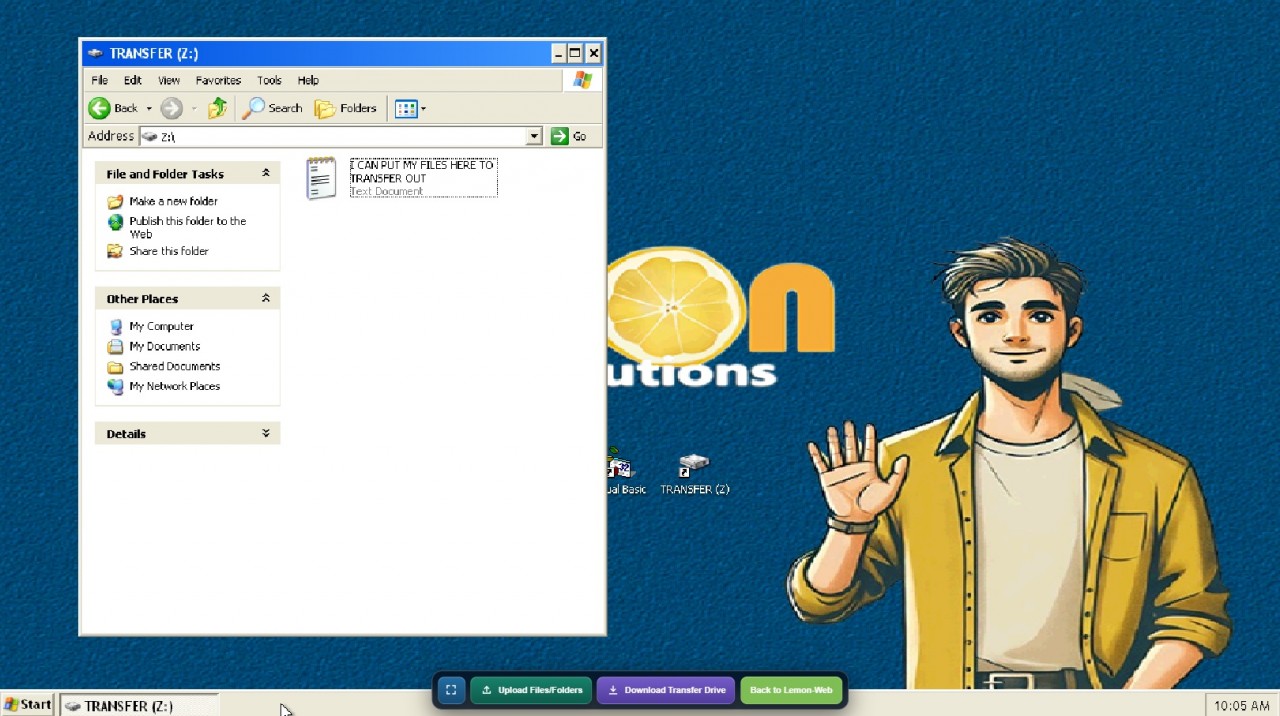
Copy any project or file you want to keep onto the Transfer drive inside Windows. Before downloading, save and close any open files located on that drive. Select Download Transfer Drive, and the application will create a ZIP archive containing its current contents.
The ZIP is prepared directly in your browser, including folders, long filenames, Unicode filenames, empty directories, and files created or changed during the current session. The Windows system disk itself is not included.
This provides a clear and convenient workflow:
- Upload your original project or files.
- Copy them into Windows or onto Transfer (Z:).
- Work with them in Visual Basic 6.0.
- Save the finished files onto Transfer (Z:).
- Select Download Transfer Drive.
- Keep the downloaded ZIP on your computer.
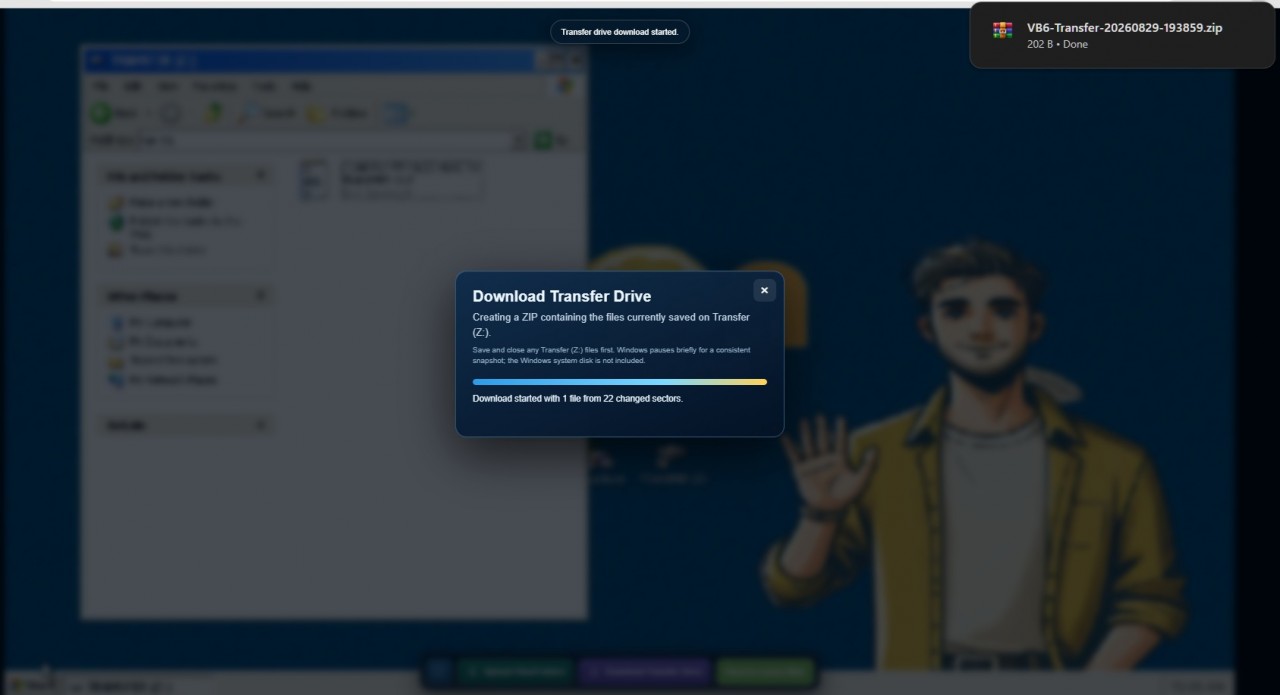
Since the workspace begins from its prepared starting state when a new session is loaded, downloading important work before leaving or refreshing the page is essential.
Built for a Smooth Browser Experience
Running a complete Windows development environment in a browser requires more than displaying a remote desktop. Visual Basic 6.0 Web uses an x86 emulator powered by WebAssembly, allowing the Windows environment to run locally within the browser tab.
The original system image is approximately 1.1 GB, but it has been divided into 1 MB sections and compressed with Zstandard. The complete compressed disk is approximately 290 MB, and the browser only requests the individual sections required by the running system.
Empty and repetitive areas of the Windows disk compress extremely well—some unused 1 MB sections become only a few dozen bytes. Each downloaded section is decompressed back to its exact original size before being used by the emulator.
A separately compressed start state restores the prepared Windows and Visual Basic workspace, reducing the time needed to reach a usable development environment. Together, these techniques make it possible to deliver a complete classic Windows programming experience through a modern website.
Useful for Developers, Students, and Enthusiasts
Visual Basic 6.0 Web is designed for more than one type of user.
Legacy software developers
Developers supporting older business applications can use the workspace to inspect projects, review forms and modules, and revisit the tools originally used to create the software.
Programming students
Students can explore event-driven programming, graphical interface design, properties, controls, procedures, and classic Windows application architecture in an approachable environment.
Software historians and preservation enthusiasts
The application offers a hands-on way to experience an influential development tool rather than learning about it only through screenshots or videos.
Former VB6 programmers
For anyone who began programming with Visual Basic, opening the familiar development environment can bring back memories of command buttons, text boxes, property windows, form designers, and the excitement of compiling a first executable.
Curious modern developers
Programmers familiar with contemporary languages can explore an earlier approach to rapid application development and compare it with today's frameworks and development environments.
Tips for the Best Experience
For a comfortable session, use an up-to-date desktop browser and allow the initial workspace to finish loading before interacting with Windows.
Use the fullscreen button when you want the largest possible workspace. The control menu hides automatically to keep the desktop unobstructed and can be restored with the red Menu button.
When uploading a project, remember that the mounted upload disc is read-only. Copy the project to the Windows disk or Transfer drive before editing it.
Most importantly, save completed work onto Transfer (Z:) and download the Transfer Drive ZIP before refreshing the browser, closing the tab, or ending your session.
Rediscover a Classic Development Environment
Visual Basic 6.0 helped countless people discover that programming could be visual, creative, and immediately rewarding. Its influence can still be seen in modern development tools that emphasize rapid interface design and event-driven application logic.
Visual Basic 6.0 Web preserves that experience while making it easier to access from today's computers. There is no lengthy installation process and no need to maintain a dedicated older machine. Open the application, wait for the prepared workspace to appear, and begin exploring.
Launch Visual Basic 6.0 Web now and experience a classic era of Windows programming directly in your browser.











Comments 0