

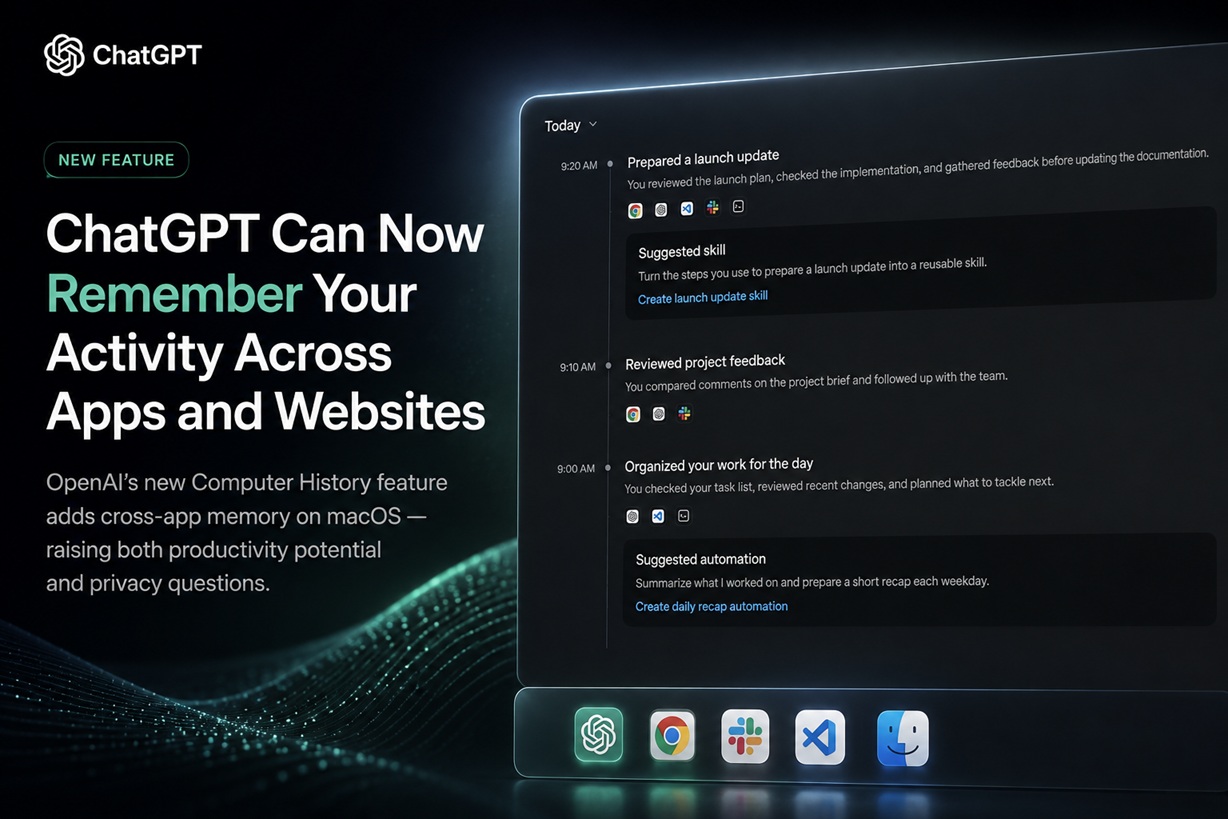
OpenAI is giving ChatGPT a much broader form of memory with a new feature called Computer History, allowing ChatGPT and Codex to reference activity across selected apps and websites on a Mac. The idea is straightforward: instead of remembering only what you previously told ChatGPT in conversations, Computer History can build a timeline of recent computer activity and turn parts of that activity into memories. You can then ask questions such as what you were working on earlier, where you left off, or which document or website you had been using.
It inevitably draws comparisons with Microsoft's Windows Recall, but OpenAI's implementation works differently. Computer History does not continuously capture screenshots of the desktop. Instead, it records interaction events exposed by macOS, such as clicks, typing, keyboard shortcuts, application switches and other contextual information from supported apps and websites.
Computer History Gives ChatGPT Context Outside the Chat Window
Until now, ChatGPT's memory has largely been based on conversations, saved memories and information explicitly brought into a chat.
Computer History extends that context into the work happening elsewhere on the computer.
Once enabled, ChatGPT and Codex can use the resulting timeline to understand what you have recently been doing. That could include reviewing a document, jumping between applications, researching something on the web or repeatedly completing a particular workflow.
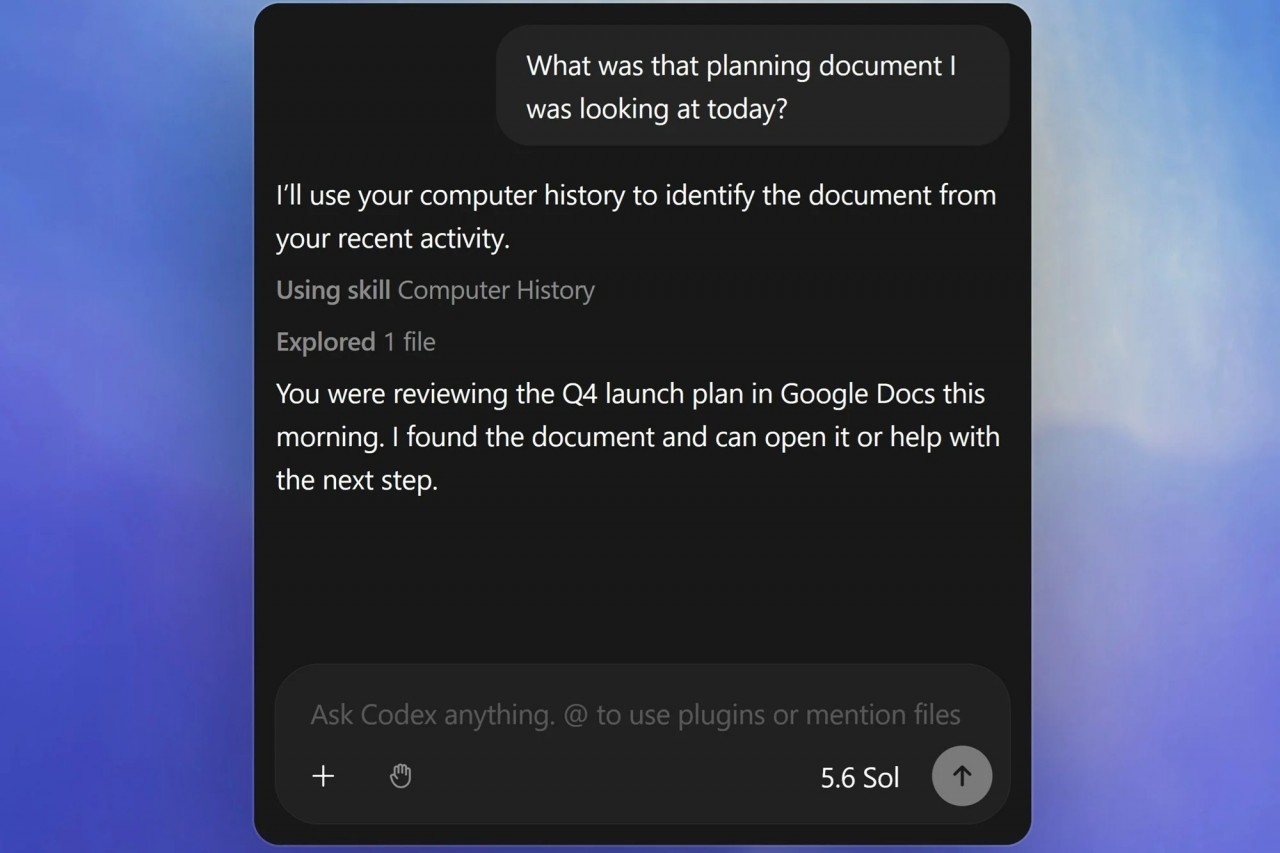
For example, instead of remembering the exact name of a document you were editing earlier, you might simply ask ChatGPT:
Computer History could use the recent activity timeline to identify the relevant work and help you continue from there.
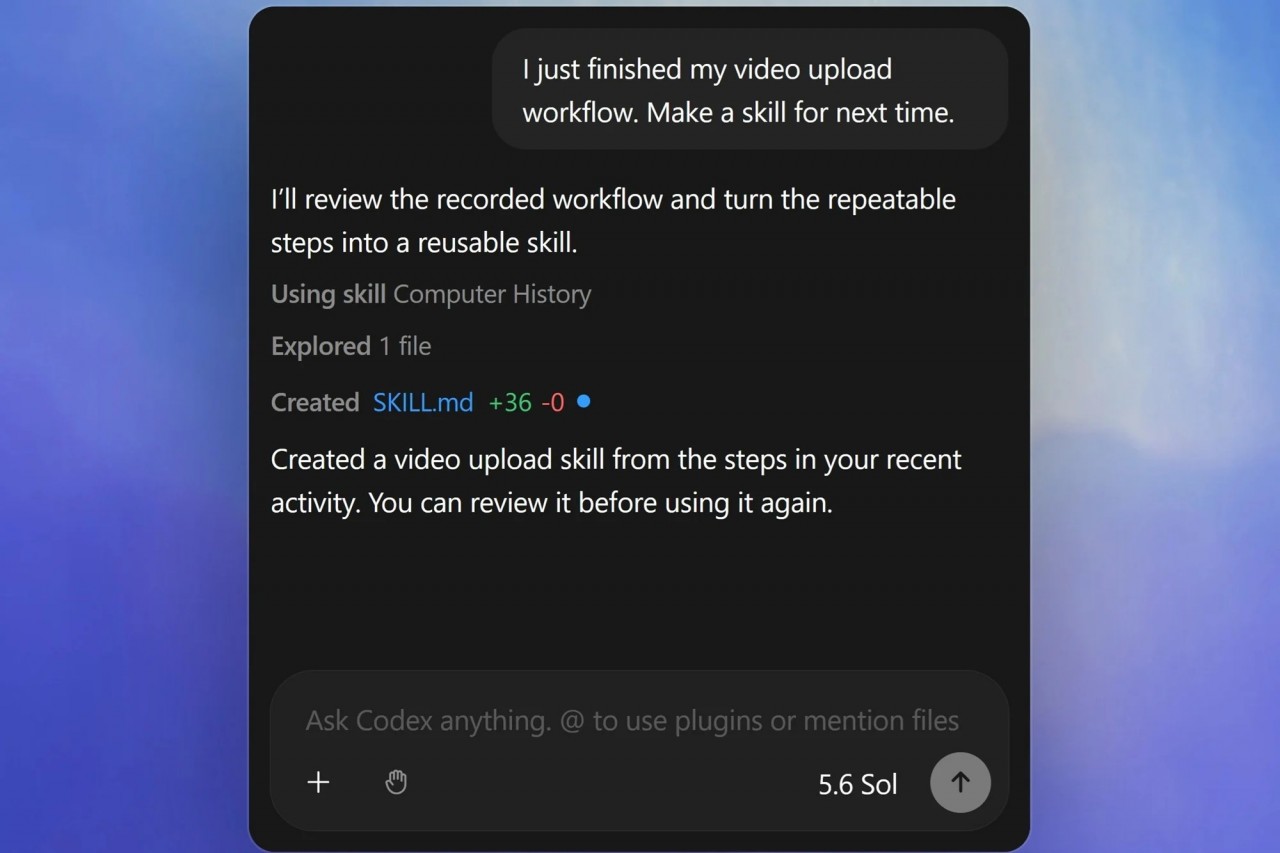
OpenAI also says repeated patterns can eventually be turned into suggested skills or automations, potentially making frequently repeated desktop workflows easier to reproduce.
It Records Activity Events, Not Screenshots
This is one of the most important distinctions between Computer History and the original concept behind Windows Recall.
OpenAI says Computer History does not capture screenshots, screen recordings, microphone input or system audio. Private browsing activity is also excluded.
Instead, the feature creates an interaction-event stream based on activity available through macOS accessibility capabilities.
Those events can include actions such as:
The system periodically converts this activity into text summaries and local memory files that ChatGPT and Codex can later reference.
That makes it considerably different from simply recording everything happening visually on the screen.
The Feature Is Completely Opt-In
Computer History is disabled by default.
It is currently available through the ChatGPT desktop app on macOS for ChatGPT Pro, Business and Enterprise users. Business and Enterprise organisations also have an additional layer of control: workspace administrators must explicitly allow access before individual members can decide whether they want to enable it.
The initial rollout does not currently include users in the European Economic Area, United Kingdom or Switzerland.
Computer History also requires ChatGPT's Memories functionality to be enabled because the feature relies on memory to carry activity context across conversations and tasks.
So this is not something that suddenly begins monitoring a Mac after an application update. Users need to deliberately turn it on and grant the necessary permissions.
You Can Decide Which Apps and Websites Are Included
OpenAI has also built controls around what Computer History is allowed to observe.
Users can create inclusion or exclusion rules for apps and websites.
For example, you could allow Computer History to work with your browser, coding environment and productivity applications while excluding banking websites, messaging applications or anything containing particularly sensitive information.
The settings support both approaches:
Computer History can also be paused temporarily through the macOS menu bar and resumed later.
This could be especially useful when switching between ordinary work and activities that should remain outside the history.
You Can Inspect and Delete What It Remembers
Computer History is not designed as an invisible background archive.
OpenAI provides a history interface where users can inspect what has been summarised and remove items they no longer want retained.
Users can delete individual timeline entries or clear activity covering specific periods, including the previous ten minutes, hour, day or the entire history.
Clearing the activity also deletes memories generated from those events.
That gives users considerably more visibility over what the feature has retained compared with simply trusting an unseen background process.
The Storage Model Is More Nuanced Than It First Appears
Privacy is naturally going to be the biggest concern with any system designed to remember computer activity.
OpenAI says the raw interaction-event stream is temporarily stored on the Mac and retained for up to 48 hours. These event files are placed inside the ChatGPT App Group, which isolates them so other applications cannot simply access them without explicit permission.
This is an important clarification because some early descriptions of Computer History suggested that its files were broadly accessible to other applications running under the same macOS account.
OpenAI's current documentation instead says the temporary event data is isolated within the app group.
The resulting memories are stored locally as readable Markdown files under the user's Codex memory directory and remain there until they are deleted or the relevant history is cleared.
OpenAI also says temporary event files are processed on its servers to generate memories but are not retained after processing, except where legally required, and are not used for model training.
There Are Still Some Obvious Privacy Considerations
Even without screenshots, Computer History can potentially collect a large amount of contextual information.
Typing, app switching and website activity can reveal surprisingly detailed information about someone's work.
OpenAI therefore specifically advises users to consider pausing the feature or excluding apps that contain sensitive health, financial or personal information.
Communication applications require additional caution.
OpenAI says users should turn Computer History off while capturing communications involving other people unless those individuals have provided prior express consent.
That is particularly relevant in workplaces where employees may regularly handle confidential messages, customer information or internal discussions.
The usefulness of the feature therefore depends heavily on how carefully its permissions are configured.
The Real Appeal Is Remembering Work Without Reconstructing It
Computer History becomes more interesting when viewed less as surveillance and more as a memory layer for productivity.
Anyone who works across many applications knows the problem.
You might spend the morning researching something in a browser, reading messages, modifying code, opening documents and comparing several sources.
A few hours later, remembering exactly where everything was can take time.
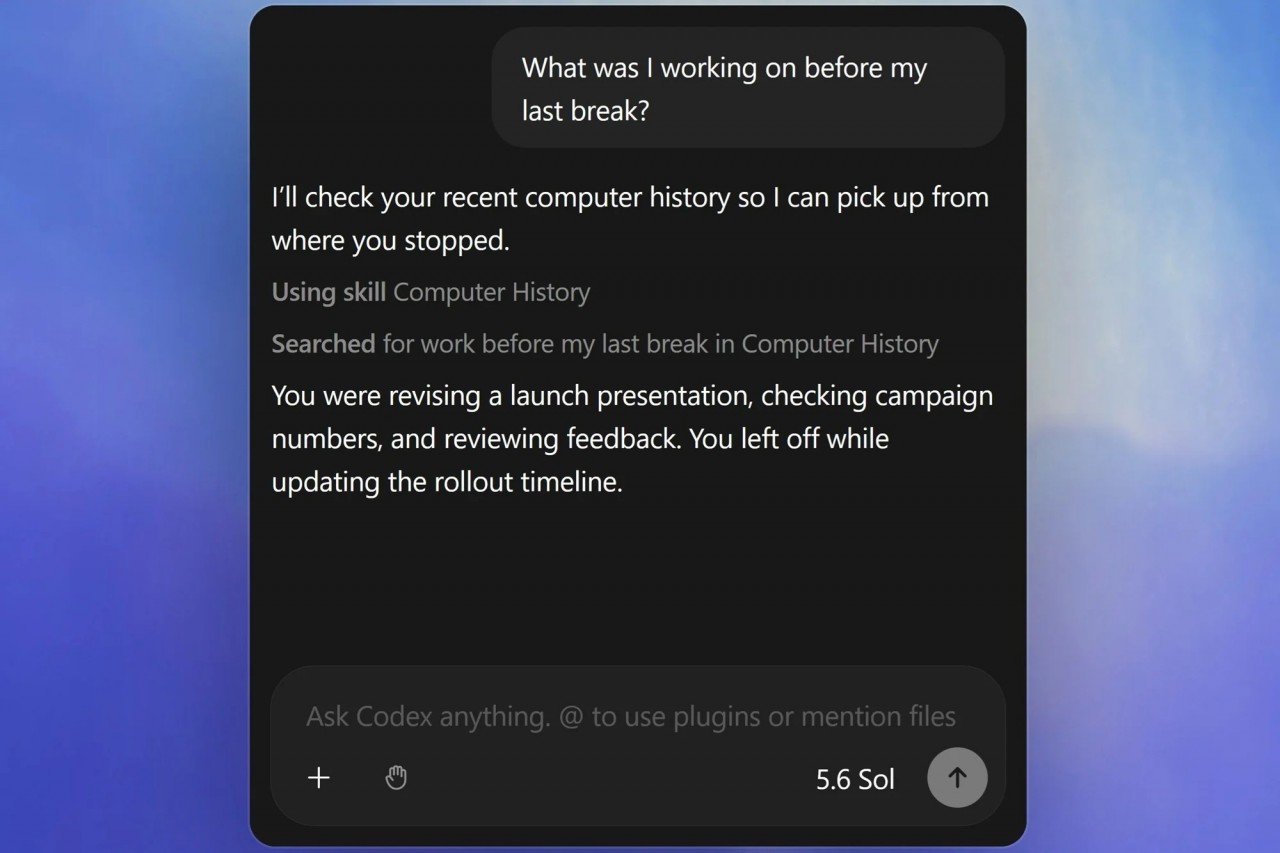
With Computer History, ChatGPT could potentially reconstruct enough context to answer questions such as:
or:
Computer History can use the timeline to identify the likely source, after which ChatGPT or Codex can work with the original document or application where appropriate.
That could make the feature particularly useful for developers, researchers and people constantly moving between projects.
Codex Could Turn Repeated Work Into Automations
Another potentially powerful aspect is the connection with Codex.
OpenAI says Computer History can recognise repeated workflows and suggest turning them into reusable skills or automations.
Imagine repeatedly performing the same sequence:
Open a project.
Check an implementation.
Review feedback.
Update documentation.
Send a summary.
If Computer History recognises that pattern, it could suggest creating an automation around it rather than requiring you to manually describe the entire process from scratch.
That begins moving ChatGPT from remembering information toward remembering how you work.
And that could ultimately be much more useful.
It Is Easy to Compare This With Windows Recall
The obvious comparison is Microsoft's Recall because both features attempt to answer essentially the same productivity problem:
How can an AI remember enough of your computer activity to help you find things later?
But the implementation is substantially different.
Recall became controversial because its original concept revolved heavily around periodically capturing visual snapshots of the desktop.
OpenAI's Computer History instead works from interaction events and explicitly says it does not record the screen or audio.
That does not eliminate privacy questions, because interaction events can still reveal sensitive information.
But it does reduce one of the biggest concerns surrounding screen-history systems: maintaining a searchable photographic record of everything that appeared on the display.
Computer History Could Make AI Memory Much More Useful
AI memory has traditionally been limited by one obvious problem.
The assistant can only remember what it has actually seen.
If most of your work happens outside ChatGPT, then even an intelligent assistant has only a partial understanding of what you are doing.
Computer History attempts to close that gap.
Instead of requiring users to constantly explain context, upload files or reconstruct previous work, the AI can potentially use recent computer activity as another source of information.
That could make interactions feel much more natural.
Rather than telling ChatGPT:
you could simply ask:
Whether that experience becomes genuinely useful will depend heavily on how accurately Computer History summarises activity without collecting more information than users are comfortable sharing.
Final Thoughts
Computer History represents a significant expansion of what ChatGPT memory can mean.
Instead of remembering only previous conversations, ChatGPT and Codex can now build context from activity occurring across selected Mac applications and websites.
The feature is deliberately opt-in, can be paused at any time, allows apps and sites to be excluded, and does not capture screenshots, screen recordings, microphone input or system audio.
For privacy-conscious users, though, it is still something worth configuring carefully. An interaction history of applications, websites and typed activity can contain highly sensitive information even without screenshots.
For people comfortable with those trade-offs, the potential is substantial.
Computer History could make ChatGPT much better at answering one deceptively useful question:
And if OpenAI can make that work reliably while maintaining strong user control, Computer History may prove far more valuable than simply giving ChatGPT a longer memory of previous chats.











Comments 0