

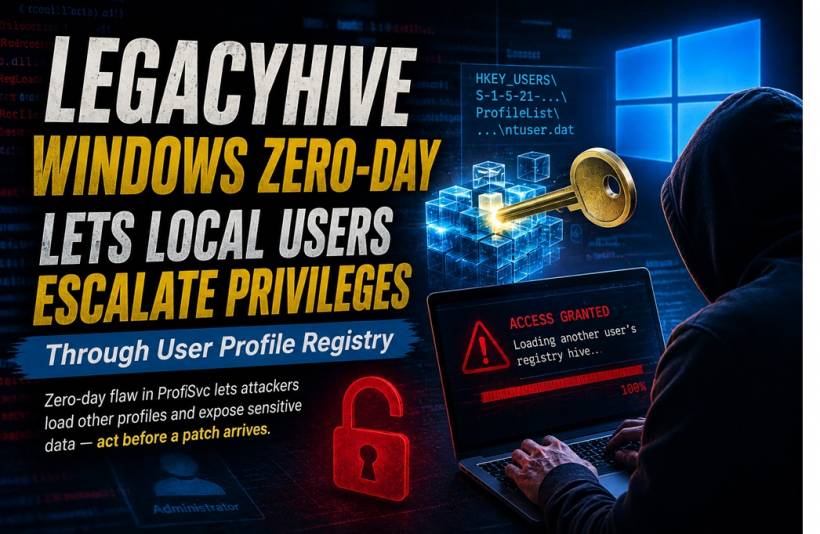
A newly disclosed Windows vulnerability known as LegacyHive has raised concern because it could allow someone with an ordinary local account to access registry information belonging to other users on the same computer. The flaw affects the Windows User Profile Service, the component responsible for loading and managing user profiles during sign-in. By manipulating how Windows handles registry hives, an attacker may be able to view information that should normally remain isolated inside another user's profile.
LegacyHive Windows Zero-Day Could Let Standard Users Access Other Profiles' Registry Data
A newly disclosed Windows vulnerability known as LegacyHive has raised concern because it could allow someone with an ordinary local account to access registry information belonging to other users on the same computer.
The flaw affects the Windows User Profile Service, the component responsible for loading and managing user profiles during sign-in. By manipulating how Windows handles registry hives, an attacker may be able to view information that should normally remain isolated inside another user's profile.
More importantly, a public proof-of-concept exploit is already available, increasing the possibility that attackers could study, modify and weaponise the technique before a permanent security update is widely deployed.
What Is the LegacyHive Vulnerability?
LegacyHive is a local privilege-escalation vulnerability involving the Windows User Profile Service, commonly known as ProfSvc.
Every Windows user profile has its own registry hive containing settings, application configurations and other account-specific information. Windows loads this data when the user signs in and unloads it when the profile is no longer required.
The vulnerability appears to exploit weaknesses in that loading and unloading process. A low-privileged user may be able to interfere with registry operations and load another person's profile hive without proper authorisation.
This does not necessarily give the attacker full administrative control immediately. However, it could expose valuable information that helps them move closer to that goal.
Why Access to Another User's Registry Matters
The Windows Registry contains much more than cosmetic preferences and desktop settings.
Depending on the applications installed and how they store information, a user's registry hive may contain:
Not every registry value is sensitive, but attackers rarely rely on a single discovery. Information gathered from another profile can help them understand the environment, identify privileged users or locate credentials and application data that support a broader compromise.
The exposed information could also be combined with another vulnerability to cross additional Windows security boundaries.
The Attacker Still Needs Local Access
LegacyHive is not described as a remote attack that can compromise a Windows computer directly over the internet.
An attacker would first need access to the system through a standard local user account. That access could come from stolen credentials, malware, an insider account, a compromised remote session or another earlier stage of an intrusion.
Once signed in, the attacker could attempt to exploit the User Profile Service, load another user's registry hive and extract information for further privilege escalation or post-compromise activity.
This requirement reduces the risk of random internet-wide attacks, but it does not make the vulnerability harmless. In corporate environments, attackers frequently obtain ordinary user access before looking for a way to reach administrator privileges.
A Public Exploit Raises the Urgency
One of the most concerning aspects of LegacyHive is the availability of public proof-of-concept code.
Proof-of-concept exploits are often released to demonstrate that a vulnerability is genuine and help defenders understand how it works. However, the same code can also provide attackers with a starting point.
Threat actors may adapt the exploit, automate it or combine it with malware and other vulnerabilities. The more widely the technical details circulate, the easier it becomes for attackers to test the flaw against real systems.
This creates a difficult period for organisations when public exploitation knowledge exists but an official fix may not yet be available.
Recent Windows Updates May Not Be Enough
The vulnerability was reportedly still exploitable on systems that had received the July 2026 Windows security updates.
That means installing the latest Patch Tuesday release alone may not fully protect affected devices from LegacyHive. Organisations should continue patching normally, but they should not assume that a fully updated system is automatically safe from this specific issue.
Until a dedicated correction is released, defensive monitoring and access restrictions become especially important.
Why Privilege-Escalation Flaws Are Valuable to Attackers
Many serious cyberattacks begin with an account that has limited permissions.
A standard user typically cannot disable security tools, modify protected system areas or access every other user's data. Attackers therefore look for privilege-escalation vulnerabilities that allow them to break out of those restrictions.
LegacyHive may help with that process by exposing information from more privileged profiles. Even when the vulnerability does not directly produce administrator rights, the harvested data may support credential theft, application compromise or exploitation of another weakness.
This is why local vulnerabilities often become critical components in a larger attack chain.
Shared and Multi-User Systems Face Greater Risk
The vulnerability is particularly relevant to computers used by multiple people or systems where both standard and privileged accounts have active profiles.
Examples may include:
On these devices, several user registry hives may be present, increasing the amount of potentially valuable information available to an attacker.
Sensitive servers should ideally not be used for routine browsing, email or general user activity. Reducing interactive access lowers the opportunity for a standard account to become the starting point for local exploitation.
Restrict Local Logon Rights
Until a permanent fix is available, organisations should review who is permitted to sign in locally or through Remote Desktop.
Accounts that do not require interactive access should have those rights removed. Service accounts should not normally be allowed to log on interactively, and privileged accounts should only be used when administrative work genuinely requires them.
The principle of least privilege is especially important here. Fewer local accounts and fewer unnecessary permissions mean fewer opportunities for an attacker to reach the vulnerable component.
Protect Privileged Accounts More Carefully
Administrator accounts should be separated from normal daily-use accounts.
IT staff should avoid using privileged credentials for email, web browsing or routine office work. A separate administrative account should be used only on systems that require elevated access.
Strong authentication should also be enforced wherever possible. Although multifactor authentication cannot directly prevent every local privilege-escalation exploit, it can reduce the risk of attackers obtaining the initial account access needed to begin the attack.
Privileged access workstations and dedicated administrative jump systems can provide additional protection when properly isolated.
Monitor ProfSvc and Registry Activity
Security teams should watch for unusual behaviour involving the Windows User Profile Service and user registry hives.
Potential warning signs may include:
Endpoint Detection and Response platforms may be able to identify suspicious process chains or registry operations even when no specific malware signature is available.
Windows event logs should also be retained centrally so investigators can review activity even if the affected endpoint is later altered or taken offline.
Threat Hunting Should Not Wait for an Alert
Because proof-of-concept code is publicly available, organisations may want to conduct proactive searches rather than waiting for security tools to generate a warning.
Threat hunters can examine endpoints for unusual registry-hive loading, suspicious access to profile directories and privilege-escalation attempts involving standard user accounts.
Particular attention should be given to sensitive systems where privileged users have previously signed in. Those machines may contain more valuable profile information and therefore present a more attractive target.
Historical log analysis may also reveal attempted exploitation that occurred before defenders became aware of the vulnerability.
Prepare for the Official Security Update
Microsoft security communications should be monitored closely, and the official update should be tested and deployed promptly once it becomes available.
Organisations should identify affected Windows assets in advance so they are ready to prioritise patching. Critical servers, shared systems, administrative workstations and remote-access environments should likely receive the highest attention.
Emergency patching plans are most effective when asset inventories, deployment tools and rollback procedures are already in place. Waiting until a fix is released to determine which systems are exposed can delay protection.
Final Thoughts
LegacyHive highlights why a standard Windows account should never be treated as harmless once it has been compromised.
By abusing the way Windows manages user registry hives, an attacker may be able to access information belonging to other profiles and use it to support further privilege escalation. The public availability of proof-of-concept code makes the situation more urgent, particularly while a dedicated security update is unavailable.
Restricting interactive access, separating privileged accounts, monitoring unusual registry activity and conducting proactive threat hunting can help reduce the immediate risk. Once an official correction is released, organisations should move quickly to test and deploy it across affected Windows systems.











Comments 0