

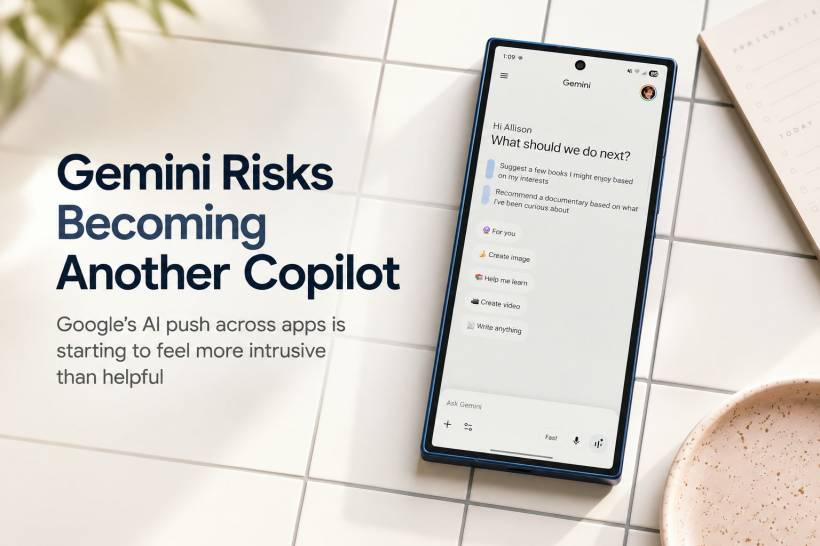
There is a difference between making AI useful and making AI impossible to ignore. That difference matters, because once a feature starts appearing everywhere, users can quickly move from curiosity to frustration. Google's Gemini may now be getting dangerously close to that point.
Over the past few years, Gemini has slowly found its way into Google's apps and services. At first, it was easy to treat it as a small extra feature. A sparkle icon here, a writing suggestion there, an AI option quietly sitting somewhere inside Gmail, Google Drive, Docs, Chrome, or Search. But lately, it feels less like a helpful assistant and more like something that keeps following users around whether they asked for it or not.
The Problem With AI Showing Up Everywhere
The issue is not really about Gemini itself. Gemini can be useful. It can help summarise information, draft ideas, explain topics, assist with coding, and provide quick answers when the situation fits. Used at the right moment, it can genuinely save time.
The problem starts when AI features become too aggressive. When every app suddenly has a floating AI button, a suggested prompt, a "help me write" box, or a shortcut that keeps asking for attention, the experience begins to feel crowded. Instead of feeling like a tool you choose to use, AI starts to feel like a feature being forced into your normal workflow.
That is where Google needs to be careful. People open Gmail because they want to find, read, and reply to email. They open Google Drive because they want to manage files. They open Docs because they want to write. If Gemini is always hovering in the interface, suggesting itself before the user even needs it, the feature risks becoming annoying rather than helpful.
The Copilot Lesson Google Should Not Ignore
Microsoft has already shown what happens when an AI assistant is pushed too heavily across an operating system. Copilot appeared across Windows, Office, Edge, and other Microsoft services at a very fast pace. For some users, it was useful. For many others, it felt like Microsoft was trying to turn every corner of Windows into an AI entry point.
That created fatigue. People started complaining not because AI was completely useless, but because it felt intrusive. A shortcut here and there is fine. A constant stream of AI prompts, icons, panels, and suggestions is something else entirely.
Google now faces a similar risk with Gemini. If the company continues placing Gemini into every workspace, browser, file manager, document editor, and inbox without giving users enough control, it may repeat the same mistake. AI should improve the experience, not make users feel like they are being chased by a feature they did not ask for.
Gemini Can Be Useful When It Is Invited
This is what makes the situation frustrating. Gemini is not automatically a bad product. In many cases, it can be genuinely helpful. Some users already use it to brainstorm ideas, write quick drafts, code small tools, summarise information, or ask simple everyday questions.
Even Google's AI Overviews in Search can be helpful when used for low-risk information. If you are checking a simple cooking timing, a basic gardening question, or a quick general explanation, AI-generated summaries can save time. They are not perfect, but for casual use, they can sometimes be convenient.
That is the important point. AI works best when the user chooses to use it. It becomes irritating when it appears before the user has even decided they need help. A good assistant should be available, not constantly interrupting.
Google Docs Shows Where The Friction Begins
One of the clearest examples is Google Docs. Writing is a personal process, especially for people who use Docs for work, blogging, planning, reporting, or creative projects. When a persistent Gemini icon appears at the bottom of the window and expands into writing suggestions when hovered over, it can feel like the app is no longer giving the user a clean writing space.
For casual users, that might be harmless. For writers, editors, students, office workers, and content creators, it can feel disruptive. Not everyone wants AI to suggest how they should write. Sometimes people just want a blank document and a quiet interface.
This is where AI features can cross the line from helpful to intrusive. A writing assistant hidden in a menu or available through a clear command is one thing. A persistent icon that keeps reminding you it exists is another.
AI Fatigue Is Becoming Real
The wider problem is that many users are already tired of hearing about AI everywhere. AI is being added to search engines, browsers, phones, laptops, office suites, email clients, messaging apps, image editors, note apps, and operating systems. At some point, even people who are interested in technology can start to feel overloaded.
There is also a trust issue. AI tools had very public early mistakes, and while many have improved, users still know that AI can hallucinate, misunderstand context, or generate confident but wrong answers. Because of that, not everyone wants AI sitting inside every professional tool they use.
For younger users especially, there are signs that excitement around AI is not always as strong as tech companies assume. The more AI tools are pushed into daily life, the more some users question whether they actually want them there.
Workplace AI Needs A Lighter Touch
The situation becomes more sensitive when AI is placed inside work tools. Gmail, Docs, Drive, and Chrome are not just casual apps for many people. They are part of daily work. People use them to manage business communication, write reports, handle files, collaborate with teams, and search for important information.
In that context, a constant AI presence can feel unprofessional or distracting. When someone opens Gmail, they may simply want to search for an email using a few keywords. When they open Drive, they may want to find a document, not ask Gemini to explain a folder. When they open Chrome, they may want to manage tabs, not chat about them.
The best workplace tools usually reduce friction. If Gemini adds another layer of prompts and visual clutter, it could make Google Workspace feel heavier rather than smarter.
The Developer Community Concern
There is also a deeper concern around how AI is affecting the people who build software. Tech companies are talking more openly about AI coding tools, automation, and productivity gains. At the same time, software engineers and other tech workers are seeing layoffs across the industry.
That makes the messaging around AI more complicated. It is hard to present AI as a cheerful productivity helper while many workers are worried that the same technology is being used to reduce jobs. For developers, writers, designers, and other digital workers, AI is not just a new tool. It is also part of a much bigger conversation about job security, creative value, and the future of work.
Google should be aware of that mood, especially when promoting Gemini heavily during developer-focused events such as Google I/O.
Users Need Control, Not Constant Nudging
The solution is not for Google to remove Gemini completely. That would be unnecessary, because the tool does have value. The better solution is to give users more control and make Gemini feel optional.
Users should be able to decide where Gemini appears, when it shows suggestions, and whether persistent icons are visible inside work apps. A simple setting to reduce or hide Gemini prompts across Workspace would go a long way. People who love Gemini can keep it visible. People who prefer a cleaner interface can keep it out of the way.
That kind of choice would make Gemini feel more respectful. It would also reduce the risk of users becoming hostile toward the product simply because it appears too often.
Final Thoughts
Gemini has the potential to be a useful AI assistant, but Google needs to be careful with how aggressively it places the feature across its apps. The problem is not that AI exists inside Gmail, Docs, Drive, Chrome, or Search. The problem is when AI starts to feel unavoidable.
Microsoft's Copilot push should be a clear warning. Even a powerful tool can become unpopular if users feel it is being forced into every part of their digital life. Gemini should be something people reach for when it helps, not something that constantly asks to be noticed. If Google wants users to trust and appreciate Gemini, it needs to make the experience quieter, more optional, and more respectful of how people already work.











Comments 0