

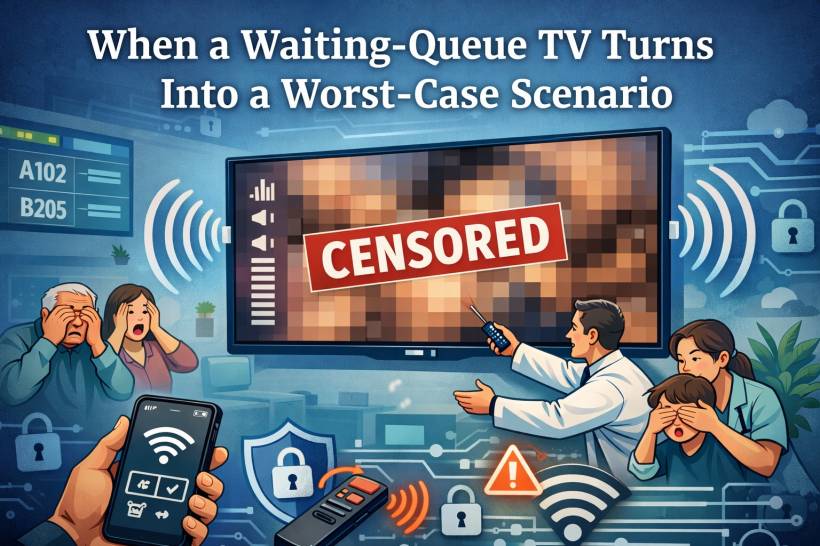
If you've ever been in a private hospital waiting area in Malaysia, you know the drill. There's usually a big TV on the wall showing queue numbers, counters, and maybe a polite reminder to keep your receipt or identification ready. It's boring, predictable, and honestly… that's exactly what you want in a waiting room.
But recently, an incident happened at a private hospital in Malaysia where that "boring queue screen TV" was compromised and hijacked in a way that turned the waiting area into an instant nightmare. No hospital name will be mentioned here for confidentiality, but the lesson is bigger than any single place. This can happen anywhere a TV is publicly accessible.
What Happened (And Why It Got Awkward Fast)
Based on the details shared, the attacker didn't do anything Hollywood-level. No hacking laptops, no complicated malware, no "I'm in" movie moment.
Instead, the hijacker used a phone and leveraged something far more common: the TV's own features.
Here's the rough flow of how it played out:
Within seconds, what was supposed to be a queue display became an extremely embarrassing scene for patients, families, and staff.
The Immediate Response: "Turn It Off Now"
To the staff's credit, the nearby team reacted quickly and switched the TV off to stop the content. But anyone who has dealt with public incidents knows the truth: even if you shut it down fast, the damage is already done.
It becomes that moment people talk about.
It becomes the moment people record.
It becomes the moment staff have to explain, apologize, and try to calm the atmosphere.
And worst of all, it destroys trust. Patients expect privacy, professionalism, and safety, especially in a hospital environment.
This Isn't Just a Hospital Problem
Yes, it happened in a hospital setting, but the risk applies to any public-facing TV.
Clinics and pharmacies showing queue numbers
Gyms, salons, and spas playing videos
Retail stores running ads
Corporate lobbies displaying announcements
Schools or training centres using TVs for schedules
Basically, if the TV is in public view and can be controlled or paired with casually, it's a potential target for mischief. And the attacker doesn't have to be "skilled." They just have to be nearby and confident enough to try.
Why This Can Happen So Easily
Modern smart TVs are packed with convenience features:
Bluetooth pairing
Voice assistants
"Hotel mode" settings (sometimes not enabled)
Quick settings menus accessible from the remote
The problem is that many installations are done with the default settings, because the TV is "just a display." But a queue TV is still a smart device in a public area, and default settings are rarely "public-safe."
If someone can access the input/source menu, casting settings, or pairing prompts, they can potentially take over the screen.
Lessons Learned: Treat Public TVs Like Public Infrastructure
A queue TV isn't entertainment. It's part of the hospital's service delivery. That means it should be treated like infrastructure, not like a living-room TV mounted on a wall.
Same goes for any business that relies on a TV for operations: menus, counters, customer calls, announcements. If it affects customers in public, it deserves basic security controls.
What To Do Now: Practical Protection Checklist
Below is a practical list of actions hospitals (and any business with public TVs) can take to reduce the risk of hijacking incidents like this.
1) Disable Casting and Screen Sharing (If You Don't Need It)
If the TV is only used to display queue numbers, you don't need casting at all.
Actions to take:
Disable Miracast / Wireless Display
Disable AirPlay (for Apple TV features)
Disable "Nearby device discovery" or "Allow others to cast"
If casting must remain for certain workflows, lock it down (more on that below).
2) Lock Down Settings With a PIN
Many TVs allow a parental lock or settings lock. Use it.
Actions to take:
Lock "Inputs / Sources"
Lock "Network settings"
Lock "Casting / sharing settings"
The goal is simple: even if someone accesses the menu, they can't change anything without the code.
3) Restrict or Disable IR Control in Public Areas
If the incident involved IR behavior, your TV is effectively controllable by "any remote-shaped device" in the room.
Actions to take:
Position the TV where the IR receiver is hard to target from seating areas
Consider commercial displays that support restricted control modes
Even basic physical deterrence can reduce casual tampering.
4) Put the TV Into "Hotel Mode" or "Pro Mode" (Commercial Lock Mode)
Many brands include modes designed for public deployments.
Actions to take:
Disable access to system menus
Lock volume limits (set max volume)
Disable input switching
Disable casting prompts
This is one of the most effective controls because it turns a smart TV into a controlled display appliance.
5) Control the Content Source Properly
Instead of relying on built-in TV apps, use a dedicated, managed content source.
Safer options:
A digital signage player with management controls
A locked-down Android TV box configured only for the queue app
A dedicated signage solution with remote management
When the "brain" is controlled, the TV becomes just a screen.
6) Secure the Network Like It Matters (Because It Does)
If the TV is connected to Wi-Fi, and casting is enabled, network exposure becomes part of the risk.
Actions to take:
Do not allow guest Wi-Fi devices to reach the TV network
Disable device discovery across networks
Use strong Wi-Fi security (WPA2/WPA3) and rotate passwords when needed
Many casting features work best when everyone is on the same network. That convenience is exactly what you don't want in public.
7) Disable Bluetooth Pairing or Require Approval
Some TVs can be hijacked through Bluetooth audio or pairing prompts.
Actions to take:
Require pairing approval
Remove all previously paired devices
Disable auto-pair / quick pair features
8) Physically Secure Ports and Buttons
Public devices get touched. Even if nobody should, someone eventually will.
Actions to take:
Use a locked mount or enclosure when possible
Hide or secure the TV's physical buttons (some TVs have a joystick/button panel)
9) Add Monitoring and a Fast "Panic Response"
You can't always prevent every attempt, but you can reduce how long it stays on screen.
Actions to take:
Have a quick SOP: mute first, then switch input, then power off
Consider a managed power socket for quick remote shutdown
Log the incident and review settings immediately after
Speed matters. A 5-second response is very different from a 30-second response in a crowded waiting area.
10) Do Regular "Public Device Checks"
This sounds boring, but it works.
Checklist rhythm:
Monthly review of firmware updates
Quarterly review of signage workflow and network segmentation
Confirm no one "temporarily enabled" casting for convenience
Public devices drift back to insecure settings over time unless someone owns the checklist.
A Simple Rule That Prevents Most Incidents
If a TV is in a public area, assume someone will try to mess with it.
Not because everyone is malicious, but because all it takes is one person who wants attention, a prank, or a moment of chaos. And once it happens, the organisation ends up paying the real cost: embarrassment, complaints, lost trust, and staff stress.
Final Thoughts
This incident is a harsh reminder that "smart" features are not automatically "safe" features, especially in public places. A queue display TV should behave like a locked kiosk, not like a home entertainment device with casting and discovery wide open.
The good news is that prevention is mostly simple: disable what you don't use, lock what you must keep, and treat public-facing screens like part of your service infrastructure. Whether you're running a private hospital, a restaurant, or a retail store, a little hardening now can save you from the kind of awkward moment nobody wants to be famous for.











Comments 0