

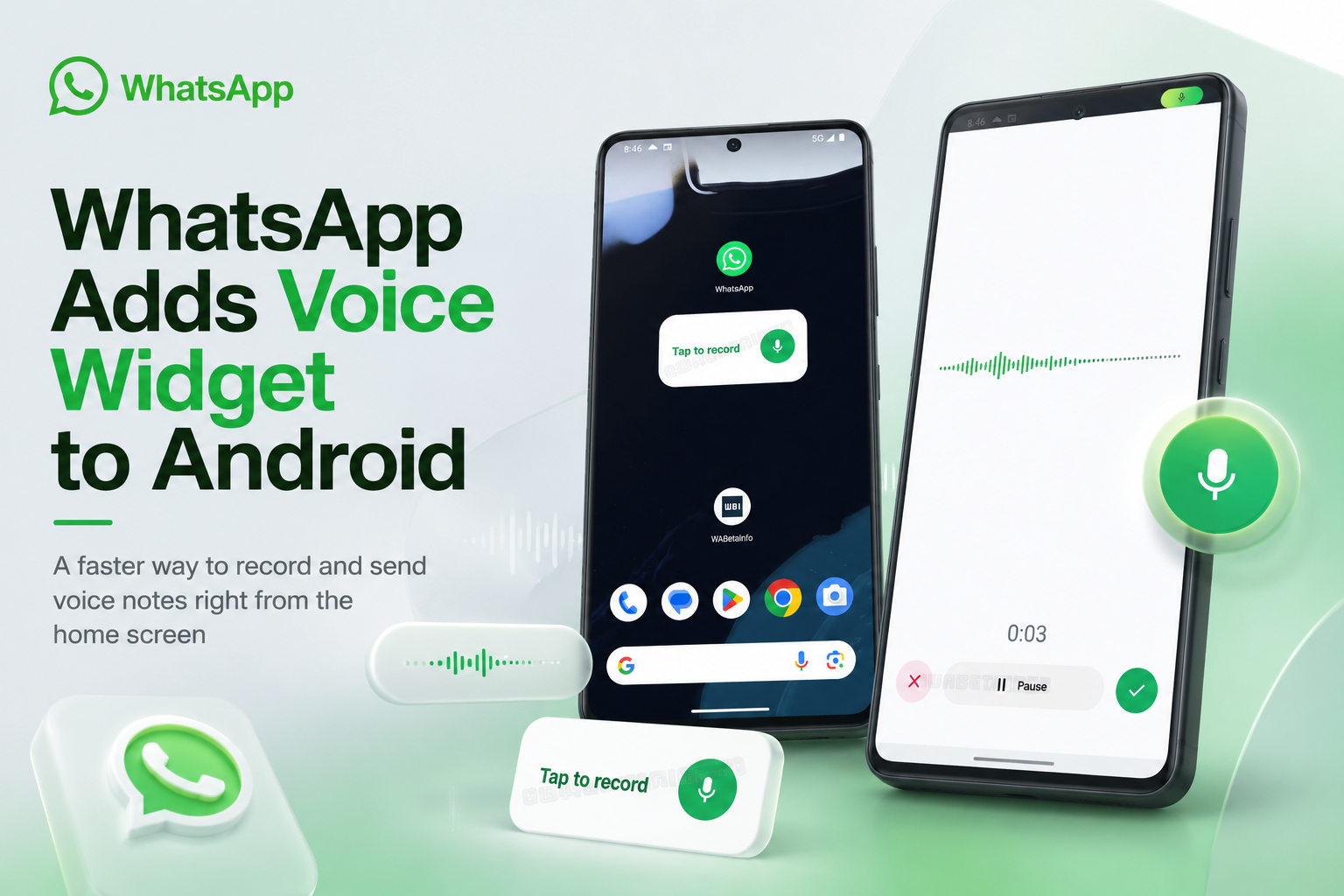
WhatsApp is testing a new Android home-screen widget designed for people who regularly communicate through voice messages. Instead of opening WhatsApp, finding a conversation and holding down the microphone button, users can begin recording directly from their phone's home screen.
Once the message is ready, WhatsApp opens a recipient selector that allows the recording to be sent to one person or shared with several contacts at the same time. This turns voice messaging into a more direct process and removes several of the steps normally required inside the app.
According to the latest beta information, the widget is beginning to appear for selected testers using WhatsApp beta for Android version 2.26.30.2. As with most WhatsApp experiments, availability is limited and may vary even among users running the same version.
A Shortcut Built Specifically for Voice-Message Users
Android widgets traditionally provide quick access to useful information or commonly used app functions. Weather widgets show current conditions, calendar widgets display upcoming appointments and music widgets allow playback control without opening the full application.
WhatsApp's new addition applies the same idea to voice notes.
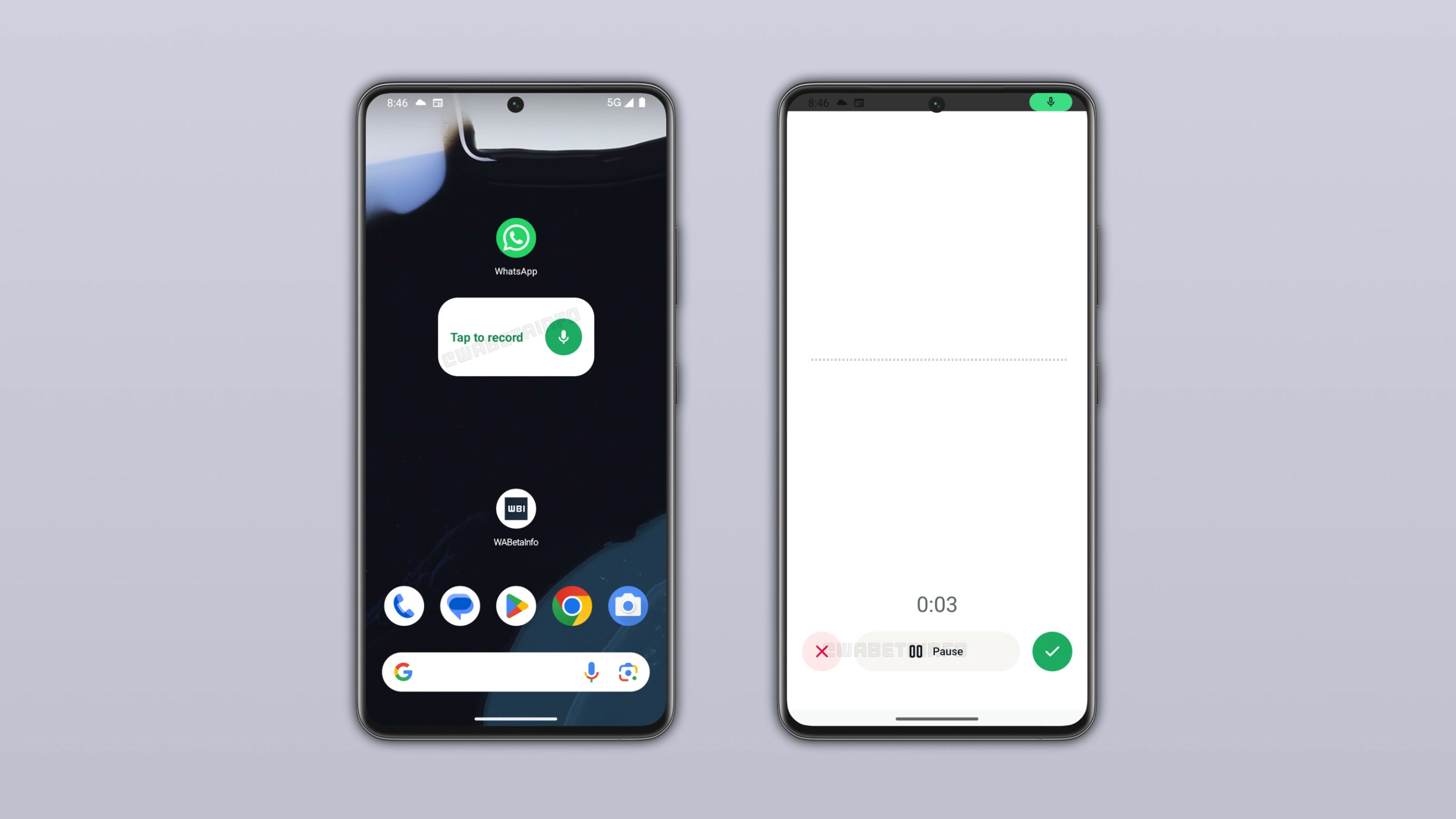
The widget is intended to sit permanently on the home screen as a compact recording shortcut. Its default size is reportedly 3×1, although users can resize or reposition it according to the layout supported by their launcher.
WhatsApp does not add it automatically. Users must manually open Android's widget picker and place it on the home screen, meaning people who prefer text messages or rarely send voice notes can simply ignore it.
Earlier reporting identified the feature in WhatsApp beta version 2.26.24.2, while a later beta build showed a more developed recording interface. At that stage, the widget was still described as being under development rather than publicly available for testing.
Recording Begins Without Opening a Conversation
Tapping the widget launches a dedicated voice-recording screen inside WhatsApp.
This interface provides the main controls expected from the normal voice-note experience. Users can begin speaking, pause the recording when necessary and resume when they are ready to continue.
They can also discard the recording entirely and start again when they make a mistake or decide that the message is no longer needed.
After reviewing and confirming the voice note, WhatsApp opens its contact picker. The user then selects the intended recipient—or several recipients—and sends the same recording to everyone chosen.
This approach reverses the normal order of events. Instead of selecting a person first and then creating the message, users create the message first and decide who should receive it afterwards.
One Recording Can Be Sent to Several People
The ability to select multiple recipients may be the widget's most useful feature.
Under the existing process, someone who wants to send the same spoken update to several people would normally record it inside one conversation, send it and then forward it to the remaining contacts. Alternatively, the user might record the same message repeatedly in separate chats.
The widget makes the process more efficient:
Record the message once, confirm it, select the recipients and send it to everyone at the same time.
This could be useful for families, school groups, project teams, small businesses and anyone who frequently shares the same spoken update with several people.
A parent could send one family announcement to several relatives. A small-business owner could provide the same update to multiple team members. A student could distribute a project reminder without recording it repeatedly.
The feature does not fundamentally change what WhatsApp can already do, but it significantly reduces the number of steps involved.
Why Voice Notes Remain So Popular
Voice messages occupy a useful middle ground between text messaging and phone calls.
They allow people to communicate with more tone and detail than a short text while avoiding the need for both participants to be available at the same time. A person can record a message when convenient, and the recipient can listen later.
Voice notes are also practical when someone is walking, carrying items or trying to explain something that would take too long to type.
For multilingual users, spoken communication may feel more natural than writing. Tone, pronunciation and emotion can also reduce misunderstandings that sometimes occur in text conversations.
The home-screen widget recognises that voice notes are no longer a secondary messaging feature. For many users, they are one of the main ways they communicate through WhatsApp.
The Dedicated Screen Offers Better Control
The widget does not appear to begin recording secretly or send audio immediately after being tapped.
Instead, it opens a separate recording screen where the user remains in control. Pausing, resuming, discarding and confirming the recording all happen before the contact-selection stage.
That design is important because a one-tap recording shortcut could otherwise create accidental or unfinished messages.
A user may tap the widget unintentionally, begin recording before deciding what to say or realise midway through that the surroundings are too noisy. Providing a clear confirmation step reduces the likelihood of sending unwanted audio.
The recipient picker also gives users another opportunity to verify who will receive the message.
This becomes especially important when multiple-recipient sharing is involved. Selecting the wrong contact could expose a personal or confidential message to someone who was never supposed to hear it.
It Is a Widget, Not a Full Replacement for Chat Recording
The new shortcut is unlikely to replace the microphone button inside individual conversations.
Recording directly inside a chat remains more natural when responding to an existing discussion. The user can read earlier messages, understand the immediate context and record a reply intended specifically for that person or group.
The widget is better suited to standalone messages created before the recipients have been selected.
It may therefore appeal most to users who frequently send announcements, reminders or general updates. Those who mainly reply to ongoing conversations may find the existing in-chat recorder more convenient.
WhatsApp appears to be treating the widget as an optional additional workflow rather than forcing users to change how they already record messages.
WhatsApp Is Trying to Make the Feature Discoverable
One challenge with Android widgets is that many users rarely open the widget picker.
Someone may use an application every day without realising that it offers useful home-screen tools. Unless the user deliberately explores Android's customisation menu, a newly released widget can remain hidden.
WhatsApp is reportedly addressing this by displaying an in-app notice after users record a voice message. The notification explains that a home-screen voice widget is available and guides interested users towards adding it.
Showing the prompt after someone records a voice note is a sensible form of targeting. It reaches people who are already using the feature rather than advertising it to every WhatsApp user.
At the same time, WhatsApp will need to avoid showing the notice repeatedly after someone dismisses it. A helpful discovery message can quickly become irritating when it continues appearing after the user has made a decision.
How Android Users Will Add the Widget
The exact steps can vary slightly depending on the phone manufacturer and Android launcher, but the usual process is straightforward.
Users press and hold an empty area of the home screen, select Widgets, locate WhatsApp and choose the new voice-message widget. It can then be dragged to the preferred location and resized when supported.
The widget will only appear when the feature has been activated for the user's WhatsApp account.
Installing beta version 2.26.30.2 may therefore not be enough by itself. WhatsApp frequently enables experimental features through server-side controls, allowing the company to release them gradually without issuing another app update.
Two people using the same WhatsApp version may consequently see different features.
Why WhatsApp Uses Gradual Rollouts
Limited beta deployments allow WhatsApp to observe how a feature behaves across different Android devices, manufacturers and operating-system versions.
The company can study whether the widget opens reliably, whether recordings are lost, whether recipient selection works correctly and whether the interface causes accidental messages.
Android is available on an enormous range of phones with different launchers, memory configurations and battery-management systems. A widget that works well on one device may behave differently on another.
Gradual testing reduces the impact of unexpected problems. When serious bugs appear, WhatsApp can pause or reverse the rollout before the feature reaches a much larger audience.
The approach can be frustrating for beta testers who do not receive the new option immediately, but it generally produces a more stable public release.
There Is No Confirmed Public-Release Date Yet
WhatsApp has not announced when every Android user will receive the voice-message widget.
Meta's official July 2026 WhatsApp feature roundup covered several additions, including improvements to CarPlay, Android Auto, iPad account registration and PDF handling, but it did not announce the voice-note widget as a general public feature.
That suggests the widget should still be regarded as experimental, even though selected beta users may now be receiving access.
WhatsApp could expand testing over the coming weeks, modify the interface or temporarily withdraw the feature if developers identify problems.
Users who depend on a stable messaging experience should generally remain on the normal public version rather than joining the beta programme solely to access one experimental feature.
A Useful Tool, but Not for Every Home Screen
The widget's value will depend heavily on personal communication habits.
Frequent voice-message users may appreciate being able to start recording immediately. People who rarely send audio may prefer to keep the limited space on their home screen for weather, calendars, music controls or other frequently used tools.
There is also a question of visibility. A prominent microphone or voice-recording widget on an unlocked phone could encourage accidental taps, particularly when the device is placed inside a pocket or bag.
WhatsApp's confirmation process should reduce the chance of an unintended message being sent, but users will still need to decide whether the convenience justifies occupying part of the home screen.
Privacy Still Depends on What Users Record
The widget changes how quickly a voice message can be created, but it does not change the basic privacy considerations surrounding audio communication.
Users should check their surroundings before recording. Background conversations, television audio, workplace discussions or personal information may be captured unintentionally.
Extra care is necessary when sending one recording to several recipients. A message appropriate for one person may not be suitable for everyone included in a wider selection.
The contact-confirmation screen should therefore be treated as more than a routine step. Users should review the selected names carefully before sending, especially when the recording contains personal, workplace or sensitive information.
Final Thoughts
WhatsApp's home-screen voice widget is a relatively small feature, but it addresses a genuine inconvenience for people who rely heavily on voice notes.
Starting from the Android home screen removes the need to open WhatsApp and select a conversation before recording. The ability to pause, resume or discard the message preserves user control, while multi-recipient selection makes it much easier to distribute one recording to several people.
The widget will not appeal to everyone, and it does not replace the normal in-chat recording experience. Its greatest value lies in quick standalone messages, announcements and updates intended for more than one recipient.
For now, the feature remains part of a limited Android beta rollout, with no confirmed date for general availability. As testing expands, WhatsApp may continue refining the design before deciding whether it is ready for the wider Android community.











Comments 0