

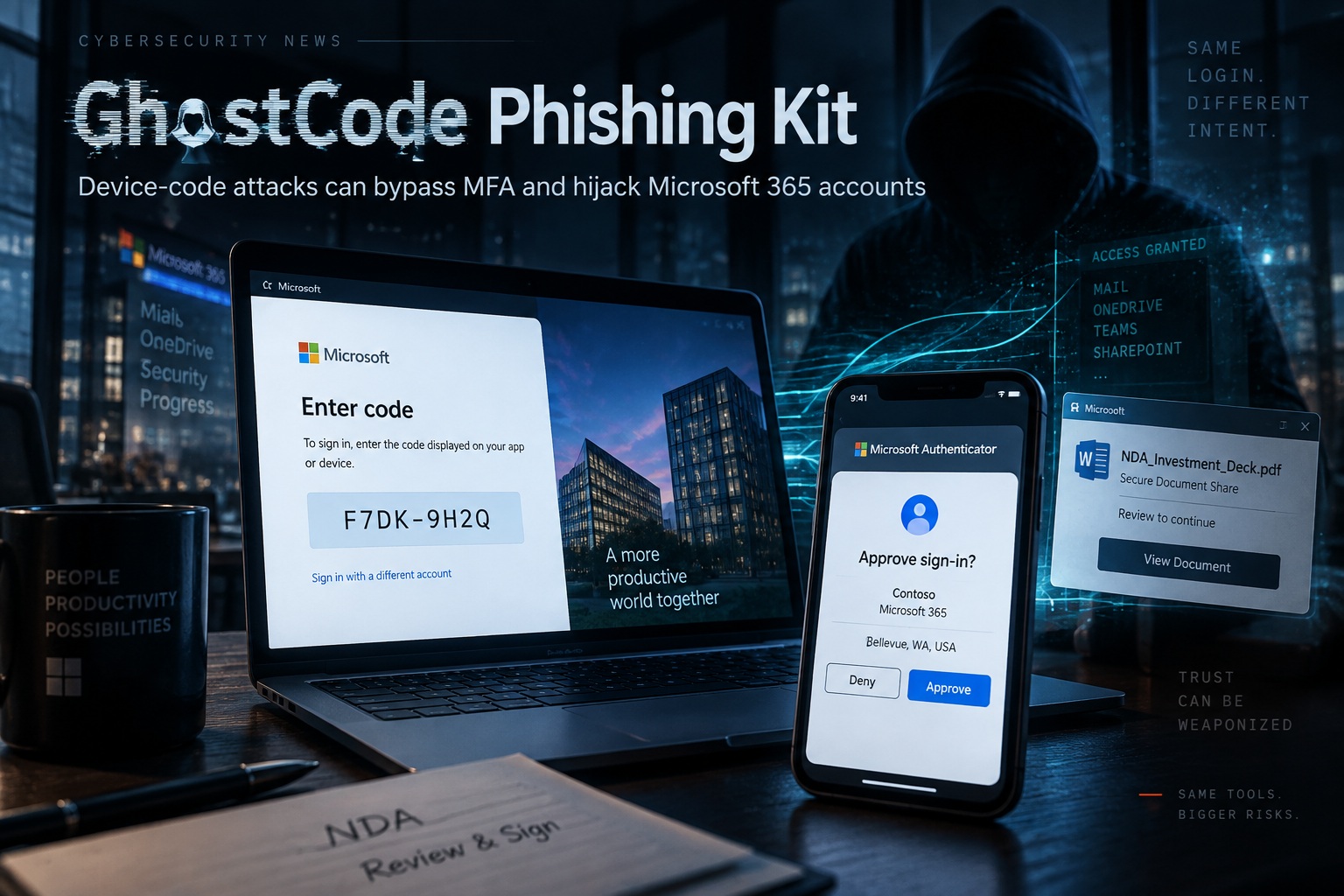
A newly identified phishing campaign is showing how attackers can compromise Microsoft 365 accounts without ever needing to steal a user's password. The campaign uses a phishing kit known as GhostCode, which abuses Microsoft's device-code authentication process and relies heavily on social engineering rather than traditional credential theft. Instead of directing victims to an obviously fake login page, the attack convinces them to complete a legitimate Microsoft sign-in process that ultimately authorises the attacker's device. This makes the technique especially dangerous because the victim can successfully complete multi-factor authentication on Microsoft's real website while still handing access to the wrong party.
The campaign has been observed spreading through seemingly ordinary business interactions, particularly contact forms and sales enquiries. Attackers begin by submitting what looks like a legitimate request through a sales platform, then continue the conversation by claiming that an NDA or other business document needs to be signed. The follow-up message contains a WeTransfer link leading to a password-protected HTML attachment, which helps make the request appear more professional and confidential. Once the victim opens the file, the real attack begins.
A Legitimate Microsoft Login Becomes the Trap
The HTML attachment presents a document-sharing interface and eventually redirects the victim to Microsoft's device-code authentication page. The user is instructed to copy a displayed code and enter it into Microsoft's legitimate sign-in service, supposedly as part of authenticating access to the shared document. Because the page belongs to Microsoft, the victim has fewer reasons to suspect that anything malicious is happening. In reality, the code belongs to a session initiated by the attacker, so completing authentication effectively authorises the attacker's device rather than the victim's own session.
This is what makes device-code phishing different from ordinary credential phishing. The attacker does not need to capture a password, intercept an OTP, or imitate Microsoft's login page perfectly. Instead, the victim performs the authentication themselves, including MFA, but does so on behalf of the attacker. From the user's perspective, the process can appear completely normal because the authentication page is real and the MFA prompt works exactly as expected.
The device-code flow was originally designed for devices that cannot easily display a full sign-in interface, such as smart televisions or certain IoT devices. A code is shown on one device, and the user enters it on another device where authentication is easier. GhostCode weaponises that same process by generating the code for the attacker-controlled session and persuading the victim to complete the approval step. The technology itself is not broken; the attacker is abusing the trust users place in a legitimate authentication flow.
The Attack Is Carefully Designed to Avoid Suspicion
The phishing attachment is not a basic HTML file that exposes its behaviour immediately. It reportedly includes junk data, splits visible content using HTML comments, and keeps the redirect destination encrypted until the correct password is entered. These techniques make automated inspection more difficult and reduce the likelihood that security tools will immediately identify the file as suspicious. The password-protected delivery method also reinforces the illusion that the document is confidential and business-related.
After the victim completes authentication, the attackers provide a decoy NDA document so the interaction appears to have worked as intended. This small detail is important because it gives the victim a reason to believe the unusual login process was legitimate. While the user moves on with their work, the attackers can begin using the newly acquired tokens and registered devices in the background. The attack is therefore designed not only to gain access, but also to delay detection.
Attackers Establish Persistence Within Seconds
The speed of the post-compromise activity is one of the most concerning aspects of the campaign. In one observed intrusion, the attackers made nine successful API calls, registered three devices within just 78 seconds, and obtained a Primary Refresh Token within 32 seconds. That token can enable access across Microsoft 365 services without requiring the victim to authenticate again for every session. Once registered, the malicious devices can also remain active until an administrator explicitly disables or removes them.
This means changing the user's password may not be enough to completely remove the attacker. If malicious devices, long-lived tokens, or active sessions remain trusted, the attacker may still be able to access corporate services after the original credentials have been changed. Incident response therefore needs to include a broader review of authentication methods, device registrations, active sessions, and token activity. Treating the compromise as a simple password reset could leave the attacker with persistent access.
The attack also demonstrates why modern identity compromises increasingly focus on tokens rather than passwords. A valid authentication token can provide access to services such as Outlook, OneDrive, SharePoint, and other Microsoft 365 resources without repeatedly asking for credentials. If the attacker can obtain and maintain those tokens, traditional password-based protections become much less useful after the initial compromise has already occurred.
Why MFA Alone Is Not Enough
Multi-factor authentication remains an important security control, but GhostCode demonstrates that MFA is not a complete defence against social engineering. In this attack, the user is not tricked into giving away their second factor directly; they are tricked into using it to approve the attacker's session. The authentication succeeds exactly as Microsoft designed it to, but the intent behind that authentication has been manipulated.
This changes what users need to look for. Security awareness training often tells people to avoid suspicious login pages, check domains carefully, and never type credentials into unfamiliar websites. Those lessons still matter, but device-code phishing adds another question: why is this document, email, or external contact asking me to copy a code into Microsoft's sign-in page in the first place? An unexpected request to perform that action should be treated as suspicious, even when the destination itself is legitimate.
The broader lesson is that authentication security depends on context, not only on whether the technical process succeeded. A valid login from the wrong person is still a compromise, and a legitimate MFA approval can still be dangerous if the user does not understand what they are authorising. Organisations need to combine strong authentication with controls that limit unnecessary authentication methods and monitor what happens immediately after a suspicious sign-in.
Conditional Access Can Block the Technique
One of the strongest defensive measures is to restrict or disable device-code authentication through Microsoft Conditional Access. Most users do not need to authenticate through the device-code flow during normal daily work, so organisations can block the method entirely for ordinary employees while making exceptions only for systems that genuinely require it. Examples may include specific Azure DevOps service accounts or IoT provisioning workflows where the flow still has a legitimate purpose.
This is more effective than relying entirely on people recognising the phishing attempt. If device-code authentication is blocked for a user, the victim may still follow the attacker's instructions, but the authentication process itself will be rejected by policy. Restricting unused authentication methods follows the principle of least privilege and removes one avenue that attackers can exploit.
Security teams should also block known campaign indicators where appropriate, but this should be viewed as a supporting measure rather than the primary defence. Domains and infrastructure can change quickly, while a Conditional Access policy targets the underlying technique itself. A layered approach that combines policy enforcement, detection, and user awareness provides much stronger protection than indicator blocking alone.
Administrators Should Review Entra Device Registrations
Because the attackers attempt to register their own devices, Microsoft Entra device inventories should be reviewed for suspicious activity. The advisory identifies a naming pattern of [firstname]-[lastname]-[companydomain]-[hexstring] as something administrators should investigate. Multiple devices registered in a short burst from the same session should also be treated as potentially malicious, especially when the user did not intentionally enrol new hardware.
This review is particularly important because malicious device registrations may survive beyond the original phishing interaction. Even after the victim reports the incident or resets their password, attacker-controlled devices may remain authorised until an administrator removes them. Device auditing should therefore be part of the normal response to suspected token theft or device-code phishing, not an optional follow-up step.
Organisations should also correlate device registration with authentication and token activity. A new device appearing seconds after an unusual sign-in, followed by rapid Microsoft 365 access, creates a much stronger signal than any one of those events viewed separately. Automated detection rules can help identify this sequence before the attacker has time to establish a deeper foothold.
Recommended Actions
Security teams can reduce exposure to GhostCode-style attacks by taking several practical steps. Device-code authentication should be blocked for end users who do not need it, and Conditional Access policies should enforce those restrictions consistently. Administrators should also review Entra-enrolled devices for suspicious registrations and investigate any sudden burst of device creation associated with the same user session.
Users should be trained to recognise that a legitimate Microsoft page does not automatically mean the request itself is legitimate. Unexpected instructions to copy a code into Microsoft's sign-in portal should be treated with suspicion, particularly when the request originated from an external contact, document-sharing link, or unsolicited business conversation. Security teams should also block known campaign indicators where possible and monitor for token-based persistence rather than focusing only on stolen passwords.
The most effective defence is a combination of technical restrictions and awareness. Technical controls reduce the number of opportunities attackers have, while well-informed users provide another layer of defence when the social-engineering story changes. Neither approach is sufficient on its own against a campaign designed to exploit both legitimate authentication infrastructure and human trust.
Final Thoughts
GhostCode is a good example of how phishing attacks are evolving beyond fake passwords and cloned login pages. The victim can sign in on Microsoft's real website, complete MFA correctly, and still lose access because the attacker has manipulated the purpose of the authentication. That makes the attack much harder to recognise using the traditional warning signs people have been taught to watch for.
The campaign also shows how little time defenders may have once a victim authorises the malicious session. Device registration, token acquisition, and Microsoft 365 activity can begin within seconds, allowing attackers to move from initial deception to persistent access extremely quickly. Resetting a password after the fact may therefore address only part of the problem.
For organisations using Microsoft 365, the safest approach is to treat authentication methods, device enrolment, tokens, and user behaviour as part of one identity-security picture. Where device-code authentication serves no meaningful business purpose, disabling it entirely for end users can remove the opportunity rather than hoping every employee recognises the lure. GhostCode ultimately succeeds because it turns legitimate trust into a weapon, and defending against it requires controls that understand not only whether authentication succeeded, but who was really being authorised.











Comments 0