

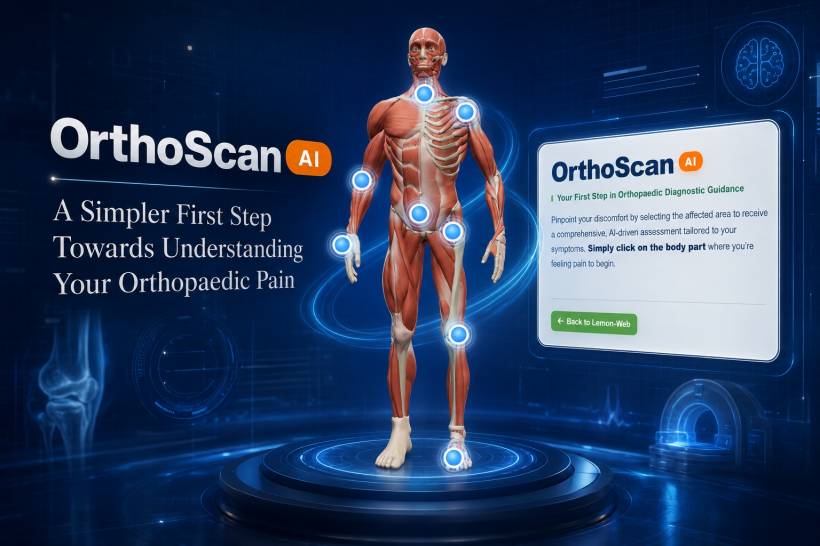
Pain has a way of interrupting life at the worst possible time. It may begin as a small ache in the knee after climbing stairs, a stiff shoulder after a long day at work, a sharp feeling in the lower back, or discomfort in the ankle that just does not seem to go away.
The difficult part is often not only the pain itself. It is also the uncertainty.
Is it something minor? Should you rest? Is it time to see a specialist? What information should you prepare before a consultation?
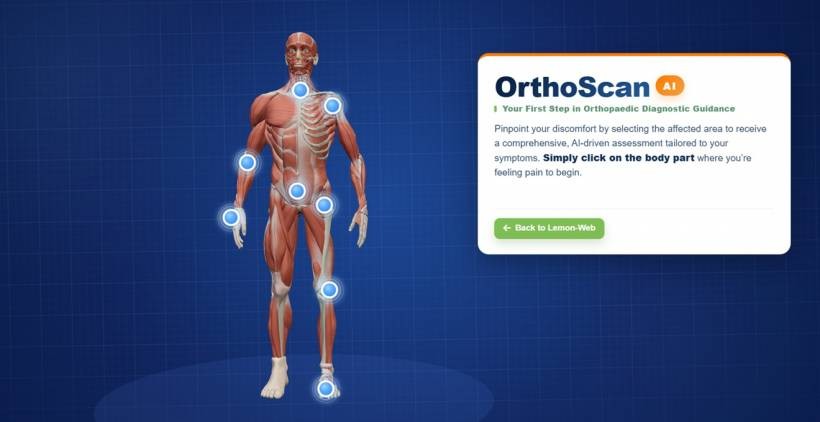
This is where OrthoScan AI comes in.
OrthoScan AI is designed to give users a more guided and convenient way to understand their orthopaedic symptoms before taking the next step. It does not replace a doctor, medical examination, imaging scan, or professional diagnosis. Instead, it helps users organise their symptoms, understand possible concerns, and receive practical guidance on what to consider next.
Starting With the Area That Hurts
The journey begins with something simple: selecting the area of the body where you feel discomfort.
Using an interactive body map, users can choose common orthopaedic areas such as the neck, shoulder, elbow, hand and wrist, spine, hip, knee, foot, or ankle. This makes the process feel more natural than trying to describe pain using medical terms that may be unfamiliar.
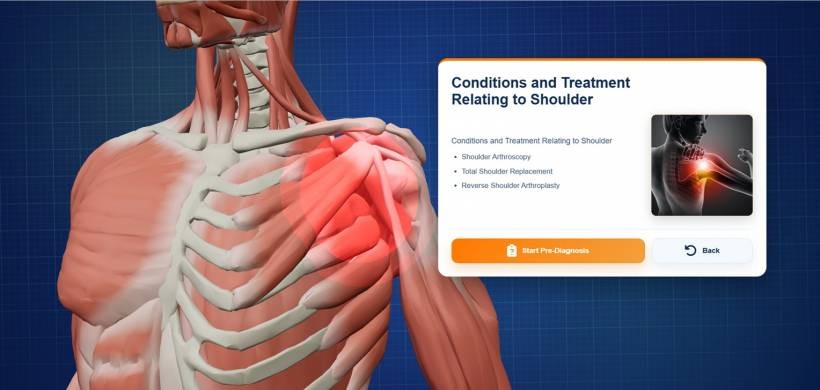
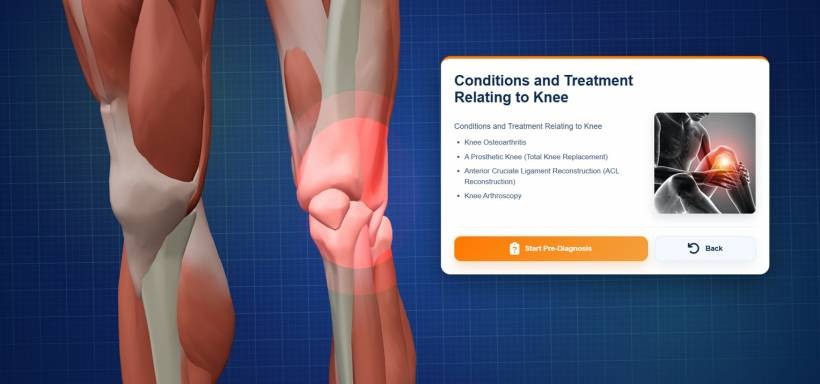
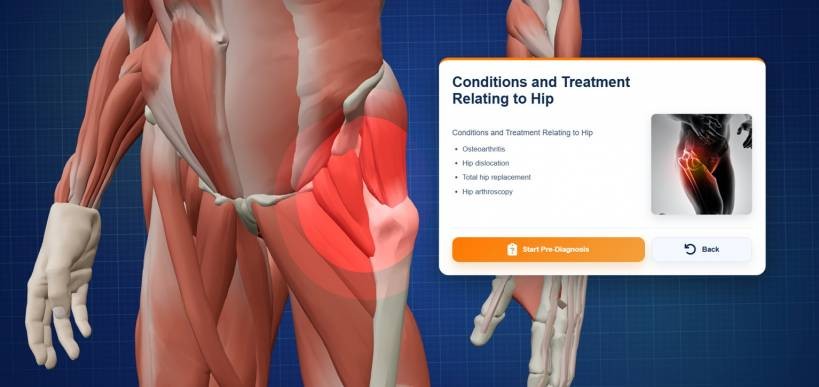
For many people, explaining pain can be difficult. You may know that your knee hurts, but not know whether the discomfort is around the front, side, joint line, muscle, tendon, or surrounding tissue. By starting with the body area, OrthoScan AI helps create a clearer foundation for the assessment.
Answering Guided Pre-Assessment Questions
Once the affected area is selected, OrthoScan AI asks a series of guided questions about your symptoms.
These questions may cover details such as:
• Where the pain is located
• How long the discomfort has been present
• Whether the pain started suddenly or gradually
• How intense the pain feels
• Which movements, activities, or positions make it worse
• Whether there is stiffness, swelling, weakness, numbness, instability, or reduced movement
• How the issue affects daily routines such as walking, sleeping, working, exercising, or climbing stairs
The questions are designed to be easy to understand. You do not need medical knowledge to use the system. Instead of trying to figure out what to say during a consultation, you can answer based on what you are genuinely experiencing.
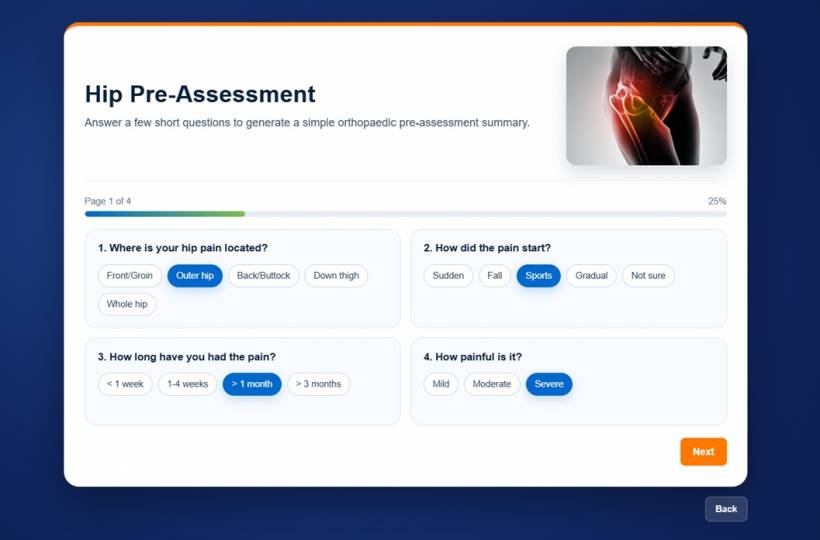
This can be especially useful for people who have been putting off an appointment because they are unsure how serious their symptoms are or how to explain them properly.
How AI Helps Make Sense of Your Responses
After the pre-assessment is completed, OrthoScan AI processes the responses to identify relevant symptom patterns.
The purpose is not to make a final medical diagnosis. Orthopaedic conditions can involve many factors, including physical examination findings, injury history, movement tests, imaging, age, lifestyle, previous conditions, and other health information. A proper diagnosis should always come from a qualified healthcare professional.
However, AI can still be useful in helping users understand what their answers may suggest.
For example, someone who reports front knee pain that becomes worse when climbing stairs, squatting, or sitting for long periods may receive guidance that this pattern could be worth discussing with an orthopaedic specialist. Someone with persistent shoulder pain and reduced movement may be advised to seek further evaluation rather than simply ignoring the discomfort.
The goal is to give users a clearer picture of their situation and help them make a more informed decision about the next step.
A More Useful Assessment Summary
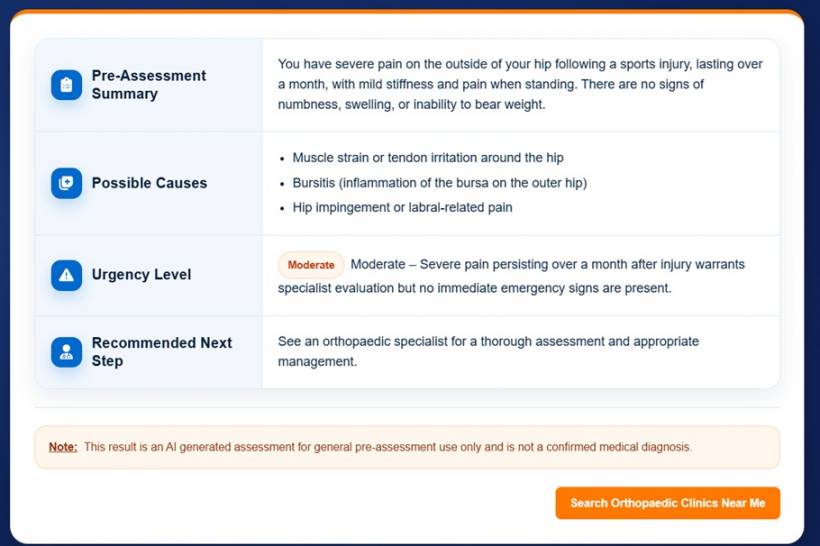
After analysis, OrthoScan AI presents an easy-to-read assessment summary.
This may include possible areas of concern, key symptoms that stood out during the assessment, and suggested next actions. Depending on the responses provided, recommendations may include monitoring symptoms, reducing certain activities, arranging a follow-up, discussing the issue with a doctor, or seeking more urgent medical attention where appropriate.
The summary is designed to be practical rather than overwhelming.
Instead of leaving users with vague advice such as "rest and see how it goes," OrthoScan AI can help provide structure around the situation. It gives users a clearer understanding of what symptoms may matter, what information to bring into a consultation, and what questions may be worth asking.
Helping You Prepare for a Better Consultation
One of the biggest benefits of OrthoScan AI is that it can help users arrive at a consultation better prepared.
Many people only remember important symptoms after they leave the clinic. Others may struggle to explain when the pain started, what makes it worse, or how it affects their daily activities. A guided pre-assessment can help organise this information before meeting a healthcare professional.
This can make the consultation more focused and productive.
Rather than starting from scratch, the doctor may have a clearer view of the user's symptoms, concerns, and functional limitations. The user can also feel more confident because they already have a structured summary of what they have been experiencing.
Designed for Convenience and Clarity
Healthcare journeys can feel complicated, especially when symptoms are mild at first but gradually become more disruptive.
OrthoScan AI is designed to make the first step less intimidating. It gives users a simple digital pathway to explore their symptoms from anywhere, at any time, without needing to understand complex medical terminology.
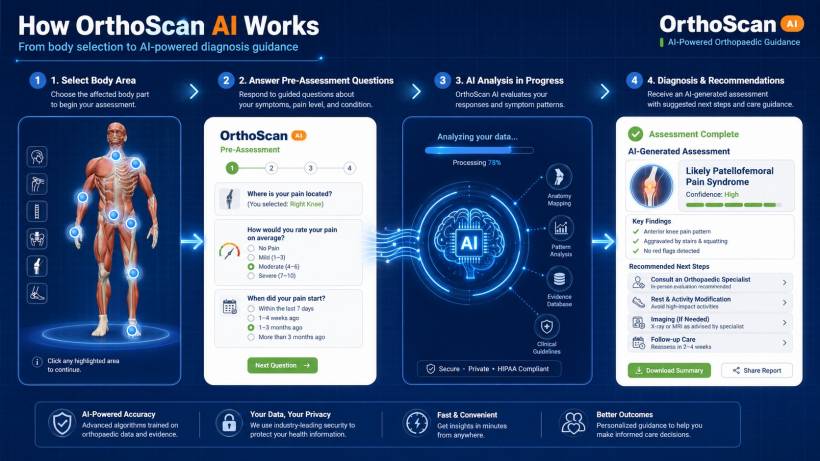
The experience is built around clarity:
• Select the affected body area
• Answer guided questions about your symptoms
• Allow the AI to analyse symptom patterns
• Receive an easy-to-understand assessment summary
• Consider the recommended next step
For users, the value is not just speed. It is confidence.
When you understand your symptoms better, you are in a stronger position to decide whether to monitor the issue, adjust your activities, book an appointment, or seek further medical advice.
Important: AI Guidance Is Not a Replacement for Medical Care
While OrthoScan AI can provide useful guidance, it should never be treated as a replacement for professional medical assessment.
Pain that is severe, persistent, worsening, associated with swelling, deformity, weakness, numbness, fever, loss of function, inability to bear weight, or symptoms after a serious injury should be assessed by a qualified healthcare professional as soon as possible.
OrthoScan AI is best viewed as a supportive starting point. It helps users understand their symptoms, prepare for conversations with healthcare professionals, and make more informed choices about their orthopaedic care.
Final Thoughts
Orthopaedic pain should not always be ignored just because it starts small. A persistent ache, stiffness, recurring discomfort, or reduced movement can affect work, sleep, mobility, exercise, and overall quality of life.
OrthoScan AI gives users a more approachable way to begin understanding what may be happening. By combining an interactive body selector, guided pre-assessment questions, AI-supported pattern analysis, and practical recommendations, it helps turn uncertainty into a clearer next step.
Whether you are dealing with a new discomfort or a recurring issue that has been bothering you for some time, OrthoScan AI is here to help you take that first step with more clarity, confidence, and direction.











Comments 0