

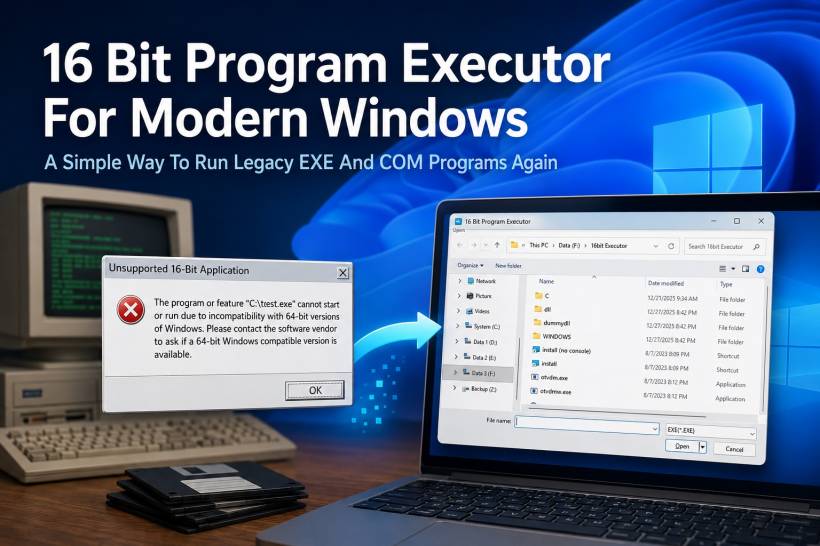
There was a time when many business systems, small utilities, internal tools, and custom applications were built during a very different era of computing. Back in the Windows 95, Windows 98, and Windows ME days, 16-bit applications were still common, even though the industry was already moving heavily toward 32-bit Windows programs. It was a transition period where older DOS-style and Windows 3.x-style applications still existed, while newer 32-bit software was slowly becoming the standard.
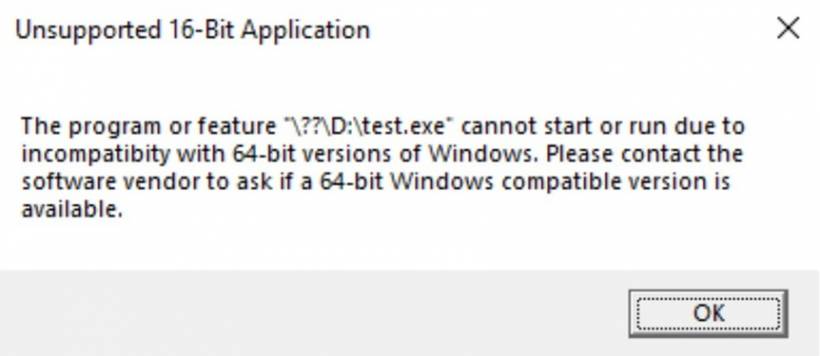
Fast forward to today, and the situation has changed completely. Modern Windows is now built around 64-bit architecture, and most current hardware runs 64-bit Windows natively. This is great for performance, memory support, security, and modern software compatibility, but it also creates a problem for older applications. Many 16-bit programs simply cannot start anymore on modern 64-bit Windows. Instead of launching normally, Windows shows the familiar message: "Unsupported 16-Bit Application."
For many people, that message looks like the end of the road. But for businesses, departments, and users who still need to recover or access old systems, it can become a serious issue.
Why 16-Bit Applications Became A Problem
During the Windows 95, 98, and ME era, many applications were developed using tools and technologies that made sense at the time. Some were DOS-based. Some were early Windows applications. Some were internal systems created specifically for a company's workflow, records, billing, inventory, reporting, or operational needs.
The issue is that many of these programs were never upgraded. In some cases, the original developer is no longer available. In other cases, the source code has been lost. Sometimes the system was considered "old but still working," so nobody touched it for years. Then one day, the old computer fails, the hard disk dies, or the user finally tries to move everything to a newer machine.
That is usually when the problem appears. The application may still exist, the EXE file may still be there, and the data may still be recoverable, but modern Windows refuses to run the program because it is a 16-bit application.
This is exactly the kind of situation where a 16 Bit Program Executor becomes useful.
The Real-World Problem With Legacy Recovery
Recently, I encountered situations where users wanted to recover old systems that had been developed back in the 90s. These were not modern web applications or cloud-based platforms. They were old legacy programs created for an older generation of Windows, and they were still important because the data inside them had value.
The challenge was not just about opening a file. The challenge was running the actual old program so that the user could access the system the way it was originally designed. Some old systems store data in formats that are difficult to read directly. Others require the original application to view, search, export, or print the information properly.
Modern hardware has no issue in terms of speed. In fact, it is far more powerful than what these old applications were designed for. The real issue is compatibility. A 64-bit version of Windows cannot natively execute 16-bit Windows applications the same way older Windows versions could.
That is where the 16 Bit Program Executor comes in.
What The 16 Bit Program Executor Does
The 16 Bit Program Executor is designed to help run old 16-bit applications on modern Windows systems. Instead of trying to open the legacy EXE directly and receiving the unsupported application error, this tool provides a way to launch the old program through a compatible execution layer.
The purpose is simple: allow old EXE or COM files to run again on modern Windows, especially when the original application was created for the Windows 95, Windows 98, or Windows ME generation.
This can be useful for:
• Accessing legacy data
• Running abandoned internal applications
• Testing old software projects
• Preserving older Windows-era programs
• Helping users migrate information from outdated systems
• Opening old tools that were never converted to 32-bit or 64-bit
For people who have old projects or legacy systems sitting in backup folders, old drives, or archived machines, this type of tool can make the difference between "the system is gone" and "we can still open it."
Why This Matters For Old Projects
I personally still have several old projects from the Windows 95, 98, and ME era that were built using 16-bit technology. At that time, 16-bit software was not unusual. It was part of the normal development environment, especially during the period when the computing world was shifting from 16-bit to 32-bit.
Today, almost everything has moved to 64-bit. Even many 32-bit applications still continue to run on modern Windows, but 16-bit applications are a different story. They sit in an awkward historical gap. They are too old for modern Windows to support natively, but sometimes too important to simply throw away.
This is especially true when the application is not just a game or demo, but a real system that someone used for work. Old patient records, stock systems, billing tools, small business applications, school systems, and custom department tools may still contain information that needs to be accessed.
The 16 Bit Program Executor helps bridge that gap.
Simple To Use
One of the best things about this app is that it keeps the process simple. There is no complicated setup process for the user. The workflow is straightforward.
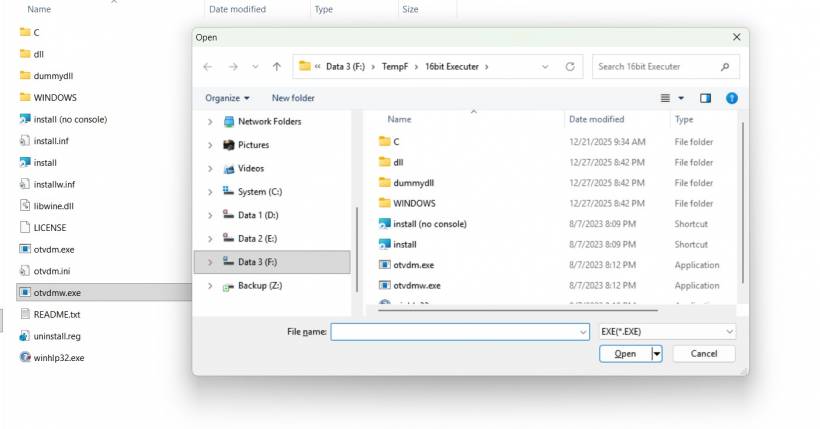
Launch the 16 Bit Program Executor, select the old EXE or COM file that you want to run, and open it.
That is the main idea. The app provides a familiar file selection window, allowing the user to browse to the location of the old program and choose the file. Once selected, the executor attempts to run the legacy program through its compatibility environment.
This simplicity is important because the people who need to recover old systems are not always technical users. Sometimes they only know that "this old program used to work on the old computer." They may not understand the difference between 16-bit, 32-bit, and 64-bit Windows. They just want the system to open again.
By making the interface simple, the app reduces the technical barrier and makes legacy recovery more practical.
A Practical Tool For Legacy Application Access
The 16 Bit Program Executor is not meant to modernize the old software. It does not magically convert a 16-bit application into a new 64-bit program. Instead, its value is in helping users access old applications that would otherwise be blocked by modern Windows.
This is important because in many recovery situations, the immediate goal is not to rebuild the entire system. The goal is simply to open the application, retrieve the data, check the records, export what can be exported, or verify whether the old system is still usable.
For old business systems, that can be extremely valuable. Sometimes a company only needs one final access to an old application to recover important information. Other times, the tool may allow the legacy system to continue running temporarily while a proper migration plan is prepared.
In that sense, the app acts like a bridge between the old and modern Windows world.
Why Not Just Use An Old Computer?
One possible solution is to keep an old Windows 95, 98, or ME machine around. In theory, that works. In practice, it becomes harder every year.
Old hardware fails. Drivers are difficult to find. Hard disks become unreliable. Power supplies break. Displays and peripherals may not connect easily. Even if the old machine still works, transferring data in and out can become another problem.
Another option is virtualization, but that also requires technical setup. Users may need old installation media, drivers, configuration knowledge, and sometimes licensing considerations. For many non-technical users, this is too much just to run one old program.
That is why having a simple executor-style tool is helpful. It gives users a more direct option when they simply need to launch an old 16-bit EXE or COM file from a modern Windows environment.
Preserving Old Software Still Matters
Old software may look outdated, but it often represents years of work, business processes, and historical data. Many small systems developed in the 90s were built for a very specific purpose. They may not look modern, but they solved real problems at the time.
The challenge is that software preservation is not always treated seriously until something breaks. A system may run quietly for decades, and nobody thinks about upgrading it until the old machine finally stops working. By then, the original developer may be gone, the source code may be missing, and the only thing left is the compiled 16-bit program.
Tools like the 16 Bit Program Executor help keep those programs accessible for a little longer. They give users a chance to recover, review, and migrate their old data instead of losing access completely.
Best Used As A Recovery And Transition Tool
Although this app is useful, it is also important to be realistic. Running old 16-bit software on modern Windows should usually be seen as a recovery or transition solution, not a permanent long-term strategy.
If the old program contains important business data, the best approach is to use the executor to access the system, then plan a proper migration. That may involve exporting reports, saving records, converting data, rebuilding the system in a modern platform, or moving the workflow into a web-based or 64-bit compatible application.
The executor gives users breathing room. It allows access when modern Windows would normally block the program completely. But once access is restored, the next step should always be to think about long-term preservation and modernization.
Final Thoughts
The 16 Bit Program Executor is a practical tool born from a very real problem. Many old systems from the Windows 95, 98, and ME era still exist, and some of them still contain valuable data. Unfortunately, modern 64-bit Windows no longer runs these 16-bit applications natively, which leaves many users stuck when they try to recover old programs on newer hardware.
By allowing users to launch old EXE and COM files through a simple interface, the 16 Bit Program Executor helps bring legacy applications back within reach. It is not about going backward for the sake of nostalgia. It is about making sure that old work, old systems, and old data are not lost simply because technology has moved on.
For anyone dealing with a legacy program from the 90s, especially one that still matters for recovery or reference, this app can be a very useful bridge between the past and the modern Windows environment.











Comments 0