

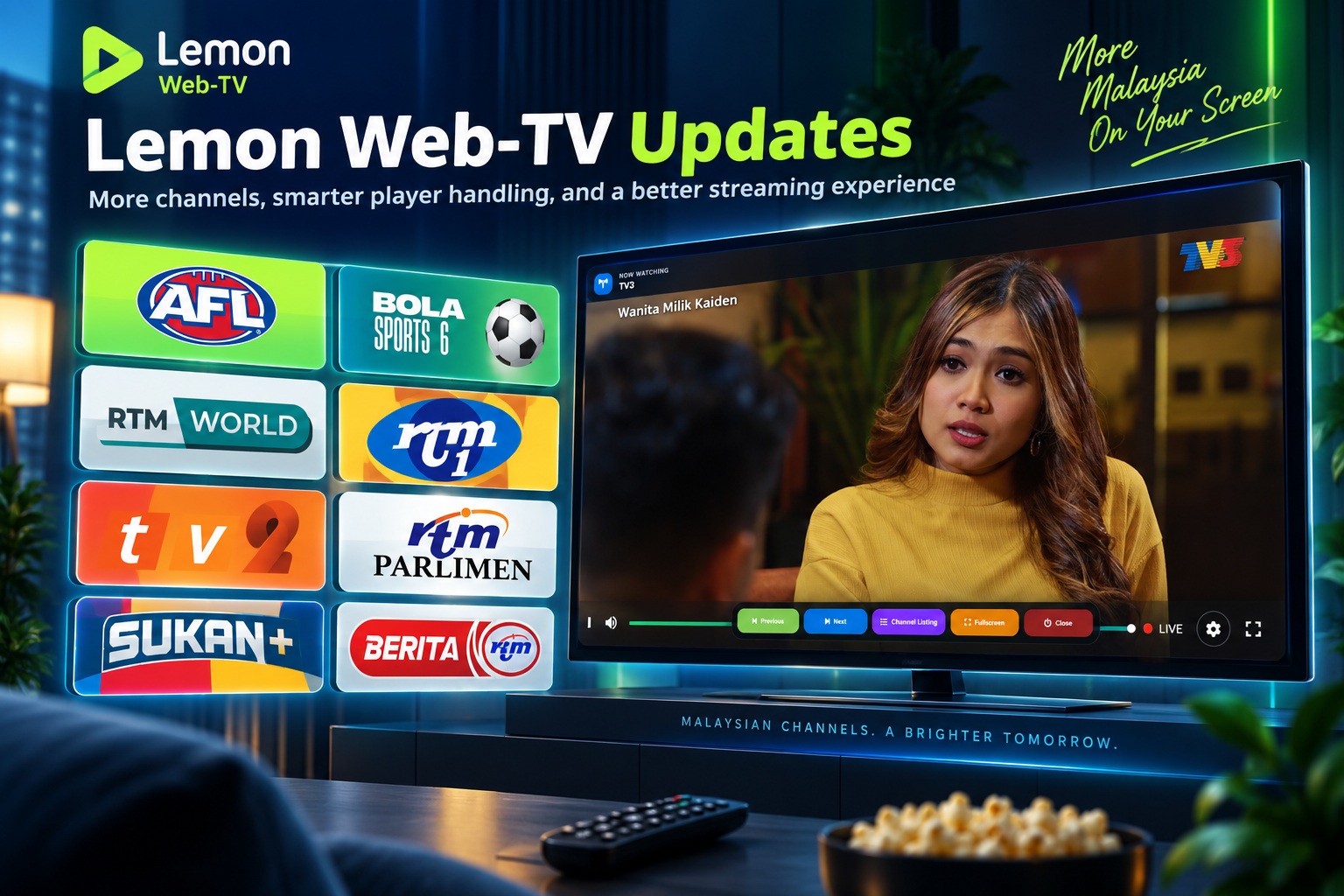
Lemon Web-TV has received another round of updates, and this time the focus has been on two things: expanding the number of channels available and improving how different types of streams are displayed inside the player. What started as a fairly simple way of watching a few Malaysian television channels through Lemon Web has gradually turned into something much more complete. Rather than sending users to different websites or having different interfaces for every broadcaster, Lemon Web-TV brings the channels together into one consistent viewing experience where you simply choose a channel and start watching.
With the latest update, the channel lineup has grown considerably, while some work has also gone into the background to make sure channels from different streaming sources behave properly on desktop and mobile devices.
More Malaysian TV Channels in One Place
The biggest visible change is the expanded channel selection.
Lemon Web-TV now includes a mixture of general entertainment, news, parliamentary coverage and sports channels, giving users considerably more choice than before. The current lineup includes:
• RTM Parlimen
• TV1
• TV2
• OKEY
• SUKAN+
• BERITA RTM
• RTM-World
• BOLA-Sports-6
• AFL-TV
Adding the RTM channels in particular makes Lemon Web-TV feel much more rounded. TV1 and TV2 provide the familiar general programming most Malaysians know, while OKEY adds more entertainment and lifestyle content.
For viewers who prefer news and current affairs, BERITA RTM provides a dedicated option, while RTM Parlimen remains useful whenever parliamentary proceedings and official coverage are being broadcast.
Then there is SUKAN+, together with the newly added BOLA-Sports-6 and AFL-TV, expanding the sports side of the service. It means Lemon Web-TV is no longer mainly about general Malaysian television—it is gradually becoming a small online channel hub covering several different viewing interests.
Introducing RTM-World
Another interesting addition is RTM-World.
This gives the channel list a slightly different flavour compared with the usual domestic RTM channels. It adds more internationally focused programming alongside news, documentaries, cultural content and programmes that showcase Malaysia from a wider perspective.
From a user point of view, however, nothing is complicated. RTM-World appears in exactly the same Lemon Web-TV channel guide as everything else. Select it, and the player takes care of the rest.
That consistency is something I wanted to maintain even as more channels are added.
Different Streams, Same Lemon Web-TV Experience
One thing that may not be obvious when using Lemon Web-TV is that not every television channel comes from the same kind of source.
Some channels are loaded through embedded web players, while newer channels can come from more direct streaming sources. Each broadcaster may structure its player differently, and that creates an interesting problem when trying to present everything inside one interface.
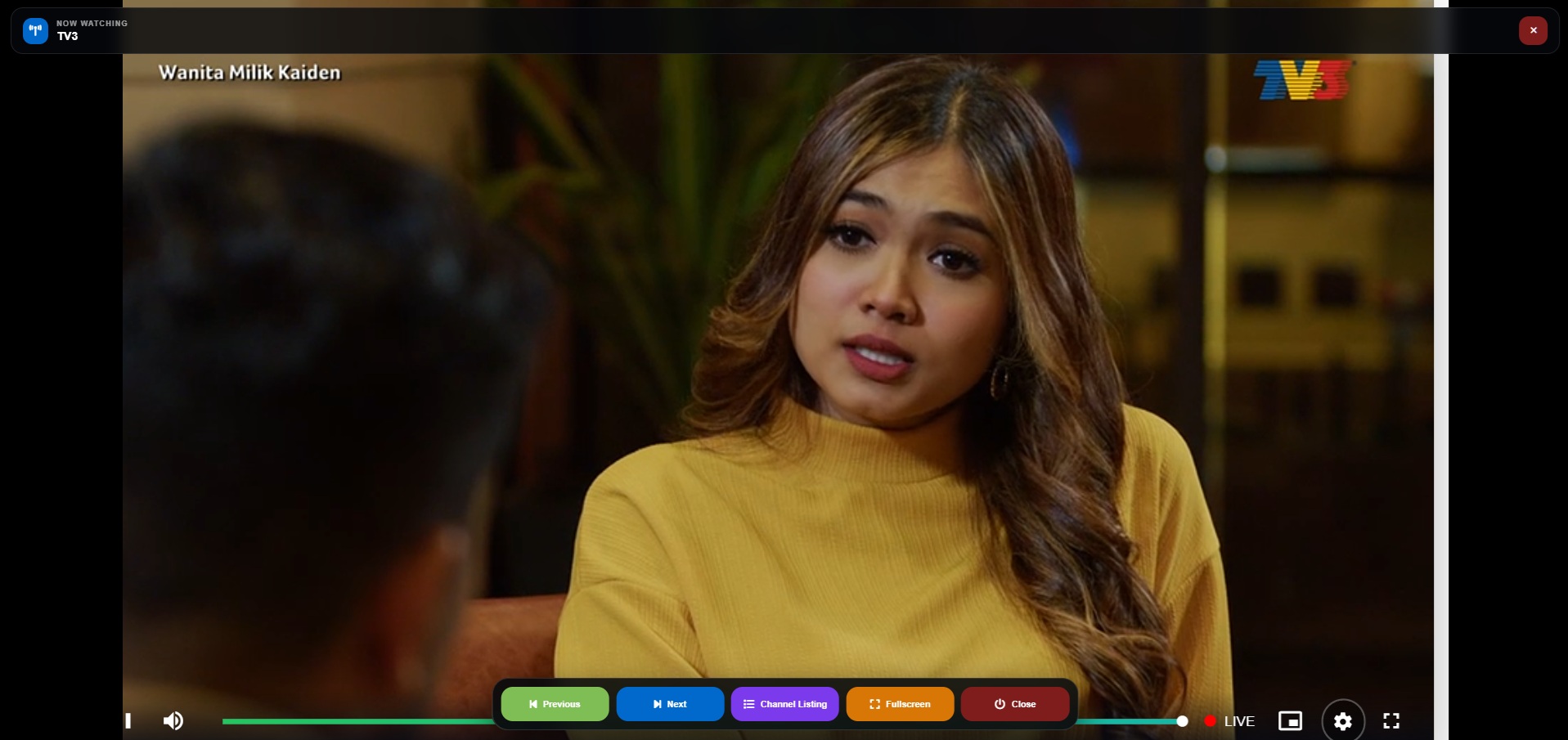
TV3 and RTM Parlimen are good examples.
Their embedded pages contain considerably more than just the television picture itself. To make them look like proper television channels inside Lemon Web-TV, I previously developed a custom cropping system that isolates the useful player area and scales it to fit the viewer's screen.
It worked well, but applying that same technique to every new channel would actually create problems rather than solve them.
A Television-Style Interface Rather Than Just a Collection of Links
I've also tried to keep Lemon Web-TV feeling more like an actual television interface rather than a webpage filled with streaming links.
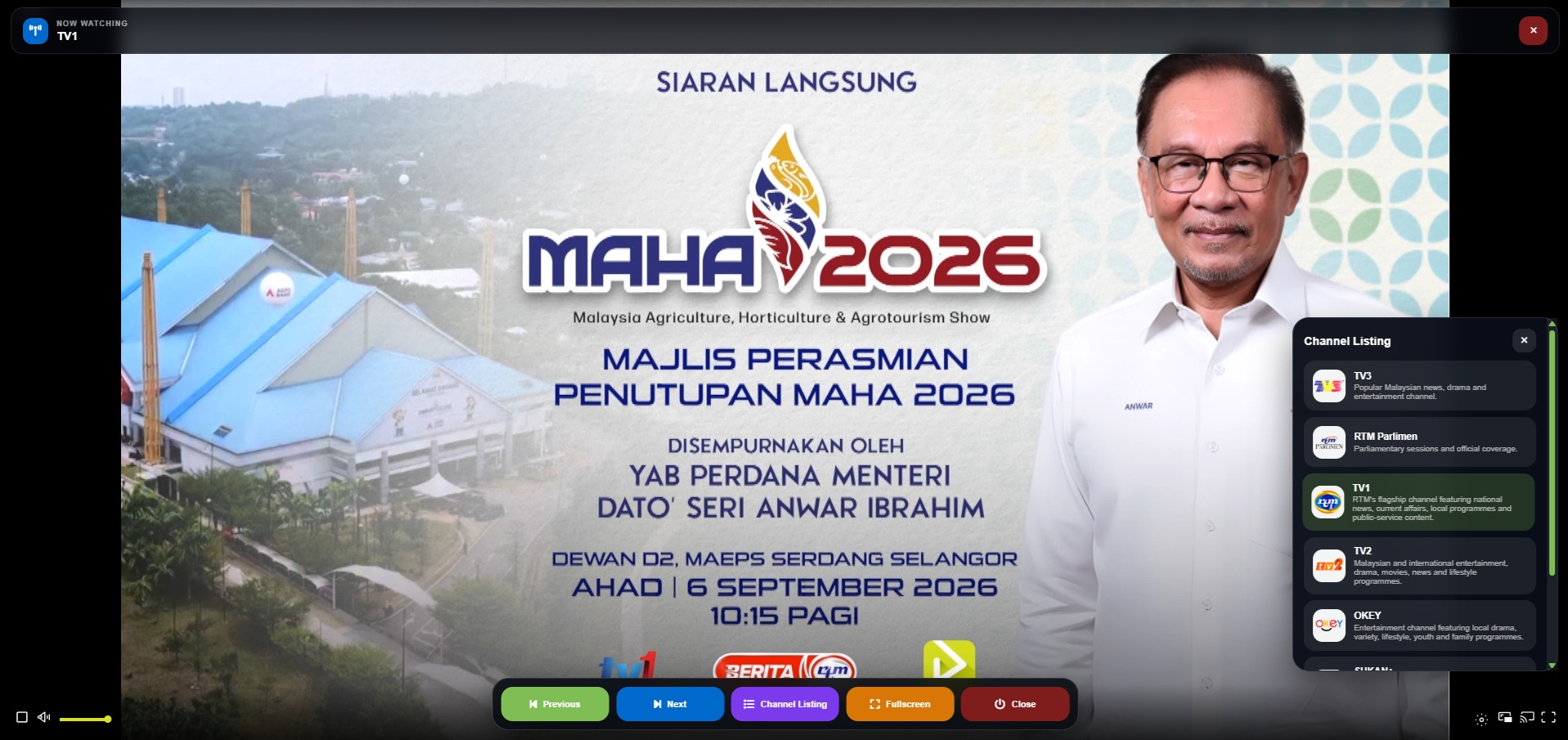
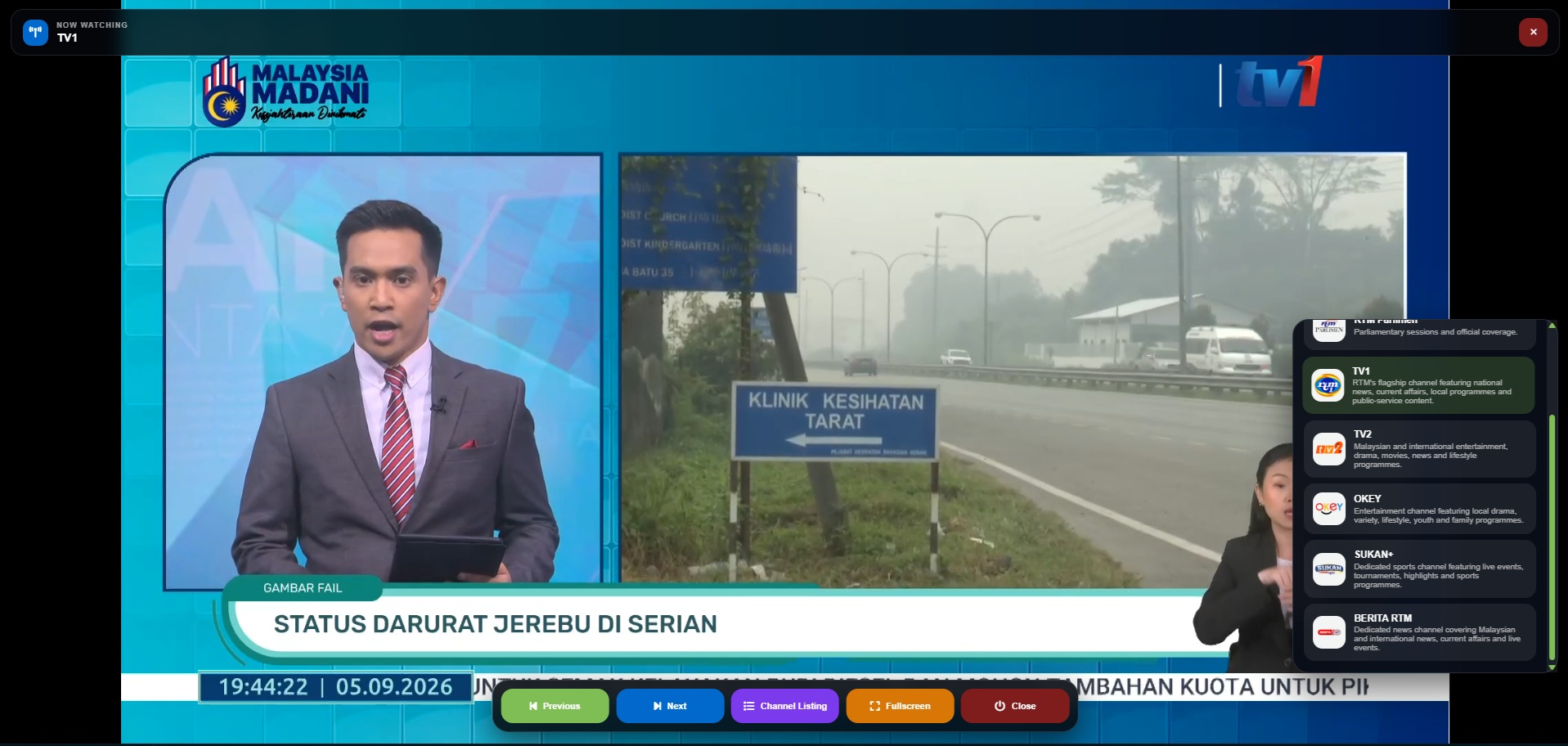
The channel guide presents each station with its own logo, name and short description. Once a channel is opened, the main interface concentrates on the programme rather than surrounding it with unnecessary elements.
Users can move to the previous or next channel, open the channel listing, enter fullscreen mode or close the television player altogether.
The controls also automatically disappear after a short period so they don't permanently sit over the video. If you need them again, they can easily be brought back.
On smaller displays, the same interface adapts so that the controls remain usable without taking over too much of the screen.
It is a fairly simple experience from the user's perspective, and that simplicity is deliberate.
Building Something That Can Continue Growing
Probably the most useful part of this update isn't any individual new channel.
It is the way the system has been structured for future expansion.
Channel information such as the station name, logo, streaming address and description is stored separately from the main Lemon Web-TV interface. That means adding another compatible television station doesn't require redesigning the whole application every time.
New channels can simply become another entry in the lineup.
And because the player can now distinguish between channels requiring special treatment and channels that should simply use the normal viewport, there is much more flexibility when adding different streaming providers in the future.
That makes Lemon Web-TV considerably easier to maintain as the service grows.
A More Complete Lemon Web-TV
The latest update brings Lemon Web-TV to ten available channels, covering a much broader range of Malaysian television content than when the project began.
There are mainstream channels through TV1, TV2 and TV3, entertainment through OKEY, news through BERITA RTM, parliamentary coverage through RTM Parlimen, international-oriented programming through RTM-World, and an increasingly substantial selection of sports content through SUKAN+, BOLA-Sports-6 and AFL-TV.
More importantly, all of these different sources are being brought together behind the same Lemon Web-TV interface.
You don't have to think about which broadcaster uses which player, whether a particular stream needs cropping, or how its original webpage was designed. Lemon Web-TV handles those differences and presents the result as one consistent channel experience.
Final Thoughts
Lemon Web-TV is still a relatively straightforward application, but that is part of what I like about it. Open the application, choose what you want to watch, and the television starts.
Behind that simple interaction, however, the system is gradually becoming smarter.
The expanded channel lineup is the most obvious part of this update, but the improved handling of different stream types is equally important. By keeping the custom cropping only where it is actually necessary and allowing compatible channels to use a clean full-screen player, Lemon Web-TV is now in a much better position to accommodate additional television channels in the future.
There will always be differences between broadcasters, streaming platforms and embedded players, but the goal remains the same: keep those complications behind the scenes and make watching Malaysian television through Lemon Web as simple as possible.











Comments 0