

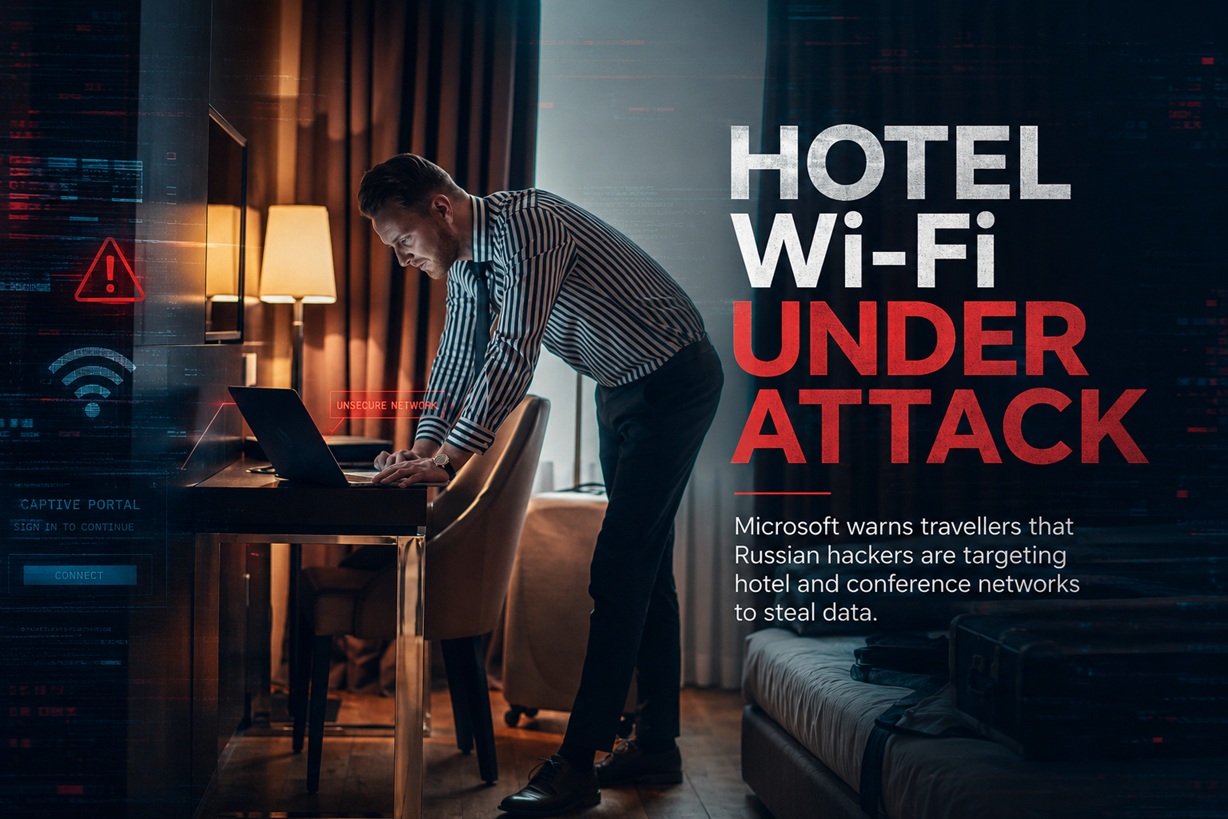
Hotel Wi-Fi has never been the safest place to handle sensitive work, but Microsoft has uncovered a campaign that makes the risk considerably more serious. Russian state-linked attackers are no longer relying only on fake wireless networks positioned near hotels. They are reportedly compromising the legitimate systems responsible for displaying hotel and conference Wi-Fi login pages.
Microsoft calls the campaign CaptiveCrunch. Since May 2026, the company has observed attackers manipulating internet traffic on hospitality and guest networks that use captive portals. Travellers connecting to an apparently genuine network can be redirected through attacker-controlled infrastructure, shown convincing phishing pages or encouraged to install what appears to be a required browser or Windows update.
The Danger Begins Before Normal Browsing
A captive portal is the page that appears when someone connects to Wi-Fi at a hotel, airport, conference centre or café. It may ask the user to accept terms, enter a room number or provide an email address before granting internet access.
Because people expect unusual redirects during this process, a fake update or verification message may not immediately appear suspicious. A traveller may assume that installing a network utility or completing an additional Microsoft sign-in is simply part of joining the venue's Wi-Fi.
CaptiveCrunch exploits that trust. Microsoft says Storm-2945 has manipulated DNS and HTTP traffic associated with captive-portal networks, redirecting users to infrastructure controlled by the attackers. The company is still investigating how the affected portal environments were initially compromised. Similarities between equipment and management systems across several incidents suggest that shared service providers or common captive-portal infrastructure may also be involved, rather than every venue being breached independently.
Storm-2945 Is Connected to Midnight Blizzard
Microsoft attributes the campaign to Storm-2945, which it assesses to be an operational sub-cluster of Midnight Blizzard.
Midnight Blizzard is a Russian state-linked cyberespionage group associated by the United States and United Kingdom governments with Russia's Foreign Intelligence Service, commonly known as the SVR. The group has historically targeted governments, diplomatic organisations, non-governmental organisations and technology providers, primarily in Europe and the United States.
The campaign therefore does not appear to be ordinary opportunistic cybercrime aimed at collecting random credit-card numbers from tourists. Microsoft's assessment suggests a more targeted intelligence-gathering operation, with corporate travellers and people who may carry access to sensitive Microsoft 365 environments among the likely targets.
A Legitimate Hotel Network Can Still Be Compromised
Travellers are often advised to watch for Wi-Fi names that imitate a hotel or conference network. That remains sensible, but CaptiveCrunch demonstrates that choosing the correct network name does not guarantee safety.
The attackers may already control part of the infrastructure processing a legitimate connection. The hotel itself may appear normal, and the user may successfully connect to the expected wireless network. The malicious redirection happens afterwards, through manipulated DNS or web traffic.
This makes the campaign much harder for ordinary travellers to recognise. There may be no obviously misspelled Wi-Fi name and no suspicious person operating a rogue hotspot nearby.
The login page may even appear exactly when expected, strengthening the impression that the instructions shown on it are legitimate.
Fake Updates Are Used to Deliver Malware
Microsoft observed CaptiveCrunch pages presenting malware as browser updates, operating-system repairs or network troubleshooting tools.
The attackers use variations of the ClickFix social-engineering technique. Rather than relying on a hidden software exploit, ClickFix convinces the user to perform the dangerous step manually. The page may claim that an automatic repair failed and provide instructions to download a file, open Windows Terminal or paste and execute a command.
This approach can bypass some browser protections because the victim willingly launches the malware. Security warnings may also feel less convincing when the user believes the action is required to gain internet access.
The most important warning sign is straightforward: a hotel, airport or conference Wi-Fi portal should not require someone to install a Windows update, browser repair utility, certificate, driver or command-line script merely to connect.
CornFlake Provides Persistent Remote Access
The primary malware associated with the campaign is called CornFlake. Microsoft describes it as a full-featured Windows remote-access trojan written in Go.
When launched, CornFlake displays a convincing progress window while silently copying itself into the user's AppData directory. It registers itself as a Windows service named svchost32, using the display name Cloud Sync Service to resemble a legitimate background component.
The fake window can imitate several familiar processes, including Windows Update, Microsoft Defender scanning, DirectX installation, Visual C++ redistributable installation, disk optimisation, network diagnostics or a browser update.
This visual distraction gives the malware time to establish persistence while the victim waits for the supposed repair or update to finish.
Removing One Startup Entry May Not Be Enough
CornFlake does not rely on only one method to return after a restart.
Microsoft observed it creating Windows services, Registry Run entries and scheduled tasks. It also includes a watchdog mechanism designed to restore persistence components if security software or an administrator removes them.
This makes partial cleanup unreliable. Deleting one suspicious service may appear to resolve the issue, only for another component to recreate it.
A potentially infected device should therefore be treated as compromised and investigated properly rather than cleaned through casual manual deletion.
The Malware Can Collect Far More Than Passwords
CornFlake provides attackers with extensive surveillance and data-collection capabilities.
Microsoft says it can record keystrokes, monitor clipboard contents, capture screenshots, activate microphones and webcams, search files, monitor removable USB devices and execute arbitrary commands through a remote shell. It can also extract browser cookies and saved credentials from several Chromium-based browsers and Firefox-related products.
The browser data is particularly valuable because session cookies may allow an attacker to access an online account without entering the victim's password again. Depending on the service and its security controls, stolen session tokens can sometimes bypass ordinary authentication challenges.
For a corporate traveller, that could expose email, cloud files, internal systems and business communications.
ChocoShell Focuses on Cloud and Browser Credentials
Microsoft also identified a PowerShell-based information stealer called ChocoShell.
Unlike CornFlake, which provides a long-running foothold, ChocoShell is intended to rapidly extract valuable credentials. It targets browser cookies, saved passwords, Microsoft 365 single sign-on tokens, Microsoft Entra-related tokens and stored Wi-Fi credentials.
The malware runs in memory and uses several techniques to avoid security analysis. Microsoft observed it attempting to disable the Antimalware Scan Interface, detect virtual-machine sandboxes and obtain elevated privileges through several User Account Control bypass methods.
Its ability to steal Microsoft 365 and authentication tokens makes the campaign particularly relevant to business travellers. An infected laptop could become an entry point into the victim's organisation even after the employee has left the hotel.
AI Appears to Support the Attackers' Operations
Microsoft says Storm-2945 has used AI to support a significant portion of its operations.
The detailed developer comments inside ChocoShell describe the intention behind various evasion choices and even refer to Microsoft detection methods. Microsoft says the consistent coding style and unusually descriptive commentary suggest that AI-assisted code generation may have been used.
AI does not eliminate the need for skilled operators, but it can help attackers modify malware more quickly, generate convincing interfaces and adapt social-engineering material for different devices or situations.
CornFlake itself is designed to be customised. Operators can select the fake window victims will see, enable specific surveillance modules and alter the types of files the malware should collect.
The Campaign Also Abuses Microsoft Device-Code Authentication
Not every CaptiveCrunch victim is immediately directed to malware.
Microsoft has also observed landing pages that guide users into the legitimate Microsoft device-code authentication process. This is a valid OAuth workflow normally used when a device cannot display a standard sign-in page.
In an attack, the criminal starts an authentication request and convinces the victim to enter an attacker-controlled code on Microsoft's genuine sign-in page. The user sees a real Microsoft domain and successfully completes authentication—but unknowingly authorises the attacker's session instead of their own.
Placing this request inside a hotel Wi-Fi onboarding process may make it appear more credible. A traveller could reasonably believe that their corporate Microsoft account is required to verify internet access.
A guest network should not normally require an employee to authorise an unfamiliar Microsoft device-code session.
Android Travellers May Also Be Targeted
The campaign is primarily documented around Windows systems, but Microsoft has also seen indications that Android users may be targeted.
Some ClickFix landing pages reportedly include instructions telling Android users to download and install an APK file. Microsoft's wording is cautious, describing this as an indication rather than providing the same level of confirmed malware analysis available for Windows.
Android users should never install an APK offered by a hotel or conference Wi-Fi login page. Legitimate venue internet access should not require sideloading an application from outside the official app store.
Public Wi-Fi Should Be Treated as Untrusted
Microsoft recommends preferring private connectivity whenever practical, including mobile hotspots, cellular data, eSIM connections or other trusted alternatives.
For organisations with employees who travel frequently, managed travel routers can establish encrypted tunnels back to corporate infrastructure before sensitive resources are accessed. Companies can also use mobile-device-management policies to prevent corporate devices from joining wireless networks that have not been approved.
A VPN can reduce exposure by encrypting traffic after it has connected, but it should not create a false sense of complete protection. The malicious captive-portal interaction may occur before the VPN tunnel is established, and a user can still manually execute malware presented by the compromised portal.
The safer approach is to minimise use of guest Wi-Fi in the first place.
Never Install Updates Through a Hotel Portal
Operating-system and browser updates should be obtained only through their normal trusted mechanisms.
Windows updates should come through Windows Update. Browser updates should be initiated from the browser's built-in settings or the vendor's verified application. Security tools and certificates should never be installed simply because a guest-network page claims they are required.
When a captive portal displays a download prompt, travellers should disconnect from the network and switch to cellular data before checking whether an update is genuinely available.
Instructions involving Command Prompt, PowerShell, Windows Terminal, rundll32 or mshta should be treated as malicious. A venue does not need users to paste commands into Windows to grant Wi-Fi access.
Corporate Credentials Should Not Be Used on Guest-Network Pages
Hotel and conference registration pages may ask for a surname, room number or event code. Employees should never enter their corporate password into such a portal.
Microsoft recommends minimising the information disclosed while registering for guest access. Organisations should also consider how hotel bookings, conference registrations and employee travel details could help attackers identify valuable targets.
A portal that suddenly requests Microsoft 365 credentials, an MFA approval or a device code should be regarded as suspicious unless the organisation has independently confirmed that process.
Passkeys and Phishing-Resistant MFA Can Limit Damage
Strong identity controls remain important because CaptiveCrunch also targets Microsoft 365 access.
Microsoft recommends passwordless authentication, passkeys and phishing-resistant multifactor authentication for privileged users. Organisations should consider blocking OAuth device-code authentication where it is not required and using Conditional Access policies to restrict its use where it must remain available.
Risk-based sign-in policies can also challenge or block authentication attempts that appear inconsistent with the user's normal behaviour.
These controls cannot prevent someone from manually installing malware, but they may reduce the attacker's ability to turn stolen credentials or device-code approvals into long-term cloud access.
What to Do After Seeing a Suspicious Hotel Update
A traveller who sees a captive portal requesting software installation should disconnect immediately and avoid executing the file or command.
When something has already been downloaded but not opened, it should be reported to the organisation's security team and analysed before deletion. When a file or command has been executed, the device should be isolated from corporate services and treated as potentially compromised.
Changing passwords from the same potentially infected computer is not sufficient because keylogging or session-stealing malware may capture the new credentials.
Account passwords should instead be changed using a separate trusted device. Active sessions and tokens may need to be revoked, and the affected computer should undergo a proper endpoint investigation.
Businesses Should Prepare Travellers Before They Leave
Travel-security guidance is often delivered as a general reminder not to trust public Wi-Fi. CaptiveCrunch shows that employees need more specific instructions.
They should know that a legitimate-looking hotel portal can be compromised, that fake updates may closely resemble Windows and browser interfaces, and that Microsoft device-code pages can be abused even when the sign-in domain itself is genuine.
Organisations should also provide a clear alternative, such as company-funded cellular connectivity or a managed hotspot. Telling employees not to use hotel Wi-Fi is unlikely to succeed when they have no practical way to perform their work without it.
Final Thoughts
CaptiveCrunch changes the usual understanding of hotel Wi-Fi risk.
The threat is no longer limited to someone passively monitoring an unsecured connection or creating a fake network name. Storm-2945 is manipulating captive-portal traffic on networks used by hotels, conferences and other shared venues, allowing attackers to place convincing phishing pages and malicious updates directly into the expected Wi-Fi login experience.
The CornFlake malware can establish persistent access, collect files and credentials, record keystrokes, capture audio and video, and provide attackers with a remote command shell. ChocoShell adds focused theft of browser sessions, Microsoft 365 tokens and Wi-Fi credentials. Device-code phishing creates another route into cloud accounts without requiring the attacker to build a fake Microsoft sign-in page.
For travellers, the safest rule is simple: a hotel network should never require an operating-system update, browser repair, certificate installation, APK download or command-line instruction.
Use mobile data or a personal hotspot whenever possible, obtain updates only through trusted built-in tools and contact the organisation's security team when a guest network presents anything unusual.
The Wi-Fi name may be correct and the venue may be legitimate. That no longer guarantees that the page appearing between the traveller and the internet can be trusted.











Comments 0