

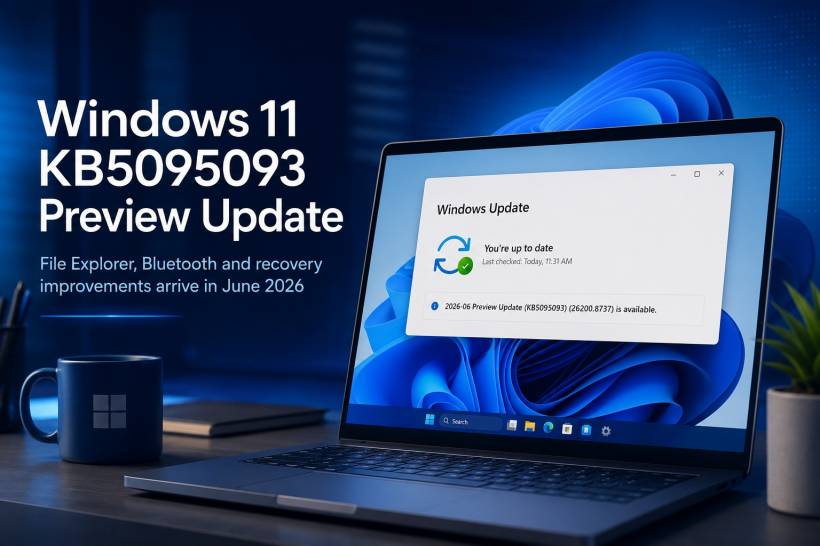
Windows Update may show everything as "up to date", yet still place a new optional update underneath the green tick. That is exactly what is happening with 2026-06 Preview Update (KB5095093), which brings Windows 11 version 25H2 to build 26200.8737. Windows 11 version 24H2 receives the same update under build 26100.8737.
This is not an emergency security patch. It is a Preview update, meaning Microsoft is offering a collection of quality fixes, refinements and selected new features before they become part of a later normal Windows update cycle. For most people, it is safe to wait. For users affected by a specific bug, however, it may be worth installing sooner.
A More Useful Recovery Option for Windows
One of the more interesting additions in KB5095093 is Point-in-time restore for Windows. The feature is designed to let users roll a PC back to a recent automatic restore point, including apps, settings and personal files.
In theory, this could be particularly useful after a troublesome driver installation, a broken software update or a configuration change that leaves a PC behaving strangely. Rather than spending hours trying to identify every altered setting, users may have a simpler route back to a known working state.
Windows Update Gets a Better Pause Experience
Microsoft is also improving the way Windows Update pauses work. Instead of choosing a vague number of days, users can select an end date through a calendar-style interface. Updates can be paused for up to 35 days, with the option to extend or re-pause them later.
It is a small usability change, but it makes more sense for people planning around travel, presentations, project deadlines or busy work periods.
File Explorer Receives Long-Overdue Attention
File Explorer gets a noticeable share of improvements in this release. Microsoft says the update improves launch performance and responsiveness, including when mounting disk-image files. It also fixes several irritating edge cases involving OneDrive shortcuts, duplicated OneDrive favourites, rename behaviour, address-bar suggestions and unusual paths containing double backslashes or quotation marks.
For work and school accounts, File Explorer Home can also show quick actions when hovering over a file, including options such as opening its location or asking Copilot. That feature is rolling out gradually and may not appear immediately on every eligible PC.
Bluetooth Headphones and Calls Should Behave Better
Bluetooth is another major focus. KB5095093 improves microphone mute synchronisation for compatible Bluetooth headphones, helps certain devices enter pairing mode more reliably, shortens reconnection time after hibernation and improves voice-call stability for classic Bluetooth and LE Audio devices.
Microsoft specifically mentions better pairing behaviour for AirPods and improved microphone reliability for Beats Studio Pro headphones. It is also adjusting Phone Link call routing so audio remains on the phone while an outbound call is ringing, then transfers to the PC only after the call is answered there.
Small Fixes That May Matter More Than New Features
Some of the best Windows updates are not flashy at all. This release addresses a Recycle Bin issue where the confirmation box could show an internal system filename instead of the original file name when permanently deleting a file.
It also improves Wi-Fi stability, cellular connectivity, WSL networking with VPNs, multi-monitor scrolling reliability, taskbar badge behaviour and the reliability of Explorer, Start menu interactions and shell extensions. Microsoft has additionally fixed unexpected User Account Control prompts that some installers and applications could display after an earlier May update.
There is also a practical change for printers: new printer installations will use Internet Printing Protocol by default when supported. This is part of Microsoft's wider move toward more modern and reliable Windows printing methods.
Widgets, Accessibility and AI-Related Changes
Widgets are being made less intrusive, with hover-to-open disabled and notifications or taskbar badges reduced by default. Windows also gains a screen-tint accessibility option, while Magnifier receives more precise zoom controls.
For Copilot+ PCs, voice access and voice typing gain real-time language improvements in French, German and Spanish. Windows can also use a revised graphics memory policy on PCs with more than 32GB of RAM, allowing larger local AI models to run more comfortably. These AI-related changes will not necessarily apply to every Windows PC.
A Known Microsoft Office Issue Remains
There is one important warning before installing. Microsoft says certain third-party applications may fail to open Microsoft Office apps or documents after Windows updates released on or after June 9, 2026. The problem affects software that uses OLE automation to launch Office components such as Word, Excel, PowerPoint or Access.
Microsoft lists examples including CCH Engagement, Workpaper Manager, Zotero, Dentrix and Softdent, although similar applications could also be affected. The current workaround is to open the Office application or document directly rather than launching it through the affected software.
For business users, especially those dependent on accounting, dental, document-management or specialist workflow software, this is a good reason to test the update first or wait for Microsoft's permanent fix.
Should You Install KB5095093?
For a personal PC, KB5095093 is worth considering if File Explorer feels sluggish, Bluetooth audio has been unreliable, the Recycle Bin naming issue has appeared, or Windows networking has been acting strangely.
For a work machine that is currently stable, there is no urgent need to rush. Because this is an optional Preview update, a cautious approach is perfectly reasonable—particularly where third-party software needs to launch Office documents.
To install it, go to Settings > Windows Update > Advanced options > Optional updates, then look for KB5095093. Microsoft confirms that it is available through the Optional updates section of Windows Update.
Final Thoughts
KB5095093 is not a dramatic Windows redesign, but it is a meaningful clean-up release. The strongest improvements are practical: better File Explorer responsiveness, more reliable Bluetooth behaviour, improved networking, useful recovery options and fixes for several frustrating everyday bugs.
Just remember that Windows is rolling out some features gradually. Installing build 26200.8737 does not guarantee every new interface change will appear instantly, but it does place your PC on the latest June Preview build for Windows 11 25H2.











Comments 0