

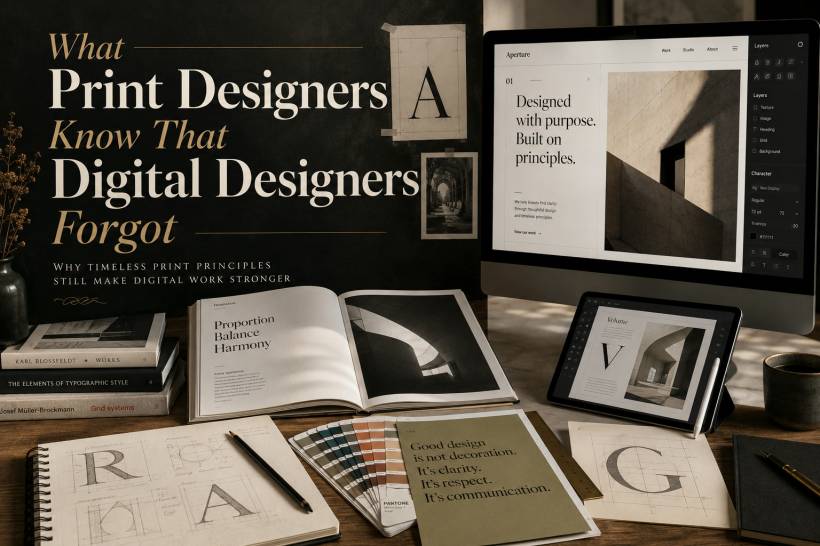
Digital design has borrowed plenty from print: grid systems, typographic rules, visual balance, colour theory and editorial layout all began long before websites and apps became part of daily life. Yet somewhere along the way, digital design also became a little too comfortable. Screens are flexible, changes are quick and almost anything can be updated after launch. That freedom is useful, but it can also encourage rushed decisions, cluttered interfaces and a "we will fix it later" attitude.
Print designers work differently because they have always had to. Their limitations have shaped habits that remain highly valuable for websites, apps, dashboards, landing pages and every other kind of digital experience.
Treat the First Version Like It Matters
When a printed brochure, magazine or product catalogue goes to press, the design is effectively locked in. A typo, wrong phone number, poor crop or awkward alignment cannot simply be corrected with a quick update. Fixing it may mean reprinting thousands of copies, wasting time, money and material.
That reality forces print designers to slow down. They inspect every detail, test the final artwork and review the actual output before approving production. They know that the final piece has to work as intended from the moment someone picks it up.
Digital teams have a far more forgiving environment. A button label can be changed after launch. A broken layout can be patched. A missing feature can be added in the next sprint. While that flexibility is one of digital design's greatest strengths, it should not become an excuse to launch something half-finished.
A good digital designer should still ask: Would I be comfortable releasing this if I could not edit it tomorrow?
That mindset creates better decisions today, even when future updates are possible.
The Medium Always Changes the Experience
Print designers are deeply aware that a design does not live in a vacuum. The same layout can look completely different when printed on glossy paper, recycled stock, textured cardstock or a low-cost office printer. Ink behaves differently. Colours shift. Fine text can disappear. A beautiful photograph may lose detail depending on the paper and printing method.
Because of this, print designers think beyond the design file. They consider how the finished piece will actually feel in someone's hands.
Digital designers also need to think more carefully about the medium, even though the "medium" is a screen. A design may look perfect on a bright desktop monitor in a controlled workspace, but users may see it on a cracked phone screen, under harsh sunlight, with low brightness enabled or on an older laptop with weaker colour accuracy.
That polished dark-mode interface may become difficult to use outdoors. A subtle grey text colour may look elegant on a high-end display but nearly invisible on a budget phone. A detailed animation may feel smooth on a powerful desktop but frustratingly slow on an older device.
The lesson from print is simple: design does not end when it looks good on your own screen.
More Colours Do Not Automatically Create Better Design
Digital design gives us access to millions of colours, gradients, shadows, blurs, glows and effects that would be difficult, expensive or impossible to reproduce in print. It is tempting to use all of them.
Print designers do not have that luxury. Traditional process printing relies mainly on cyan, magenta, yellow and black. Additional spot colours can be used, but they increase production complexity and cost. That limitation teaches designers to make colour choices more intentional.
They learn how to create contrast without relying on excessive effects. They understand that not every brand needs five gradients, three neon accents and a background full of glowing shapes. They know that a limited palette can feel more premium, memorable and confident than a visually noisy one.
Digital designers can benefit from the same restraint. A good interface does not need to use every effect modern CSS or design software can produce. Often, a smaller palette with clearer contrast creates a stronger brand experience and makes important actions easier to notice.
The best colour systems are not the ones with the most options. They are the ones where every colour has a purpose.
Hierarchy Should Work Before Interaction Begins
A printed page cannot depend on clicks, hover states or expandable menus. The reader sees the entire page at once, and the layout itself must communicate what matters first, second and third.
That is why print designers become highly skilled at visual hierarchy. They use size, spacing, type weight, placement and contrast to guide the reader naturally. A headline should feel like a headline immediately. Supporting text should support, not compete. Captions, pull quotes and calls to action should be obvious without needing explanation.
Digital designers have more tools available. They can reveal content on hover, hide information behind tabs, collapse long sections into accordions or rely on scrolling to separate ideas. These interactions can be useful, but they should not be used to cover up weak structure.
A user should understand the purpose of a page before pressing anything. They should be able to tell what is important without needing to hover over every card or scroll halfway down the page.
A good test is to view a page as a static screenshot. If the key message, primary action and content priority are unclear, the layout may be relying too heavily on interaction to do the work.
White Space Is Not Empty Space
One of the most common mistakes in both print and digital design is treating unused space as wasted space.
Print designers understand that space has value. Paper is not free, so leaving a generous margin or a quiet area around an image is a deliberate choice. It creates breathing room, improves readability and gives the overall composition a more considered, premium feel.
The same applies to screens. Just because a webpage can scroll indefinitely does not mean every section needs more text, more buttons, more icons and more visual decoration. Dense pages can make users feel overwhelmed before they have even started reading.
White space creates separation. It gives headings room to lead. It allows buttons to stand out. It helps the eye move from one idea to the next without fatigue.
The strongest designs are often not the ones that fit the most into a page. They are the ones confident enough to leave something out.
Physical Interaction Still Has a Digital Equivalent
Print design has always considered how people handle an object. A book has a spine. A brochure has folds. A magazine has page turns. Designers must think about gutters, margins, folds, opening sequences and the way imagery continues across pages.
That physical awareness should inspire digital designers too.
A mobile user holds a device differently from someone using a desktop mouse. A thumb may not comfortably reach a top-right action button. A long form may need clearer progress indicators. A touch target that looks fine visually may be too small to tap reliably. A full-screen modal may feel simple on desktop but frustrating on a phone.
Digital experiences may not have paper, folds or bindings, but they still have physical behaviour. People tap, swipe, scroll, pinch, hold, rotate and navigate with limited attention.
Designing for how the experience is actually used is just as important as making it look visually attractive.
Proofreading Is Part of Design, Not an Afterthought
Print designers are known for obsessive proofing because they have to be. Spelling, grammar, image crops, colours, alignment, page numbering and contact details are all checked repeatedly before anything is approved.
Digital teams sometimes underestimate this stage because corrections can be deployed later. But a typo in a large headline, a broken button, an outdated price or a wrong link can still damage trust immediately. For an e-commerce page, healthcare website, government portal or service dashboard, even a small error can make users question the reliability of everything else.
Proofreading also goes beyond text. It means checking responsive behaviour, button states, image loading, accessibility, forms, error messages and empty states. It means testing the real experience, not just approving a perfect design mock-up.
A launch should not be the first usability test.
Constraints Can Improve Creativity
Print design is often seen as restrictive because of budgets, paper sizes, ink limits and production requirements. But those restrictions force designers to think more carefully. They make every choice matter.
Digital design has fewer visible limits, yet that can sometimes lead to excess. More effects, more sections, more animations, more content and more options do not always create a better experience.
A useful approach is to introduce intentional constraints into digital projects. Limit the number of font styles. Define a smaller set of spacing values. Keep the colour system focused. Give each page one clear primary action. Challenge every visual element to justify its place.
Constraints are not there to make design boring. They help make it clearer.
Final Thoughts
Print is not better than digital, and digital should not try to imitate paper completely. Each medium has its own strengths. But the discipline developed through print design remains highly relevant.
Think carefully before finalising. Respect the medium. Use colour with purpose. Build strong hierarchy. Protect white space. Design for real human interaction. Proofread like there is no second chance.
Digital products may be easier to update, but the best ones still feel considered from the first moment users see them.











Comments 0