

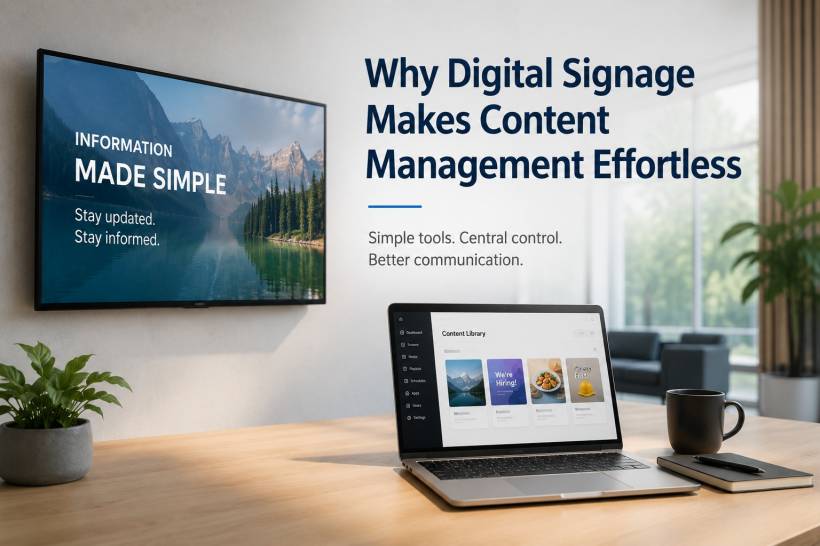
Digital signage has become one of the simplest ways for businesses, schools, offices, clinics, restaurants, and public service areas to share information quickly. Instead of relying on printed notices, manual posters, or staff repeatedly updating the same message in different places, digital screens allow content to be managed in a cleaner and more flexible way.
The real strength of digital signage is not only the screen itself. The screen is just the visible part. What makes the system useful is the content management behind it. A good digital signage setup allows teams to update messages, organise schedules, display announcements, and keep information consistent without needing to touch every display one by one.
This is especially helpful for teams with limited time. In many workplaces, the same people who manage daily operations are also expected to update notices, promotions, menus, schedules, reminders, and internal announcements. Without a proper system, that becomes repetitive work very quickly. Digital signage helps reduce that burden by giving teams a central place to control what appears on each screen.
Centralised Control Keeps Every Screen Updated
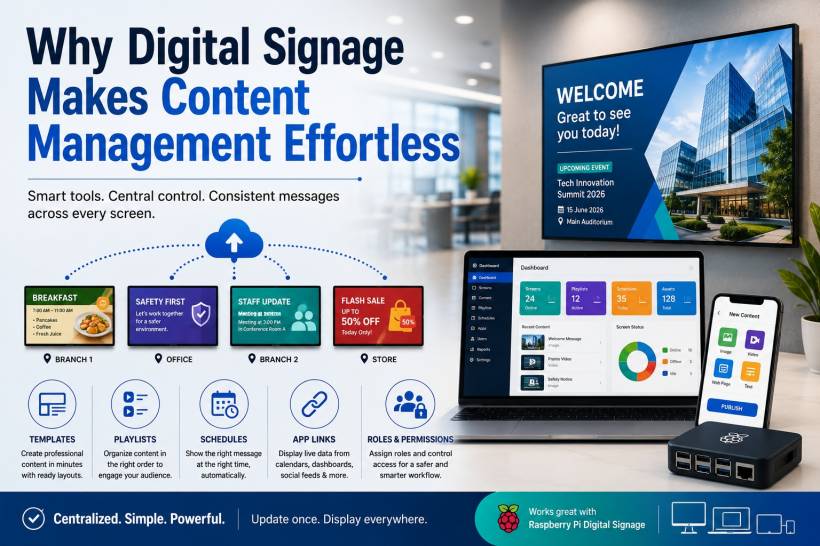
One of the biggest advantages of digital signage is centralised content control. Instead of updating each display separately, teams can manage several screens from one dashboard. This makes the process faster, more organised, and less likely to cause mistakes.
For example, a business with screens in multiple branches can update one promotion from a single account and push it to all locations. A school can update event reminders across different buildings. A clinic or hospital can display queue information, patient notices, service alerts, or health awareness messages without printing new materials every time something changes.
This kind of control is also useful for smaller setups. Even a Raspberry Pi digital signage setup can give teams a practical way to manage content without complicated hardware. The idea is simple: connect the screen, manage the content through software, and update the display whenever needed.
With centralised management, messages stay consistent. That means fewer outdated notices, fewer formatting mistakes, and less confusion for visitors, customers, staff, or students.
A Simple Setup Helps Information Move Faster
A good digital signage system should not feel difficult to use. The easier the setup, the faster information can move from idea to screen. This matters because many updates are time-sensitive. A restaurant may need to update a menu item. A clinic may need to announce a temporary service change. An office may need to display an urgent internal notice.
When the system works through a web portal or mobile app, staff can upload or edit content without needing to be physically near the screen. They can add images, videos, text notices, links, or simple announcements through a clear interface.
This keeps the focus on the message rather than the technical process. Staff do not have to worry about checking cables, replacing posters, copying files to USB drives, or manually adjusting every display. The system handles the delivery, while the team focuses on making sure the information is useful and accurate.
Templates Save Time and Keep Content Looking Professional
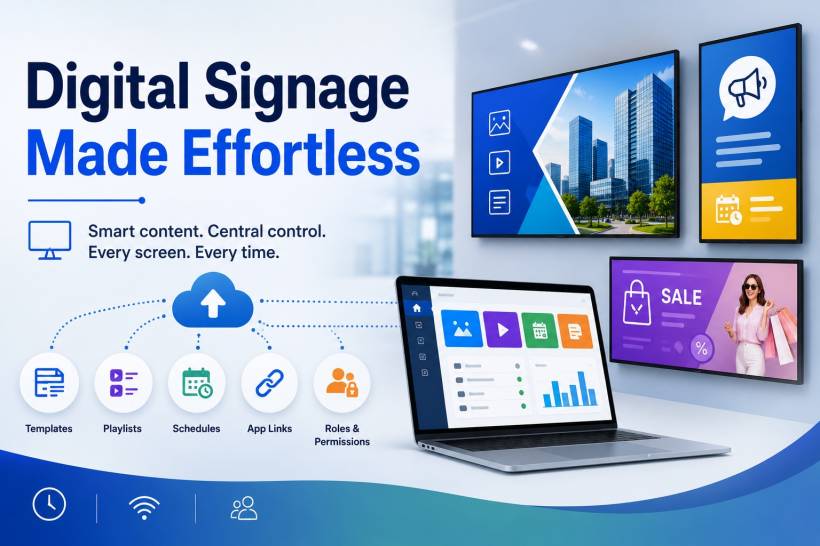
Not every team has a designer available every time a screen needs updating. This is where templates become extremely useful. Templates provide ready-made layouts for common display needs such as welcome messages, promotions, schedules, event reminders, service alerts, lobby notices, and daily menus.
With templates, staff only need to change the text, image, timing, or basic details. The layout remains clean and consistent. This helps the screen look professional even when updates are handled by non-design staff.
Templates are also important for branding. A company, school, or healthcare facility may want all screens to follow the same visual style. Without templates, each update may look different depending on who created it. With templates, the organisation can maintain a consistent look across all displays.
This saves time, reduces design pressure, and helps keep information easy to read.
Ready Layouts Make Messages Clearer
Digital screens are often viewed quickly. People may only glance at them for a few seconds while walking through a lobby, waiting area, corridor, shop, or service counter. Because of that, screen content needs to be clear and direct.
Ready layouts help make this easier. They guide staff to place the most important information in the right area of the screen. A title, image, date, time, instruction, or callout can be arranged in a way that is simple to understand.
This is especially useful for visitors or customers who need information quickly. A cluttered screen can be ignored. A clean screen with a clear message is more likely to be noticed and understood.
Playlists Keep Screen Content Organised
Playlists are another useful part of digital signage content management. Instead of showing only one item on a screen, teams can create a sequence of content that appears in a planned order.
For example, a screen can rotate between a welcome message, service announcement, promotional offer, safety reminder, dashboard, and upcoming event. This keeps the screen active and useful without overwhelming viewers with everything at once.
Common playlist items may include:
• Daily menus
• Lobby notices
• Staff updates
• Product highlights
• Event reminders
• Safety messages
• Queue information
• Service announcements
Playlists are helpful because they give structure to the screen. Teams can decide what should appear first, how long each item should stay visible, and which content should repeat throughout the day.
Schedules Show the Right Message at the Right Time
Scheduling is one of the most practical features of digital signage. It allows content to appear only when it is needed. This reduces manual work and helps prevent outdated information from staying on display.
A café can show breakfast items in the morning and lunch promotions later in the day. A school can display class notices during school hours and event reminders after classes. A hospital or clinic can show department-specific messages based on visiting hours, clinic sessions, or public awareness campaigns.
Time-based scheduling also helps teams plan ahead. Content can be prepared earlier and set to start or stop automatically based on date and time. This is useful for campaigns, seasonal notices, public holidays, internal events, or temporary alerts.
The result is better accuracy and less last-minute rushing.
Live App Links Reduce Repeated Copying
Many organisations already manage information in other systems such as calendars, dashboards, social feeds, review platforms, spreadsheets, or booking tools. Digital signage can become more efficient when it connects to these sources.
App links or integrations can bring live information directly to the screen. This reduces the need for staff to copy and paste the same details again and again. If the source information changes, the screen can reflect the latest update automatically or with minimal effort.
For example, a meeting room screen can show calendar events. A sales office can display performance dashboards. A service centre can show queue or ticket information. A lobby screen can display social updates or public announcements.
This keeps the screen relevant while reducing the amount of manual content work.
Roles and Permissions Help Teams Work Safely
When several people are involved in content updates, control becomes important. Not everyone should have the same level of access. Some users may only need to create content, while others may need to approve, schedule, publish, or manage screens.
Roles and permissions help create a safer workflow. They reduce the chance of accidental changes, incorrect messages, or unauthorised updates. This is especially important for organisations with multiple locations, departments, or teams.
For example, a marketing staff member may prepare promotional content, while a manager approves it before publishing. A school administrator may update event notices, while IT manages the devices. A healthcare department may prepare patient education content, while the quality or communications team reviews the message before it appears publicly.
This structure helps keep content reliable and properly managed.
Raspberry Pi Digital Signage Makes It More Accessible
Digital signage does not always require expensive commercial hardware. A Raspberry Pi digital signage setup can be a practical option for many organisations that want a flexible and affordable way to manage screens.
When paired with simple digital signage software, Raspberry Pi can be used to display images, videos, web pages, dashboards, menus, and announcements. It is compact, cost-effective, and suitable for many basic to moderate signage needs.
This makes digital signage more accessible for small businesses, schools, clinics, offices, and community spaces. The key is choosing software that makes content management simple. Hardware alone does not solve the problem. The real benefit comes when the system allows central access, easy updates, templates, scheduling, playlists, and user controls.
Why This Matters for Daily Operations
Digital signage is useful because it removes friction from communication. In many organisations, information changes constantly. Printed notices can become outdated. Manual updates take time. Different branches may display different versions of the same message. Staff may forget to remove old announcements.
A proper digital signage system helps solve these everyday problems. It gives teams one organised way to manage screen content, keep information current, and reduce repeated work.
This is not just about convenience. It also improves professionalism. A well-managed screen makes an organisation look more prepared, more consistent, and more responsive. Whether the audience is customers, visitors, students, patients, or employees, clear communication creates a better experience.
Final Thoughts
Digital signage makes content management easier because it brings control, consistency, and speed into one system. Instead of handling every screen manually, teams can manage updates from a central dashboard, use templates to keep content neat, arrange messages through playlists, schedule information based on time, connect live app content, and control access through user roles.
For organisations that want a practical setup, even Raspberry Pi digital signage can be a useful option when combined with the right software. It gives teams a simple way to keep screens active and relevant without adding unnecessary technical complexity.
At its best, digital signage is not just a display tool. It is a communication system. It helps teams share the right information, at the right time, on the right screen, with far less effort.











Comments 0