

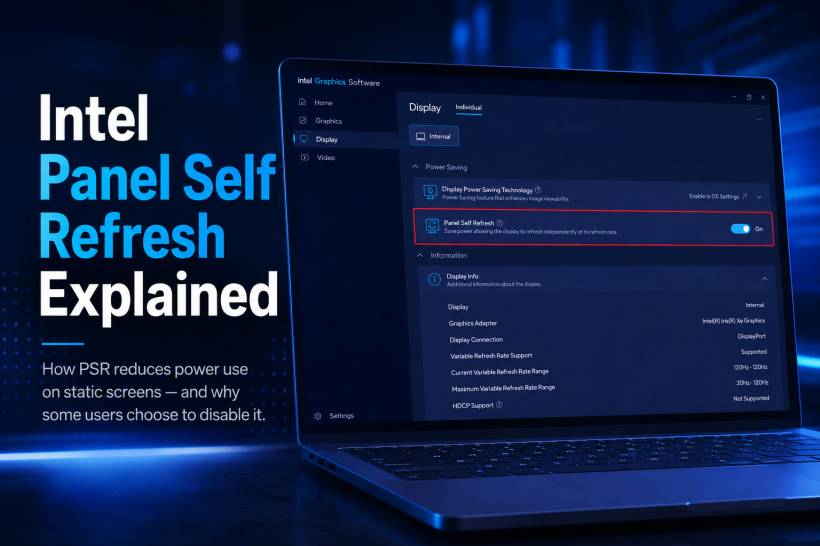
Laptop battery-saving features often work quietly in the background, which is why many users never notice them until something feels slightly different on the screen. Intel Panel Self Refresh, commonly called PSR, is one of those features.
It is designed to reduce display-related power usage when your screen is not changing. This includes everyday moments such as reading an article, reviewing a document, writing code, browsing a mostly static webpage or leaving a spreadsheet open while thinking through your next task.
Instead of continuously sending the same image to the display over and over again, PSR allows the panel to hold that image locally for a short period. This reduces unnecessary work for the laptop's graphics hardware and helps preserve battery life.
What Is Intel Panel Self Refresh?
Panel Self Refresh is a display power-saving feature used on many Intel-powered laptops with embedded DisplayPort, also known as eDP, displays.
Under normal conditions, the laptop's graphics system continuously refreshes the screen, even when nothing on the display is moving. At a typical 60Hz refresh rate, the system may send the same visual data to the panel 60 times every second.
That process involves several parts of the laptop:
• The graphics display engine
• System memory, where the current frame is stored
• The embedded DisplayPort connection between the system and display
• The display panel itself
When the image stays unchanged, constantly repeating that work wastes power. PSR is designed to reduce this overhead.
How PSR Works When the Screen Is Static
When Intel PSR detects that the screen has not changed, the display follows a different workflow.
First, the panel stores the most recently rendered image inside a small local memory buffer. This gives the display its own copy of the current screen image.
Once that image is stored, the panel can refresh itself without repeatedly requesting the same data from the laptop's processor and system memory. The graphics display engine, memory activity and eDP transmission link can then reduce activity or enter a lower-power state.
The moment something changes, such as moving the mouse, typing a key, scrolling a page or playing a video, the system wakes the display pipeline and resumes normal image updates almost immediately.
From the user's perspective, this usually happens in the background without any obvious delay.
Why PSR Can Reduce Power Usage
The benefit of PSR comes from allowing multiple display-related components to do less work when the screen remains static.
Instead of treating an unchanged document or webpage as if it needs to be redrawn constantly, the system can temporarily reduce activity across several areas:
• The graphics display engine can lower its processing workload
• The eDP display connection can stop sending repeated image data
• System memory activity can be reduced because the frame does not need to be fetched continuously
• The laptop can spend more time in lower-power states during reading or writing tasks
The exact saving depends on the laptop, display panel, Intel graphics driver, brightness level and workload. However, PSR can make a noticeable difference for users who spend long periods working with static content.
The Real-World Battery Life Benefit
It is important to separate component-level savings from total battery life.
PSR can reduce the power used by parts of the display pipeline, but it does not turn off the physical display backlight. It also does not stop other power-hungry components from running, such as the processor, wireless connection, background apps, browser tabs or external devices.
For this reason, PSR will not dramatically double a laptop's battery life. Its benefit is more gradual and practical.
Users who regularly read, write, code, edit documents or work with mostly static pages may gain extra battery time over the course of a day. On some laptops, that difference may be enough to provide additional working time before needing to recharge.
When PSR Works Best
Panel Self Refresh is most useful when the screen stays unchanged for several seconds at a time.
Typical examples include:
• Reading long articles or PDFs
• Writing documents
• Working in spreadsheets
• Reviewing code in a static editor window
• Viewing emails or reports
• Looking at a presentation slide
• Pausing on a webpage without scrolling
It is less useful during fast-moving tasks such as gaming, video playback, rapid scrolling, animation-heavy websites or active editing work where the display changes constantly.
Why Some Users Choose to Disable It
Although PSR is helpful for battery efficiency, it can occasionally create small display issues on certain laptops.
The most common complaint is a subtle delay when the display wakes from its lower-power state. Some users may notice a brief mouse hitch or tiny lag when they begin moving the cursor after the screen has been static.
In other cases, certain display panels or graphics driver versions may show flickering, temporary freezing or momentary visual glitches as the system switches between panel self-refresh mode and normal display updates.
These issues are not universal, but they can be frustrating when they occur. Users who experience repeated flickering, brief screen freezes or visible display instability during light tasks may prefer to turn PSR off.
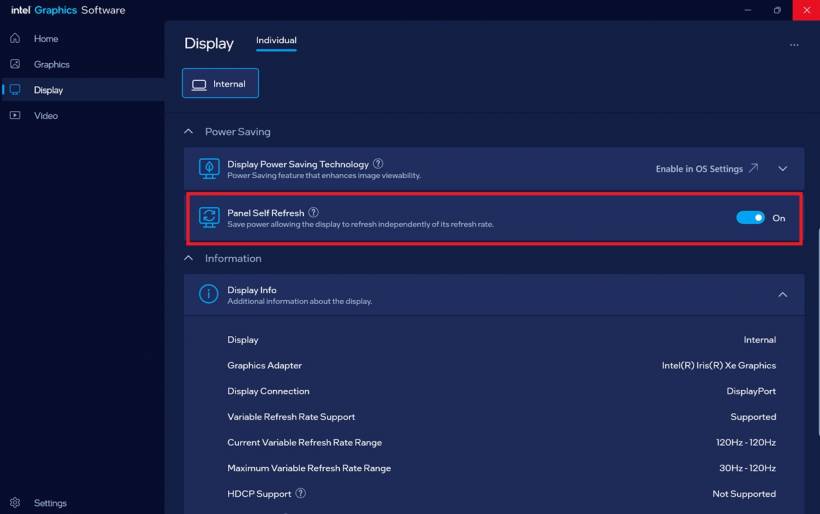
Depending on the laptop model and Intel graphics software version, the setting may be available in Intel Graphics Software or Intel Graphics Command Center under the display or power-saving section.
Should You Leave Panel Self Refresh Enabled?
For most users, leaving PSR enabled is usually the better option. It works silently, helps reduce unnecessary power use and can improve battery efficiency during basic productivity work.
However, disabling it may be worthwhile when display stability is more important than a small amount of battery savings. This can apply to users who notice visual glitches, rely on a highly responsive cursor experience or simply prefer fewer power-saving adjustments in the background.
The ideal choice depends on how your laptop behaves. If PSR works normally, it is a useful feature to keep enabled. If it causes visible problems, turning it off can be a reasonable troubleshooting step.
Final Thoughts
Intel Panel Self Refresh is a smart example of how modern laptops save battery power without asking users to change their habits. When the screen is static, there is no need for the graphics system to keep sending the same image repeatedly.
For reading, writing and general productivity work, PSR can quietly reduce display-related power consumption and help stretch battery life a little further. But like many power-saving features, it is not perfect on every device. If your display stays smooth and stable, PSR is worth keeping on. If you encounter flickering, brief freezes or irritating wake-up delays, disabling it may provide a more consistent experience.











Comments 0