

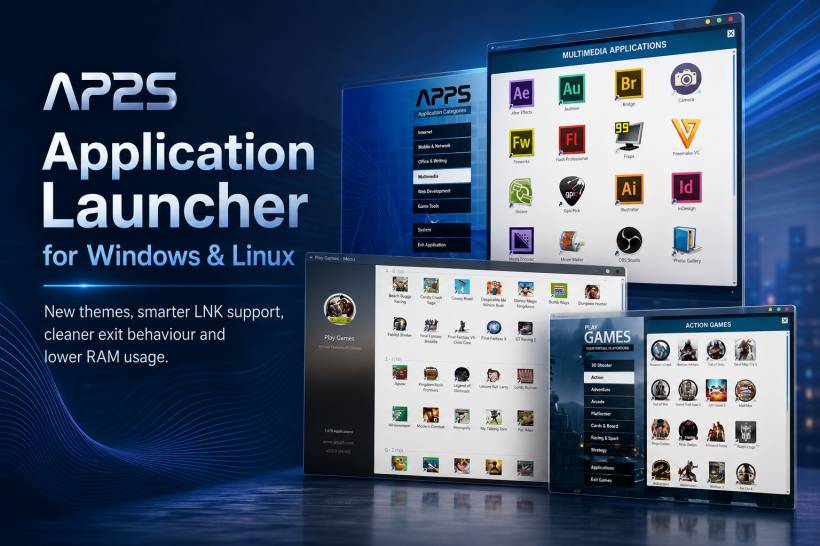
Application Launcher for Windows & Linux has received a practical update focused on making the everyday experience smoother, cleaner and more flexible. This release is not about adding complexity for the sake of it. Instead, it improves the parts that users interact with most: how the launcher looks, how reliably it opens shortcuts, how it behaves when closing, and how efficiently it uses system memory.
Whether it is being used as a quick productivity tool, a lightweight alternative to a traditional app menu, or a simple way to keep favourite software within reach, the latest update makes Application Launcher feel more polished across both Windows and Linux environments.
Choose a Theme That Fits Your Workspace
One of the most noticeable additions in this release is the new theme feature. Users can now choose between Dark, Light and Auto modes, giving the launcher a more personal and comfortable appearance depending on their setup.
Dark mode is a natural choice for users who prefer a sleek interface, work late at night, or simply want a launcher that blends nicely with a darker desktop setup. Light mode offers a cleaner and brighter visual style for those who prefer a more traditional look.
Meanwhile, Auto mode gives users the convenience of letting Application Launcher follow the system appearance where supported. This means the interface can switch naturally alongside the operating system theme, helping the launcher feel more integrated instead of looking like a separate tool sitting on top of the desktop.
It is a small feature on paper, but it makes a big difference in making the application feel like it belongs on the user's machine.
Improved Support for Windows LNK Shortcut Files
Another important improvement is better support for Windows shortcut files, commonly known as LNK files.
Before this update, shortcut handling could be inconsistent because a LNK file is not always the actual application or document itself. It is usually a pointer that leads somewhere else on the system. With the latest update, Application Launcher can now detect a LNK file and interpret it properly to identify the real destination path.
This means users can add more Windows shortcuts with greater confidence, whether they point to software, folders, documents or other commonly used items. Instead of treating the shortcut as an unknown file type, the launcher can understand where it leads and open the correct target.
For users migrating their existing desktop shortcuts into Application Launcher, this is especially useful. It makes the process more natural and reduces the need to manually search for the original executable or file location.
A Cleaner Exit Experience Without Browser Prompts
The exit experience has also been refined.
Previously, closing the application could trigger a browser-generated popup message. While these prompts are often intended as a safety measure, they can feel unnecessary and interrupt the simple act of exiting the launcher.
This behaviour has now been removed, resulting in a cleaner and less distracting close process. Users can exit Application Launcher without dealing with an extra confirmation message that does not add much value to the experience.
It is one of those small quality-of-life improvements that may not sound dramatic, but it helps the application feel more responsive and less intrusive during daily use.
Lower RAM Usage for a More Efficient Launcher
Performance has also been given serious attention in this update. RAM utilisation has been improved significantly to greatly reduce the amount of memory used by Application Launcher.
For a launcher application, efficiency matters. A launcher should always be ready when needed, but it should not take up unnecessary system resources in the background. Lower memory usage helps the application remain lightweight, especially for users who keep many browser tabs, development tools, office applications or creative software open at the same time.
This improvement is particularly useful for older PCs, lower-spec laptops, compact Linux systems and users who simply prefer a cleaner, more resource-friendly desktop environment.
By reducing its RAM footprint, Application Launcher can remain quick and convenient without becoming another background process competing for system resources.
Designed Around Everyday Convenience
This update reflects a simple direction for Application Launcher for Windows & Linux: make it easier to use without making it heavier.
The new theme options give users more control over the visual experience. Better LNK file support improves compatibility for Windows users. The removal of the exit popup creates a smoother workflow. Reduced RAM usage helps the launcher stay lightweight and practical throughout the day.
Together, these refinements make the application more dependable as a daily desktop companion. It is not trying to replace every system feature or overwhelm users with settings. It is designed to help people reach the applications, files and shortcuts they need quickly, while staying out of the way when they do not.
What Has Changed in This Update
• Added Dark, Light and Auto theme options
• Added improved support for Windows LNK shortcut files
• LNK files are now detected and interpreted to locate their actual target file path
• Removed the unnecessary browser-generated exit popup message
• Improved RAM utilisation to greatly reduce memory usage
• Enhanced the overall responsiveness and everyday usability of the launcher
Final Thoughts
Application Launcher for Windows & Linux is becoming a more refined tool with every update. This release focuses on the kind of changes that improve the experience over time: better compatibility, lower resource use, cleaner interactions and more visual choice.
For users who want a straightforward launcher that feels modern, efficient and comfortable on both Windows and Linux, these updates make the application an even stronger part of the daily desktop workflow.











Comments 0